Appearance of Samsung Internet on Windows is great news for the Galaxy ecosystem user community. No longer just a default browser on phones, it has become an important bridge, blurring the gap between mobile devices and computers. So, what practical value does this browser bring and is it enough to convince users to switch? Let’s find out!
📢 Join the channel Telegram belong to AnonyViet
Update new articles, cool tools and IT tips fastest
What’s impressive about Samsung Internet?
The good news is that you don’t have to wait even if you’re not on the official beta registration list yet. The browser installation file is available for download HERE (or HERE if you are using a computer running an ARM chip).
NOTE: An important condition is that your computer needs to run an operating system Windows 11 or Windows 10 from version 1809 or higher to be able to install and use this browser.
Experience amazingly seamless synchronization
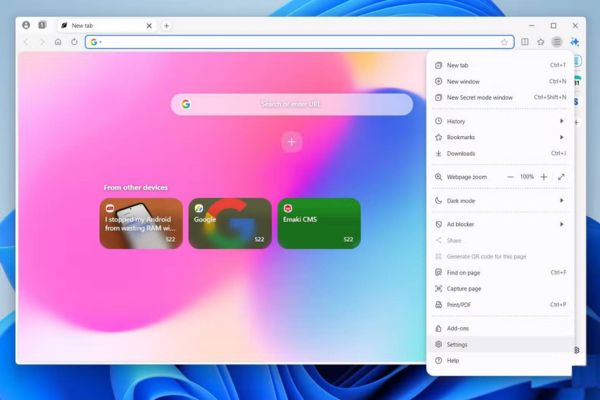
The first impressive point and also the core value of Samsung Internet on Windows is the ability to synchronize the ecosystem. With just one login to your Samsung account, all your browsing data like bookmarks, history, open tabs, and even extensions are instantly synced between your phone, tablet, and PC.
This completely eliminates the need to manually send links between devices, an operation that is inherently disruptive and time-consuming. Furthermore, Samsung Pass integration makes logging in on your computer safer and more convenient, allowing you to automatically fill in passwords and personal information securely.
Enhance productivity with multitasking tools
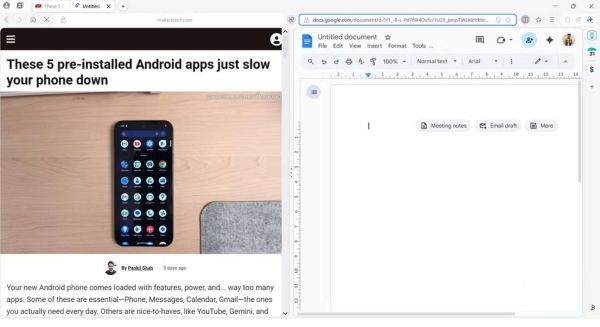
Samsung Internet offers intelligently designed multitasking tools that help optimize workflow and entertainment.
- Split-view is an extremely useful feature in practice. You can easily place two websites side by side to compare product prices, or watch an instructional video on one side and practice on the other without switching windows.
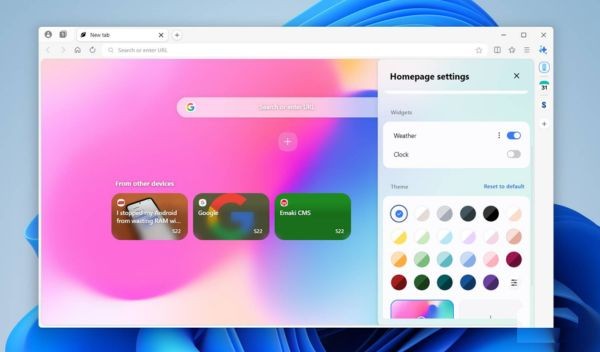
- Sidebar considered an expensive highlight. It provides a shortcut to view and open active tabs on other Galaxy devices, helping your workflow stay uninterrupted. Additionally, integrating Samsung Calendar right on the sidebar allows users to quickly manage schedules without leaving the browser.
Clean with built-in features
This browser is equipped with many powerful tools, helping to enhance user experience right from the moment of installation.
- The native ad blocker works effectively, helping web pages load faster and providing a clean browsing space, free from unwanted content.
- The summary and translation feature using Galaxy AI is a powerful assistant, capable of condensing long articles into main points, helping users grasp information quickly and effectively.
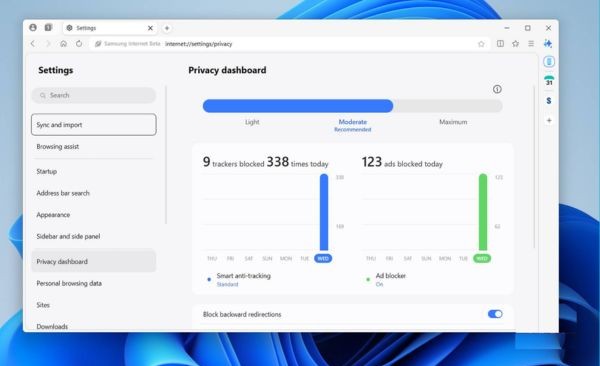
- The Privacy Dashboard provides essential transparency, providing an overview of blocked trackers and data collection efforts from websites, giving users greater control over their privacy.
Points that need to be improved to become perfect
Despite possessing many outstanding advantages, Samsung Internet still has a few aspects that need to be improved to bring the most complete experience. Currently, the browser does not yet allow users to add custom search engines beyond the default list.
Besides, while the AI summary feature is impressive, the lack of a built-in virtual assistant or interactive chatbot makes the browser somewhat lacking compared to its competitors. These are upgrades that are expected to appear in future versions to perfect the experience.
Conclusion
So, whether Samsung Internet Is it a worthy alternative? For anyone who has been immersed in the Galaxy ecosystem, the answer is almost certain. It’s more than just a browser, it’s an important piece of the puzzle that makes the technology experience seamless and consistent.