

Advanced SystemCare 19 Pro is one of the leading solutions to help you take comprehensive care of your Windows computer. This software not only cleans junk but also protects personal data from online threats. Let’s go together AnonyViet Discover in detail the outstanding features right in this article.
📢 Join the channel Telegram belong to AnonyViet
Update new articles, cool tools and IT tips fastest
New features of Key Advanced SystemCare 19 Pro
The publisher has continuously improved to bring a more perfect experience to users through a series of valuable upgrades. Here are the most prominent changes you will get:
- Smart AI cleaning mode will automatically analyze your habits to clean up junk files and redundant applications to free up maximum hard drive space with just one click.
- Upgraded startup optimizer helps you easily control and disable unnecessary background processes, thereby significantly shortening your computer’s turn-on time.
- Smart RAM and Internet Booster tools continuously monitor system resources in real time, automatically freeing memory and fine-tuning the network to provide the smoothest web surfing and gaming experience.
- The Safe Folder feature and extensive anti-spyware database create an iron shield, protecting your sensitive data from ransomware attacks.
- AutoCare mode combined with Software Updater will silently take care of, patch Windows and refresh applications (including Microsoft Store) even when the computer is idle.
- The privacy scanner and surfing protection work hard to clean your digital footprint and block any annoying ads or phishing websites.
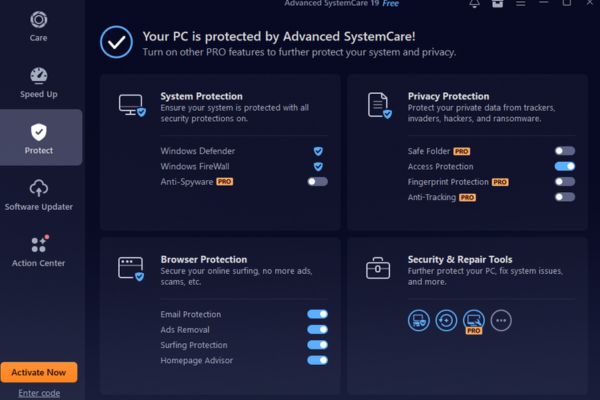
Instructions for receiving Serial Key Advanced SystemCare 19 Pro for free for 6 months
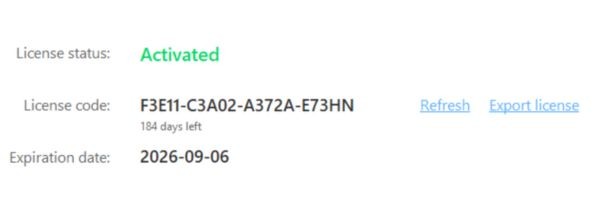
To help you fully experience the premium features, below are the steps to activate the Advanced SystemCare 19 Pro license completely free of charge (Note: Key is only for 200 activations first and expires on date April 10, 2026).
Step 1: Visit the homepage Advanced SystemCare and press the button “Free downloads” to download the installer to your device.
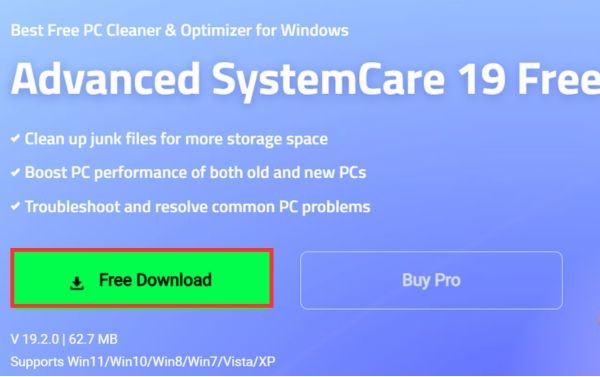
Step 2: Open the downloaded file and install the software on your computer.
Step 3: Start the application, then click on the words “Enter Code” located in the bottom left corner of the interface screen.
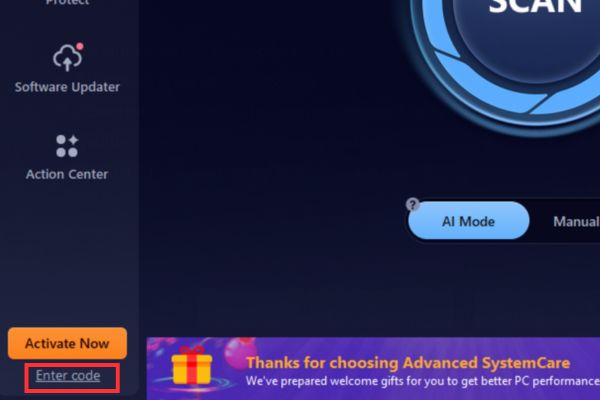
Step 4: Paste the key code F3E11-C3A02-A372A-E73HN in the empty box and press the button “Register Now” to complete the activation.
Performance comparison table before and after using Advanced SystemCare 19 Pro
To give you a more intuitive view of the power of the software, below is a table evaluating the changes in the system before and after optimization:
| Evaluation criteria | Before optimization | After optimization |
| Machine startup time | Slow, takes many minutes to enter Windows | Fast, minimize waiting time |
| Hard drive capacity | Full of junk files and temporary files | Spacious, freeing up gigabytes of space |
| Web surfing speed | Slow, often bothered by ads | Smooth, blocking harmful ads |
| RAM/CPU consumption | Always high due to many applications running in the background | Stable, automatically releases excess resources |
| Data security | Easily tracked and attacked by malicious code | Absolutely secure, anonymous digital identity |
Conclusion
With outstanding improvements, Share Key Advanced SystemCare 19 Pro Truly an indispensable utility for every Windows user. The software not only helps increase processing speed but also ensures absolute safety for your personal data. Quickly activate your license and enjoy this great performance.
Frequently Asked Questions (Q&A)
Question 1: How long is the copyright key shared in the article valid?
Answer: This activation code gives you 6 months of Pro version for free (expires April 10, 2026) and is limited to the first 200 activations.
Question 2: Does this software support Vietnamese language?
Answer: Yes, the latest version has been updated to support up to 37 different languages worldwide, making operations extremely easy for you.
Question 3: On what principle does the AI Mode cleaning feature work?
Answer: AI Mode uses artificial intelligence to learn your computer usage habits, thereby automatically offering scanning and optimization options that best suit your current computer status.









