PyCharm is well known as the most powerful Python IDE. On the other hand, VsCode is a multifunctional code editor developed by Microsoft. If you were a developer, which would you want to use? Let’s find out together.
| Join the channel Telegram of the AnonyViet 👉 Link 👈 |
What is Pycharm?
Pycharm is an integrated IDE development environment. It’s basically specific to the Python language. It has powerful features like code self-completion, code checking, error highlighting, and quick fixes.
In addition, Pycharm provides a great framework dedicated to modern web development frameworks and cross-technology development. You will not be disappointed with this IDE as it has a collection of other unique tools as well.
Advantages of PyCharm
- It is a simple, intuitive IDE for developers.
- It has many plugins and extensions available.
- Creating an integrated virtual environment makes management easy.
- Code control management helps to resolve any code conflicts.
- Can easily switch between different python versions and integrates well with GIT.
Disadvantages of PyCharm
- Sometimes add-ons don’t work perfectly.
- It takes up a lot of memory when two or more projects are open at the same time.
- Setting up a proxy is complicated.
- Debugging takes time.
What is Vscode?
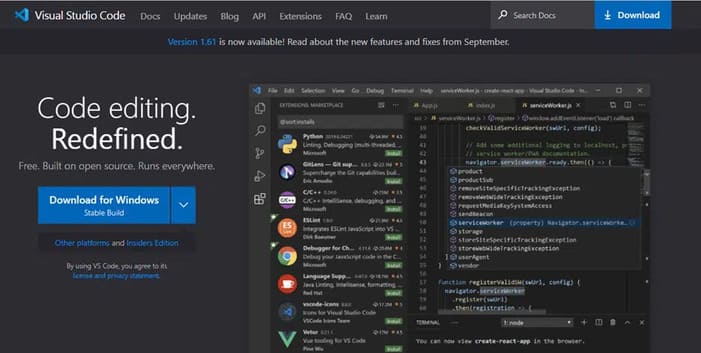
This is a great open source editor that runs everywhere. It has great UX and custom workspace. You can quickly complete code by using utilities like IntelliSense for code completion.
You can also debug the code right from here. Working with Git and SCM is much more accessible. You can also install extensions and add new languages, themes, and debuggers.
Advantages of VsCode
- Code analysis of applications and systems helps to detect syntax or function errors.
- Automatically group functions and procedures in blocks.
- Good user interface.
- Easy integration with GIT.
- Compatible with multiple platforms and environments.
Disadvantages of VsCode
- Vscode doesn’t work very well as a GIT integration tool.
- Customizing keystrokes will be more accessible.
- A resource monitoring panel can help detect any problems easily.
- The installation interface is a bit complicated.
Price
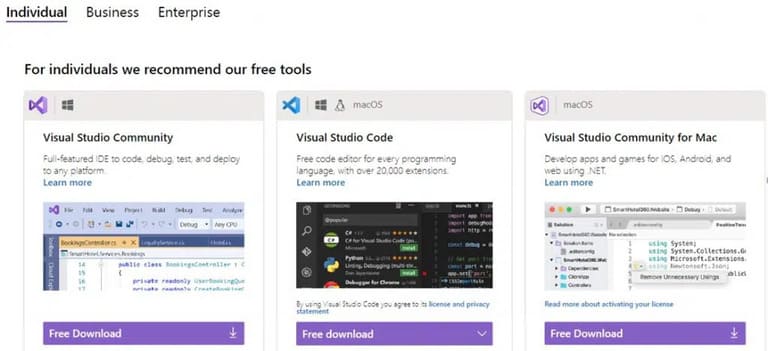
At Pycharm, you can sign up for the service for $200 a year. Also, it has a free community version.

Vscode is a free source code software. You can also add free tools to vscode for more functionality.
Self-complete code
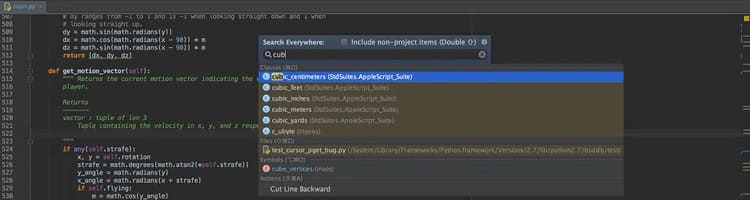
Pycharm can do smart code completion. It usually shows a code completion option as you’re typing. However, if this feature is disabled, press the command CTRL + SHIFT + Space. Alternatively, on the menu bar, select “Code > code completion > Type matching”.
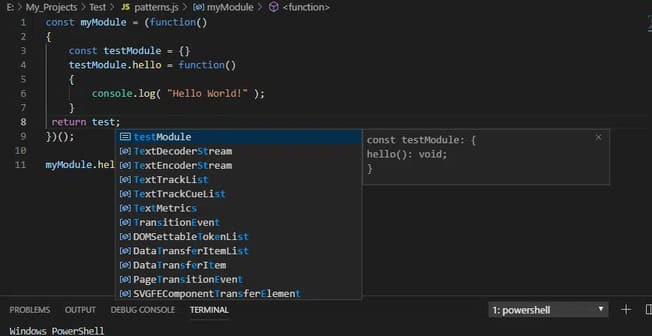
Although VsCode does not have this functionality, it does have plug-ins with similar functionality. It also features IntelliSense which is a term for various code editing features. IntelliSense supports JavaScript, Typescript, JSON, HTML, CSS, SCSS and more.
Memory usage
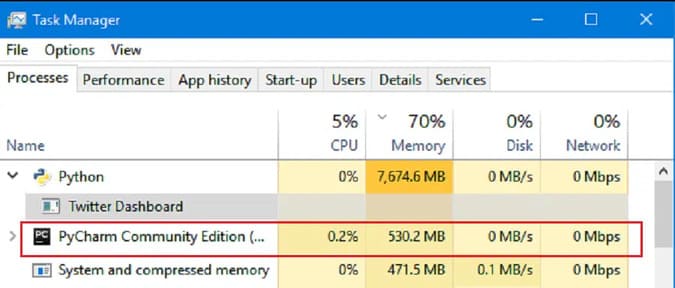
Pycharm takes up a lot more memory than VsCode. If your computer performance is not strong, then you should choose VsCode.
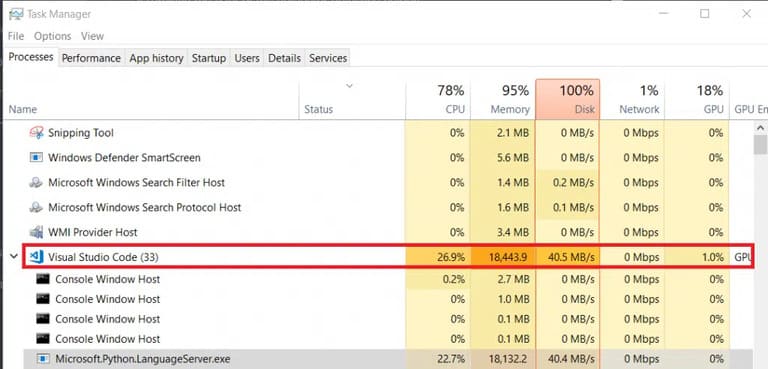
Although VsCode uses less memory than Pycharm, it also uses many other resources. This is because VsCode is not a native program like sublime or emacs. It is like opening a Google Chrome window so it uses a lot of RAM and CPU.
You can check PyCharm memory usage in the status bar to know how much memory to allocate. Just right click on the status bar and select memory indicator. Slow performance can mainly be due to the small amount of RAM. You can choose to switch to a lighter operating system and try to monitor other system processes and disable unused plugins. Also, try to limit the number of tabs and plugins. Finally, upgrade your hardware.
Extension

Pycharm is an IDE from the company JetBrains, which offers almost 3000 plug-ins on the official website. These plugins may be needed for different functions on your computer.
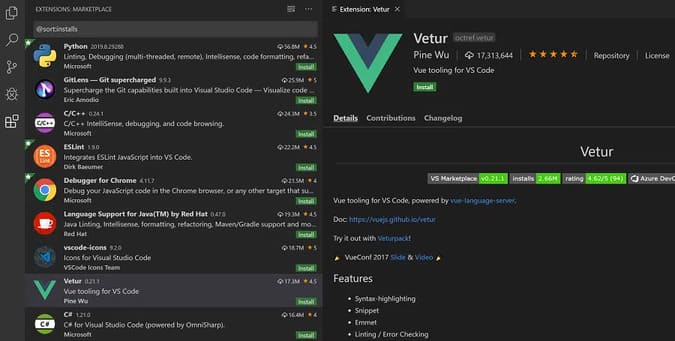
The vscode open source project has more extensions. You can use them to add more functionality.
Orientation
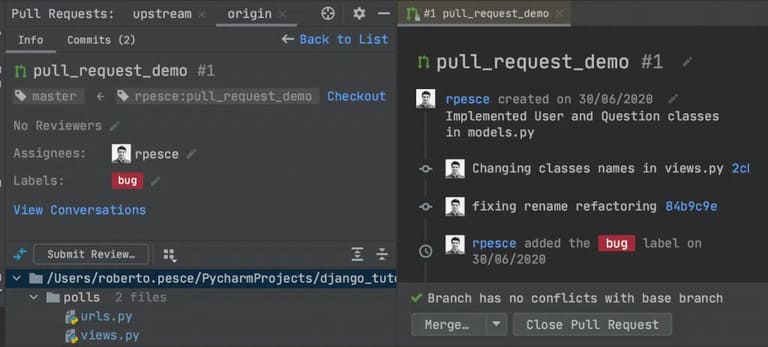
Vscode is more suitable for light development tasks, such as scripts. However, Pycharm’s machine learning and remote development are suitable for complex projects. Of course, this requires your computer to be more powerful.

In addition, PyCharm provides code management, navigation options, and error marking. It also supports different languages. The smart search function allows you to find any code you want.
Remote debugging
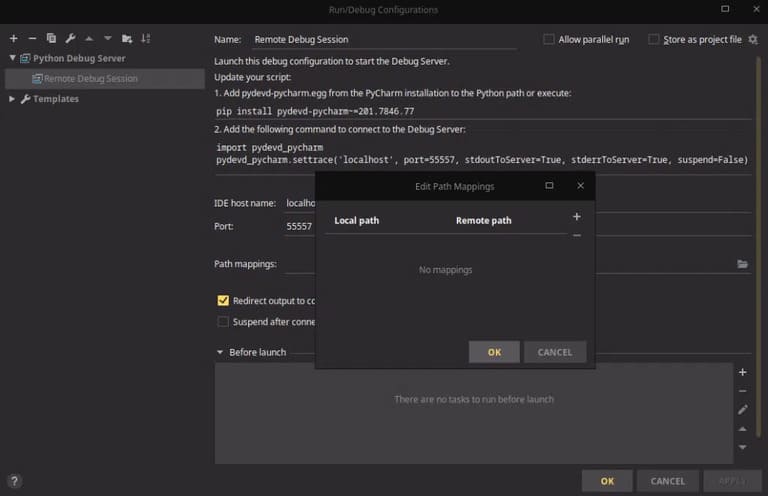
For developers, remote debugging is essential. A standout feature of Visual Studio Code is a great debug support for editing, compiling, and debugging. Also, it can debug most languages. Vscode also has other debugging extensions.

PyCharm is also available, but you need to purchase the Pro version. If you want to debug remotely while using PyCharm then buy the Pro version.
Which one is better?
Although they are not perfect, both PyCharm and VSCode allow the creation of plug-ins to enhance the user experience. Both have complete IDEs and are up to your individual needs and requirements.
If you are just a Python developer, choose PyCharm. Otherwise, choose vscode. These two programs are great for code management and provide a great user experience.
In addition, you can also check out the 24 best Vscode Extensions here.