This article will guide you to update data for Pivot Table in Excel.
| Join the channel Telegram of the AnonyViet 👉 Link 👈 |
This article guides you to update information in Pivot Table
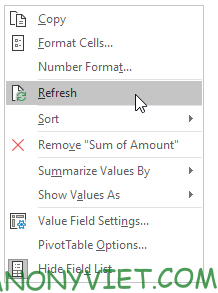
Refresh
1. Click a cell anywhere in the Pivot table.
2. Right-click and press Refresh
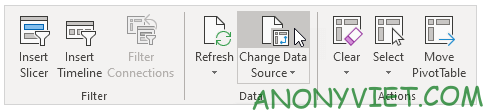
Change Data Source
1. Click a cell in a Pivot table
2. On the Analyze panel, select Change Data Source..
In addition, you can also view many other excel articles here.