In this article, I will make an example to show you how to sort by color in Excel.
| Join the channel Telegram of the AnonyViet 👉 Link 👈 |
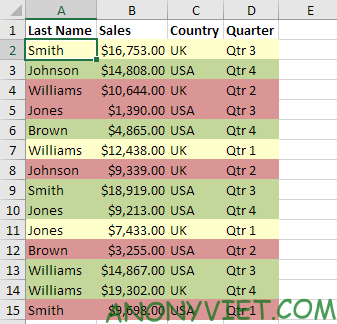
Sort by color in Excel
1. Select any cell in the data table
2. Select Soft on the Data panel

Then the Soft dialog box appears.
3. Here I will Sort by Last Name (You can sort by any cell you want) and I will choose blue as the first Level.
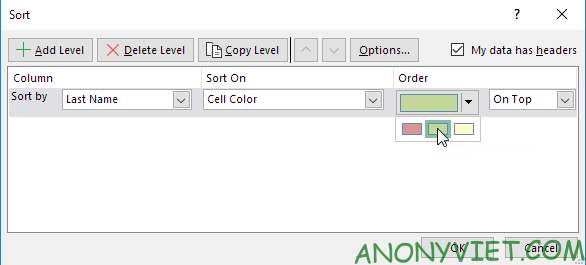
4. Press Copy Level 2 times and choose another color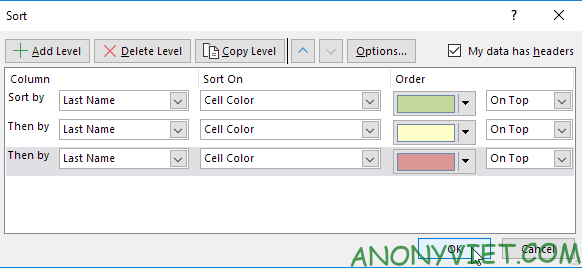
Then press OK.
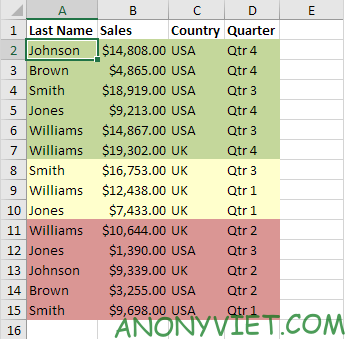
And the result we get
In addition, you can also view many other excel articles here.