The ADDRESS function in Excel generate cell references as text, based on a certain number of rows and columns.
| Join the channel Telegram of the AnonyViet 👉 Link 👈 |
How to use the Address function in Excel
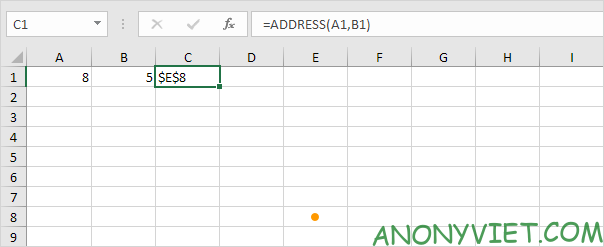
1. The ADDRESS function below returns $E$8. The number of rows is 8 and the number of columns is 5.
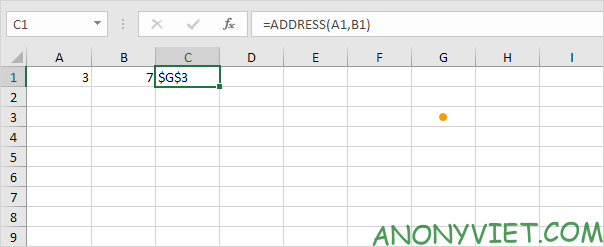
2. The ADDRESS function below returns $G$3. The number of rows is 3 and the number of columns is 7.
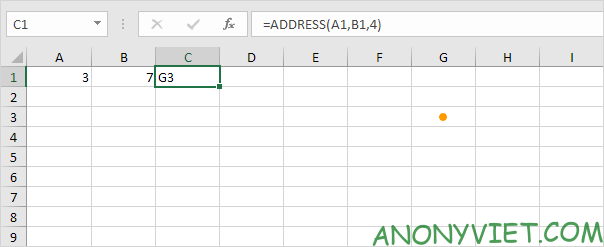
3. By default, the ADDRESS function creates an absolute reference. To create a relative reference, enter 4 for the third parameter.
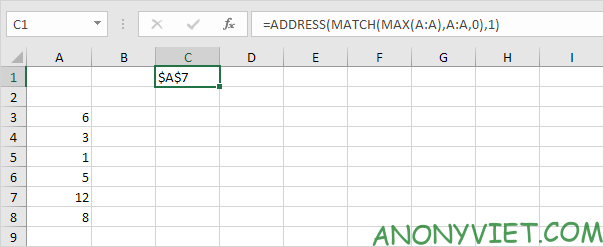
4. For example, use the Excel ADDRESS function to find the cell address of the largest value in a column.
In addition, you can also view many other excel articles here.