• Home
  • News
  • Software
  • Knowledge
  • MMO
  • Tips
  • Security
  • Network
  • Office
AnonyViet - English Version
  • Home
  • News
  • Software
  • Knowledge
  • MMO
  • Tips
  • Security
  • Network
  • Office
No Result
View All Result
  • Home
  • News
  • Software
  • Knowledge
  • MMO
  • Tips
  • Security
  • Network
  • Office
No Result
View All Result
AnonyViet - English Version
No Result
View All Result

[Lập Trình Game] Lesson 12: Create HP for Enemy in Godot Engine

AnonyViet by AnonyViet
February 2, 2023
in Tips
0

Continuing with the enemy, in this article we will create hp for the enemy and this article is quite short, in the next post I will guide you to create slash animation (because anonyviet’s available assets do not have slash animation, so I will get animation. and if you use another asset that has an animation attack, use it) and kill the enemy.

Join the channel Telegram of the AnonyViet 👉 Link 👈

USE EXPORT

Go to the script enemy and then you declare your HP variable

I will declare as:

export var hp = 2

use export declare variable HP

And Export here is the declaration command that takes the value out of the table Properties to edit

Properties panel to edit

You can also do with the same variables if you want and Export it has nothing to do with your code, it just has the function of putting the variable value out for easier editing without having to edit the code.

[Lập Trình Game] Lesson 12: Create HP for Enemy in Godot Engine

And you can apply it to many other things

Here I will show you a trick to choose something like color etc

Color change code

Export(String,”text”) var tenbien is to be

Here if you want to change the color, you code as follows:

if ColorMode == "Mau Do":
    $Sprite.modulate = Color(0, 0, 1, 1)
elif ColorMode == "Mau Xanh":
    $Sprite.modulate = Color(0.75, 0.75, 0.75, 1)
elif ColorMode == "Mau Cua Anonyviet":
    print(“Dep Trai Khong Bao Gio Sai)

What color is the if statement to compare?

$Call sprite or AnimationSprite or whatever and modulate to change color

[Lập Trình Game]  Lesson 12: Create HP for Enemy in Godot Engine 4

You can func create a function that contains the command to change the color and then call the function to change the color in physic or process

Examples are as follows:

# ham process goi du lieu ben trong tren tung khung hinh	
Func _process(delta):
#goi set color
Setcolor()
# ham set color
Func setcolor():
    if ColorMode == "Mau Do":
        $Sprite.modulate = Color(0, 0, 1, 1)
    elif ColorMode == "Mau Xanh":
        $Sprite.modulate = Color(0.75, 0.75, 0.75, 1)
    elif ColorMode == "Mau Cua Anonyviet":
        print(“Dep Trai Khong Bao Gio Sai)


The article achieved: 5/5 – (100 votes)

Tags: createEnemyEngineGameGodotlậpLessontrình
Previous Post

How to write Game with Game Maker Studio 2

Next Post

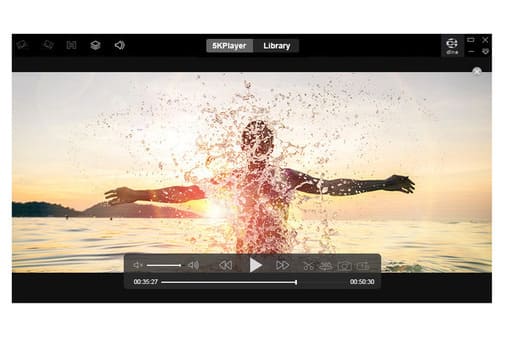
Download 5KPlayer – Movie player software that supports many new features

AnonyViet

AnonyViet

Related Posts

How to add sliders to Facebook Stories to easily rewind videos
Tips

How to add sliders to Facebook Stories to easily rewind videos

April 21, 2026
How to change the default font on Windows 10
Tips

How to change the default font on Windows 10

April 13, 2026
5 tips for using a Browser to replace an App (helps save RAM, time and money)
Tips

5 tips for using a Browser to replace an App (helps save RAM, time and money)

April 13, 2026
How to make funny MeMe photos without Photoshop within 10 seconds
Tips

How to make funny MeMe photos without Photoshop within 10 seconds

April 11, 2026
How to quickly design your own Logo without Photoshop
Tips

How to quickly design your own Logo without Photoshop

April 10, 2026
How to convert Website into App on Windows
Tips

How to convert Website into App on Windows

April 9, 2026
Next Post
Download 5KPlayer – Movie player software that supports many new features

Download 5KPlayer - Movie player software that supports many new features

0 0 votes
Article Rating
Subscribe
Login
Notify of
guest

guest

0 Comments
Oldest
Newest Most Voted
Inline Feedbacks
View all comments

Recent News

Tips to completely turn off CAPTCHA codes on iPhone and Mac are super simple

Tips to completely turn off CAPTCHA codes on iPhone and Mac are super simple

April 25, 2026
Compare Poco X8 Pro and Poco X7 Pro: A new step for the “king” of mid-range performance

Compare Poco X8 Pro and Poco X7 Pro: A new step for the “king” of mid-range performance

April 24, 2026
How to compress online videos for free without losing quality

How to compress online videos for free without losing quality

April 24, 2026
Top 5 apps to view good days 2026 for free on iOS and Android

Top 5 apps to view good days 2026 for free on iOS and Android

April 23, 2026
Tips to completely turn off CAPTCHA codes on iPhone and Mac are super simple

Tips to completely turn off CAPTCHA codes on iPhone and Mac are super simple

April 25, 2026
Compare Poco X8 Pro and Poco X7 Pro: A new step for the “king” of mid-range performance

Compare Poco X8 Pro and Poco X7 Pro: A new step for the “king” of mid-range performance

April 24, 2026
How to compress online videos for free without losing quality

How to compress online videos for free without losing quality

April 24, 2026
AnonyViet - English Version

AnonyViet

AnonyViet is a website share knowledge that you have never learned in school!

We are ready to welcome your comments, as well as your articles sent to AnonyViet.

Follow Us

Contact:

Email: anonyviet.com[@]gmail.com

Main Website: https://anonyviet.com

Recent News

Tips to completely turn off CAPTCHA codes on iPhone and Mac are super simple

Tips to completely turn off CAPTCHA codes on iPhone and Mac are super simple

April 25, 2026
Compare Poco X8 Pro and Poco X7 Pro: A new step for the “king” of mid-range performance

Compare Poco X8 Pro and Poco X7 Pro: A new step for the “king” of mid-range performance

April 24, 2026
No Result
View All Result
  • Home
  • News
  • Software
  • Knowledge
  • MMO
  • Tips
  • Security
  • Network
  • Office

wpDiscuz
0
0
Would love your thoughts, please comment.x
()
x
| Reply