• Home
  • News
  • Software
  • Knowledge
  • MMO
  • Tips
  • Security
  • Network
  • Office
AnonyViet - English Version
  • Home
  • News
  • Software
  • Knowledge
  • MMO
  • Tips
  • Security
  • Network
  • Office
No Result
View All Result
  • Home
  • News
  • Software
  • Knowledge
  • MMO
  • Tips
  • Security
  • Network
  • Office
No Result
View All Result
AnonyViet - English Version
No Result
View All Result

Instructions to increase Facebook Likes very quickly and safely

AnonyViet by AnonyViet
February 16, 2023
in Tips
0

Increase Facebook Likes?

Increasing Facebook Likes is a phenomenon that has never ceased to be HOT. Currently, some people are using software to increase likes on Facebook more and more. So this article Anonyviet will guide you to hang like.

Join the channel Telegram belong to AnonyViet 👉 Link 👈

Links increase Likes

First, you go to this website to increase Facebook likes.

Link here

This page can only increase 300 likes. But I will show you how to hang likes from 500 likes to 1000 likes. Remember to read and carefully watch each step to avoid errors.

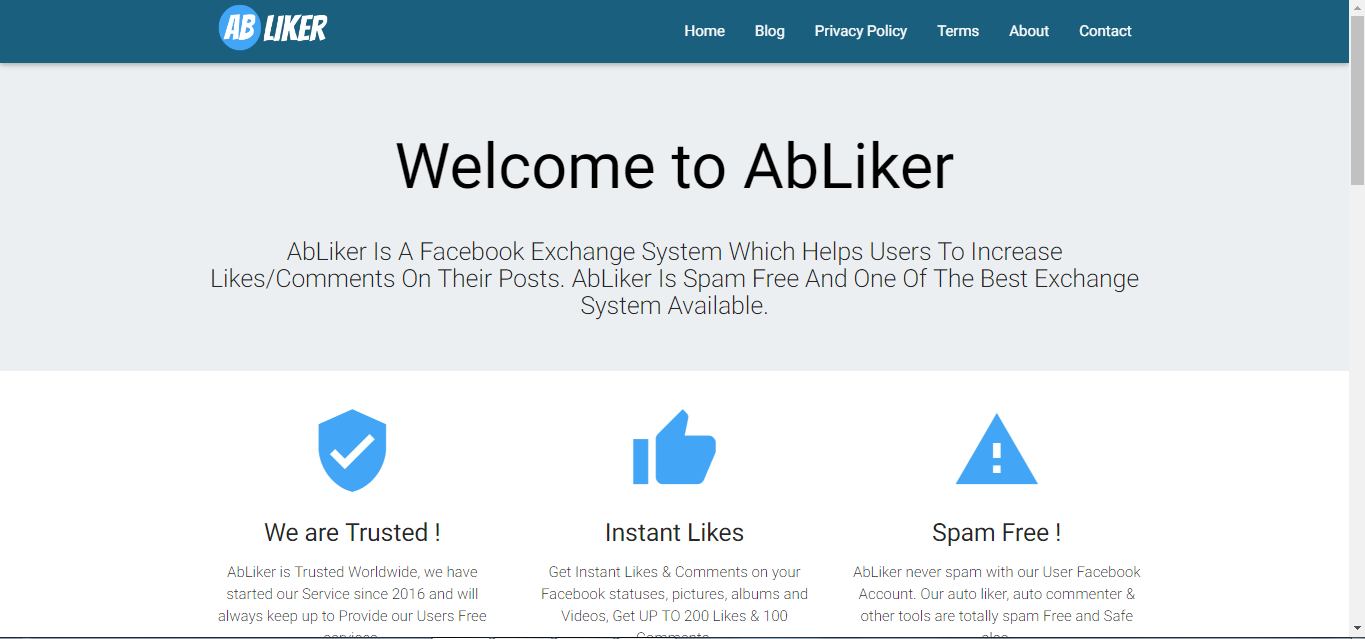
After entering the link, the page to increase likes will appear.
like

Steps to take

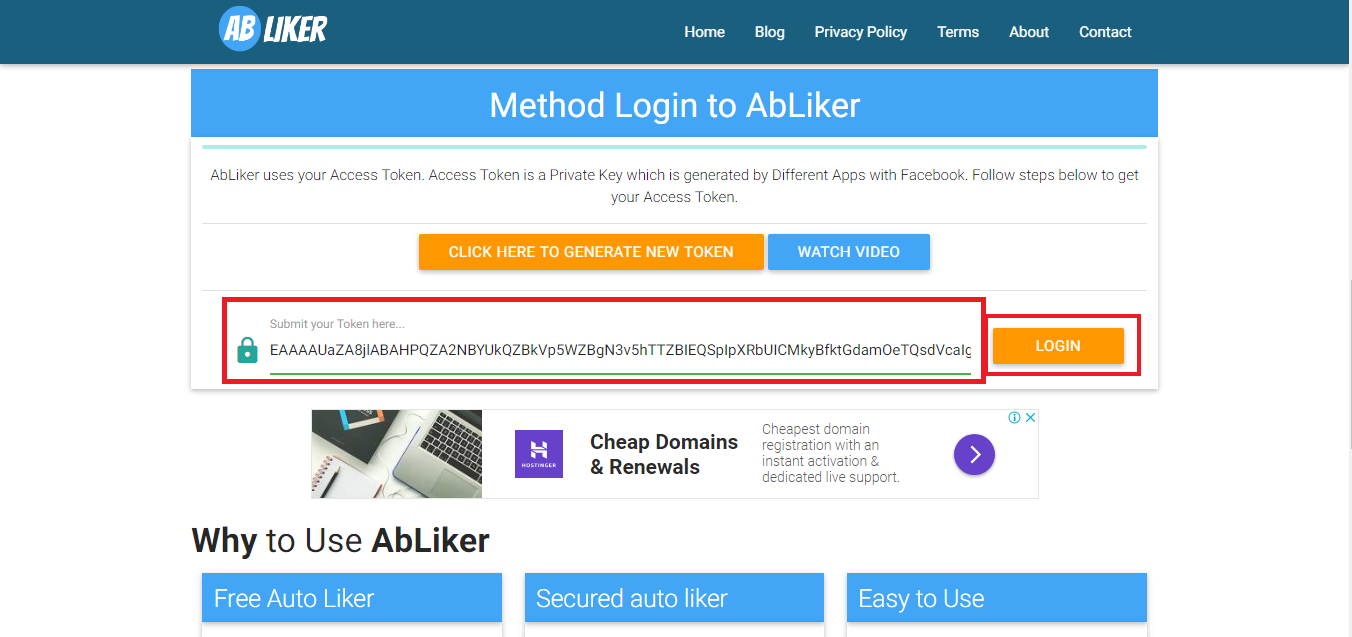
Now you need Tokens to increase likes. Token is a piece of user identification code (1 code per person) like ID card. If you don’t know the token and want to understand better, see here Please.

You scroll down and enter the token where there is a padlock and click Login.
Instructions to increase Facebook Likes very quickly and safely

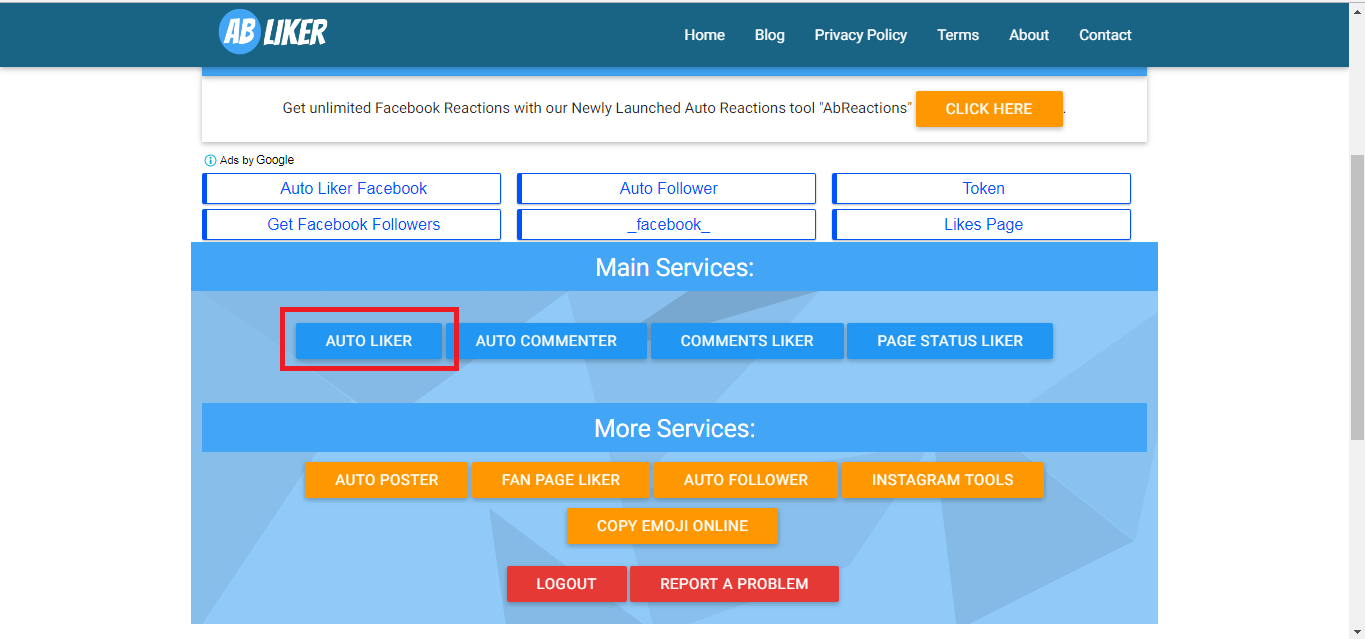
After successful login, the page menu will appear. You click on Auto Liker to go to the next step.
liker

We continue to choose Custom ID Please.
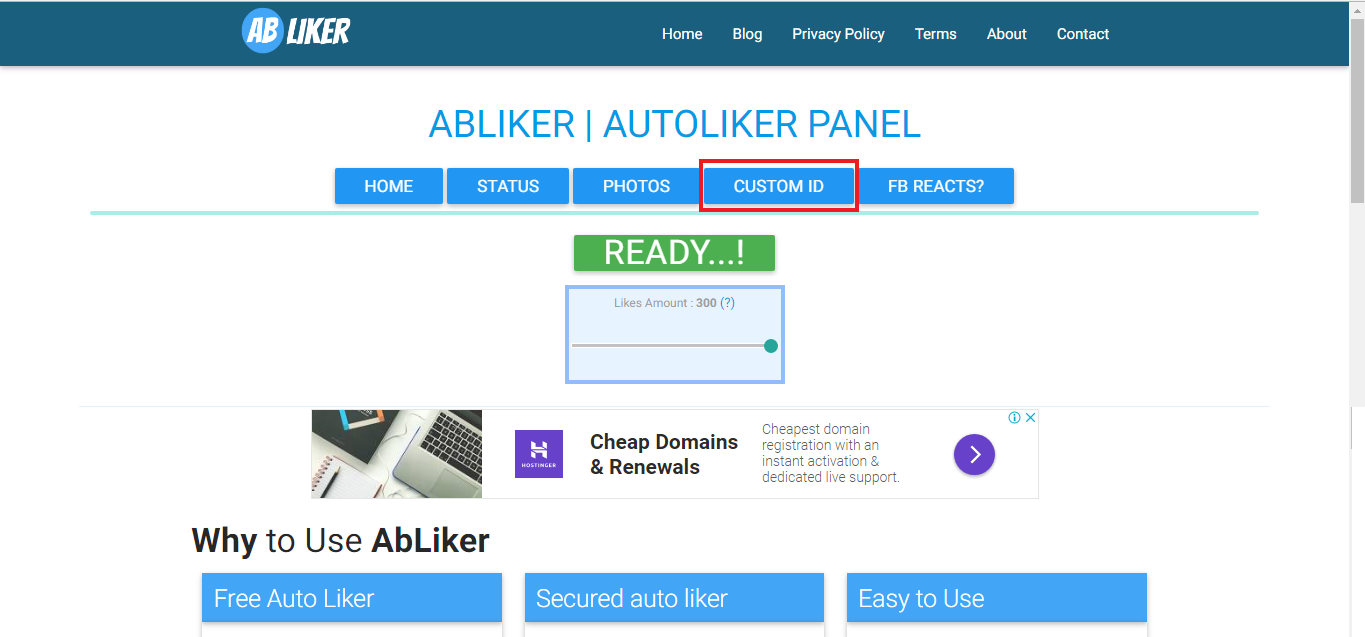
id

Now we go to the link below to download the DOTVPN utility. This utility has Fake IP function and can cause machine Lag.

Link DotVpn

After installing the utility, open it, enter your email and password and press Connected to begin Fake IP Please.
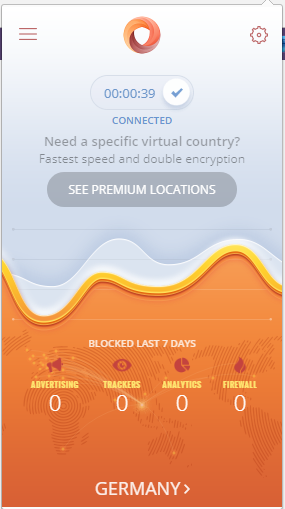
Instructions to increase Facebook Likes very quickly and safely 4

Then go to the page to increase likes and reload page (F5).

Important step

You take turns choosing Check element or press the key combination Ctrl + Shift + I and delete items like my video below.

https://www.youtube.com/watch?v=W6H4P0Qu_mg

After deleting, you must get the ID of a Post or Status on your personal page or Fanpage.

GH

Then paste this status ID in ”

Instructions to increase Facebook Likes very quickly and safely

Now we press Submit a lot. The more you press, the more likes you will get. This site max 300 likes/ 1 status we do it this way can get up to 1k likes or more if you press a lot.

Like Fanpage or follow website for quick updates of good articles.

Good luck
TMQ.

The article achieved: 5/5 – (100 votes)

Previous Post

Tut Unlock Facebook with new link 062 extremely standard

Next Post

How to reduce delay Right-click menu

AnonyViet

AnonyViet

Related Posts

How to add sliders to Facebook Stories to easily rewind videos
Tips

How to add sliders to Facebook Stories to easily rewind videos

April 21, 2026
How to change the default font on Windows 10
Tips

How to change the default font on Windows 10

April 13, 2026
5 tips for using a Browser to replace an App (helps save RAM, time and money)
Tips

5 tips for using a Browser to replace an App (helps save RAM, time and money)

April 13, 2026
How to make funny MeMe photos without Photoshop within 10 seconds
Tips

How to make funny MeMe photos without Photoshop within 10 seconds

April 11, 2026
How to quickly design your own Logo without Photoshop
Tips

How to quickly design your own Logo without Photoshop

April 10, 2026
How to convert Website into App on Windows
Tips

How to convert Website into App on Windows

April 9, 2026
Next Post
How to reduce delay Right-click menu

How to reduce delay Right-click menu

0 0 votes
Article Rating
Subscribe
Login
Notify of
guest

guest

0 Comments
Oldest
Newest Most Voted
Inline Feedbacks
View all comments

Recent News

How to create a Face Sticker Collection using ChatGPT

How to create a Face Sticker Collection using ChatGPT

April 29, 2026
How to install the cute Bongo Cat mouse pointer for Windows

How to install the cute Bongo Cat mouse pointer for Windows

April 29, 2026
Tips for pinning the step counter to the iPhone screen to monitor your health

Tips for pinning the step counter to the iPhone screen to monitor your health

April 28, 2026
How to turn off password suggestions on iPhone: Prevent Safari from auto-filling passwords

How to turn off password suggestions on iPhone: Prevent Safari from auto-filling passwords

April 27, 2026
How to create a Face Sticker Collection using ChatGPT

How to create a Face Sticker Collection using ChatGPT

April 29, 2026
How to install the cute Bongo Cat mouse pointer for Windows

How to install the cute Bongo Cat mouse pointer for Windows

April 29, 2026
Tips for pinning the step counter to the iPhone screen to monitor your health

Tips for pinning the step counter to the iPhone screen to monitor your health

April 28, 2026
AnonyViet - English Version

AnonyViet

AnonyViet is a website share knowledge that you have never learned in school!

We are ready to welcome your comments, as well as your articles sent to AnonyViet.

Follow Us

Contact:

Email: anonyviet.com[@]gmail.com

Main Website: https://anonyviet.com

Recent News

How to create a Face Sticker Collection using ChatGPT

How to create a Face Sticker Collection using ChatGPT

April 29, 2026
How to install the cute Bongo Cat mouse pointer for Windows

How to install the cute Bongo Cat mouse pointer for Windows

April 29, 2026
No Result
View All Result
  • Home
  • News
  • Software
  • Knowledge
  • MMO
  • Tips
  • Security
  • Network
  • Office

wpDiscuz
0
0
Would love your thoughts, please comment.x
()
x
| Reply