There are some things you can only do from typing the command line in Command Prompt or PowerShell, while these tools have no graphical interaction and are more difficult to use than programs with specific interfaces.
| Join the channel Telegram belong to AnonyViet 👉 Link 👈 |
The main reason is Command Prompt used to execute batch files, perform tasks quickly, help you troubleshoot and solve some Windows problems when the system crashes. However, not most commands in Windows are useful and must be performed often. The 10 command lines in the article below are very useful even if you are not an administrator.
How to open Command Prompt: Go to Start->Run->type cmd or press Windows key + R
Ipconfig: Find or quickly change your computer's IP address
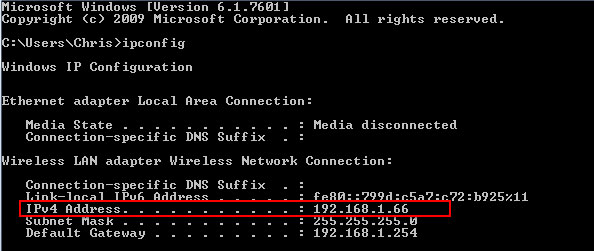
While you can find your computer's IP address from within the Control Panel, this requires a few clicks. ipconfig command in the Command Prompt window is the fastest way to determine the IP address and other information such as default Gateway address, Subnet Mask.
Ipconfig /flushdns: Delete all data in DNS memory
If you change your DNS server, the effect will not necessarily be immediate. Windows then uses a cache to save received DNS responses to save time when you access the old address again in the future.
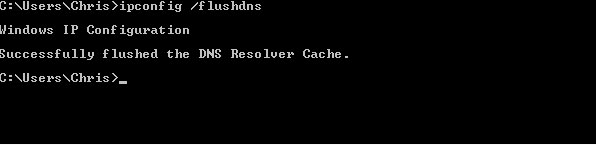
So to ensure Windows receives the address from a new DNS server instead of using the old address in the cache, you just need to run the command ipconfig /flushdns after changing my DNS server.
Ping: Test connection to another computer
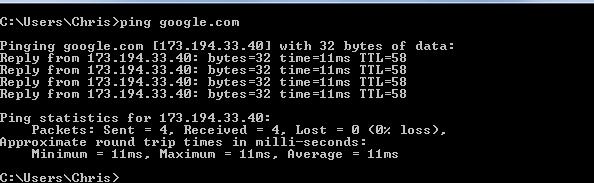
When you have connection problems with a website or another computer on your local network, Windows has provided a command to help you test connections to determine the status of the network. Ping command. Just type Ping along with one IP address or website address and Enter that's it.
Shutdown: Create a quick shutdown shortcut in Windows 8/10
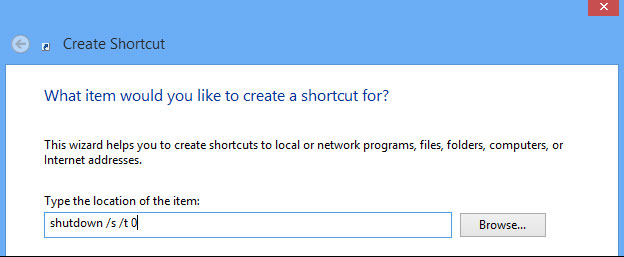
Shutdown command very helpful in Windows 8/10you can use it to create your own shortcuts and place them on the Start Screen or Desktop to easily turn off or restart the computer without having to access the Charms bar.
To do this, create a shortcut and enter shutdown /s /t 0 If you want to turn off the computer andshutdown /r /t 0 if you want to restart your computer.
Recimg: Create custom restore points in Windows 8/10
Feature Refresh Your PC in Windows 8 allows you to restore your computer to its original state from a clean or manufacturer-installed Windows installation.
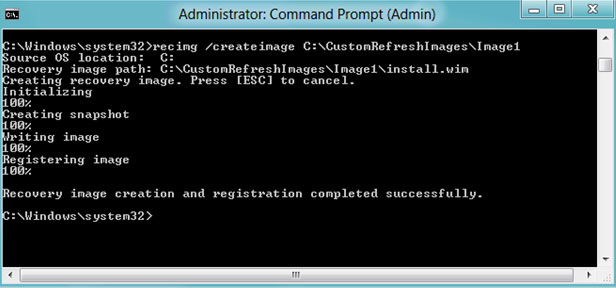
You can create a custom restore point of your choice, but this feature is hidden in Windows, so it needs to be done with Recimg command from Command Prompt. By executing this command, you can remove bloatware installed from the manufacturer or add your favorite programs to your recovery point.
Wbadmin start backup: Create a system recovery image
As you know, Windows 8.1 Removed Backup's interface Windows 7 – A place that allows you to easily create system backup images to restore when necessary. System images contain a snapshot of the entire system in a single file, so they are different from Recovery Images of Windows 8.
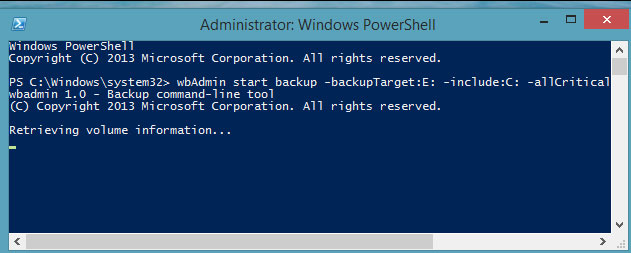
While the graphical interface has been removed, system administrators and geeks can still create system backups by running Wbadmin start backup command in tool PowerShell.
Sfc /Scannow: Scans system files
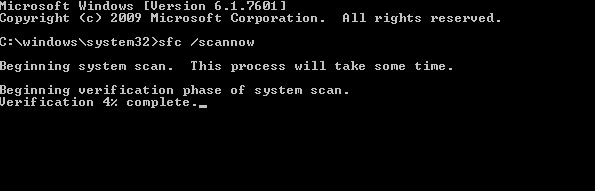
Windows includes a tool called System files checker Used to scan all system files and find problems. If system files are lost or corrupted, this tool will automatically repair them. To use System files checker, pleaseOpen the Command Prompt command window and type sfc /scannow.
Telnet: Connect to Telnet Servers
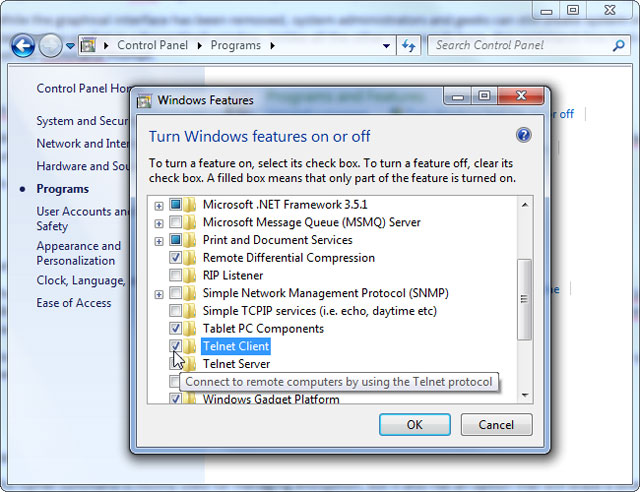
Telnet Client is not installed by default so you will have to install it from within the Control Panel. Once installed, you can use Telnet commands to connect to Telnet Servers without installing any third-party software. Although we should avoid using Telnet, if you are connecting directly to a device and it asks you to use Telnet to set something up, it still has to be done normally.
Cipher: Delete data permanently
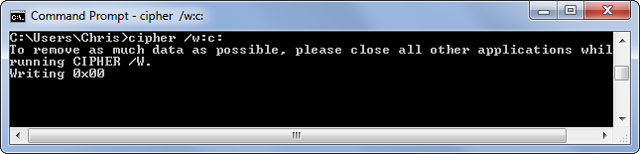
Cipher command Mainly used for work encryption management, but it also has another option that allows you to permanently delete the file and ensure it cannot be recovered. This command is very effective in wiping a drive without needing to install any other tools.
To use Cipher command, you just need to specify a specific drive or folder such as: cipher /w:c: or cipher /w:c:\…
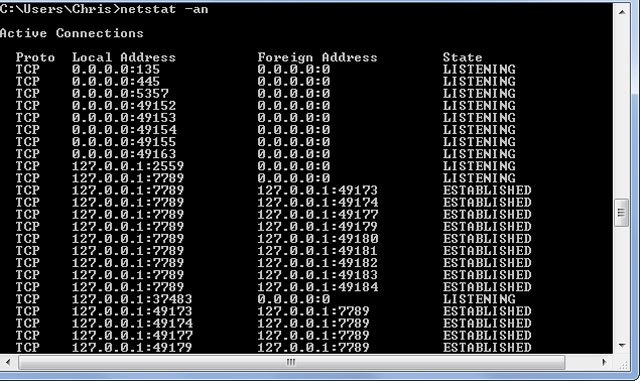
Netstat –an: Lists network connections and ports
Netstat command is especially useful, it displays all network statistics when used with different options. One of the most interesting variations of Netstat is Netstat –an, which will display a list of all open network connections on the computer along with the ports in use and the connected IP address.