• Home
  • News
  • Software
  • Knowledge
  • MMO
  • Tips
  • Security
  • Network
  • Office
AnonyViet - English Version
  • Home
  • News
  • Software
  • Knowledge
  • MMO
  • Tips
  • Security
  • Network
  • Office
No Result
View All Result
  • Home
  • News
  • Software
  • Knowledge
  • MMO
  • Tips
  • Security
  • Network
  • Office
No Result
View All Result
AnonyViet - English Version
No Result
View All Result

Instructions on how to create and post 3D 360-degree photos on Facebook

AnonyViet by AnonyViet
February 7, 2024
in Tips
0

Facebook recently launched a new feature that caused a stir in the online community. It is a feature that allows creating and posting extremely interesting 3D photos. However, because the feature is still new, it does not yet support all types of devices on the market. Popular devices such as Iphone, Samsung, Xiaomi, Oppo will be prioritized for support first.

Join the channel Telegram belong to AnonyViet 👉 Link 👈

Devices that support Facebook's 3D photo feature

Below, I will list a list of devices that can use this Facebook function.

For iOS

iPhone 7 Plus, iPhone 8 Plus, iPhone X, iPhone XS, iPhone XS Max or iPhone XR are suitable models. iPhone models from iPhone 7 and above will fully support the function of using Facebook's 3D photos.

For Android

Honor 7X, Moto X4, OnePlus 5T, Huawei Mate 10 Pro, Google Pixel 2, Pixel 2 XL, Pixel 3, Pixel 3 XL, Samsung Galaxy Note 9, Galaxy S9 and S9+ and some new models from Xiaomi and Oppo.

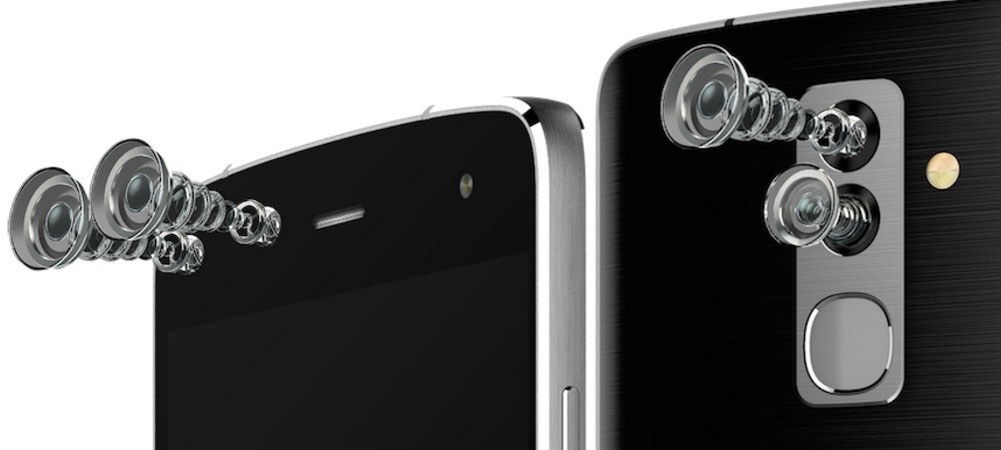
Only models equipped with dual cameras or higher can use Facebook's 3D photo function. Next, I will guide you how to use this function. If your device supports it, try it now!!!
Instructions on how to create and post 3D 360-degree photos on Facebook 8

How to take and post 3D photos to Facebook

This feature has been deployed since October 11, 2018 and is considered a new feature. If your device is qualified to take 3D photos but still doesn't see the function, wait a little longer. Facebook is rolling out broad support for as many device types as possible.

Before you begin, update your Facebook app to the latest version. Then go to the Facebook 360 Photo event page at the link below:

You need to like this Facebook 360 page to activate the 3D photo posting feature. Then you follow the steps one by one according to the following instructions:

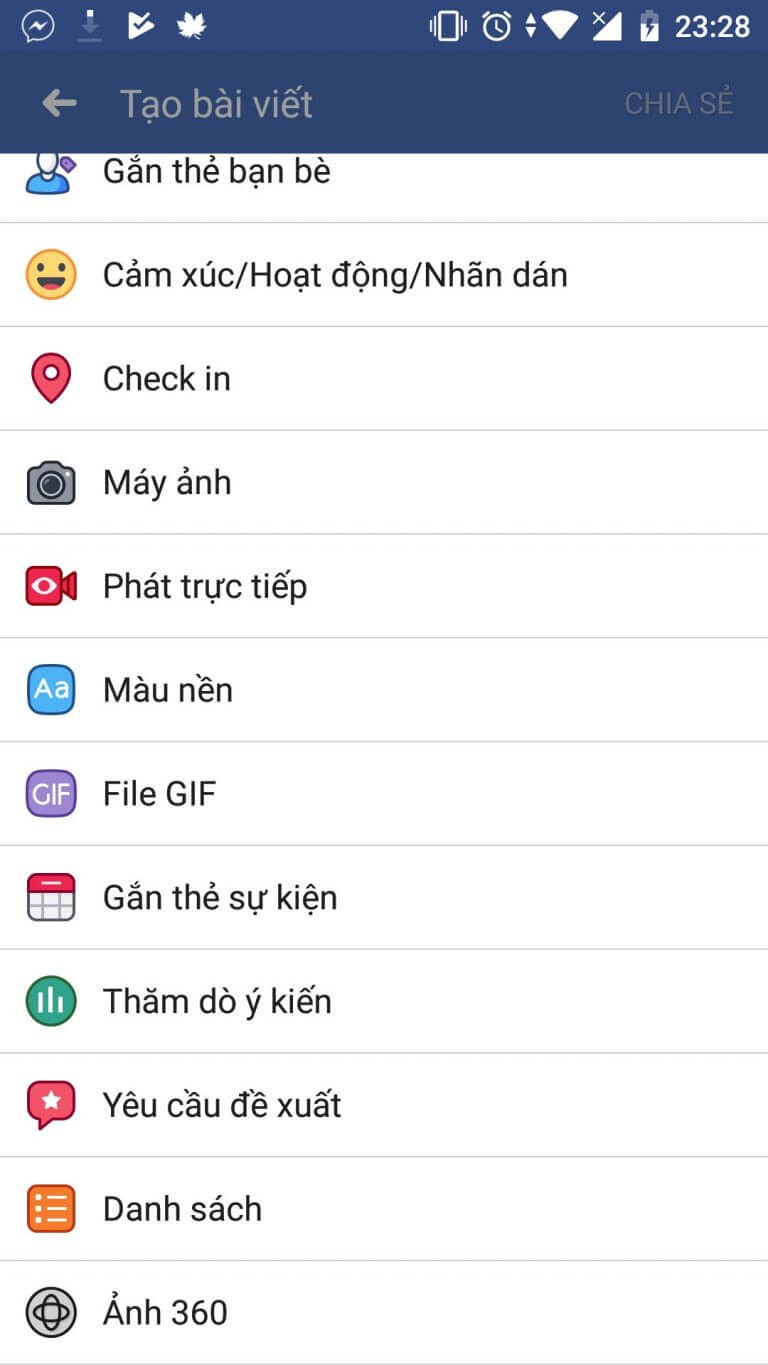
Write a new normal status on Facebook.

Select the 360-degree photo function as shown below.
Instructions on how to create and post 3D 360-degree photos on Facebook 9

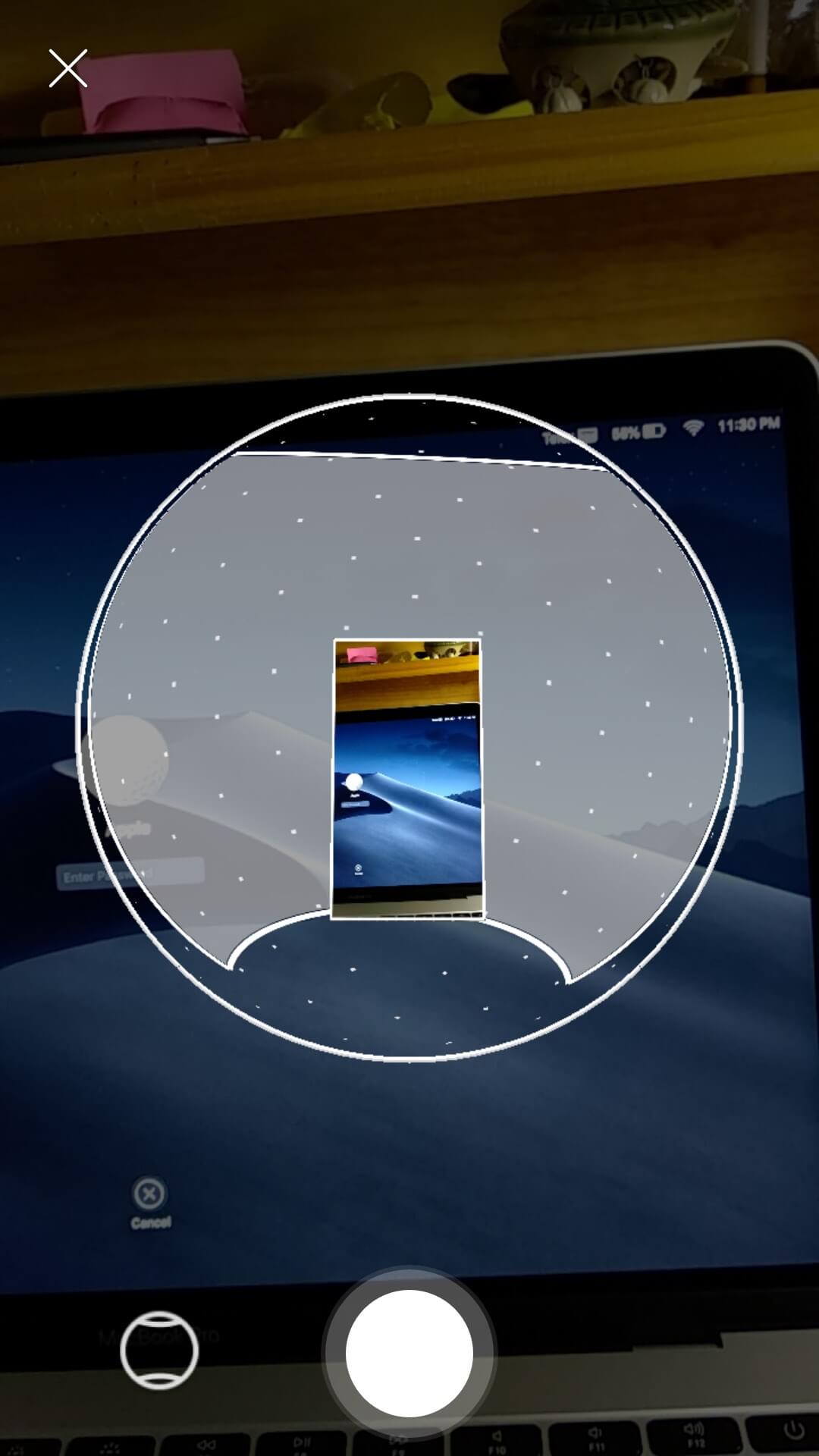
Then slowly drag the camera to record images around you and create 3D photos.
Instructions on how to create and post 3D 360-degree photos on Facebook 10

Press the white round button to start recording images. The gray part is the part that has not yet been photographed. You can move your phone to record enough images for the gray part. Then press the record button again to complete. Now you have created a 3D photo and can post it to share.


The article scored: 5/5 – (100 votes)

Previous Post

How to know if any Youtube channel has monetization enabled or not

Next Post

MoniMaster – Application to help manage children's phones

AnonyViet

AnonyViet

Related Posts

How to add sliders to Facebook Stories to easily rewind videos
Tips

How to add sliders to Facebook Stories to easily rewind videos

April 21, 2026
How to change the default font on Windows 10
Tips

How to change the default font on Windows 10

April 13, 2026
5 tips for using a Browser to replace an App (helps save RAM, time and money)
Tips

5 tips for using a Browser to replace an App (helps save RAM, time and money)

April 13, 2026
How to make funny MeMe photos without Photoshop within 10 seconds
Tips

How to make funny MeMe photos without Photoshop within 10 seconds

April 11, 2026
How to quickly design your own Logo without Photoshop
Tips

How to quickly design your own Logo without Photoshop

April 10, 2026
How to convert Website into App on Windows
Tips

How to convert Website into App on Windows

April 9, 2026
Next Post
MoniMaster – Application to help manage children's phones

MoniMaster - Application to help manage children's phones

0 0 votes
Article Rating
Subscribe
Login
Notify of
guest

guest

0 Comments
Oldest
Newest Most Voted
Inline Feedbacks
View all comments

Recent News

Top 5+ utilities to install for Gmail to speed up work processing

Top 5+ utilities to install for Gmail to speed up work processing

April 22, 2026
Decoding the problem of 4GB RAM and processing performance

Decoding the problem of 4GB RAM and processing performance

April 21, 2026
How to add sliders to Facebook Stories to easily rewind videos

How to add sliders to Facebook Stories to easily rewind videos

April 21, 2026
Reputable LG repair service in Hanoi & Ho Chi Minh City with LGservicecenter

Reputable LG repair service in Hanoi & Ho Chi Minh City with LGservicecenter

April 21, 2026
Top 5+ utilities to install for Gmail to speed up work processing

Top 5+ utilities to install for Gmail to speed up work processing

April 22, 2026
Decoding the problem of 4GB RAM and processing performance

Decoding the problem of 4GB RAM and processing performance

April 21, 2026
How to add sliders to Facebook Stories to easily rewind videos

How to add sliders to Facebook Stories to easily rewind videos

April 21, 2026
AnonyViet - English Version

AnonyViet

AnonyViet is a website share knowledge that you have never learned in school!

We are ready to welcome your comments, as well as your articles sent to AnonyViet.

Follow Us

Contact:

Email: anonyviet.com[@]gmail.com

Main Website: https://anonyviet.com

Recent News

Top 5+ utilities to install for Gmail to speed up work processing

Top 5+ utilities to install for Gmail to speed up work processing

April 22, 2026
Decoding the problem of 4GB RAM and processing performance

Decoding the problem of 4GB RAM and processing performance

April 21, 2026
No Result
View All Result
  • Home
  • News
  • Software
  • Knowledge
  • MMO
  • Tips
  • Security
  • Network
  • Office

wpDiscuz
0
0
Would love your thoughts, please comment.x
()
x
| Reply