Instructions for using Sora 2 is a hotly sought after topic by the technology community, as this tool opens a new era for video creation using AI. With the ability to create amazingly realistic footage, Sora 2 has surpassed many competitors and become a tool that anyone wants to experience. AnonyViet will show you how to access and master this super AI.
| Join the channel Telegram belong to AnonyViet 👉 Link 👈 |
What is Sora 2 and why is it creating a fever?
Sora 2 is a new generation text-to-video video creation tool developed by OpenAI and launched on September 30, 2025. It broke the stereotype of “fake” AI videos in the past by creating short 10-second movies with incredible cinematic quality.
From just a few lines of description, Sora 2 can accurately reproduce lighting, camera angles, and physical movements. The special feature of this tool is the ability to integrate synchronized sound and the unique “cameo” feature, allowing users to naturally integrate their own images into the video.
Compared to its predecessor, Sora 2 has made great improvements in physics simulation, helping to minimize illogical errors and bring artistic depth to each product.

Comparing Sora 2 and Veo 3: Who is the king of AI video creation?
Before Sora 2 appeared, Veo 3 Google was once the market leader. However, through practical experience, Sora 2 has proven superior in many important aspects, bringing a more “overwhelming” feeling to users.
- Character movements are extremely flexible and natural, overcoming the rigidity often seen in Veo 3 in complex scenes.
- Sora 2 has the ability to automatically create smooth transitions, combined with professional lens effects, turning your video into a short cinematic work.

- The sound and voice in Sora 2’s video are highly appreciated for their naturalness and emotionality, far superior to Veo 3’s still dry voice.
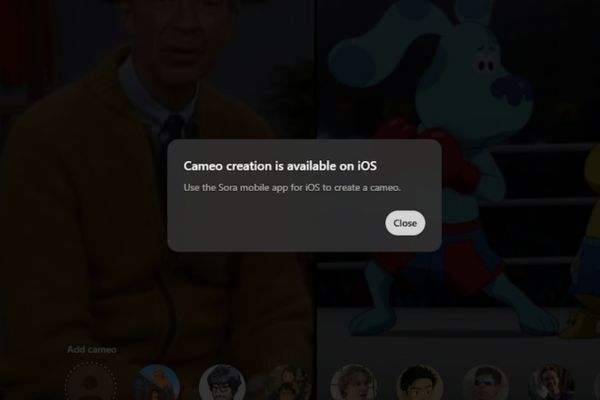
- Cameo feature Creativity: This is an exclusive feature that allows you to bring yourself or existing characters into the video, an experience that Veo 3 cannot yet provide (note that the self-created cameo feature is currently only available on iOS).
Conditions required to access Sora 2
Because it is in a limited deployment phase, accessing Sora 2 requires you to prepare a few things. Below is a list of mandatory requirements:
- You need a ChatGPT account as a login platform to the Sora 2 homepage or application.
- You must have an invitation code because Sora 2 is in the limited access period.
- You will need to use a VPN to change your IP address to the US or Canada, because Vietnam is not on the official support list.
- Experience shows participation OpenAI’s official Discord community is the safest and most effective way to receive free invitation codes from other users.
The secret to hunting Sora 2 invite codes on OpenAI’s Discord
The most important key to entering the Sora 2 “party” is the invitation code. OpenAI’s official Discord channel is the safest and fastest place to get it. Follow these steps:
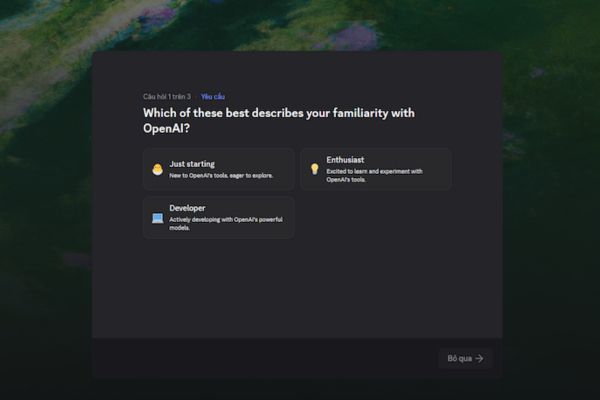
Step 1: First, you need to get involved OpenAI’s official Discord server. Visit the invitation link, log in with your Discord account (or create a new one if you don’t have one), then accept the invitation and complete a few introductory questions to become a member.
Step 2: Next, to be able to access special channels, you need to authenticate your account. Look for the channel with the name #openai-verification in the list on the left, then tap the button Verify with OpenAI. This process will be linked to your ChatGPT account and completed in just a few seconds.

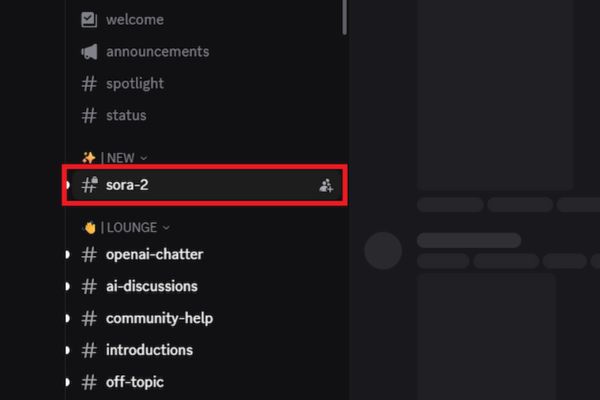
Step 3: After successful authentication, you will be granted access to the channel #sora-2. This is where the community shares invitation codes publicly. You need to quickly follow the latest messages to “snatch” a valid Sora 2 invitation code. Because quantities are limited and are shared continuously, if the code you tried has expired, don’t be discouraged but wait patiently for a few minutes for a new batch of codes.
Instructions for using Sora 2 are super simple
Once you have your invitation code in hand, just follow these 5 simple steps to start your creative journey:
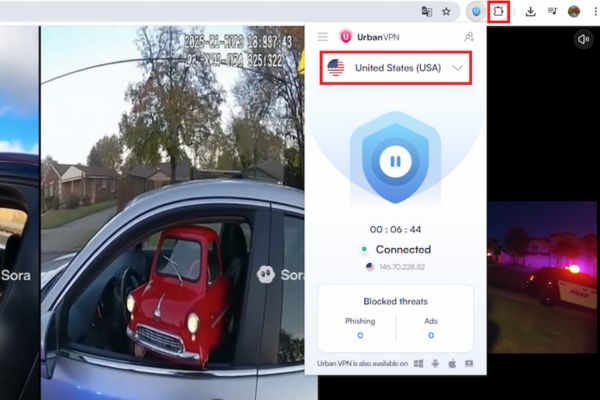
Step 1: Because Sora 2 is region-restricted, you need to install a VPN extension on your browser (for example, Urban VPN Proxy on Chrome). After installation, activate the VPN and select a server in the US (United States).
Step 2: Visit Sora’s official website and use your ChatGPT account to log in. If you don’t have one, you can sign up for a new account for free.
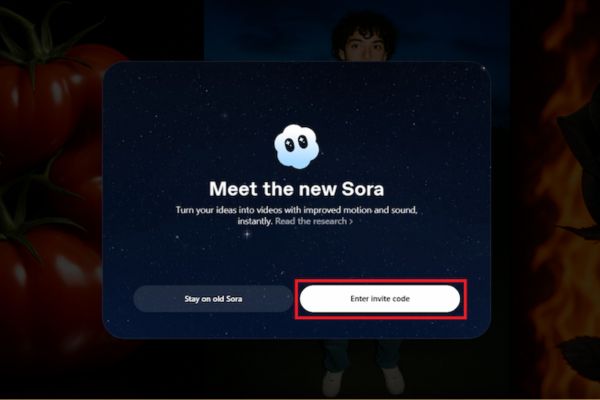
Step 3: On the interface, you will see the box Enter invite code. Please enter the invitation code you received here and click Join new Sora.
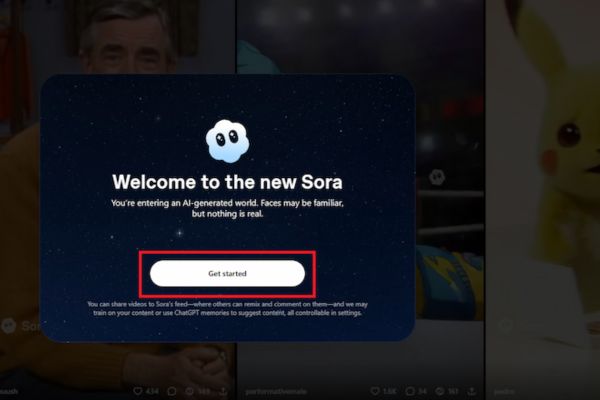
Then choose Get Started to enter the main interface.
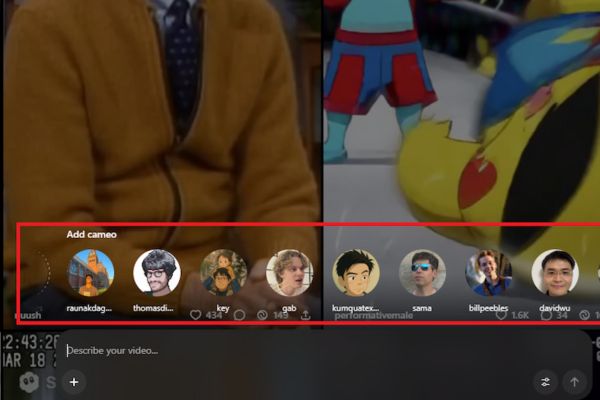
Step 4: Here, you enter a detailed description (prompt) of the video you want to create, including characters, actions, settings, style, etc. You can also add reference photos, choose an existing cameo character or create your own cameo.
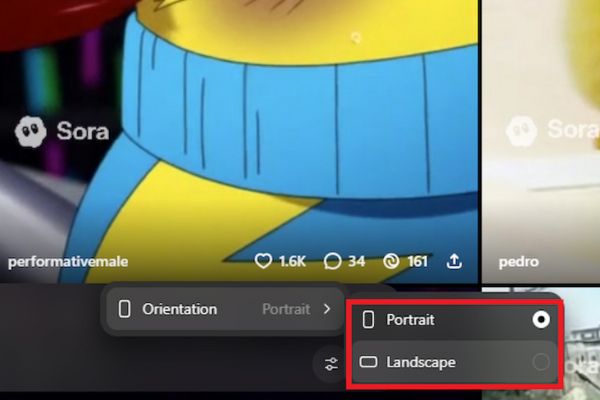
Don’t forget to select the aspect ratio (horizontal 16:9 or vertical 9:16) and then press the send button for the AI to start working.
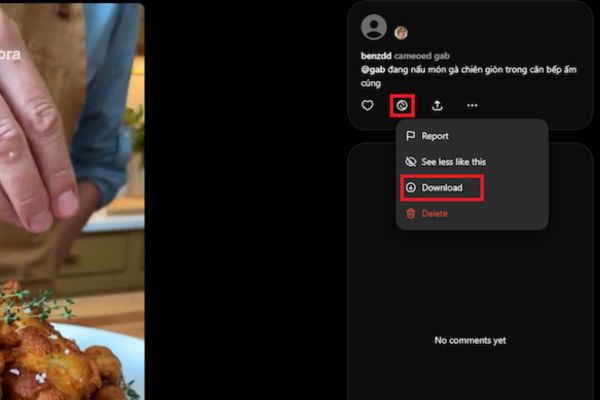
Step 5: Once created, the video will be saved as a draft. If you don’t see the download button, tap it Post to post the video to Sora’s internal social network.
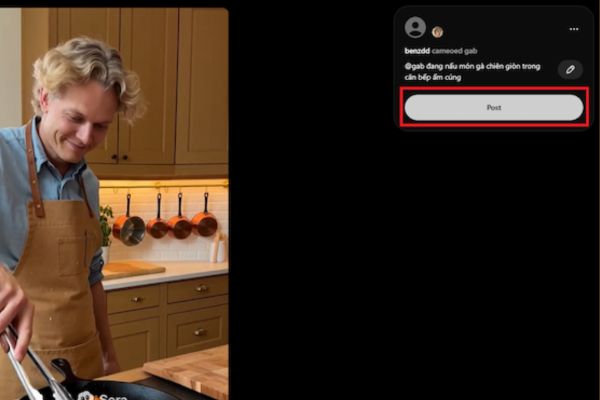
From there, you can easily download the video to your device. If you are not satisfied, you can click on the Sora icon to refine it again.
Some limitations you need to know about Sora 2
Despite possessing outstanding power, the current version of Sora 2 still has some points that need improvement in future updates.
- The output video quality is not stable, sometimes the resolution only stops at 480p, causing blurriness.
- Sora 2’s logo appears and moves continuously in the video, which can be distracting for viewers.
However, this is only a test version and we can fully expect OpenAI to fix these problems in the official version.
Conclusion
With the above information, hopefully you have a clear understanding Sora 2 user manual to create impressive AI videos yourself. Despite a few limitations, Sora 2 is undeniably a giant step forward in the field of innovative technology. Quickly follow the steps above to become one of the first to experience and explore the limitless potential of this groundbreaking tool!