• Home
  • News
  • Software
  • Knowledge
  • MMO
  • Tips
  • Security
  • Network
  • Office
AnonyViet - English Version
  • Home
  • News
  • Software
  • Knowledge
  • MMO
  • Tips
  • Security
  • Network
  • Office
No Result
View All Result
  • Home
  • News
  • Software
  • Knowledge
  • MMO
  • Tips
  • Security
  • Network
  • Office
No Result
View All Result
AnonyViet - English Version
No Result
View All Result

Hướng dẫn nâng cấp Dropbox 2TB dùng 1 năm miễn phí

AnonyViet by AnonyViet
July 27, 2023
in Tips
0

Dropbox là phần mềm lưu trữ dữ liệu trên Cloud tương tự như Google Drive, OneDrive, Box… Trước đây, bạn nào bỏ lỡ chương trình dùng thử Dropbox để Upgrade lên 3TB thì bây giờ bạn có thể tự đăng ký nâng cấp Dropbox 2TB dùng 1 năm miễn phí. Bạn thực hiện theo bài viết này nhé.

Tham gia kênh Telegram của AnonyViet  ???? Link ????

Hướng dẫn nâng cấp Dropbox 2TB dùng 1 năm miễn phí

Trước tiên bạn cần phần mềm VPN hoặc cài Extension VPN trên Chrome cũng được. Kết nối VPN đến 1 trong các quốc gia sau: Italy, Austria, Belgium, Cyprus, France, Germany, Greece, Ireland, Luxembourg, Netherlands, Portugal hoặc Spain

Mục đích là để Dropbox hiểu rằng mình đang đến các quốc gia này để đăng ký tài khoản.

Tiếp theo tạo một tài khoản Dropbox mới hoặc dùng tài khoản Dropbox sẵn có của bạn.
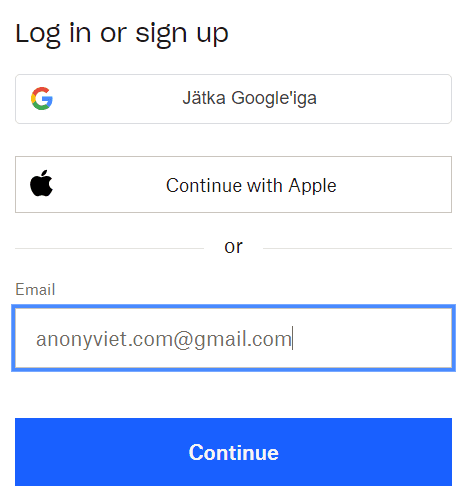
nang cap dropbox 2TB mien phi

Sau khi tạo tài khoản xong, bạn truy cập vào trang: https://www.dropbox.com/home. Nhấn vào nút Upgrade ở góc trên bên phải.
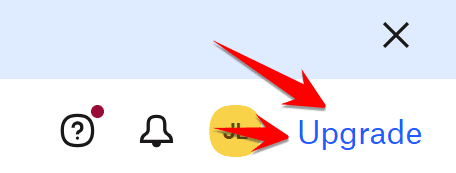
upgrade dropbox 2TB 1 nam free

Chọn Billed yearly gói For inviduals nhé.
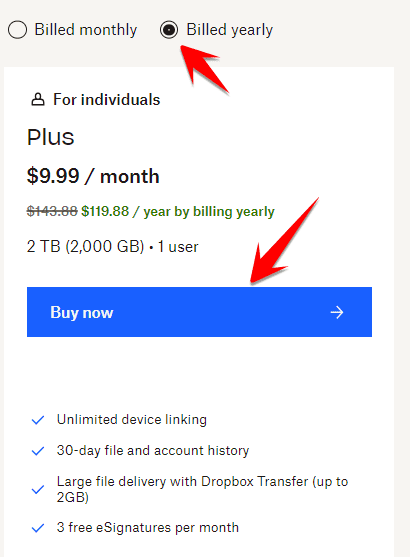
nang cap dropbox 1 nam 2TB mien phi

Tới bước Checkout, bạn chú xem có chỗ nhập IBAN không? Nếu không có thì kiểm tra lại VPN xem đã kết nối đúng Quốc gia ở Bước đầu chưa?

Bây giờ bạn truy cập vào trang lấy thông tin IBAN để mua gói nâng cấp Dropbox 2TB dùng 1 năm miễn phí. Trang này sẽ ra thông tin ngẫu nhiên, bạn chỉ cần chú ý 3 chỗ: Name, Postcode, IBAN
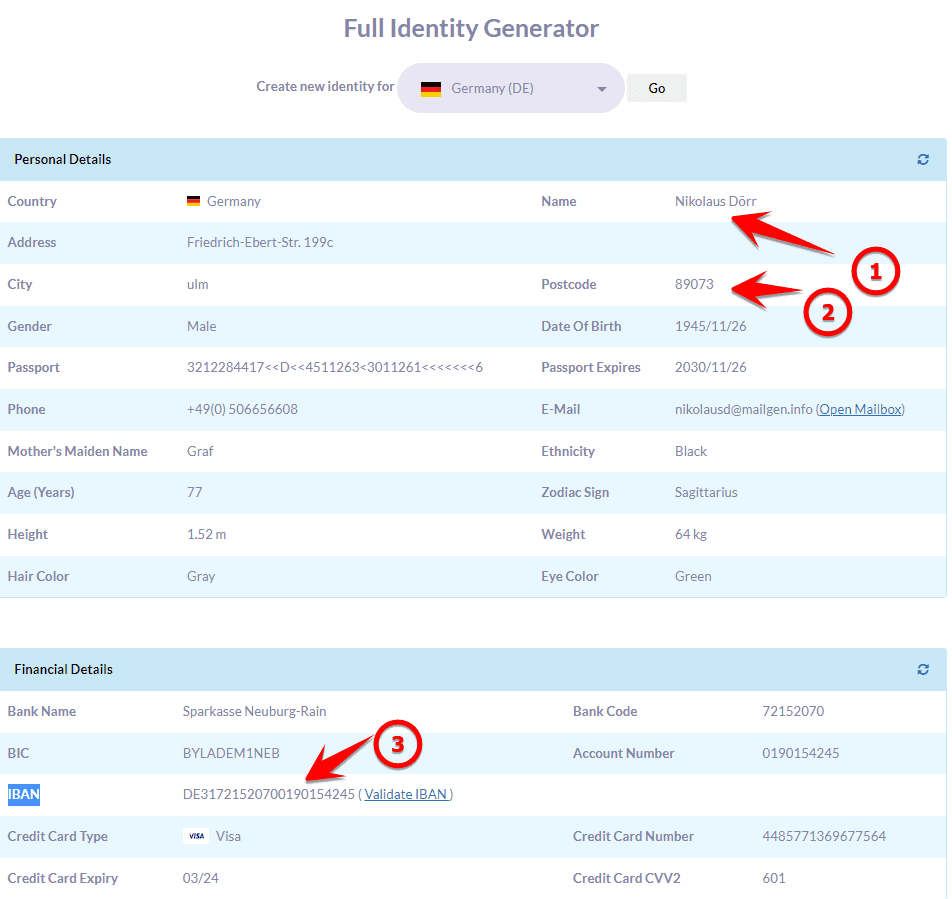
Hướng dẫn nâng cấp Dropbox 2TB dùng 1 năm miễn phí 5

Quay lại trang Checkout của DropBox, nhập thông tin từ trang Get IBAN ở trên. Bây giờ bạn có thể chọn 2TB hoặc 3TB, nhớ check Billed Yearly. Phần Country thì chọn Germany.

Check vào Direct Debit để hiện ô IBAN.

Sau khi hoàn thành thì nhấn Purchare
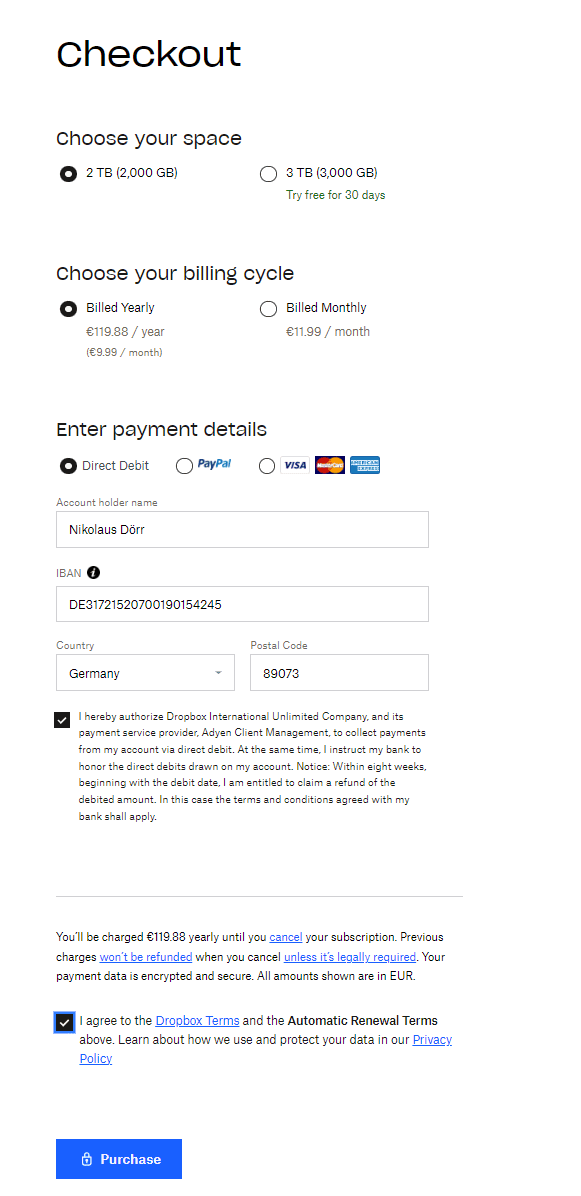
checkout

Chờ 1 chút thấy xuất hiện thông báo Successfully là OK rồi đó. Giơ bạn truy cập vào trang quản lý Dropbox, nhìn vào góc trên bên phải, click vào Avatar thấy xuất hiện 2TB là thành công rồi đó.
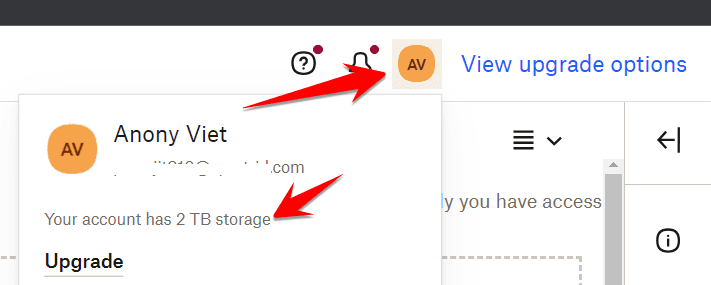
dropbox 3TB freed

Cảnh báo: Tài khoản của bạn thường bị hạ cấp xuống bậc miễn phí khi Dropbox nhận ra IBAN không có thật, nhưng tất cả dữ liệu bạn tải lên sẽ vẫn còn trong tài khoản và không bị xóa.

Tut From: OneHack

Đánh giá bài viết post

Tags: 2TBCAPdẫnDropboxDùngHuongmiễnnămNangphí
Previous Post

Tut Set Page không cần xác nhận để Dame 030 hoặc 178

Next Post

Cách tích hợp ChatGPT vào Word Excel đơn giản và tiện lợi

AnonyViet

AnonyViet

Related Posts

Get free Cambridge courses to prepare for IELTS, Starters, Movers
Tips

Get free Cambridge courses to prepare for IELTS, Starters, Movers

June 4, 2026
How to record reaction videos with Android phones, no app needed
Tips

How to record reaction videos with Android phones, no app needed

June 1, 2026
Instructions on how to get Google AI Pro 1 year for free for new accounts
Tips

Instructions on how to get Google AI Pro 1 year for free for new accounts

June 1, 2026
Top free AI tools to help write, test and optimize content
Tips

Top free AI tools to help write, test and optimize content

June 1, 2026
Instructions for receiving Lovable Pro 12 months for free
Tips

Instructions for receiving Lovable Pro 12 months for free

May 29, 2026
Instructions for receiving 1 month of ElevenLabs Creator for free worth
Tips

Instructions for receiving 1 month of ElevenLabs Creator for free worth $22

May 25, 2026
Next Post
Cách tích hợp ChatGPT vào Word Excel đơn giản và tiện lợi

Cách tích hợp ChatGPT vào Word Excel đơn giản và tiện lợi

0 0 votes
Article Rating
Subscribe
Login
Notify of
guest

guest

0 Comments
Oldest
Newest Most Voted
Inline Feedbacks
View all comments

Recent News

How to buy in-game items for free on iPhone

How to buy in-game items for free on iPhone

June 8, 2026
Practical use of Xiaomi 17T Pro: This is a good phone in 2026

Practical use of Xiaomi 17T Pro: This is a good phone in 2026

June 8, 2026
Instructions to receive 6 months of IObit Malware Fighter 13 Pro for free

Instructions to receive 6 months of IObit Malware Fighter 13 Pro for free

June 7, 2026
How to use free online textbooks from grades 1 to 12

How to use free online textbooks from grades 1 to 12

June 6, 2026
How to buy in-game items for free on iPhone

How to buy in-game items for free on iPhone

June 8, 2026
Practical use of Xiaomi 17T Pro: This is a good phone in 2026

Practical use of Xiaomi 17T Pro: This is a good phone in 2026

June 8, 2026
Instructions to receive 6 months of IObit Malware Fighter 13 Pro for free

Instructions to receive 6 months of IObit Malware Fighter 13 Pro for free

June 7, 2026
AnonyViet - English Version

AnonyViet

AnonyViet is a website share knowledge that you have never learned in school!

We are ready to welcome your comments, as well as your articles sent to AnonyViet.

Follow Us

Contact:

Email: anonyviet.com[@]gmail.com

Main Website: https://anonyviet.com

Recent News

How to buy in-game items for free on iPhone

How to buy in-game items for free on iPhone

June 8, 2026
Practical use of Xiaomi 17T Pro: This is a good phone in 2026

Practical use of Xiaomi 17T Pro: This is a good phone in 2026

June 8, 2026
  • Home
  • Home 2
  • Home 3
  • Home 4
  • Home 5
  • Home 6
  • Next Dest Page
  • Sample Page

6789 kv999

No Result
View All Result
  • Home
  • News
  • Software
  • Knowledge
  • MMO
  • Tips
  • Security
  • Network
  • Office

6789 kv999

wpDiscuz
0
0
Would love your thoughts, please comment.x
()
x
| Reply