To root a phone or install a custom ROM, one of the first conditions that needs to be met is unlocking the bootloader. That’s very easy for some phone brands like Google Pixel or OnePlus but extremely difficult for others. Unfortunately, Xiaomi is at the top of that “extremely difficult” category.
| Join the channel Telegram of the AnonyViet 👉 Link 👈 |
I still remember a time when Xiaomi users had to ask permission from the Chinese tech giant and write a valid reason for unlocking. Currently, Xiaomi has granted the device unlock permission to nearly everyone, however, the process is still a bit complicated. In this article, I will try to simplify the Xiaomi bootloader unlocking process.
How to unlock Bootloader on Xiaomi devices
Xiaomi made its users go through a painful waiting time before allowing them to unlock the bootloader. Try to follow all the steps correctly because one step in the wrong direction is enough for Xiaomi to lock your phone.
Step 1 – Create a Xiaomi account and sync your mobile number
Xiaomi users often skip creating a Mi account during the initial setup process. But to unlock bootloader on Mi device, you need to have an active account on the device.
Furthermore, it is important to link the number on your device to your Xiaomi account. Also, do not connect unknown numbers to the Xiaomi account on the device to avoid obstacles in the process.
After being unable to unlock the bootloader a few times, I realized that Xiaomi requires “Find My Device” to be enabled and synced with the latest location for some reason.
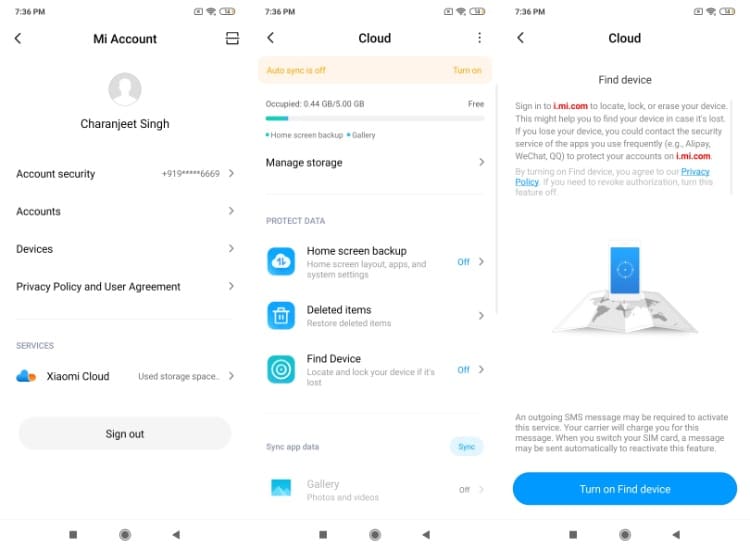
You will find this setting in Account Mi > Mi Cloud > Find device. To update your location, log in at the Xiaomi website on your computer, click “Find Device” and select your current device.
Step 2 – Allow Mi Unlock in Developer Settings
In this step, you have to link your account to the Mi Unlock authorization tab which you can find in the developer settings.
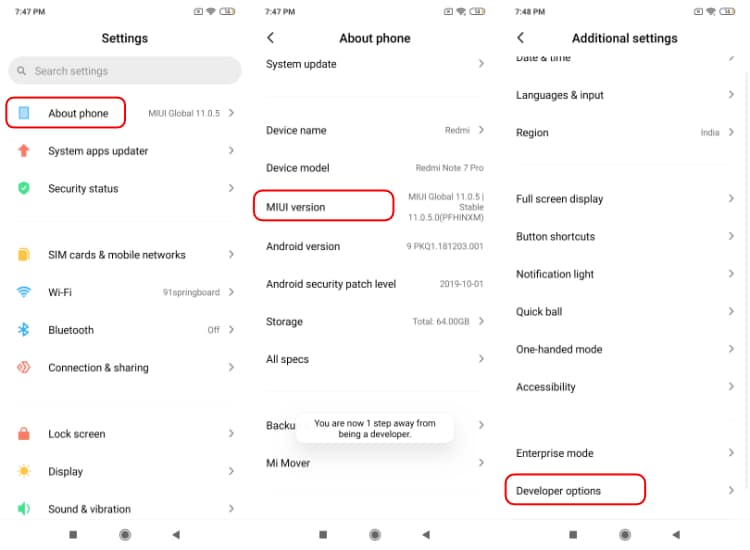
Open the Settings App > Tap About phone> Scroll down and tap MIUI version five times. This will unlock the developer options in your device, it may be in “Additional Settings”.
In Developer options go to “Mi Unlock Status” and click “Add account and device” to allow Xiaomi to unlock the device associated with the account.
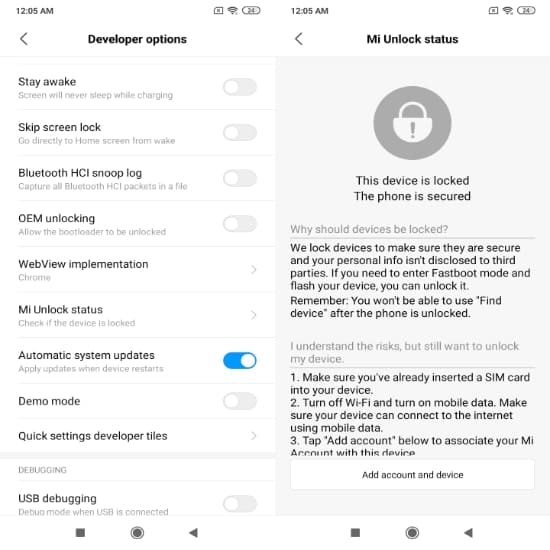
The authorization process will use the carrier’s mobile data. Therefore, make sure that you have turned off WiFi before adding an account.
Before continuing with the third step, enable OEM unlocking and USB debugging while you are in the developer options settings.
Now you need access this link on your PC to download Xiaomi Unlock Tool.
Extract the zip file and open the app called “Mi unlock flash file”. Sign in with the same Mi account that is being used on the Xiaomi phone.
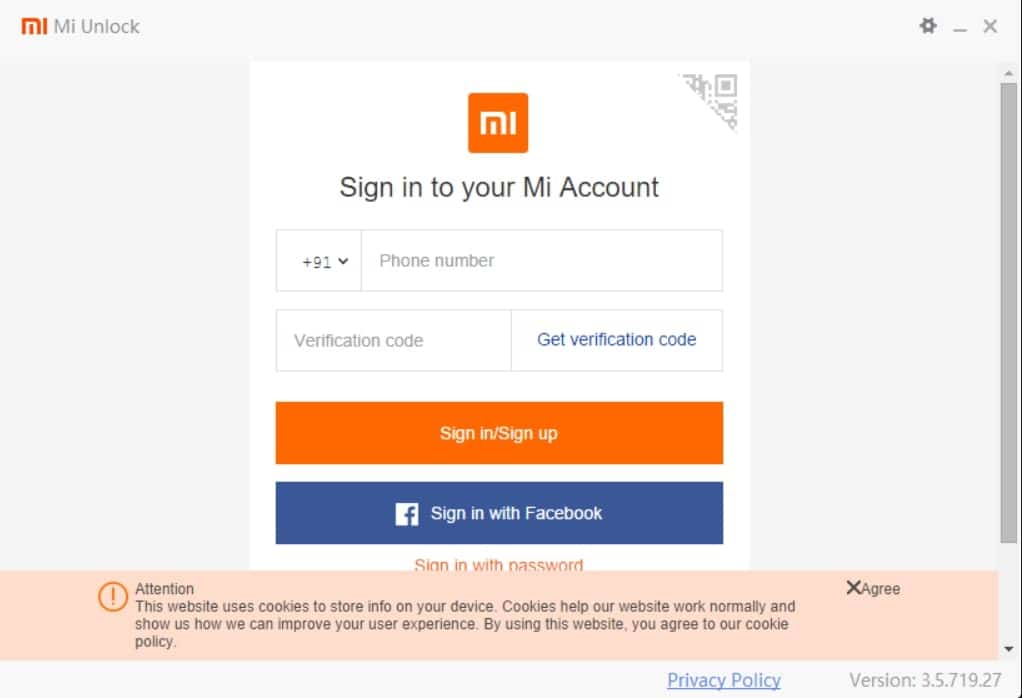
Before starting with the Mi bootloader unlocking process, tap on the top right gear icon to check for updates for both the USB driver and the Mi Unlock Tool.
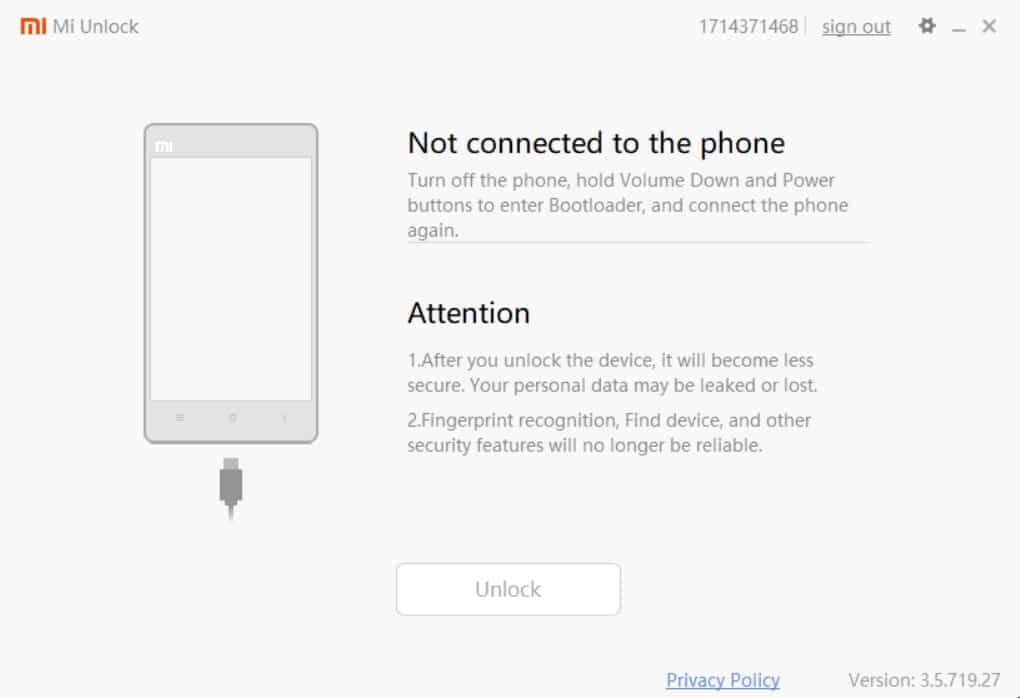
As instructed on the app screen, turn off your phone. Hold down the power button and the volume down button at the same time. This will open fast boot mode in MIUI device. Now, connect your phone to the computer via USB cable.
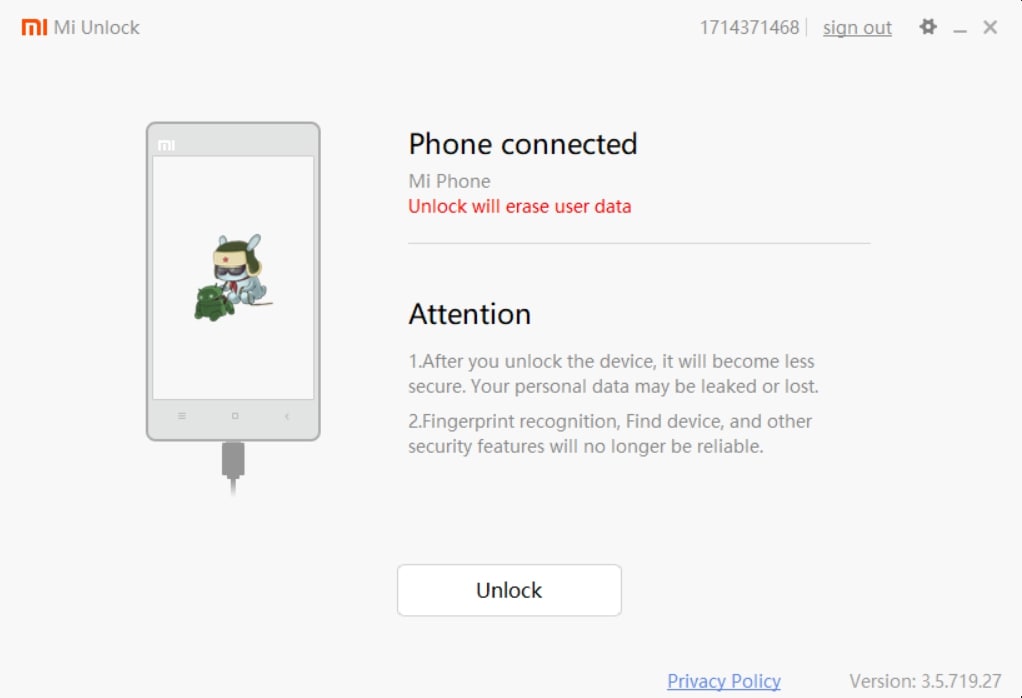
A new message will appear on the screen, “Phone connected”. Now, click on the “Unlock” button to unlock the bootloader.
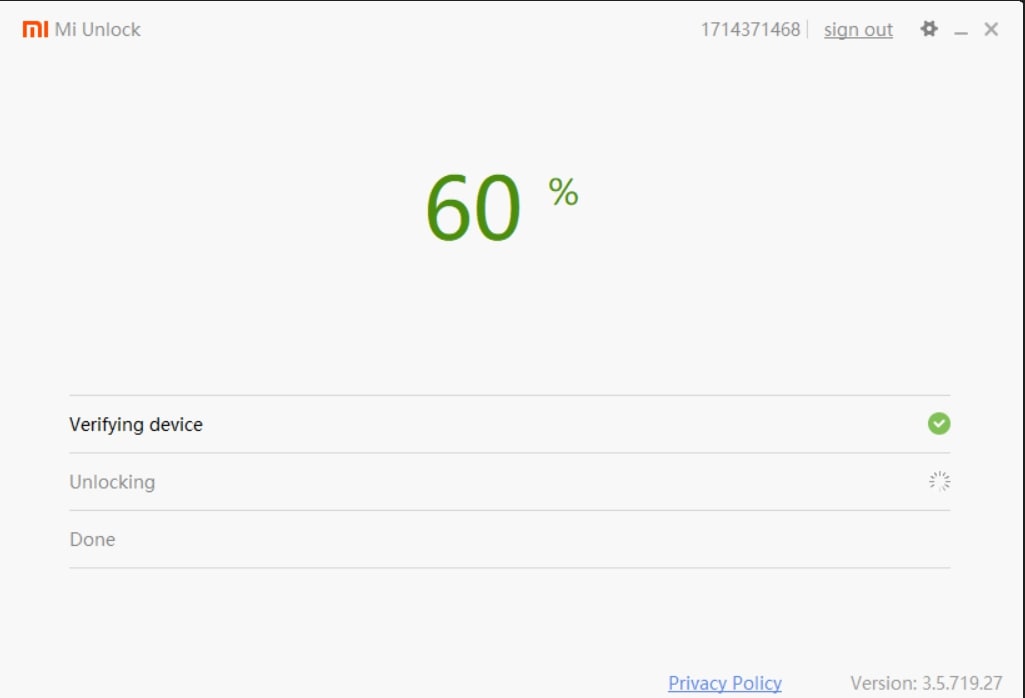
Step 4 – Wait for Xiaomi to finish the Unlock process
On your first attempt, the Mi unlock tool will display the message “Couldn’t unlock, Please unlock 168 hours later”. For those who don’t know, this is the infamous Xiaomi bootloader unlock time, where sometimes, users have to wait for months.
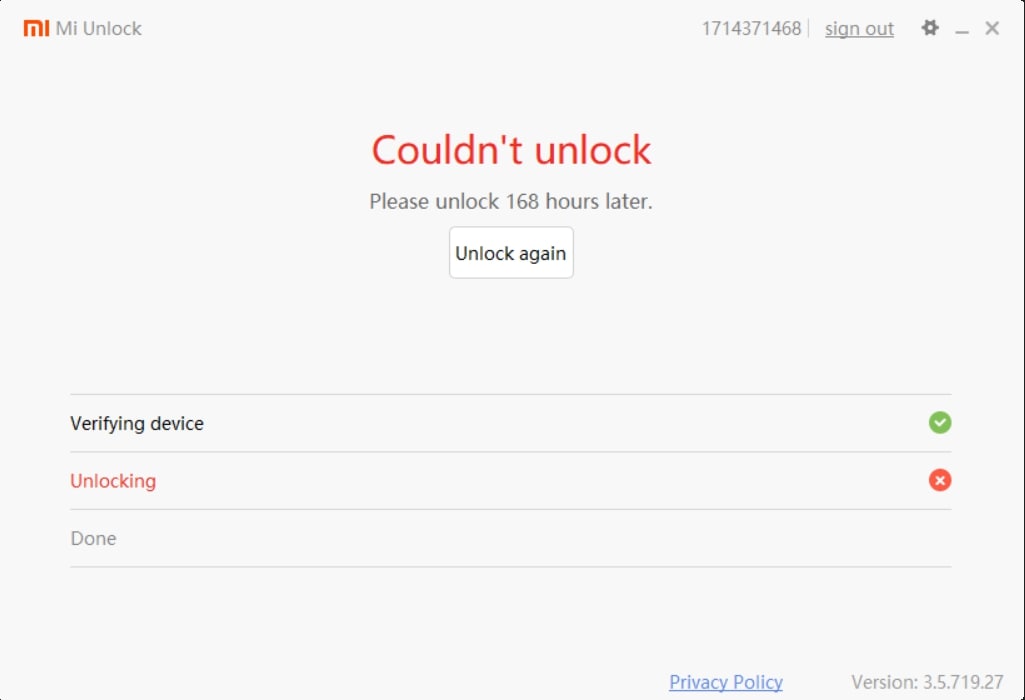
However, some users claim to get unlocked within just a few hours.
The best you can do is wait patiently and when the unlock time is over, use the Mi unlock tool again and hopefully, unlock the bootloader of your MIUI device.
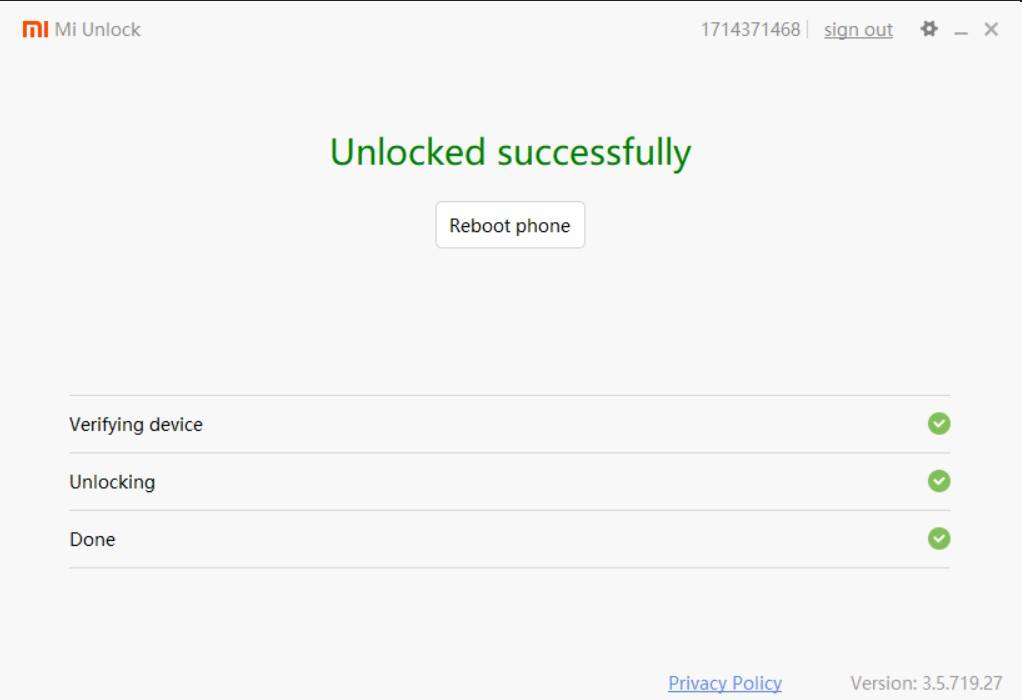
Step 5 – Check Mi Unlock Status on Your Device
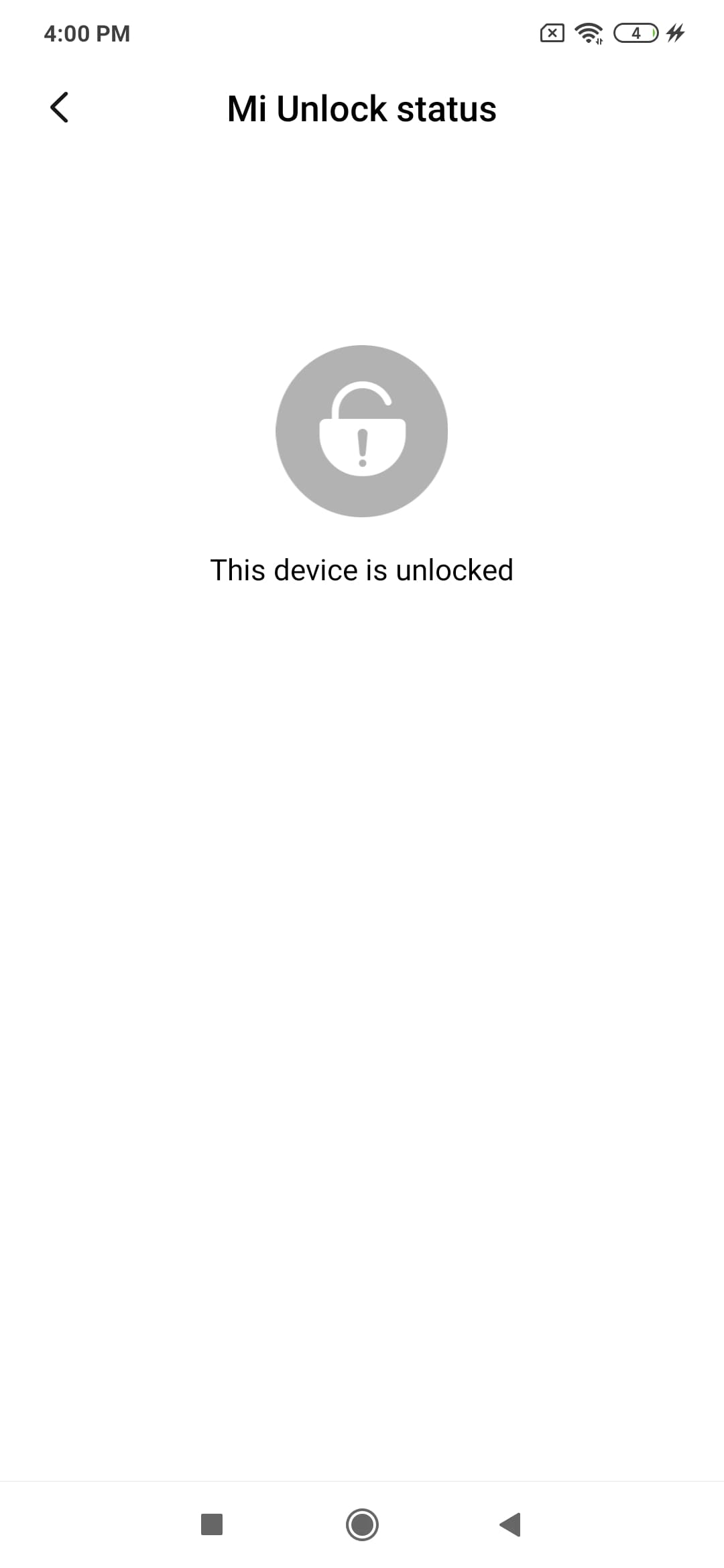
Now, I guess you have successfully unlocked the bootloader of your Redmi device. Before you start doing other things like flashing your MIUI device or device rootdo a quick check if the unlocking process is successful.
Close the Mi unlock tool and reboot the device. Again, go to the Mi . unlock status in developer settings and see if the tab says “Locked” or “Unlocked”.
What happens when you unlock the bootloader
There are several things you can do after unlocking the bootloader. You can now root the device, which will allow you to customize the phone to the fullest extent.
If rooting seems troublesome, you can switch to MIUI China ROM to get the latest MIUI features as they are released. In addition, you can install custom ROMs like Pixel, LineageOS, etc.
You can remove Xiaomi bloatware, although there is a hidden method through which users can remove system apps without unlocking or rooting the device.
Advantages of unlocking bootloader
- Can flash popular ROMs like LineageOS, ArrowOS, Evolution X, Paranoid Android, etc
- Full access to your phone, allowing you to make changes that were previously locked by the manufacturer
- Allows you to overclock your device to increase performance or save more battery
- Allows you to delete system apps
- Allows you to install original Android upgrades that were not updated by the manufacturer to your device
- Gives you the option to use a custom kernel, furthermore allowing you to modify the way your phone works
Disadvantages of unlocking bootloader
- Unlocking the bootloader will erase all device data
- No warranty on certain phones (excluding Xiaomi)
- Devices become more vulnerable to security threats
- There is a high chance that the device will be damaged in case the custom ROM flash is damaged
- FindMyDevice and other special features will no longer work
Conclusion
Like most things, unlocking bootloaders has its own pros and cons. While it has advantages including superior control over your Android device and large range of customization, the downside of this is the risk of your device’s security and loss of some features. useful along with all device data. Importantly, while doing this will not void the warranty on Xiaomi devices, other manufacturers may have a different opinion on this. In case of loss of warranty, you should ask where to buy the phone to be sure.
So if you are one of those advanced users who know what you are doing and want to explore the potential of Android, then unlocking bootloaders is the first step towards that goal. However, others who are satisfied with the features they have at the moment should avoid unlocking bootloaders as it is not strictly necessary for a pleasant Android experience.