How to reset Linux password on WSL? For those of you who don’t know, WSL (Windows Subsystem for Linux) is a handy tool for those who want to enjoy the power of a Linux terminal but still prefer to use Windows. If you don’t know how to install WSL then maybe read this post.
| Join the channel Telegram of the AnonyViet 👉 Link 👈 |
When you install Linux using WSL on Windows, you are asked to create a username and password. This user will automatically log in when you start Linux on WSL.
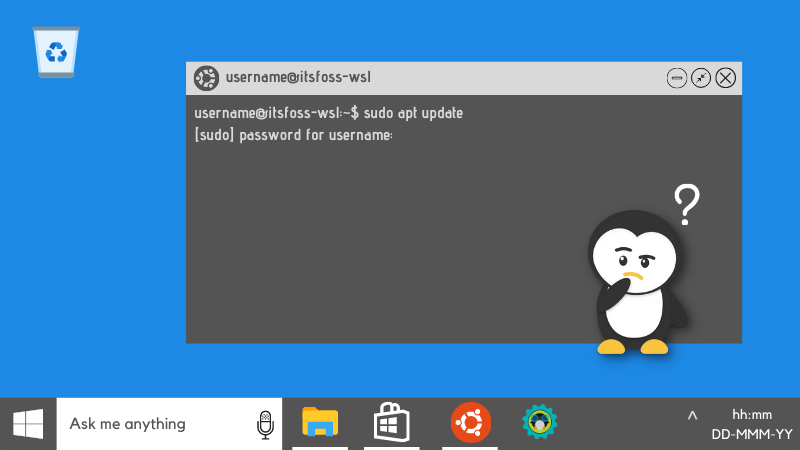
Now, the problem is what if you haven’t used it for a long time, forgot your WSL password? And this becomes a big problem if you have to use the sudo command because it requires you to enter a password. So in this article, I will show you how to reset Linux password on WSL.
Reset Linux Password on WSL
To reset your Linux password in WSL, you must:
- Change default user to root
- Reset password for normal user
- Change default user to normal user
Step 1: Switch root to default user
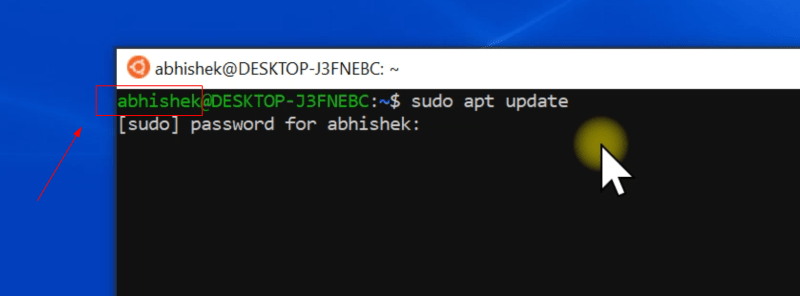
First, you need to record the normal Linux user. As you can see, my usual username is abhishek.
The root user in WSL is unlocked and has no password set. This means you can switch to the root user and then use the power of the root user to reset the Linux password.
Since you don’t remember the account password, switching to the root user will be done by changing the configuration of the WSL Linux application and setting it to use the root user by default.
You can do this through the Windows Command Prompt and the command it takes to run for your Linux distribution.
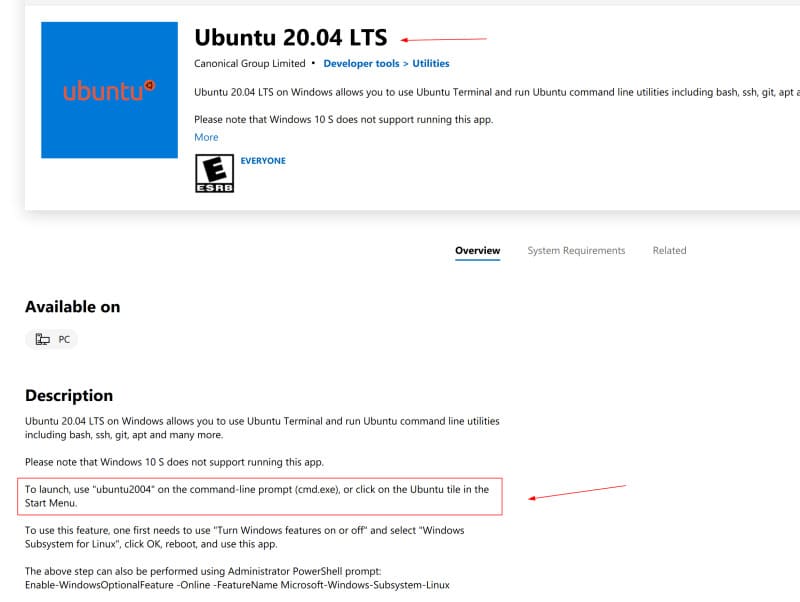
This information is usually provided in the description of the Linux distribution in the Windows Store. This is where you downloaded your distro.
Open Command Prompt from the Start Menu.
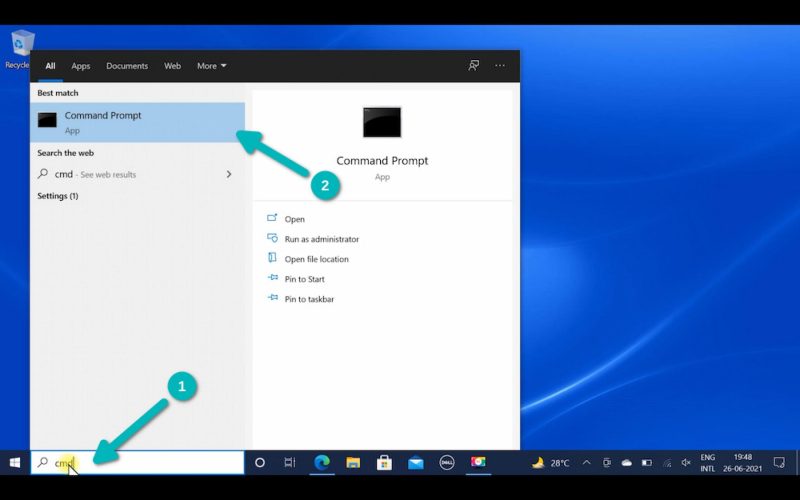
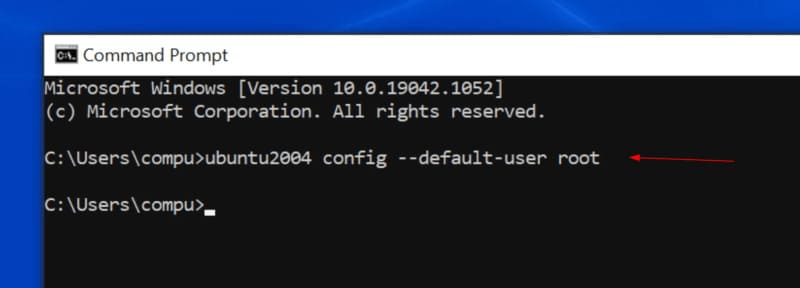
Here use the command you found above of the distro. If you are using Ubuntu apps from the Windows Storeso the command would be:
ubuntu config --default-user root
In the screenshot below, I’m using Ubuntu 20.04 from the Windows Store. So I used the command of ubuntu2004.
To help you out, I’ve listed some distributions and their respective commands below:
| Distribution App | Windows Command |
|---|---|
| Ubuntu | ubuntu config –default-user root |
| Ubuntu 20.04 | ubuntu2004 config –default-user root |
| Ubuntu 18.04 | ubuntu1804 config –default-user root |
| Debian | debian config –default-user root |
| Kali Linux | kali config –default-user root |
Step 2: Reset Linux password for normal user
Now, if you start the Linux distro, you have to log in as root. You can reset the Linux password for a normal user.
Do you remember the user name in WSL? If not, you can check the /home directory. Once you have the username, use this command:
passwd username
It will ask you to enter a new password. The password you enter will not be displayed on the screen and this is completely normal. You just need to enter the new password and press enter. You will have to re-enter your new password again to confirm.
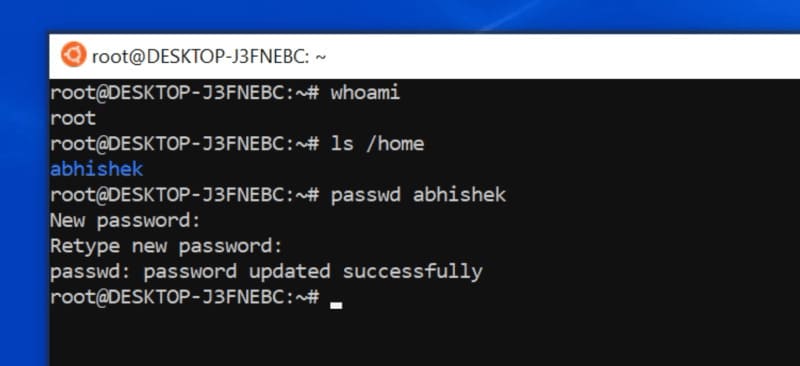
Congratulations, the password for the user account has been reset. But you’re not done yet. The default user is still root. You need to make the normal user the default, otherwise the distro will continue to log in as the root user.
Step 3: Reset normal user as default
You will need the normal username that you used with the passwd command in the previous step.
Restart Windows Command Prompt. Use your distribution command as you did in step 1. However, this time, replace root with your normal user.
ubuntu config --default-user username
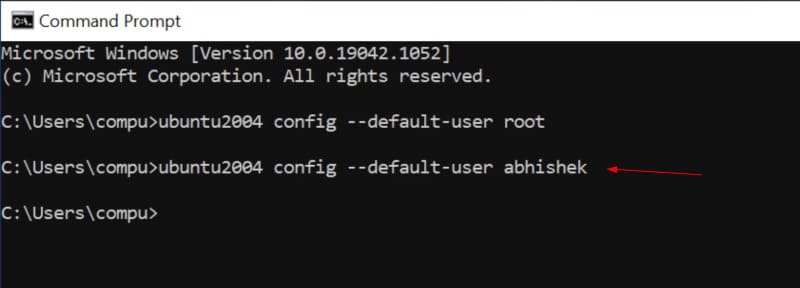
Now, when you start your Linux distribution in WSL, you will be logged in as a normal user. You have reset your new password and can use it to run sudo commands.
If you forget your password again in the future, you can simply reset your Linux password following the steps above.
Is resetting a password too easy dangerous?
Not really. You need to have physical access to the computer along with access to the Windows account. If hackers already have these access rights, they can do more than just change Linux passwords in WSL. So you already know how to reset the Linux password on WSL, good luck.