• Home
  • News
  • Software
  • Knowledge
  • MMO
  • Tips
  • Security
  • Network
  • Office
AnonyViet - English Version
  • Home
  • News
  • Software
  • Knowledge
  • MMO
  • Tips
  • Security
  • Network
  • Office
No Result
View All Result
  • Home
  • News
  • Software
  • Knowledge
  • MMO
  • Tips
  • Security
  • Network
  • Office
No Result
View All Result
AnonyViet - English Version
No Result
View All Result

How to find someone’s information on Facebook using the search engine

AnonyViet by AnonyViet
February 5, 2023
in Tips
0

If you need to look up someone’s information on Facebook, but they leave it private or friends. Are you not friends with that person? There’s a way you can search anyone’s information on Facebook. Here’s a trick to help you take advantage of Facebook’s search engine to find images. Besides that, you can see which groups someone has joined, which pages have liked, or which photos have been commented on…. I tried and gathered more information than I expected.

Join the channel Telegram belong to AnonyViet 👉 Link 👈

How to find someone’s information on Facebook

To search for anyone’s information on Facebook, you need to go to that person’s profile. Press Ctrl + U or right click select View page source. Now will appear the entire source code of the Facebook profile.

How to find someone's information on Facebook

You press the key combination Ctrl + F or key F3. Right in the upper right corner will appear a small Search box. You type the word profileid and press Enter.

profileid

You Copy this ProfileID number again. This is the ID of that person, you use to search for images related to this ID.

Next step, you access the link below:

  • www.facebook.com/search/id-of-people-to-find/photos-of

Replace id-of-people-to-find is the sequence of numbers you just searched for in ProfileID in the step above. For example: 100008668771609

Result will list images related to this person on Facebook. Just scroll down to see all the images.

How to find someone’s information on Facebook using the search engine

To search for other information, you can replace the search link with the keywords below:

Photos tagged / photos-tagged:

  • www.facebook.com/search/id-of-people-to-find/photos-tagged

Photos taken by /photos-by

  • www.facebook.com/search/id-of-people-to-find/photos-by

Photos that the person has Liked / photos-liked

  • www.facebook.com/search/id-of-people-to-find/photos-liked

More pictures/photos-of

  • www.facebook.com/search/id-of-people-to-find/photos-of

Pictures that the person commented on/photos-commented

  • www.facebook.com/search/id-of-people-to-find/photos-commented

Find the page that person liked/pages-liked

  • www.facebook.com/search/id-of-people-to-find/pages-liked

Search by group that person has joined/groups

  • www.facebook.com/search/id-of-people-to-find/groups

The article achieved: 5/5 – (100 votes)

Tags: EngineFacebookFindInformationsearchsomeones
Previous Post

How to hack Wifi without turning off WPS and security measures

Next Post

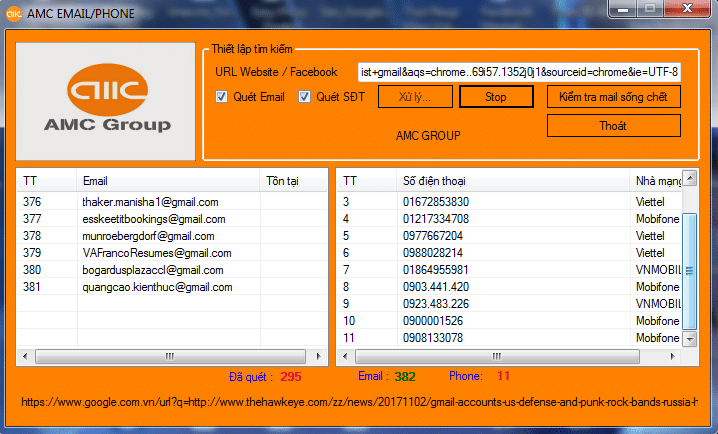
Share Tool Scan Mail Latest Google SLL

AnonyViet

AnonyViet

Related Posts

How to change the default font on Windows 10
Tips

How to change the default font on Windows 10

April 13, 2026
5 tips for using a Browser to replace an App (helps save RAM, time and money)
Tips

5 tips for using a Browser to replace an App (helps save RAM, time and money)

April 13, 2026
How to make funny MeMe photos without Photoshop within 10 seconds
Tips

How to make funny MeMe photos without Photoshop within 10 seconds

April 11, 2026
How to quickly design your own Logo without Photoshop
Tips

How to quickly design your own Logo without Photoshop

April 10, 2026
How to convert Website into App on Windows
Tips

How to convert Website into App on Windows

April 9, 2026
Instructions for getting 3 months of Adobe Express Pro for free
Tips

Instructions for getting 3 months of Adobe Express Pro for free

April 9, 2026
Next Post
Share Tool Scan Mail Latest Google SLL

Share Tool Scan Mail Latest Google SLL

0 0 votes
Article Rating
Subscribe
Login
Notify of
guest

guest

0 Comments
Oldest
Newest Most Voted
Inline Feedbacks
View all comments

Recent News

How to transfer ChatGPT data to Claude is extremely simple

How to transfer ChatGPT data to Claude is extremely simple

April 16, 2026
How to authenticate the owner’s SIM on VNeID from April 15

How to authenticate the owner’s SIM on VNeID from April 15

April 15, 2026
Speak Cells: Excel tool to read spreadsheets by voice very well

Speak Cells: Excel tool to read spreadsheets by voice very well

April 15, 2026
Review of Galaxy A57 and A37: Some are eight ounces, some are half a pound

Review of Galaxy A57 and A37: Some are eight ounces, some are half a pound

April 14, 2026
How to transfer ChatGPT data to Claude is extremely simple

How to transfer ChatGPT data to Claude is extremely simple

April 16, 2026
How to authenticate the owner’s SIM on VNeID from April 15

How to authenticate the owner’s SIM on VNeID from April 15

April 15, 2026
Speak Cells: Excel tool to read spreadsheets by voice very well

Speak Cells: Excel tool to read spreadsheets by voice very well

April 15, 2026
AnonyViet - English Version

AnonyViet

AnonyViet is a website share knowledge that you have never learned in school!

We are ready to welcome your comments, as well as your articles sent to AnonyViet.

Follow Us

Contact:

Email: anonyviet.com[@]gmail.com

Main Website: https://anonyviet.com

Recent News

How to transfer ChatGPT data to Claude is extremely simple

How to transfer ChatGPT data to Claude is extremely simple

April 16, 2026
How to authenticate the owner’s SIM on VNeID from April 15

How to authenticate the owner’s SIM on VNeID from April 15

April 15, 2026
No Result
View All Result
  • Home
  • News
  • Software
  • Knowledge
  • MMO
  • Tips
  • Security
  • Network
  • Office

wpDiscuz
0
0
Would love your thoughts, please comment.x
()
x
| Reply