Use the API to start the Cloudflare Rule against DDOS.
Get Cloudflare Token API and ZoneID
First you need to get the Global API of your CloudFlare account:
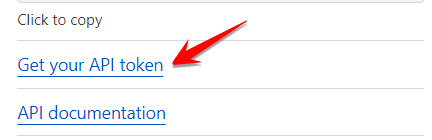
At Menu Overview click Get your API token -> Select Global API Key -> View -> Enter Password -> Copy Token into Notepad to use slice. This is also called Authen Key
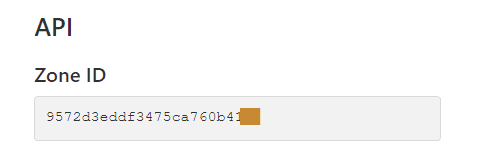
At Menu Overview Click on Zone ID: copy the sequence of numbers into Notepad to use later
Get RULEs on Cloudflare account
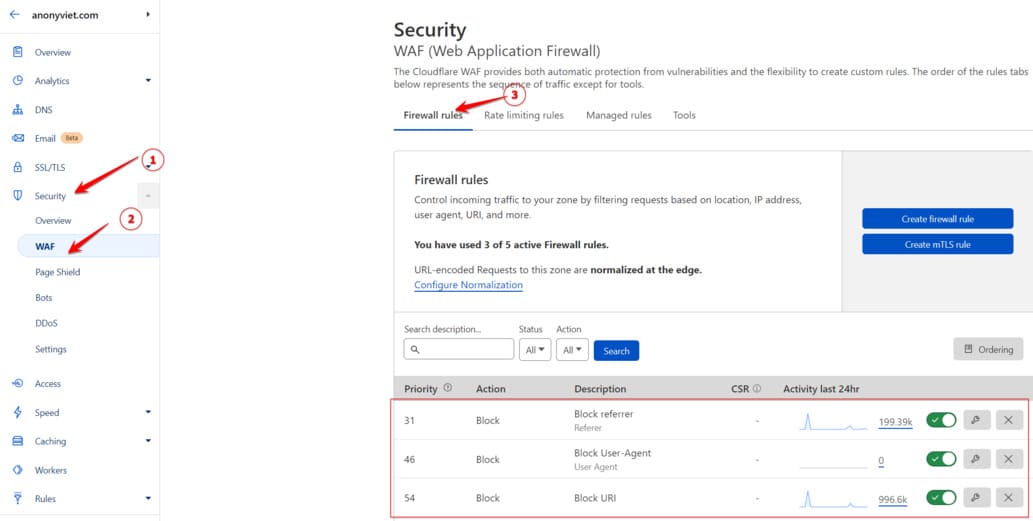
It is best to set up the Rule on the interface first: Menu Security -> WAF -> Firewall Rule
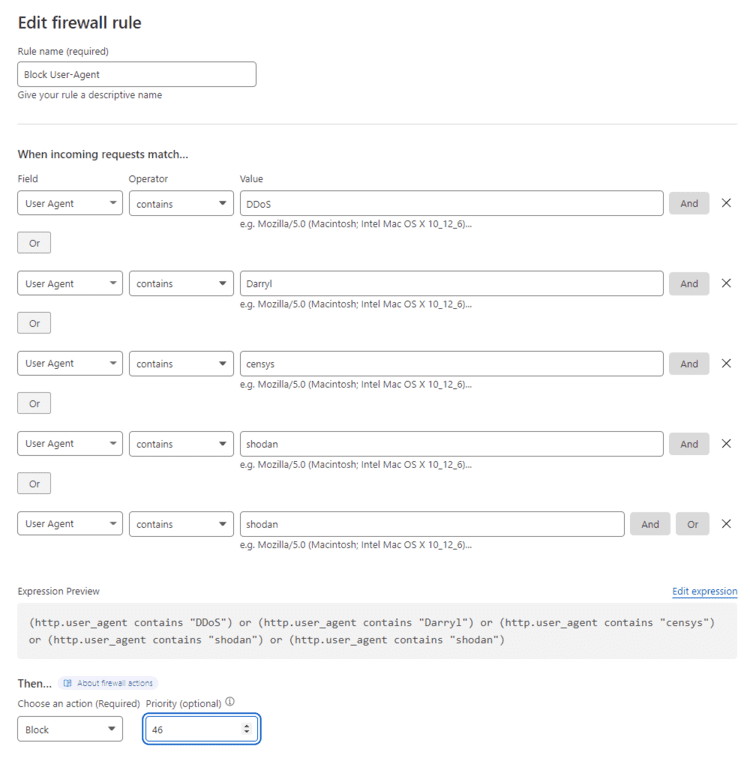
I will create a Rule Block User-Agent as shown in the picture:
Next, use the Curl command to get the ID and information of the established rules.
curl -X GET \
"https://api.cloudflare.com/client/v4/zones/[Zone ID]/firewall/rules" \
-H "X-Auth-Email: email đănh nhập Cloudflare" \
-H "X-Auth-Key: [API Token]"
Eg:
curl -X GET \
"https://api.cloudflare.com/client/v4/zones/9572d3eddf3475ca760b419a63e79536/firewall/rules" \
-H "X-Auth-Email: [email protected]" \
-H "X-Auth-Key: 89d37c93f93aac745180247542d8xxxxxxx96b"
Result:
curl -X GET \"https://api.cloudflare.com/client/v4/zones/9572d3eddf3475ca760b419a63e79536/firewall/rules" \ -H "X-Auth-Email: [email protected]" \ -H "X-Auth-Key: 89d37c93f93aac745180247542d8xxxxxxx96b" { "result": [
    {
     {
      "id": "aa345072f8244340b3264167ba51662b",
      "paused": true,
      "description": "Block User-Agent",
      "action": "block",
      "priority": 46,
      "filter": {
        "id": "efcd9a8a55f34fea8e43a98765e463d2",
        "expression": "(http.user_agent contains \"DDoS\") or (http.user_agent contains \"Darryl\") or (http.user_agent contains \"censys\") or (http.user_agent contains \"shodan\") or (http.user_agent contains \"shodan\")",
        "paused": true
      },
      "created_on": "2022-06-16T06:09:59Z",
      "modified_on": "2022-08-18T12:12:42Z"
    }
Cần ghi lại các thông tin sau để có thể tự động bật/tắt các Rule bằng API của Cloudflare
- “id”: “aa345072f8244340b3264167ba51662b”, : <RULE_ID>
- “paused”: false, : false là Rule đang được bật, true là Rule đang tắt
- “description”: “Block User-Agent”, : Đặt tên cho Rule
- “id”: “efcd9a8a55f34fea8e43a98765e463d2”, : <FILTER_ID>
Bật Rule Firewall Cloudflare bằng API
Sau khi đã có đầy đủ thông tin về ID Rule, ID Filter, chúng ta dùng lệnh PUT để cập nhật trạng thái cho Rule Firewall Cloudflare
Cấu trúc của lệnh PUT như sau:
curl -X PUT \
"https://api.cloudflare.com/client/v4/zones/<ZONE_ID>/firewall/rules/<RULE_ID>" \
-H "X-Auth-Email: email đănh nhập Cloudflare" \
-H "X-Auth-Key: [API Token]"\ -H "Content-Type: application/json" \ -d '{ "paused": false, "description": "Name the Rule", "action": "allow", "priority": 1, " filter": { "id": "", "expression": "(http.user_agent contains \"DDoS\"), "paused": false, "description": "Name the Rule" } }'
For example, to turn this Rule on, we adjust the value of paused are from true Fort false. That is, switch from off to on. Remember yes 2 value paused Please.
curl -X PUT "https://api.cloudflare.com/client/v4/zones/9572d3eddf3475ca760b419a63e79536/firewall/rules/aa345072f8244340b3264167ba51662b" \
     -H "X-Auth-Email: [email protected]" \
     -H "X-Auth-Key: 89d37c93f93aac745180247542d8xxxxxxx96b" \
     -H "Content-Type: application/json" \
     --data '{
     "action": "block",
     "priority": 46,
     "paused":false,
     "description": "Block User-Agent",
     "filter": {
    "id": "efcd9a8a55f34fea8e43a98765e463d2",
    "expression": "(http.user_agent contains \"DDoS\") or (http.user_agent contains \"Darryl\") or (http.user_agent contains \"censys\") or (http.user_agent contains \"shodan\") or (http.user_agent contains \"shodan\")",
    "paused": false,
    "description": "Block User Agent"
  }
  }'
Results are returned “success”: trueis success.
curl -X PUT "https://api.cloudflare.com/client/v4/zones/9572d3eddf3475ca760b419a63e79535/firewall/rules/aa345072f8244340b3264167ba51662b" \
         -H "X-Auth-Email: [email protected]" \
         -H "X-Auth-Key: 89d37c93f93aac745180247542d8xxxxxxx96b" \
     -H "Content-Type: application/json" \
     --data '{
         "action": "block",
         "priority": 47,
         "paused":false,
         "description": "Block User-Agent",
         "filter": {
    "id": "efcd9a8a55f34fea8e43a98765e463d2",
    "expression": "(http.user_agent contains \"DDoS\") or (http.user_agent contains \"Darryl\") or (http.user_agent contains \"censys\") or (http.user_agent contains \"shodan\") or (http.user_agent contains \"shodan\")",
    "paused": false,
    "description": "Block User Agent"
  }
  }'
{
  "result": {
    "id": "aa345072f8244340b3264167ba51662b",
    "paused": false,
    "description": "Block User-Agent",
    "action": "block",
    "priority": 47,
    "filter": {
      "id": "efcd9a8a55f34fea8e43a98765e463d2",
      "expression": "(http.user_agent contains \"DDoS\") or (http.user_agent contains \"Darryl\") or (http.user_agent contains \"censys\") or (http.user_agent contains \"shodan\") or (http.user_agent contains \"shodan\")",
      "paused": false
    },
    "created_on": "2022-08-18T12:05:32Z",
    "modified_on": "2022-08-30T15:11:46Z",
    "index": 1
  },
  "success": true,
  "errors": [],
  "messages": []
}
In the next article, we will study Enable Rule Cloudflare automatically when CPU is high and Disable Rule automatically when CPU is low. Avoid the case of DDoS crashing the Server.