How to check if email password has been leaked or not is a question that many people are interested in. Because, if your email password is leaked, you will be in a lot of trouble and at risk of losing important data. So how to check if your email password is safe or not? Let's follow along!
| Join the channel Telegram belong to AnonyViet 👉 Link 👈 |
Introducing haveibeenpwned.com
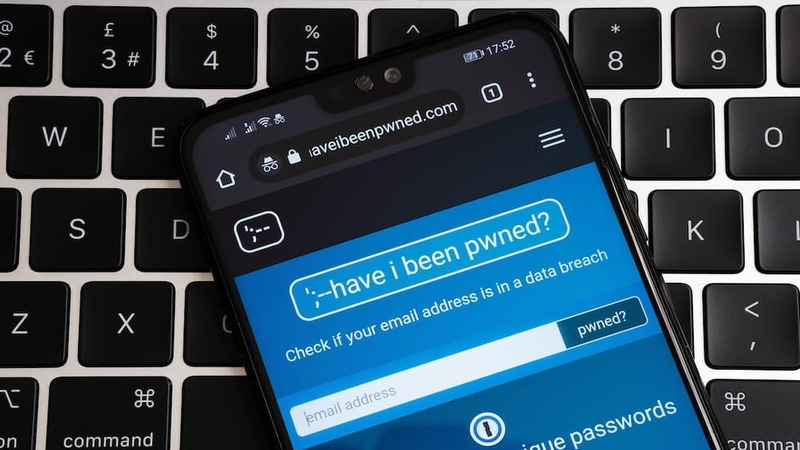
Haveibeenpwned.com is a website created by Troy Hunt, a cybersecurity expert, in 2013. The purpose of this website is to provide users with an easy way to check if their email or password whether leaked in data breaches.
Data breaches are events when the hacker or bad guys steal users' personal information from websites, forums, or government agencies. This personal information can include emails, passwords, phone numbers, addresses, credit card numbers, and more.
If your email or password is leaked, you could be exposed to many risks, such as losing your account, being scammed, having your privacy violated, or even being hacked.
This website collects and stores leaked data from different sources, such as websites, forums, or government agencies. According to haveibeenpwned statistics, there are currently more than 11 billion emails or passwords that have been leaked in more than 500 data breaches.
To check if your email or password is among them, simply enter your email or password in the search box on the website. Haveibeenpwned will use a hash algorithm to encrypt and compare your email or password with the leaked data.
A hash algorithm is a method of converting a string of characters into an encrypted string of fixed length. For example, if you enter the password “123456”, the hash algorithm will turn it into “e10adc3949ba59abbe56e057f20f883e”. This way, haveibeenpwned.com can check if your email or password has been leaked without knowing their exact content.
The website is also very concerned about protecting user privacy. This site does not store or disclose your email or password to anyone. You also do not need to register or log in to use this website. In addition, haveibeenpwned.com also complies with the personal data protection regulations of different countries and regions, such as Europe, Australia, or California.
How to check if email password has been leaked or not
Once you know about haveibeenpwned, you can use this website to check and protect your emails and passwords from leaks. Here are the basic steps you should take:
Step 1: Access to haveibeenpwned and enter your email or password in the search box. You can enter multiple emails or passwords at once by separating them with commas.
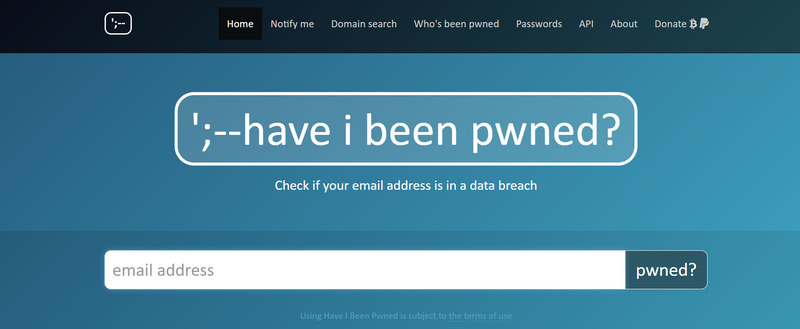
Step 2: Press the “pwned?” to start testing. The website will return results to you within seconds.
Step 3: See the results and understand what they mean. There are two possible cases:
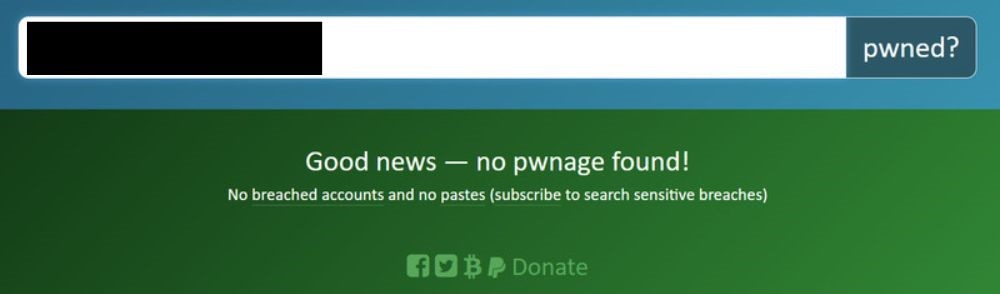
Case 1: If your email or password was not leaked, you will see a green notification with the words “Good news — no pwnage found!” (Good news – no signs of a leak!). This means your email or password is safe and has not appeared in data breaches known to haveibeenpwned.com.
Case 2: If your email or password is leaked, you will see a red notification with the text “Oh no — pwned!” (Oh no – it was leaked!). This means your email or password is not secure and has appeared in data breaches. You'll also see the number of websites or apps that had a data breach involving your email or password, when, and what type of data was leaked.
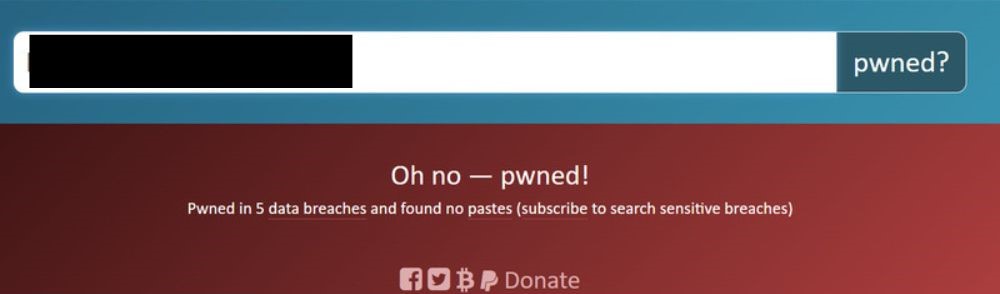
If you want to receive notifications when your email or password appears in new data breaches, you can sign up to receive emails from haveibeenpwned.
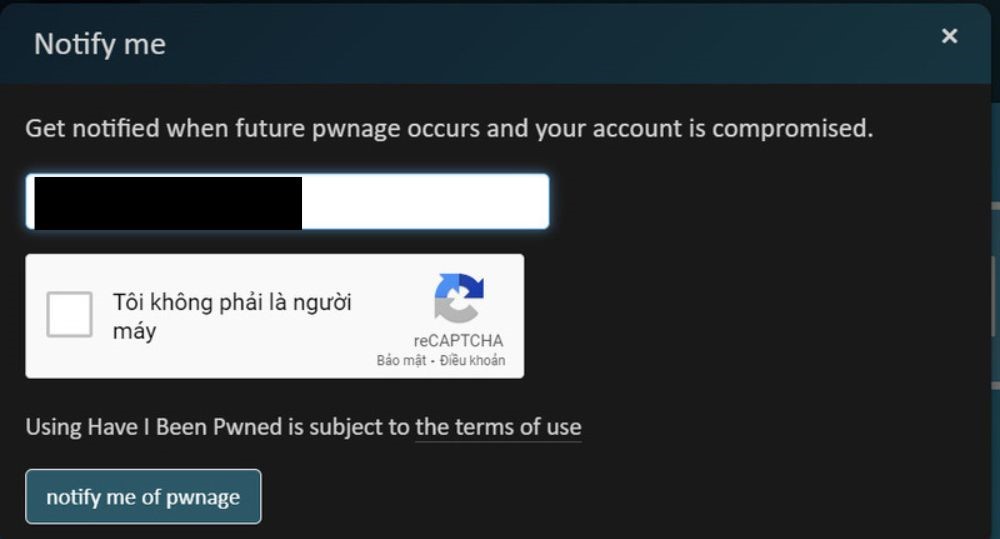
Just click on the “Notify me” tab > Enter email < Click “Notify me when I get pwned”. You will receive a confirmation email from haveibeenpwned.com to activate this feature.
How to protect emails and passwords from leaks
If you have checked and discovered that your email or password has been leaked, you should not be subjective or ignore it. You should take the following steps:
Change emails or passwords if they have been leaked
You should choose a new, unique and complex email or password that does not involve your name, date of birth, or other personal information.
You should also avoid using emails or passwords that are common, easy to guess, or have been involved in previous data breaches.
Use different passwords for different websites or apps
You can use password management tools to create and store secure passwords. You should not use the same password for multiple websites or applications, because if one is breached, the other websites or applications may be affected as well.
You should use password management tools, such as LastPass, Dashlane, or Bitwarden, to help you generate random passwords, encrypt and store passwords in a secure vault, and autofill passwords. password when you need it.
Enable additional security features
Such as two-factor authentication, to protect emails or passwords from online attacks. Two-factor authentication is a method that requires you to provide something in addition to your email or password to sign in to a website or app. This information can be a code sent via SMS, email, or mobile application, or a physical device such as a USB or smart card. This way, others will not be able to access your account with just your leaked email or password.
Epilogue
In this article, I have introduced to you How to check if email password has been leaked or not by haveibeenpwned. You can also share your results and experiences with friends or relatives so that they can also protect their emails and passwords securely. Good luck!