If you want to open an online shop and buy the .STORE domain name for 1 USD to make a sales landing page, or simply “brand” professionally but on a tight budget, the .STORE suffix is a very reasonable choice because when you look at it, you know what you are selling.
📢 Join the channel Telegram belong to AnonyViet
Update new articles, cool tools and IT tips fastest
The good news is that there is still a deal to help you buy a .STORE domain for only about 1 USD (sometimes even close to 0), as long as you do it in the right order and avoid a few small “fee traps” when paying.
Scope of reference information: Domain incentives often change according to time/conditions of each account. This article follows the active thread at the time of writing; Please check the total amount at the checkout step before clicking payment.
Quick answer: You can apply How to buy .STORE domain name for 1 USD by getting the promotion code from the Elevate page (student promotion package), then go to GET.STORE to find the domain, paste the discount code at checkout and pay. Remember to uncheck additional services and turn off auto-renewal to avoid being charged next year.
Instructions on how to buy a .STORE domain name for 1 USD
The standard process will include 3 parts: Get the promo code → find domains → Paste code & pay. If you have read other domain deal hunting articles of AnonyViet, the operation is quite similar, only the code source and registration page are different.
Step 1: Prepare before operation
- An email (Gmail) to create an account.
- International payment card (Visa/Mastercard) to pay 1 USD and verify the transaction.
- List of 3-5 backup domain names (because good names are often “snapped” very quickly).
Step 2: Get the discount code from the promotion system
First, access Elevate’s student incentive link at: elevate.store/deals/student.
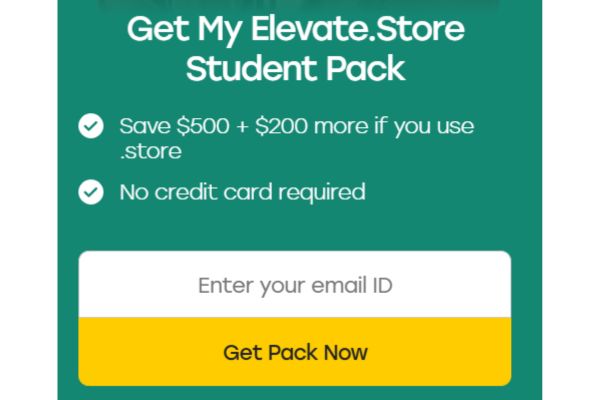
Next, the system will ask you to create an account. Fill in Gmail and then click Get Pack Now to enter the preferential area.
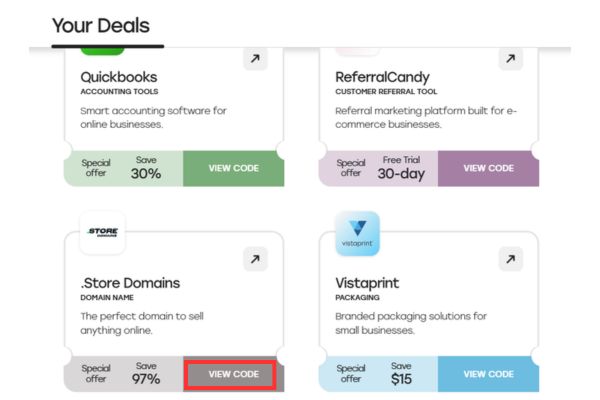
In the main interface, scroll down to the area with domain incentives. Here, press View Code Let the system display the code.
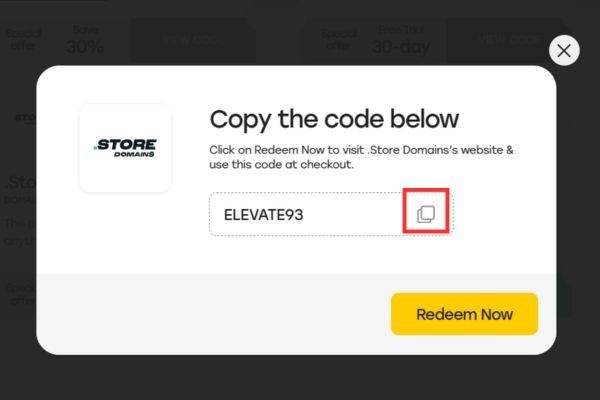
Finally, press Copy to copy the code to the clipboard (cache). At this point, you have the “key” to the discount.
Step 3: Search and choose the desired domain name
After you have the code, open the official registration page at: https://get.store/.
Enter the tail domain name .store you want in the search box, then press Search to check availability.
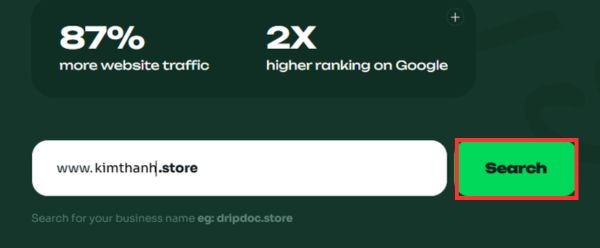
If the domain is available, select it Add to cart right next to the domain and press Proceed put in cart.
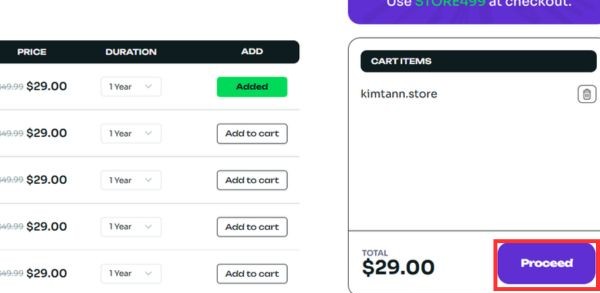
Quick tips for choosing a .STORE domain “to avoid regret”:
- Name priority short – easy to read – easy to type (avoid hyphens, avoid strange characters).
- If doing personal branding: use tenban.store or name-thuong-hieu.store (but hyphens are only used when force majeure).
- If selling by niche: combine “industry + brand”: giaytenbrand.store, phukientenbrand.store…
Step 4: Paste the promotion code and pay
On the checkout page, please uncheck Unnecessary additional services (most common are Privacy Protection / privacy protection) to avoid additional fees.
Then check the discount code box: if there is a default code, delete it Paste the code you copied in Step 1 Fill in the blank box and apply.
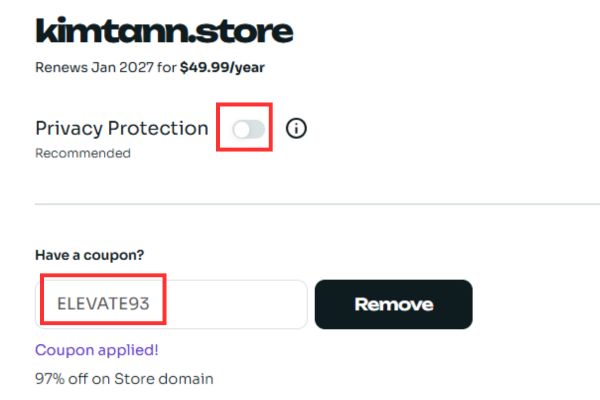
When you see that the total amount has decreased to a low level (approx 1 USD), you press Place order to confirm. The system will then process for a few minutes, then you enter your card information to complete payment.
Important note: If the total amount does not reach the expected level, check again: (1) whether the add-on has been unchecked, (2) whether the code has been pasted with extra spaces, (3) whether the code has expired/used, (4) whether the domain you selected is a “premium domain” (premium usually does not apply strong codes).
Compare costs when applying discount codes
Many people ask: “Is it worth taking a few more minutes to get the code?”. Looking at the table below, you can immediately see the “value for money”, especially for projects just starting out.
| Evaluation criteria | Buy directly without code | Apply discount code |
| First year costs | About 29 USD – 39 USD | Only ~1 USD (at times close to 0) |
| Service fee added | Easy to automatically add if not paying attention | Proactively deselect for optimization |
| Operation time | Fast (about 2 minutes) | Add 3–5 minutes to get the code |
| Level of savings | No savings | Save up to ~97% |
Important notes after registration
Cheap deals usually only apply first year. From the second year onwards, the renewal fee will return to normal (usually a few dozen USD depending on the time/supplier). Therefore, you should “defend” immediately after buying.
1) Turn off auto-renew to avoid being charged
As soon as payment is successful, go to the domain management page and Turn off Auto-Renew. This is the most important step if you only plan to use it short-term, or want to decide for yourself whether to renew or not.

2) Turn on Transfer Lock and account security
- Turn on 2FA (2-layer authentication) for domain registration accounts.
- Turn on Transfer Lock to avoid illegal domain transfers.
- Save the confirmation/invoice email in case you need assistance.
3) Point DNS properly (so the domain “runs” right away)
Buying a domain is not done. You need to point DNS to where you host your website (hosting/VPS/Cloudflare/Platform Shop…). If you are using Cloudflare, just add the domain to Cloudflare, change the nameserver according to the instructions, then configure A record/CNAME and run.
Conclusion
In short, How to buy .STORE domain name for 1 USD This is a great tip for the early stages of building a shop/brand: low cost, domain name that looks “salesy”, suitable for the main website or landing page. You just need to follow the correct order to get the code → select domain → paste the code when paying, and remember to turn off auto-renew to avoid incurring fees next year.
Frequently asked questions (FAQ)
1) How many years is this 1 USD discount code valid?
Usually the code only gives discounts first year. From the second year onwards you will have to renew at the original price, so auto-renew should be turned off immediately after purchase.
2) Is it mandatory to use an international credit/debit card?
Most cases Have. The system requires an international payment method (Visa/Mastercard) to process the 1 USD amount and verify the transaction.
3) Why should you uncheck Privacy Protection when paying?
Because this is usually an additional service with a fee. If the goal is to optimize the cost to ~1 USD, you should uncheck it so that the total bill does not increase.
4) Why is there no discount after pasting the code?
Usually due to 4 reasons: (1) the code is expired/out of date, (2) the domain is premium, (3) you haven’t removed the add-on so the total is still high, (4) the code is pasted wrong/missing characters. Try changing to another domain and re-pasting the code (without spaces).
5) Is buying .STORE good for SEO?
Domain suffix is not a “magic wand” for SEO, but .STORE Helps users immediately understand what you sell, increasing brand recall and click-through rate in some contexts. SEO still depends on content, speed, techniques and backlinks.