DenyHosts is open source software that helps block brute force attacks with SSH login to help protect your Linux Server more securely. This is a fairly lightweight Tool and very simple to use, just exceed the number of incorrect logins, that IP will be blocked, unable to detect Key, Password SSH.
| Join the channel Telegram of the AnonyViet 👉 Link 👈 |
DenyHosts monitors and analyzes SSH Logs for false logins, dictionary-based attacks, and attacks. brute force attack by blocking the original IP addresses and adding an entry to the file /etc/hosts.deny on the server and prevent the IP address from making any further login attempts.
DenyHosts is a very essential tool for all Linux based systems, especially when we allow ssh login to remote Linux servers.
In this article, I will show you how to install and configure DenyHosts on RHEL-based Linux distributions like Fedora, CentOS, Rocky Linux, and AlmaLinux.
How to Install DenyHosts in Linux
By default, the DenyHosts tool is not built-in to the Linux system, we need to install it using a third-party EPEL repository. After adding the repository, install the DenyHosts package using the following yum command.
# yum install epel-release
# yum install denyhosts
Configure DenyHosts for IP addresses in Whitelist
After installing Denyhosts, make sure to whitelist your own IP address, so that it never gets blocked. To do this, open the file /etc/hosts.allow.
# vi /etc/hosts.allow
Below the description, add each IP address in a separate line that you don’t want to block.
#
# hosts.allow   This file contains access rules which are used to
#               allow or deny connections to network services that
#               either use the tcp_wrappers library or that have been
#               started through a tcp_wrappers-enabled xinetd.
#
#               See 'man 5 hosts_options' and 'man 5 hosts_access'
#               for information on rule syntax.
#               See 'man tcpd' for information on tcp_wrappers
#
sshd: 172.16.25.125
sshd: 172.16.25.126
sshd: 172.16.25.127
Configure DenyHosts for email alerts
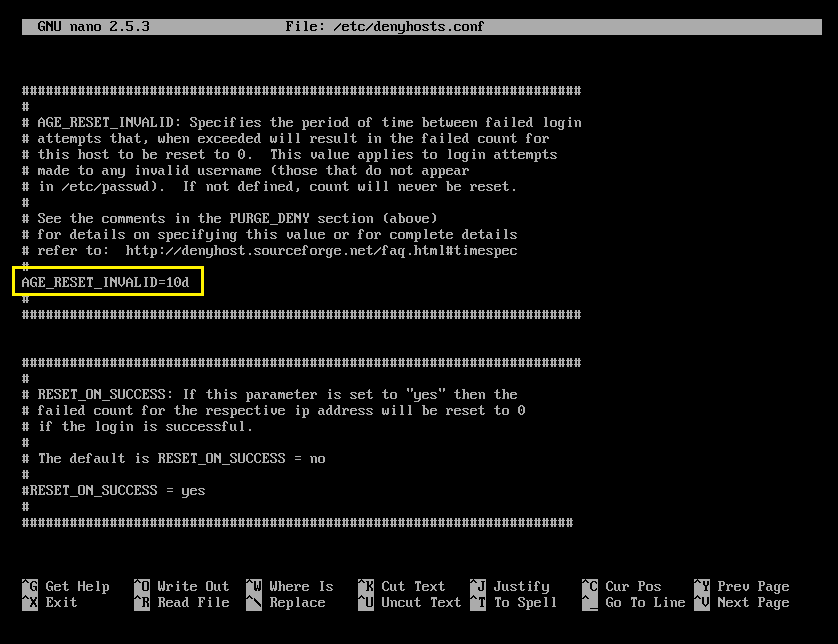
The main configuration file is located in /etc/denyhosts.conf. This file is used to send email notifications about suspected logins. Open this file with an editor vi.
# vi /etc/denyhosts.conf
Find the line ‘ADMIN_EMAIL’ and add your email address here to receive email notifications of suspicious logins (for multiple emails, use commas). Each variable is fully documented so configure it to your liking.
############ DENYHOSTS REQUIRED SETTINGS ############
SECURE_LOG = /var/log/secure
HOSTS_DENY = /etc/hosts.deny
BLOCK_SERVICE  = sshd
DENY_THRESHOLD_INVALID = 5
DENY_THRESHOLD_VALID = 10
DENY_THRESHOLD_ROOT = 1
DENY_THRESHOLD_RESTRICTED = 1
WORK_DIR = /var/lib/denyhosts
SUSPICIOUS_LOGIN_REPORT_ALLOWED_HOSTS=YES
HOSTNAME_LOOKUP=YES
LOCK_FILE = /var/lock/subsys/denyhosts

############ DENYHOSTS OPTIONAL SETTINGS ############
ADMIN_EMAIL = [email protected]
SMTP_HOST = localhost
SMTP_PORT = 25
SMTP_FROM = DenyHosts <[email protected]>
SMTP_SUBJECT = DenyHosts Daily Report

############ DENYHOSTS OPTIONAL SETTINGS ############
DAEMON_LOG = /var/log/denyhosts
DAEMON_SLEEP = 30s
DAEMON_PURGE = 1h
Restart the DenyHosts service
When you’re done with the configuration, reboot denyhosts. We also add denyhosts into startup.
# chkconfig denyhosts on
# service denyhosts start
View DenyHosts logs
To view the diary denyhosts how many attackers and hackers are trying to access your server. Please use the following command:
# tail -f /var/log/secure
Nov 28 15:01:43 tecmint sshd[25474]: Accepted password for root from 172.16.25.125 port 4339 ssh2
Nov 28 15:01:43 tecmint sshd[25474]: pam_unix(sshd:session): session opened for user root by (uid=0)
Nov 28 16:44:09 tecmint sshd[25474]: pam_unix(sshd:session): session closed for user root
Nov 29 11:08:56 tecmint sshd[31669]: Accepted password for root from 172.16.25.125 port 2957 ssh2
Nov 29 11:08:56 tecmint sshd[31669]: pam_unix(sshd:session): session opened for user root by (uid=0)
Nov 29 11:12:00 tecmint atd[3417]: pam_unix(atd:session): session opened for user root by (uid=0)
Nov 29 11:12:00 tecmint atd[3417]: pam_unix(atd:session): session closed for user root
Nov 29 11:26:42 tecmint sshd[31669]: pam_unix(sshd:session): session closed for user root
Nov 29 12:54:17 tecmint sshd[7480]: Accepted password for root from 172.16.25.125 port 1787 ssh2
Remove blocked IP address from DenyHosts
If you want to remove that blocked IP address from denyhosts. You need to stop the tool.
# /etc/init.d/denyhosts stop
To remove or completely remove blocked IP address. You need to edit the following files and remove the IP address.
# vi /etc/hosts.deny
# vi /var/lib/denyhosts/hosts
# vi /var/lib/denyhosts/hosts-restricted
# vi /var/lib/denyhosts/hosts-root
# vi /var/lib/denyhosts/hosts-valid
# vi /var/lib/denyhosts/users-hosts
After removing the blocked IP address, restart the service.
# /etc/init.d/denyhosts start
The offending IP address has been added to all files in the directory /var/lib/denyhosts, so it is difficult to determine which file contains the offending IP address. One of the best ways to find out the IP address is to use the grep command. Example to find out IP address 172.16.25.125:
cd /var/lib/denyhosts
grep 172.16.25.125 *
Permanently whitelist IP addresses in DenyHosts
If you have a list of static IP addresses that you want to whitelist permanently. Please open the file /var/lib/denyhosts/allowed-hosts. Any IP addresses contained in this file will not be blocked by default.
# vi /var/lib/denyhosts/allowed-hosts
And add each IP address on each line separately. Then save and close the file.
# We mustn't block localhost
127.0.0.1
172.16.25.125
172.16.25.126
172.16.25.127