• Home
  • News
  • Software
  • Knowledge
  • MMO
  • Tips
  • Security
  • Network
  • Office
AnonyViet - English Version
  • Home
  • News
  • Software
  • Knowledge
  • MMO
  • Tips
  • Security
  • Network
  • Office
No Result
View All Result
  • Home
  • News
  • Software
  • Knowledge
  • MMO
  • Tips
  • Security
  • Network
  • Office
No Result
View All Result
AnonyViet - English Version
No Result
View All Result

How to adjust the time to postpone the alarm iOS 26

AnonyViet by AnonyViet
June 16, 2025
in Knowledge
0

The 9 -minute era of invariant on the iPhone has officially closed. With the iOS 26 update, Apple finally gives you the full authority to decide its more sleep. Let’s find out now How to adjust the time to postpone the alarm iOS 26 Let every morning wake up the way you want.

Join the channel Telegram belong to Anonyviet 👉 Link 👈

Why is 9 minutes the “magic” number of Apple?

Have you ever wondered why Apple insisted on postponing the alarm time 9 minutes Not 5 or 10 minutes round? The answer is not in modern technology, but it originates from the history of mechanical watches nearly 70 years ago.
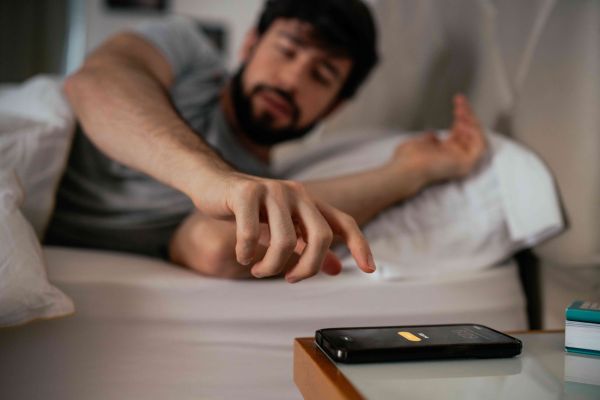
Why 9 minutes is the number "magic" of Apple?
Why is 9 minutes the “magic” number of Apple?

At that time, engineers had difficulty in synchronizing the gear of the alert mechanism with a minute needle perfectly to create a 10 -minute period. Setting up a period of time before a 10 -minute milestone, that is, about 9 minutes, is more mechanically easier. This tradition was inherited and became an underground standard in the watch industry, and Apple seemed to have followed the heritage on the first iPhone.

More importantly, there is a scientific basis behind this. Sleep experts show that sleeping for more than 9-10 minutes can push your body into a deeper sleep cycle, called “Sleep Inertia). When awakened from deep sleep, you will feel tired, tired and more alert. Therefore, 9 minutes is considered a “golden” time – enough for you to feel a little more rest but not enough to fall into a deep sleep.
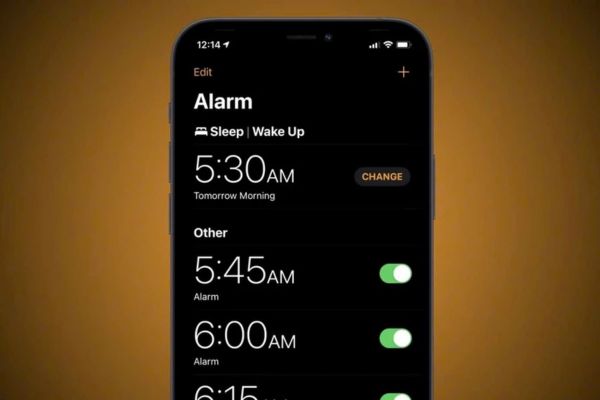
9 minutes is considered as time period "Yellow
9 minutes is considered the time “gold

How to adjust the time to postpone the alarm iOS 26

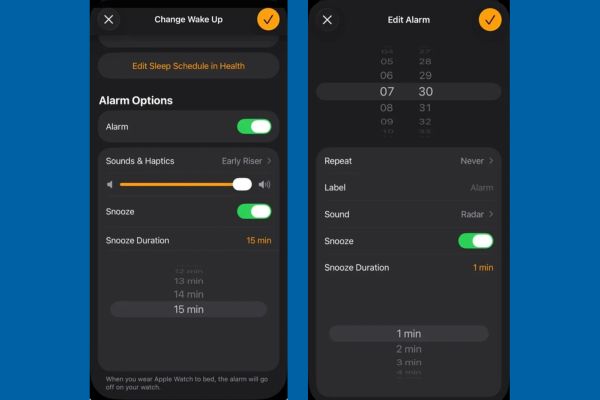
Whatever the reason, the rigidity of the 9 -minute figure is the past. With the iOS 26 update, you can flexibly adjust the reporting time From 1 minute to up to 15 minutes. If you have upgraded to the version iOS 26 betafollow the following simple steps:

Method 1: Change the default time for sleep/consciousness (Sleep/wake up)

This is how to set up the general time for your sleep schedule. Whenever the alarm in sleep/consciousness, it will apply the time you have installed.

  1. Open application Clock (Clock) On your iPhone.
  2. Click on the item Sleep | Consciousness (Sleep | wake up) At the top> click the button Change (Change).
  3. Roll down and find lines Snooze Duration (Snooze Duration).
  4. Touch it and a menu will appear, allowing you to choose the desired time from 1 to 15 minutes.
  5. After selecting, click the orange tick mark in the upper right corner to save the settings.

Method 2: Customize for each individual alarm

If you want to be more flexible, such as 5 minutes of postponement for work and 15 minutes for the weekend, iOS 26 also allows you to do that.

  1. Open application Clock (Clock).
  2. Click an existing alarm to edit, or press the “+” sign to create a new alarm.
  3. In the alarm screen, you will see a new option is Snooze Duration (Snooze Duration).
  4. Touch and choose the time you want for this alarm.
  5. If you do not want to use the newspaper feature, you can also turn off the SNOOZE switch at this screen.
  6. Press Save (Save) To complete.
How to adjust the time to postpone the alarm iOS 26

How long should the alarm postponement should be reasonable?

Job Apple Giving freedom to users is a great thing, but “a great power comes with great responsibility”. It is very attractive to sleep for a 15 minutes to sleep, but consider carefully.

As mentioned, sleeping for too long can backfire, making you more tired when you wake up. Experts recommend that you keep the alarm time under 10 minutes. This helps your brain to understand that this is just a short break before you really have to wake up, instead of starting a new sleep cycle.

The best advice is to test. Start with a traditional 9 -minute figure, then try it down to 7 minutes or 5 minutes. You may be surprised to see that a shorter period of postponement helps you stay awake and more energetic in the morning.
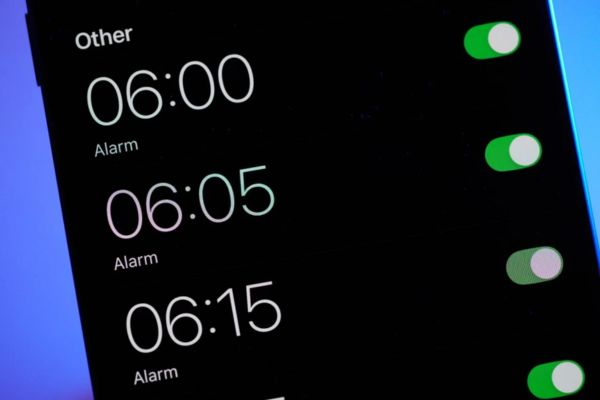
How long should the alarm postponement should be reasonable?

Conclude

Small change How to adjust the time to postpone the alarm iOS 26 It is really a big step in the user experience that Apple brings. It not only ends a “stubborn” lasting nearly two decades, but also shows that the company is increasingly listening and giving more control to users.


Tags: adjustalarmiOSpostponetime
Previous Post

10 languages ​​for web programming should learn in the isolation season

Next Post

How to activate Adaptive Power on iOS 26 to save battery

AnonyViet

AnonyViet

Related Posts

Postpaid for new employees: Should you start using it?
Knowledge

Postpaid for new employees: Should you start using it?

October 26, 2026
How to create a UFO Game that calls students to return their homework
Knowledge

How to create a UFO Game that calls students to return their homework

October 26, 2026
Instructions on how to exit iOS 27 Beta and update to the official version
Knowledge

Instructions on how to exit iOS 27 Beta and update to the official version

October 22, 2026
Instructions for turning off automatic subtitles on iPhone and Macbook
Knowledge

Instructions for turning off automatic subtitles on iPhone and Macbook

October 20, 2026
MBTI, Big Five, DISC or Holland: which personality test should you choose?
Knowledge

MBTI, Big Five, DISC or Holland: which personality test should you choose?

October 15, 2026
Super virtual way to change the photography angle using AI on iPhone
Knowledge

Super virtual way to change the photography angle using AI on iPhone

October 9, 2026
Next Post
How to activate Adaptive Power on iOS 26 to save battery

How to activate Adaptive Power on iOS 26 to save battery

0 0 votes
Article Rating
Subscribe
Login
Notify of
guest

guest

0 Comments
Oldest
Newest Most Voted

Recent News

How to play the mosquito swatter game, calling students’ names and asking them to return their homework

How to play the mosquito swatter game, calling students’ names and asking them to return their homework

October 28, 2026
Quét lỗ hổng bảo mật cho Vide Coding bằng Security Audit Skill

Quét lỗ hổng bảo mật cho Vide Coding bằng Security Audit Skill

October 27, 2026
Postpaid for new employees: Should you start using it?

Postpaid for new employees: Should you start using it?

October 26, 2026
How to create a UFO Game that calls students to return their homework

How to create a UFO Game that calls students to return their homework

October 26, 2026
How to play the mosquito swatter game, calling students’ names and asking them to return their homework

How to play the mosquito swatter game, calling students’ names and asking them to return their homework

October 28, 2026
Quét lỗ hổng bảo mật cho Vide Coding bằng Security Audit Skill

Quét lỗ hổng bảo mật cho Vide Coding bằng Security Audit Skill

October 27, 2026
Postpaid for new employees: Should you start using it?

Postpaid for new employees: Should you start using it?

October 26, 2026
AnonyViet - English Version

AnonyViet

AnonyViet is a website share knowledge that you have never learned in school!

We are ready to welcome your comments, as well as your articles sent to AnonyViet.

Follow Us

Contact:

Email: anonyviet.com[@]gmail.com

Main Website: https://anonyviet.com

Recent News

How to play the mosquito swatter game, calling students’ names and asking them to return their homework

How to play the mosquito swatter game, calling students’ names and asking them to return their homework

October 28, 2026
Quét lỗ hổng bảo mật cho Vide Coding bằng Security Audit Skill

Quét lỗ hổng bảo mật cho Vide Coding bằng Security Audit Skill

October 27, 2026
  • Home
  • Home 2
  • Home 3
  • Home 4
  • Home 5
  • Home 6
  • Next Dest Page
  • Sample Page

say88 tỷ lệ kèo nhà cái kèo nhà cái 5 febet

No Result
View All Result
  • Home
  • News
  • Software
  • Knowledge
  • MMO
  • Tips
  • Security
  • Network
  • Office

say88 tỷ lệ kèo nhà cái kèo nhà cái 5 febet

wpDiscuz
0
0
Would love your thoughts, please comment.x
()
x
| Reply