• Home
  • News
  • Software
  • Knowledge
  • MMO
  • Tips
  • Security
  • Network
  • Office
AnonyViet - English Version
  • Home
  • News
  • Software
  • Knowledge
  • MMO
  • Tips
  • Security
  • Network
  • Office
No Result
View All Result
  • Home
  • News
  • Software
  • Knowledge
  • MMO
  • Tips
  • Security
  • Network
  • Office
No Result
View All Result
AnonyViet - English Version
No Result
View All Result

Get 100k Windows VPS registration for 15 days with KDATA.VN

AnonyViet by AnonyViet
January 26, 2023
in Network
0

Kdata is a Hosting/VPS service provider in Vietnam. With the infrastructure available in Ho Chi Minh City and Hanoi, it is a great advantage for stable transmission speed. From June 6, 2019 to the end of July 6, 2019, KDATA Co., Ltd. allows users to use the service on KDATA CLOUD for free with all the features that the system provides. After this time, the system will RESET all data and upgrade to help customers use the service better. So you can create a free high-configuration VPS provided by KDATA to experience.

Join the channel Telegram of the AnonyViet 👉 Link 👈

Note: Limit saving important information as well as data backup during this trial period.

Get 100k Windows VPS registration for 15 days with KDATA.VN

To increase responsiveness for all users entering the product trial, Kdata will temporarily limit resources: 4 CPUs, 8GB RAM and 128GB SSD Storage. You can choose the right resource plan to create a VPS. The operating systems supported by KDATA to create VPS include: Windows 7/10/2012/2016 and Ubuntu, Debian, Centos.

Sign up to receive 100,000 VND To create a KDATA VPS, you do the following:

Step 1: Create a KDATA account on the road this link. Provide complete information, especially Email. You will receive information about remote VPS via Email.

Step 2: After creating, you will see the account has 100,000 VND in it. Select button Create -> VM

CREATE KDATA FREE WINDOWS VPS

Step 4: Select the operating system for the VPS. You can choose a Windows VPS for easy remote control, supporting both Windows 7/10 and WINdows Server.

For configuration, you choose up to 8GB of RAM. If the configuration is high, the money will be deducted faster.

CHOOSE KDATA FREE WINDOWS VPS

Step 5: You choose the network card. If you are not familiar, just leave the default as shown: Basic Network. Then click Create VM to proceed to create KDATA’s free WINdows VPS

GET 100K CREATE VPS WINDOWS KDATA

You will now be redirected to the VPS management page. Wait about 10 minutes for VPS to finish building. When done, you will receive an Email including: IP, Username, Password to remote into VPS.

remote information vps windows free

To remote into KDATA’s free WINdows VPS, use Remote Desktop on Windows. Details of how to remote read here Remote VPS Azure. Exactly the same.


The article achieved: 5/5 – (100 votes)

Tags: 100kdaysKDATA.VNregistrationVPSWindows
Previous Post

5 Websites to practice Hack skills – practice being a Hacker

Next Post

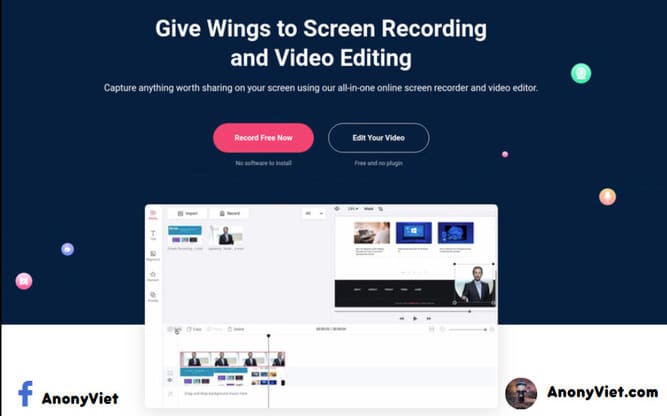
RecordCast – Record screen video without installing additional software

AnonyViet

AnonyViet

Related Posts

Save image as Type contains malicious code: Remove immediately before losing money unfairly!
Network

Save image as Type contains malicious code: Remove immediately before losing money unfairly!

March 19, 2026
Instructions on how to register a .co.uk domain name for free for 1 year
Network

Instructions on how to register a .co.uk domain name for free for 1 year

March 12, 2026
How to Setup Paperclip AI: Create a Company for AI Agent
Network

How to Setup Paperclip AI: Create a Company for AI Agent

March 12, 2026
Compilation of free and cheap APIs to run OpenClaw stably
Network

Compilation of free and cheap APIs to run OpenClaw stably

March 10, 2026
3 Services to Determine IP Location for Website (IP Geolocation API)
Network

3 Services to Determine IP Location for Website (IP Geolocation API)

March 10, 2026
How to buy a .STORE domain name for 1 USD (2026): Detailed instructions from A–Z
Network

How to buy a .STORE domain name for 1 USD (2026): Detailed instructions from A–Z

March 3, 2026
Next Post
RecordCast – Record screen video without installing additional software

RecordCast - Record screen video without installing additional software

0 0 votes
Article Rating
Subscribe
Login
Notify of
guest

guest

0 Comments
Oldest
Newest Most Voted
Inline Feedbacks
View all comments

Recent News

Tips to completely turn off CAPTCHA codes on iPhone and Mac are super simple

Tips to completely turn off CAPTCHA codes on iPhone and Mac are super simple

April 25, 2026
Compare Poco X8 Pro and Poco X7 Pro: A new step for the “king” of mid-range performance

Compare Poco X8 Pro and Poco X7 Pro: A new step for the “king” of mid-range performance

April 24, 2026
How to compress online videos for free without losing quality

How to compress online videos for free without losing quality

April 24, 2026
Top 5 apps to view good days 2026 for free on iOS and Android

Top 5 apps to view good days 2026 for free on iOS and Android

April 23, 2026
Tips to completely turn off CAPTCHA codes on iPhone and Mac are super simple

Tips to completely turn off CAPTCHA codes on iPhone and Mac are super simple

April 25, 2026
Compare Poco X8 Pro and Poco X7 Pro: A new step for the “king” of mid-range performance

Compare Poco X8 Pro and Poco X7 Pro: A new step for the “king” of mid-range performance

April 24, 2026
How to compress online videos for free without losing quality

How to compress online videos for free without losing quality

April 24, 2026
AnonyViet - English Version

AnonyViet

AnonyViet is a website share knowledge that you have never learned in school!

We are ready to welcome your comments, as well as your articles sent to AnonyViet.

Follow Us

Contact:

Email: anonyviet.com[@]gmail.com

Main Website: https://anonyviet.com

Recent News

Tips to completely turn off CAPTCHA codes on iPhone and Mac are super simple

Tips to completely turn off CAPTCHA codes on iPhone and Mac are super simple

April 25, 2026
Compare Poco X8 Pro and Poco X7 Pro: A new step for the “king” of mid-range performance

Compare Poco X8 Pro and Poco X7 Pro: A new step for the “king” of mid-range performance

April 24, 2026
No Result
View All Result
  • Home
  • News
  • Software
  • Knowledge
  • MMO
  • Tips
  • Security
  • Network
  • Office

wpDiscuz
0
0
Would love your thoughts, please comment.x
()
x
| Reply