• Home
  • News
  • Software
  • Knowledge
  • MMO
  • Tips
  • Security
  • Network
  • Office
AnonyViet - English Version
  • Home
  • News
  • Software
  • Knowledge
  • MMO
  • Tips
  • Security
  • Network
  • Office
No Result
View All Result
  • Home
  • News
  • Software
  • Knowledge
  • MMO
  • Tips
  • Security
  • Network
  • Office
No Result
View All Result
AnonyViet - English Version
No Result
View All Result

FlashGet Kids – Application to monitor and manage the phone of children and lovers

AnonyViet by AnonyViet
March 2, 2024
in Software
0

Application FlashGet Kids is one of the useful tools that every parent should have, helping protect your children from potential online dangers. In this article, AnonyViet will introduce to you the outstanding features of FlashGet Kids as well as how to use it effectively.

Join the channel Telegram belong to AnonyViet 👉 Link 👈

Introducing FlashGet Kids

FlashGet Kids is a parental control app for Android and iOS. This application helps parents track their children's location and online activities via phone. From there, you can protect children's safety and promote good device usage habits.

Parents can easily set up and adjust the app settings, and children can feel free and comfortable when using their device.

Outstanding features of FlashGet Kids

FlashGet Kids has many outstanding functions, here are some main features you should try::

Direct supervision

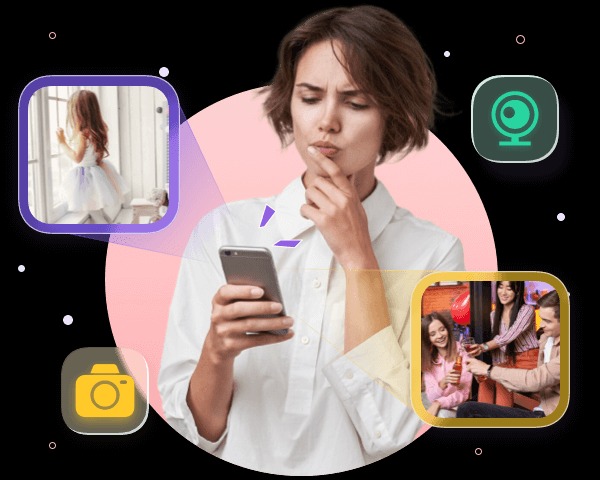
FlashGet Kids allows parents to see, view and listen to their children's phones. By using functions such as Remote Camera, One-Way Audio, Screen Mirroring, Notification Tracker, parents can know what their children are doing, who they are talking to, what they are watching and what notifications they are receiving on the device. your device. This helps you intervene promptly when your child is in danger online or in real life.
FlashGet Kids
Direct supervision

Manage applications and phone surfing time

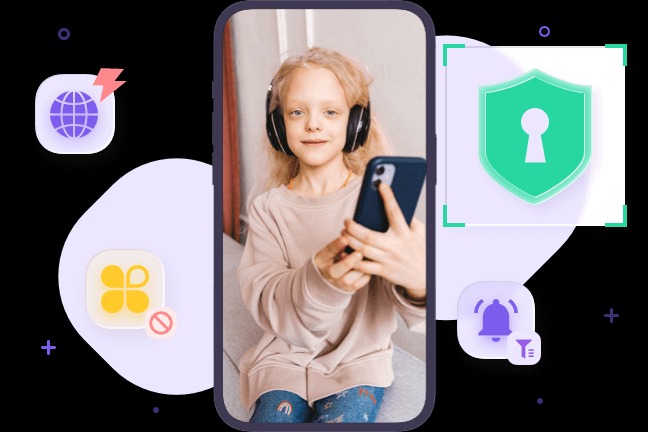
FlashGet Kids allows parents to control the apps children can use on their devices. You can block, allow, or limit screen time for inappropriate, dangerous, or addictive apps

Additionally, you can also limit your child's screen time by setting up time periods or schedules. This helps create a safe and healthy online environment, as well as avoid health and learning problems caused by excessive device use.
FlashGet Kids
Manage applications and phone surfing time

Location tracking

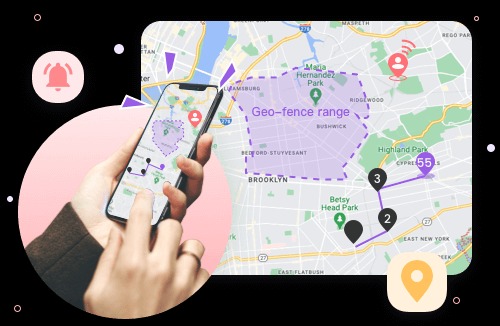
FlashGet Kids allows parents to know their child's location in real time on a map. The application will warn when children leave the safe area that you have previously set up. In addition, FlashGet Kids also provides location history so parents can review their child's activities and routes over a certain period of time.
FlashGet Kids
Location tracking

How to activate and use FlashGet Kids

To activate and use FlashGet Kids, you need to perform the following steps:

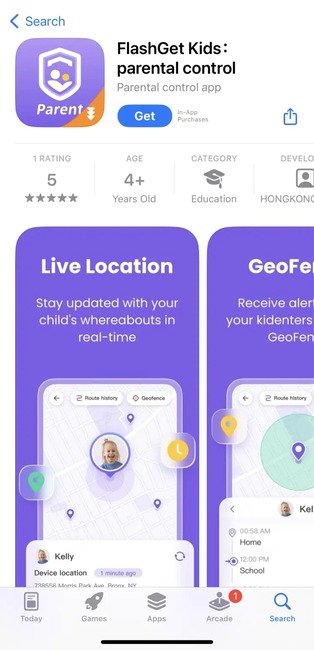
Step 1: Install FlashGet Kids on the parent's phone.
FlashGet Kids
Install FlashGet Kids on your phone

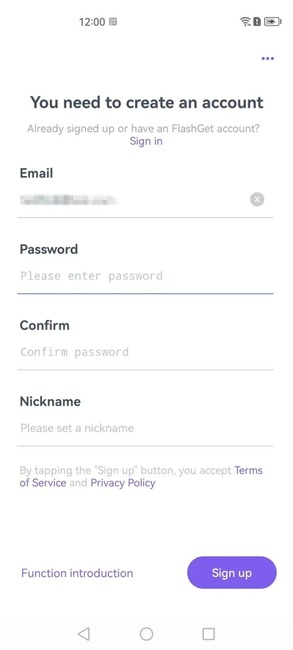
Step 2: Register an account > Click Sign in to log in
FlashGet Kids
Register an account

Step 3: Link the child's device to the parent's device

Note: Currently, the application only supports managing children's phones using Android (Will be available on iPhone/iPad in the next few months)

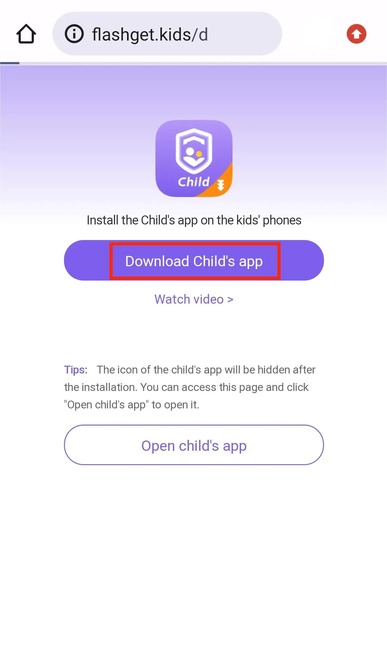
First, open the browser on your child's device and enter the following link

flashget.kids/d

Step 4: Click the Download button to download the APK file.
FlashGet Kids
Click the Download button

If you see an 'unknown source' message appear, tap Settings > enable 'Download from unknown sources' or something similar. Because FlashGet Kids for kids is not available on the Google Play store, Google determines that APK files installed from third-party channels are from unknown sources and you need to allow the installation to proceed. dental.

Step 5: Once installed, click “Done” to open FlashGet Kids (kids app) on your child's device.

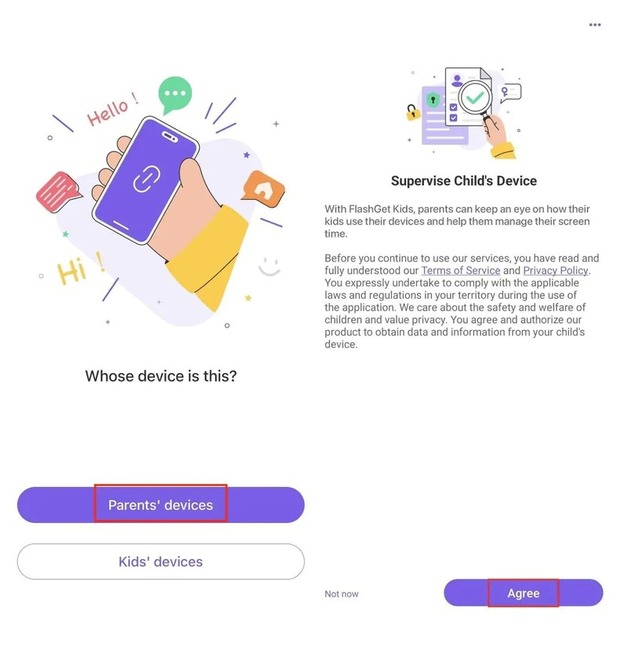
Step 6: On the parent's phone, after logging in to the account. Click on 'Parents' devices' > Select 'Agree'
FlashGet Kids
Click 'Parents' devices' > Select 'Agree'

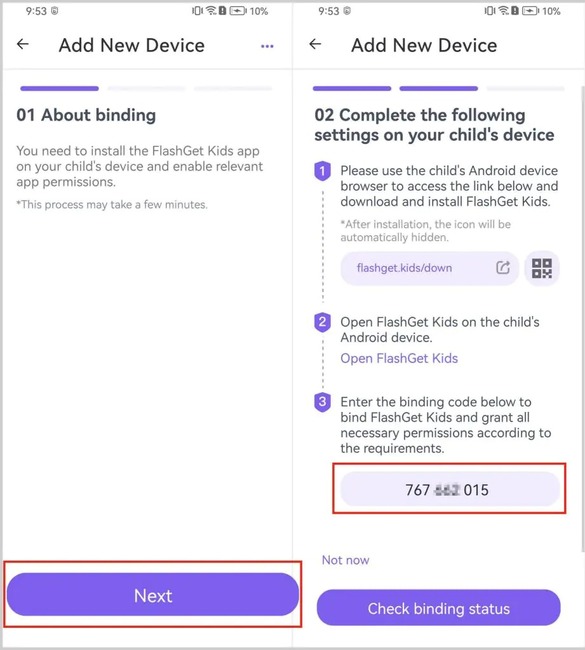
Step 7: Click Next to receive a 9-digit code sequence
FlashGet Kids
Click Next

Step 8: Then enter that 9-digit code into the Kids app on your child's device. Click 'Next' > 'Confirm' > Enable relevant permissions so that FlashGet Kids always runs in the background.

Step 9: To completely hide the application icon on your child's device, you just need to activate the 'Hide icon' function and you're done.
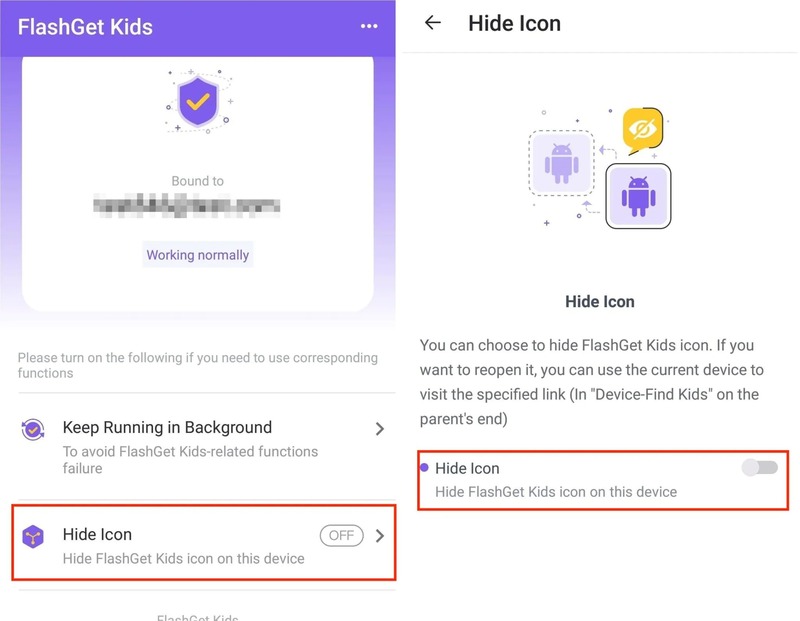
FlashGet Kids
Hide application icons

Epilogue

Application FlashGet Kids is a great choice for parents who want comprehensive control over their children's devices. It helps you monitor location and activity and create a healthy online environment for your children. Good luck!


The article scored: 5/5 – (100 votes)

Tags: applicationchildrenFlashGetKidsloversmanageMonitorphone
Previous Post

Optimize Windows performance with Easy Service Optimizer 1.2

Next Post

How to transfer playlists from Spotify to Apple Music and vice versa is extremely easy

AnonyViet

AnonyViet

Related Posts

Hướng dẫn cài đặt iOS 27 Developer Beta
Software

Hướng dẫn cài đặt iOS 27 Developer Beta

June 17, 2026
Instructions on how to activate the new Siri on iOS 27
Software

Instructions on how to activate the new Siri on iOS 27

June 15, 2026
PDF editing application on Android worth 199k is free
Software

PDF editing application on Android worth 199k is free

June 10, 2026
How to buy in-game items for free on iPhone
Software

How to buy in-game items for free on iPhone

June 8, 2026
Practical use of Xiaomi 17T Pro: This is a good phone in 2026
Software

Practical use of Xiaomi 17T Pro: This is a good phone in 2026

June 8, 2026
Instructions to receive 6 months of IObit Malware Fighter 13 Pro for free
Software

Instructions to receive 6 months of IObit Malware Fighter 13 Pro for free

June 7, 2026
Next Post
How to transfer playlists from Spotify to Apple Music and vice versa is extremely easy

How to transfer playlists from Spotify to Apple Music and vice versa is extremely easy

0 0 votes
Article Rating
Subscribe
Login
Notify of
guest

guest

0 Comments
Oldest
Newest Most Voted
Inline Feedbacks
View all comments

Recent News

Hướng dẫn cài đặt iOS 27 Developer Beta

Hướng dẫn cài đặt iOS 27 Developer Beta

June 17, 2026
How to handle locked SIMs due to lack of standardization

How to handle locked SIMs due to lack of standardization

June 17, 2026
Instructions to receive Claude Fable 5 for free for 30 days

Instructions to receive Claude Fable 5 for free for 30 days

June 15, 2026
Instructions on how to activate the new Siri on iOS 27

Instructions on how to activate the new Siri on iOS 27

June 15, 2026
Hướng dẫn cài đặt iOS 27 Developer Beta

Hướng dẫn cài đặt iOS 27 Developer Beta

June 17, 2026
How to handle locked SIMs due to lack of standardization

How to handle locked SIMs due to lack of standardization

June 17, 2026
Instructions to receive Claude Fable 5 for free for 30 days

Instructions to receive Claude Fable 5 for free for 30 days

June 15, 2026
AnonyViet - English Version

AnonyViet

AnonyViet is a website share knowledge that you have never learned in school!

We are ready to welcome your comments, as well as your articles sent to AnonyViet.

Follow Us

Contact:

Email: anonyviet.com[@]gmail.com

Main Website: https://anonyviet.com

Recent News

Hướng dẫn cài đặt iOS 27 Developer Beta

Hướng dẫn cài đặt iOS 27 Developer Beta

June 17, 2026
How to handle locked SIMs due to lack of standardization

How to handle locked SIMs due to lack of standardization

June 17, 2026
  • Home
  • Home 2
  • Home 3
  • Home 4
  • Home 5
  • Home 6
  • Next Dest Page
  • Sample Page

6789 kv999

No Result
View All Result
  • Home
  • News
  • Software
  • Knowledge
  • MMO
  • Tips
  • Security
  • Network
  • Office

6789 kv999

wpDiscuz
0
0
Would love your thoughts, please comment.x
()
x
| Reply