

To say, one of the things I like the most among the trojans is the RAT (Remote Access Trojan) with the ability to connect to a client and control and steal information from the machine, but most RATs need the ability. IT is quite high. But thanks to CHAOS software, RAT other computers has become easier than ever and today I will show you how to use CHAOS to RAT other computers.
| Join the channel Telegram of the AnonyViet 👉 Link 👈 |
What is RAT?
RAT (Remote Access Trojan) is a type of malware that can easily help you gain access to any electronic device when infected. Normally, RAT is used mostly for hacking. The RAT is installed on the victim’s device anyway, and if it’s encrypted by Crypter, it can’t be detected by anti-virus software. Therefore, the device is easily under the control of the hacker without your knowledge.
In this article, I will not go into too much detail on the RAT, so if you want to read more about the RAT, you can read more. here
Outstanding features of CHAOS
As mentioned above, CHAOS does not need your IT skills to be too high and at the same time provides you with a control interface through the Browser. Currently CHAOS can Remote Access both Linux and Window with the following features:
For Windows
- Reverse Shell
- Download File
- Upload File
- Screenshots
- File Explorer
- Get operating system information
- Run the task below the screen
- Restart
- Shutdown
- Open URL in browser
For Linux
- Reverse Shell
- Download File
- Upload File
- Screenshots
- File Explorer
- Get operating system information
- Restart
- Shutdown
- Open URL in browser
Note before doing
- This article is for reference only. It is not allowed to RAT other people’s computers without permission
- Be sure to read the terms of the CHAOS software carefully here
- Anonyviet will not be responsible for any of your actions, so please use them carefully.
Instructions to RAT the computer using CHAOS
Server Setup
Step 1: Install the necessary items to run CHAOS with the following command
sudo apt install golang git -y
Step 2: Clone CHAOS’s git file to your computer
git clone https://github.com/tiagorlampert/CHAOS
Step 3: Enter the directory of CHAOS by
cd CHAOS
Step 4: Run the hosts file of CHAOS
PORT=8080 DATABASE_NAME=chaos go run cmd/chaos/main.go
Note: You can change it to any suitable port in the PORT=[Port bạn muốn]
After this step, your host is up. Now I will show you how to create a client file to send to the target and I will briefly guide the functions of CHAOS.
Setup Client
Step 1: Access CHAOS on your Browser using the following link: http://localhost:8080 or http://localhost:[Port của bạn]
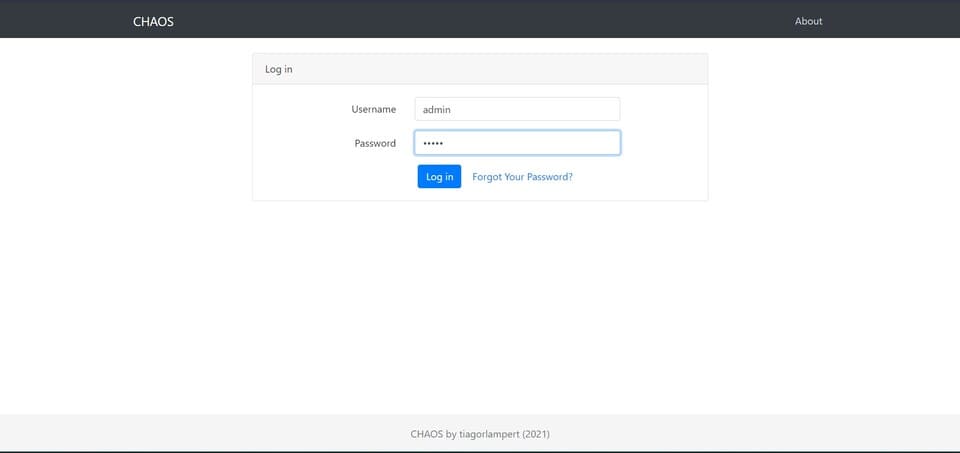
Step 2: Enter your CHAOS account and password and click login
Default account: admin
Default password: changeme
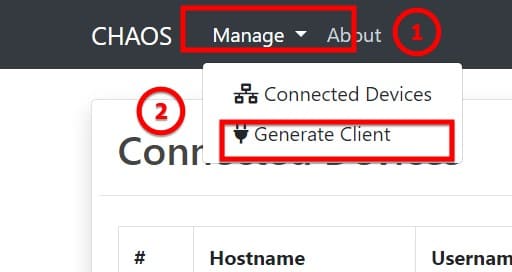
Step 3: Go to the toolbar select manage > generate client
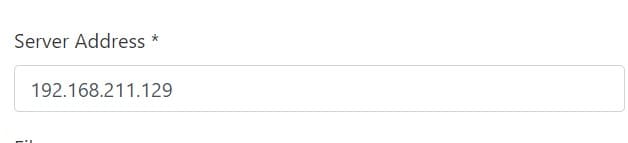
Step 4: At the server Address, enter the IP address that the machine is hosting the CHAOS server (only applicable to those who use VPS or open NAT port)
Step 5: The following information is not too important for you to fill in or not, but I will explain it through:
- Server Port: Port of the host machine CHAOS
- Filename: File name you want to set (by default it will automatically generate random for you)
- Run Hidden: choose if the software runs under or on the desktop (doesn’t work with linux)
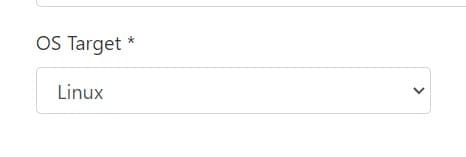
Step 6: You select OS target to select the operating system you want to attack (Window / Linux)
Note: For Linux, you need to run that File as root or give chmod permission and Windows should run as Administrator!
Step 7: You click Build to have it create the file and download it to your computer and just send it to the target for them to open it!
After you have finished submitting, please go to manage > connected client To check if any machine has started the software. I encourage you to RAT linux because Windows can detect Viruses, making the success rate not high.
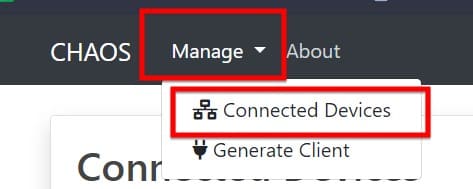
If the target has opened the file, it will appear as shown below. Currently, I only have 1 machine infected with RAT. If the device does not work, it will not appear in the Conected Device section, so please note this issue!
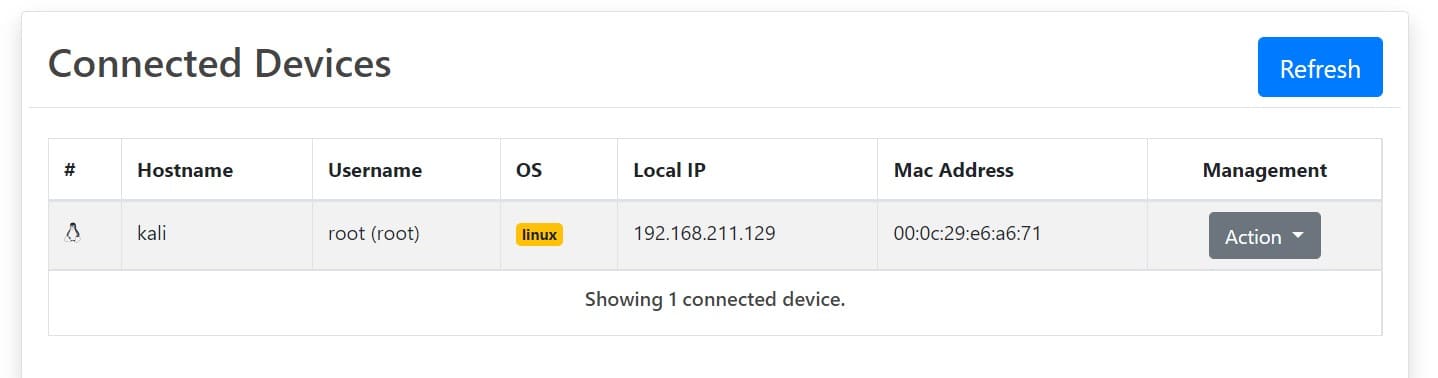
Inside:
- #: Client OS (as an image)
- Hostname: Hostname of the client
- Username: The account in use on the client
- OS: Client’s operating system
- Local IP: Client’s IP address
- MAC address: MAC address
- Action: Client control
For the Action part, you can:
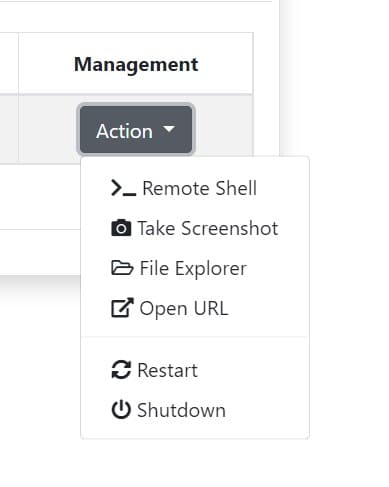
- Remote shell: Access the Client’s Terminal and use it as the Terminal of the machine
- Take screenshot: Capture the victim’s current screen
- File Explorer: Access the folder in the client’s computer
- Open URL: Open the specified URL on the victim’s browser
- Restart: Restart the victim’s machine
- Shutdown: turn off the victim’s computer
So I just finished instructing how to RAT other people’s computers with CHAOS. I would like to note again that this is for learning purposes and Anonyviet will not bear any responsibility related to this issue. If you have any trouble, please leave a comment below to let me know!










