• Home
  • News
  • Software
  • Knowledge
  • MMO
  • Tips
  • Security
  • Network
  • Office
AnonyViet - English Version
  • Home
  • News
  • Software
  • Knowledge
  • MMO
  • Tips
  • Security
  • Network
  • Office
No Result
View All Result
  • Home
  • News
  • Software
  • Knowledge
  • MMO
  • Tips
  • Security
  • Network
  • Office
No Result
View All Result
AnonyViet - English Version
No Result
View All Result

Attach Virus to Image with Ultimate Spreading Tool

AnonyViet by AnonyViet
January 30, 2023
in Security
0

After creating your own RAT, Botnet, or Virus, now how to disguise and spread to the victim, that is the most difficult question for you. However, we still have the solution to attach the virus to the image, to disguise under the cover of an image, it will be less suspicious.

Join the channel Telegram of the AnonyViet 👉 Link 👈

Today AnonyViet Will recommend you Tool Ultimate Spreading Tool with file attachment function exe to any file. Let me briefly review the features of the tool

Attach Virus to Image with Ultimate Spreading Tool 8

Functions:

  • UDFinder – Download your EXE file and spread via USB & RAR/ZIP. Disable common windows features (Run, CMD, Registry, Control Panel, TaskManager, etc.).
  • Binder – attach virus files with other files
  • Icon Changer – Change any EXE file icon.
  • Spoofer – change the file extension, hide your virus in a JPG, AVI, etc
  • File pumper – Increase the file size of the file to an arbitrary number of Mb.

System Requirements:

  • – Runs on Windows platform
  • – Requires Net Framework 4.5 [Download] or later to add libraries to Windows

Step 1: Attach Virus with another file

– Standard at least 2 files to attach (1 Virus file, and 1 any file)

– Select function Binderto attach those 2 files together

Select function Add point to the path

Attach Virus to Image with Ultimate Spreading Tool

Then press the button Build to create a new file. This file has the extension exe and no Icon

Attach Virus to Image with Ultimate Spreading Tool 10

Step 2: Change the ICON of the attachment

The attachment I just created will not have an icon (icon) so the victim receiving the file will be very suspicious, so we need to disguise an icon to resemble the actual files. For example, the icon of Unikey, Kaspersky or the image icon of Windows

To find the appropriate symbol, you go up Google search Please

Use the command filetype:ico "tên biểu tượng"

Back to the Tool, I use the function Icon Changer to change the icon for the newly created File

(In the picture I will pretend to be Virus as Kaspersky software)

  • The above line: The path of the Virus File has just been attached
  • Line below: Icon file path (.ico extension).

Attach Virus to Image with Ultimate Spreading Tool 11

Press the button Build to complete.

Disguise the Virus extension as another file

When sending virus files for the victim but leave the tail .exe it’s even more weird, so this Tool will help you with a trick change the file extension to deceive the victim. You can change the ending to Image files: png, jpg or tail audio, video: mp3, mp4 or change to the file extension Text: doc, docx.

Attach Virus to Image with Ultimate Spreading Tool 12

Note:

When changing to any extension, remember to change the icon of the file accordingly

You use the function Spoof & Pump and choose the appropriate ending to change

Current Pump File help you increase the size of the file to avoid suspicion. (From a few Kb how much do you increase? 2-3Mb is okay)

Download | Backup

Unzip pass: anonyviet.com

That’s it, I have sent the attached files to you guys practice. Rest assured that the practice file does not have a Virus


The article achieved: 5/5 – (100 votes)

Tags: AttachimageSpreadingtoolUltimatevirus
Previous Post

How to automatically create Vietnamese Subtitles for Videos

Next Post

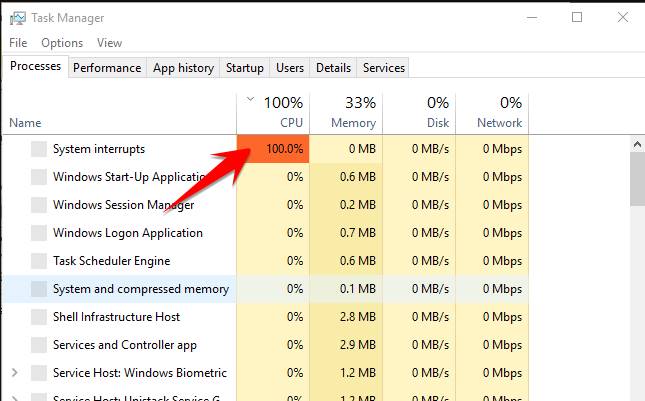
Why does the CPU suddenly increase to 100% when opening Task Manager and then decrease?

AnonyViet

AnonyViet

Related Posts

How to use hackers use Splitfus to execute PowerShell malicious code
Security

How to use hackers use Splitfus to execute PowerShell malicious code

July 20, 2025
How to implement Shellcode Injection attack technique with Autoit
Security

How to implement Shellcode Injection attack technique with Autoit

March 14, 2025
How to exploit the holy hole of Hijacking on Windows
Security

How to exploit the holy hole of Hijacking on Windows

March 8, 2025
Hamamal: Shellcode execution technique from afar to overcome Antivirus's discovery
Security

Hamamal: Shellcode execution technique from afar to overcome Antivirus's discovery

February 10, 2025
Snov.io Email Finder: Search emails with only company name/domain name/LinkedIn profile
Security

Snov.io Email Finder: Search emails with only company name/domain name/LinkedIn profile

December 14, 2024
Capsolver: Automatic solution solution for business
Security

Capsolver: Automatic solution solution for business

December 12, 2024
Next Post
Why does the CPU suddenly increase to 100% when opening Task Manager and then decrease?

Why does the CPU suddenly increase to 100% when opening Task Manager and then decrease?

0 0 votes
Article Rating
Subscribe
Login
Notify of
guest

guest

0 Comments
Oldest
Newest Most Voted
Inline Feedbacks
View all comments

Recent News

How to create Mind Map and Flowchart using ChatGPT is super simple

How to create Mind Map and Flowchart using ChatGPT is super simple

December 7, 2025
Free Gemini Google certification exam guide and Answers

Free Gemini Google certification exam guide and Answers

December 6, 2025
How to write Shell Script in Linux/Unix

How to write Shell Script in Linux/Unix

December 6, 2025
How to completely uninstall WSL on Windows 11?

How to completely uninstall WSL on Windows 11?

December 6, 2025
How to create Mind Map and Flowchart using ChatGPT is super simple

How to create Mind Map and Flowchart using ChatGPT is super simple

December 7, 2025
Free Gemini Google certification exam guide and Answers

Free Gemini Google certification exam guide and Answers

December 6, 2025
How to write Shell Script in Linux/Unix

How to write Shell Script in Linux/Unix

December 6, 2025
AnonyViet - English Version

AnonyViet

AnonyViet is a website share knowledge that you have never learned in school!

We are ready to welcome your comments, as well as your articles sent to AnonyViet.

Follow Us

Contact:

Email: anonyviet.com[@]gmail.com

Main Website: https://anonyviet.com

Recent News

How to create Mind Map and Flowchart using ChatGPT is super simple

How to create Mind Map and Flowchart using ChatGPT is super simple

December 7, 2025
Free Gemini Google certification exam guide and Answers

Free Gemini Google certification exam guide and Answers

December 6, 2025
  • Home
  • Home 2
  • Home 3
  • Home 4
  • Home 5
  • Home 6
  • Next Dest Page
  • Sample Page

trang chủ f168 nhà cái 78win https://www.qq8827.com/

No Result
View All Result
  • Home
  • News
  • Software
  • Knowledge
  • MMO
  • Tips
  • Security
  • Network
  • Office

trang chủ f168 nhà cái 78win https://www.qq8827.com/

wpDiscuz
0
0
Would love your thoughts, please comment.x
()
x
| Reply