• Home
  • News
  • Software
  • Knowledge
  • MMO
  • Tips
  • Security
  • Network
  • Office
AnonyViet - English Version
  • Home
  • News
  • Software
  • Knowledge
  • MMO
  • Tips
  • Security
  • Network
  • Office
No Result
View All Result
  • Home
  • News
  • Software
  • Knowledge
  • MMO
  • Tips
  • Security
  • Network
  • Office
No Result
View All Result
AnonyViet - English Version
No Result
View All Result

Using FPT.AI to convert text to speech for movie review

AnonyViet by AnonyViet
January 29, 2023
in Tips
0

Do you often watch movie reviews on Tiktok and Youtube? The common feature is that the videos all have the same voice. That’s because the authors use the text-to-speech feature. Just provide the text, Voicemaker of FPT.AI will create an audio file that reads the entire article for you. You just need to merge the audio file into the video to match it.

Join the channel Telegram of the AnonyViet 👉 Link 👈

Voicemaker is a website that helps you convert text into speech super convenient and fun. This is a powerful tool in movie review sites. Voicemaker is FPT’s website that uses artificial intelligence to convert text into speech and is free to use.

How to convert text to speech using FPT.AI for movie review

Features of FPT.AI Voice Maker

FPT.AI Voice Maker allows to personalize and customize the experience to the smallest detail. Here are some outstanding editing functions that the application provides:

  • Automatic Content Extraction: Users can simply paste a link on the app and Voice Maker can extract the content of the web page into speech in seconds;
  • Dictionary: The app can be trained to speak other languages ​​when spelled with Vietnamese transliteration;
  • Custom Pause: The user can also adjust the pause of the output;
  • Multiple Voices: The output can include various voices and pauses for chats and quote markers;
  • Easy text customization: Find & Replace, Undo & Redo functions allow customization and finishing to suit your needs.

How to use FPT.AI to convert text into audio

With FPT.AI Voicemaker application, users can easily perform text-to-speech and download in MP3 format. You can use free conversion for the first 100,000/month characters to audio, if it’s too many you can create another account to continue converting.

The application provides a total of 9 voices from different regions, with 7 different speed levels. Thus, Voice Maker users can create natural speeches, suitable for various practical applications such as dubbing, audio books, etc.

First, you go to this site to register for an FPT.AI account.
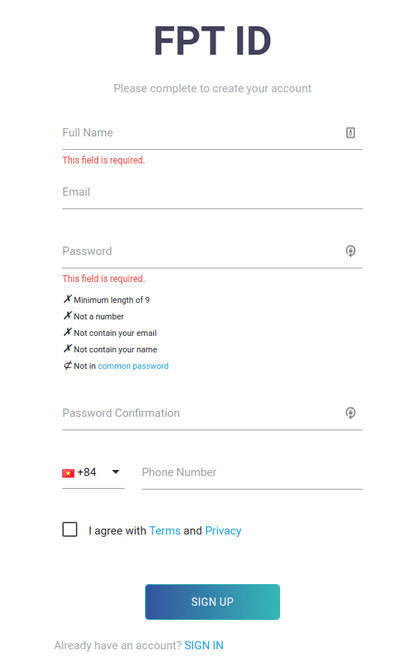
How to use Voicemaker to convert text to sound

After registration is complete, you log in FPT.AI.
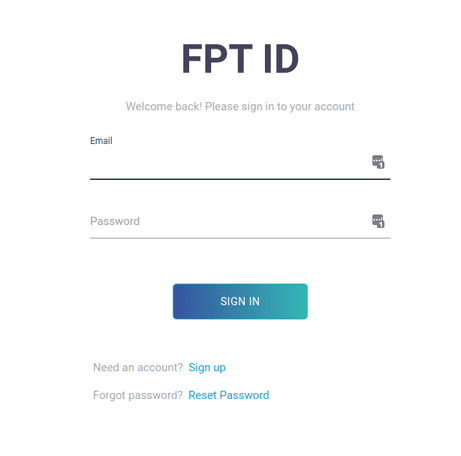
fpt.ai text-to-speech

Next, you will be taken to another interface. Here, you press “CREATE NEW PROJECT”.
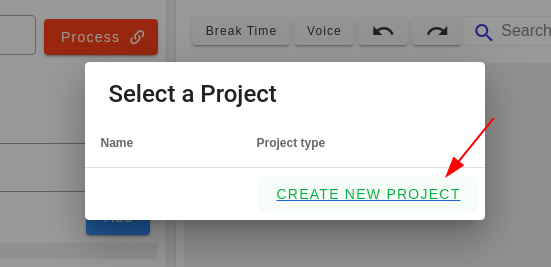
CREATE NEW PROJECT

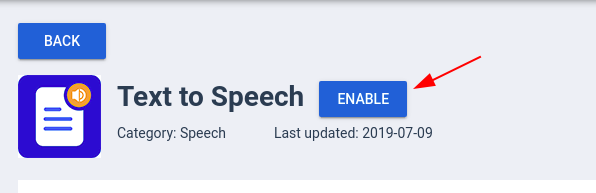
Then, find the card with the words “Text to Speech” and then click on it.Text to Speech
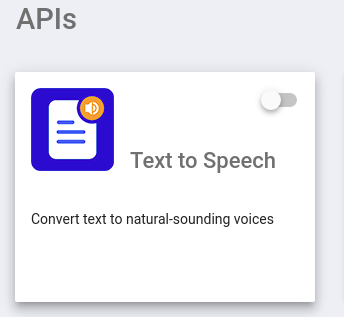
Next click “Enable”.

Enable

Click “CONFIRM” to confirm the last action.
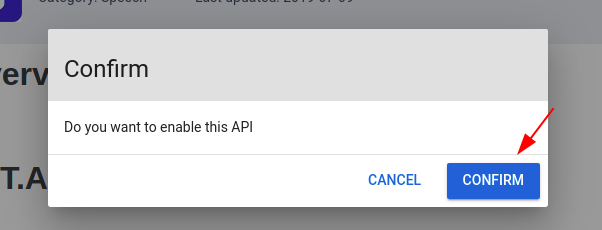
CONFIRM

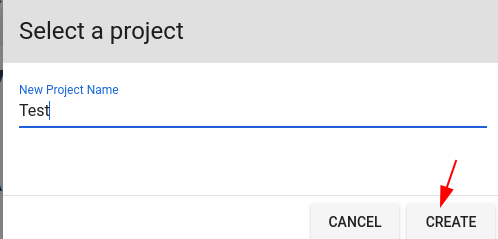
Create a name for the new Project.

Name the text-to-speech project

Finally, create an API Key. Note that this key you will need to use sometimes, and it is best not to tell anyone what your key is. I created it here to test, so it’s okay.
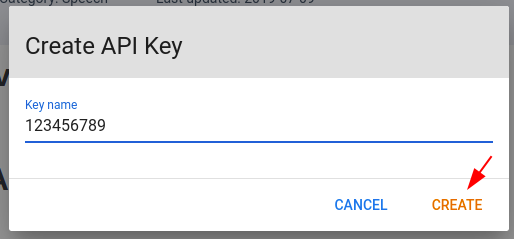
text to voice

After completing this step, you will be transferred to the main voice processing interface of Voicemaker. Here, you can choose the voice, read speed and download the reading file to your computer.

Currently, the website has 9 voices, covering all 3 regions of the North, Central, and South, including both male and female. You can also adjust the reading speed to post fast videos like on TikTok. Are you worried about how to increase views on TikTok to enable monetization then you can read this article.
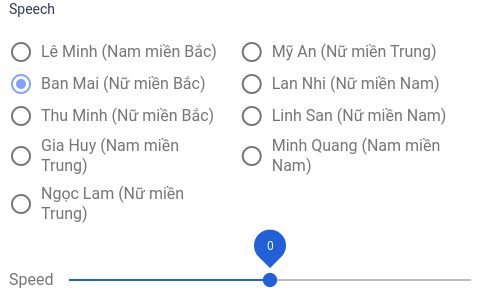
choose voice

At the bottom is where you enter the text you want to convert to voice, press “GENERATE AUDIO” to hear the voice. After you are okay with the voice, you can press the “Download” button to download the voice file.
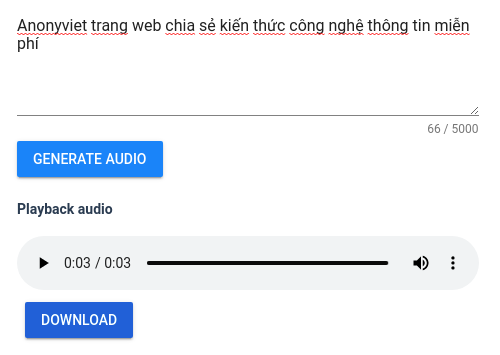
GENERATE AUDIO

So that’s it then. Now you can start your career as a movie reviewer.

The article achieved: 5/5 – (100 votes)

Tags: convertFPT.AImoviereviewSpeechtext
Previous Post

Instructions to install Facebook Lite on ultralight iPhone

Next Post

Basic hacking knowledge should know – Part 1

AnonyViet

AnonyViet

Related Posts

How to add sliders to Facebook Stories to easily rewind videos
Tips

How to add sliders to Facebook Stories to easily rewind videos

April 21, 2026
How to change the default font on Windows 10
Tips

How to change the default font on Windows 10

April 13, 2026
5 tips for using a Browser to replace an App (helps save RAM, time and money)
Tips

5 tips for using a Browser to replace an App (helps save RAM, time and money)

April 13, 2026
How to make funny MeMe photos without Photoshop within 10 seconds
Tips

How to make funny MeMe photos without Photoshop within 10 seconds

April 11, 2026
How to quickly design your own Logo without Photoshop
Tips

How to quickly design your own Logo without Photoshop

April 10, 2026
How to convert Website into App on Windows
Tips

How to convert Website into App on Windows

April 9, 2026
Next Post
Basic hacking knowledge should know – Part 1

Basic hacking knowledge should know - Part 1

0 0 votes
Article Rating
Subscribe
Login
Notify of
guest

guest

0 Comments
Oldest
Newest Most Voted
Inline Feedbacks
View all comments

Recent News

Instructions for looking up prescriptions on VNeID instead of paper medical books

Instructions for looking up prescriptions on VNeID instead of paper medical books

April 26, 2026
Tips to completely turn off CAPTCHA codes on iPhone and Mac are super simple

Tips to completely turn off CAPTCHA codes on iPhone and Mac are super simple

April 25, 2026
Compare Poco X8 Pro and Poco X7 Pro: A new step for the “king” of mid-range performance

Compare Poco X8 Pro and Poco X7 Pro: A new step for the “king” of mid-range performance

April 24, 2026
How to compress online videos for free without losing quality

How to compress online videos for free without losing quality

April 24, 2026
Instructions for looking up prescriptions on VNeID instead of paper medical books

Instructions for looking up prescriptions on VNeID instead of paper medical books

April 26, 2026
Tips to completely turn off CAPTCHA codes on iPhone and Mac are super simple

Tips to completely turn off CAPTCHA codes on iPhone and Mac are super simple

April 25, 2026
Compare Poco X8 Pro and Poco X7 Pro: A new step for the “king” of mid-range performance

Compare Poco X8 Pro and Poco X7 Pro: A new step for the “king” of mid-range performance

April 24, 2026
AnonyViet - English Version

AnonyViet

AnonyViet is a website share knowledge that you have never learned in school!

We are ready to welcome your comments, as well as your articles sent to AnonyViet.

Follow Us

Contact:

Email: anonyviet.com[@]gmail.com

Main Website: https://anonyviet.com

Recent News

Instructions for looking up prescriptions on VNeID instead of paper medical books

Instructions for looking up prescriptions on VNeID instead of paper medical books

April 26, 2026
Tips to completely turn off CAPTCHA codes on iPhone and Mac are super simple

Tips to completely turn off CAPTCHA codes on iPhone and Mac are super simple

April 25, 2026
No Result
View All Result
  • Home
  • News
  • Software
  • Knowledge
  • MMO
  • Tips
  • Security
  • Network
  • Office

wpDiscuz
0
0
Would love your thoughts, please comment.x
()
x
| Reply