This article will show you three ways to insert bullets in Excel. You can use keyboard shortcuts, insert icons, or create custom formats.
| Join the channel Telegram of the AnonyViet 👉 Link 👈 |
How to use bullets in Excel
1. To insert a circle symbol as shown below, press Alt + Numpad 7.

2. To insert a hollow circle symbol, press Alt + Numpad 9.

3. On the Insert tab, in the Symbols group, click Symbol.

4. Select a font, enter 2022 in the Character code and click Insert.
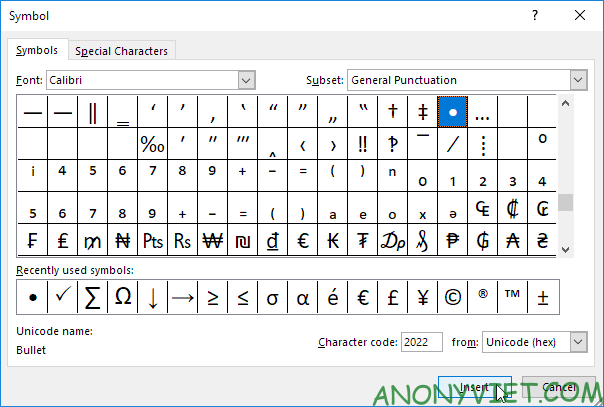
Result:

5. To insert multiple bullets in a cell, press Alt + Enter to start a new line in the Excel cell.
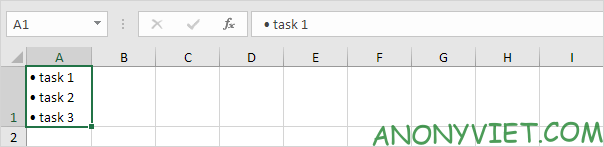
6. Select the range A1:A3.
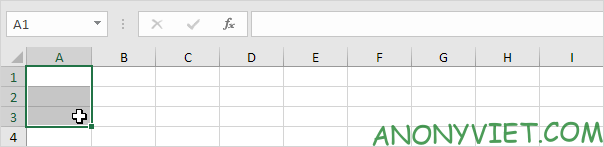
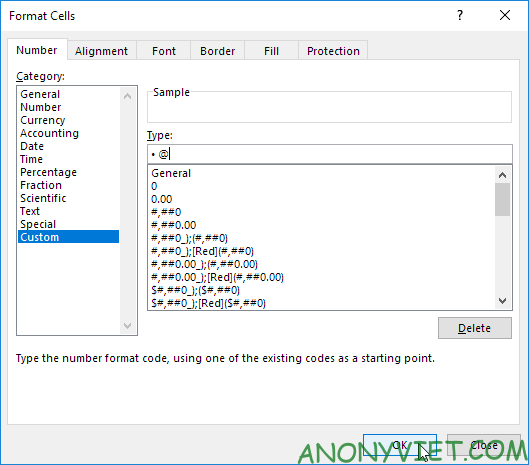
7. Right-click, then select Format Cells.
8. Select Custom.
9. In Type, press Alt + Numpad 7 to insert a bullet, type a space, and type @.
10. Click OK.
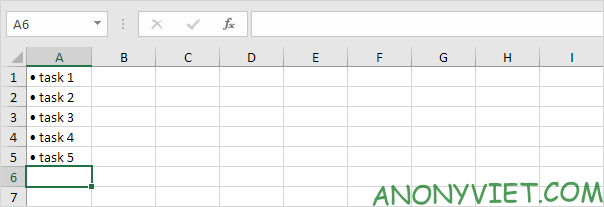
11. You can now create a bulleted list by simply typing the content. Excel automatically adds bullets!
In addition, you can also view many other excel articles here.