
Happy Learning Baby Neatly solves the worries of parents whose children are about to enter grade 1. Sticking closely to school textbooks helps children not be overwhelmed when getting used to letters and numbers. Therefore, parents no longer need to compile their own homework every night. Let’s go together AnonyViet Learn how to install and use it.
📢 Join the channel Telegram belong to AnonyViet
Update new articles, cool tools and IT tips fastest
Practical experience with Happy Learning Baby
To be honest, at first I was a bit skeptical of free learning websites. But when I opened Be Vui Hoc, I was quite surprised because the interface was extremely clean. There were no flashing advertising banners to bother the children.
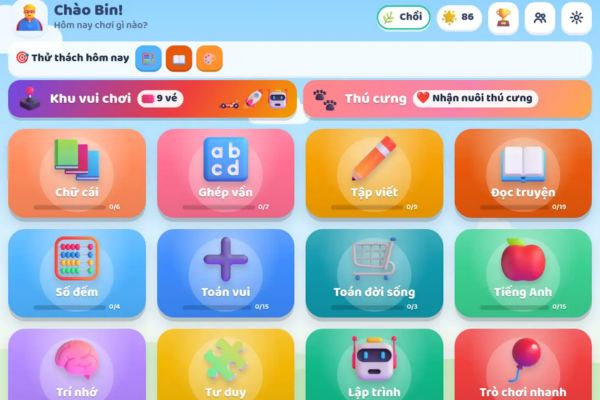
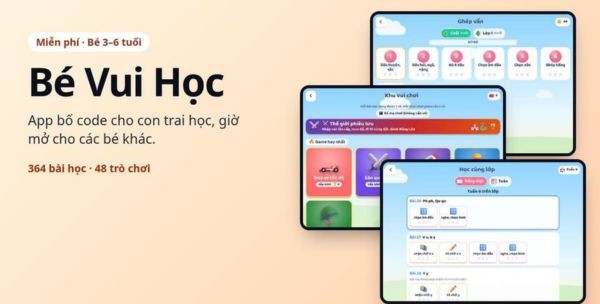
App has total 364 lessons divide into 3 levels clearly from Kindergarten, Shoot to Grade 1. The content is vast from recognizing letters, rhyming, counting to English or reading stories.
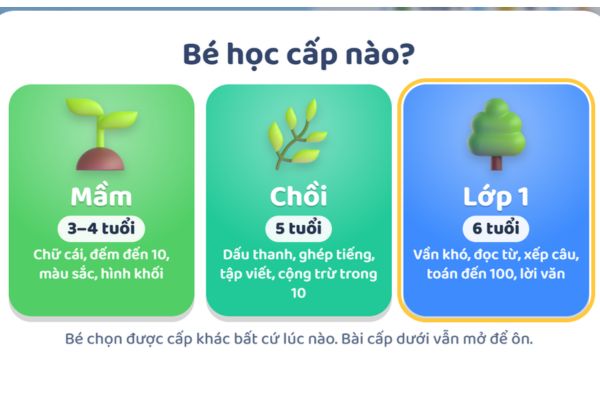
The point I like the most is better 8600 sentences These are all read in an extremely clear and slow Southern accent. Illustrations are also real life photos, not cartoon drawings. Thanks to that, children can more easily recognize objects around them.
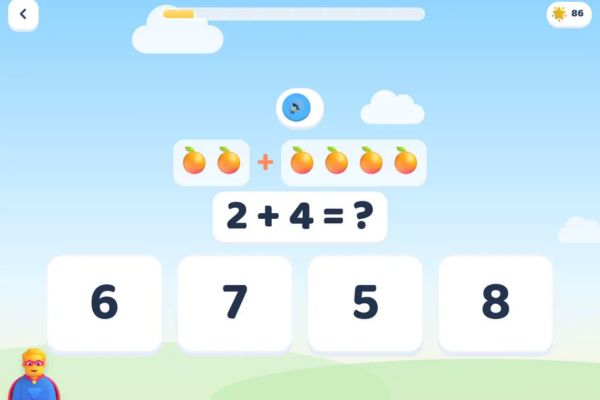
Textbook companion feature
This is what really makes money. Parents who have children in first grade will definitely like the section Study in the same class. It follows the exact lesson order of the Vietnamese 1 and Math 1 book series Connecting knowledge to life.
This week, if the teacher teaches a rhyme in class, the parents will go home and choose that week for their child to review. The exercises, images and voice are all carefully composed by the author himself. The children only encounter words they have learned so they do not get discouraged. Instead of yelling at your child every night to take out a book to read, now you just need to give your child the iPad to study for a few minutes and that’s it.
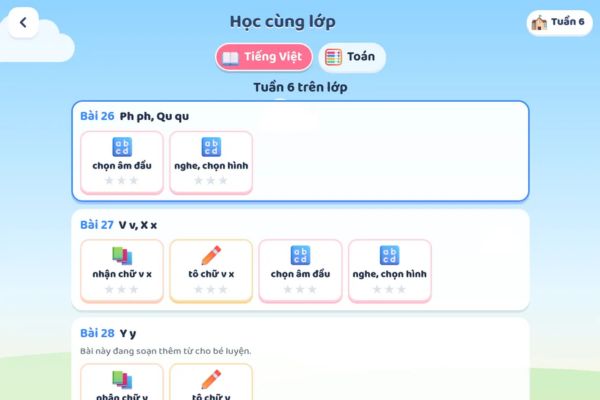
The feature of learning while playing without worrying about boredom
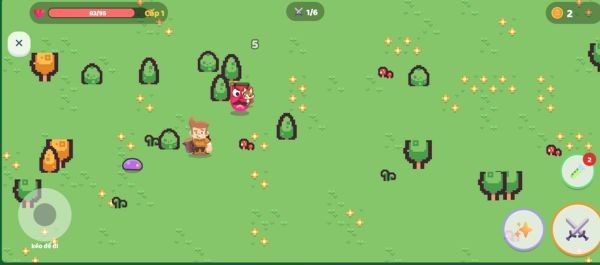
For children, forcing them to sit and study vegetarianism is very boring. Understanding this psychology, the author designed it completely 48 games role play. Children will choose whether the character is male or female, what color shirt they like to wear, what hat they like to wear, and then lead that character on an adventure. But if you want to play, you must have a ticket.
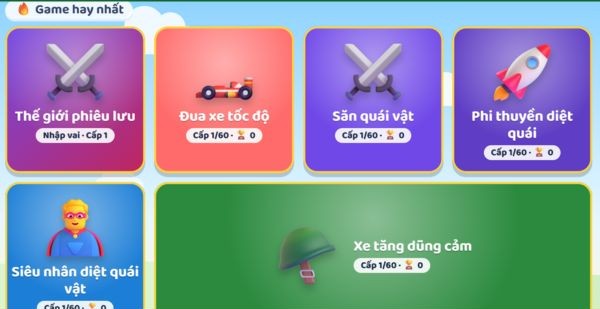
Every time you complete a lesson, you will be rewarded 1 ticket. Furniture, guns, and swords earned in the game are all retained through the following levels. Therefore, the children have the motivation to learn terrible lessons to get tickets to fight bosses.
Control corner for busy parents
Many people are afraid that if they give the device to their child, they will play it all the time and won’t stop. Rest assured that the parents’ corner is locked by calculation, children cannot open it on their own. Here, parents can limit the number of minutes of play per day, set the number of tickets for each lesson or even turn off the play area if their child is being punished.
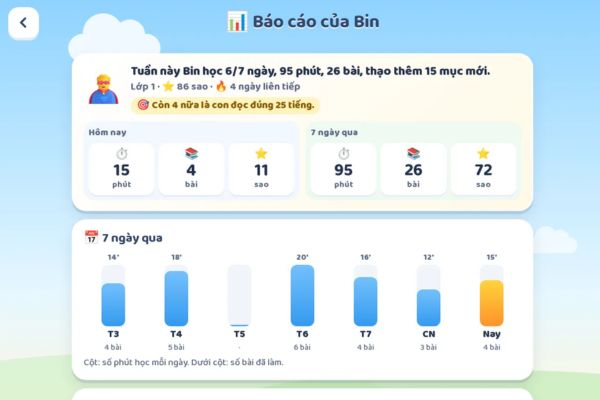
The system also has a detailed report to see which part your child is proficient in, or which words are misspelled so you can know how to help. The Baby Vui Hoc application is also smart in that it automatically repeats old lessons after 1, 3, 7, 14 and 30 days so that the knowledge is deeply imprinted in the baby’s brain.
Instructions for installing Baby Vui Hoc on phones and iPads
The beauty of this platform is that there is no need to download from the heavy application market, nor need to create an account or enter any complicated email. Your child’s learning data is saved directly on your home computer.
If you want to change devices, use the family code to synchronize. The data is encrypted so it is extremely secure. Even if you lose your internet connection, you can still study normally. To make it easier for your child to click on the lesson, parents should follow these steps.
For iPad and iPhone
Step 1: Open Safari browser and access the link https://datpilot.com/kids/
Step 2: Click on the icon Share square with arrow pointing up.
Step 3: Select line Add to home screen that’s it.
For Android devices
Step 1: Open Chrome browser and go to the page datpilot.com/kids
Step 2: Click on the three-dot menu in the right corner of the screen.
Step 3: Select Add to home screen or Install the application.
The first time you open the Baby Vui Hoc icon on the screen, parents should remember to connect to wifi so the system can download the lessons to your device. After that, just enter your child’s name, choose a mascot and grade level and start the experience.
Conclusion
If you are struggling to find ways to help your child become familiar with letters and numbers, Baby Vui Hoc is the answer. This application is not only free but also extremely safe because it does not contain harmful ads. Your child’s learning now feels like a fun adventure. Please save this article and install it for your baby right away.
Frequently Asked Questions (Q&A)
1. Does this application need a constant network connection?
Absolutely not. After pre-downloading data the first time you open it via wifi, your child can learn and play normally even if the network drops.
2. How to synchronize my child’s learning progress to another device?
Parents just need to use the family code feature in the settings. Data will be securely encrypted and transferred to new devices without needing to register an email or create an account.
3. Does the app charge hidden fees or force you to buy additional items in the game?
There isn’t any. All content is free, has no ads and does not integrate any form of purchase within the application.