

Instructions for registering .tech domain names for free This will be a lifesaver for those who are strapped for money but still want to have their own website. In the past, I also struggled to find free domains but they all had strange endings that looked very boring. Instead, the suffix “tech” sounds more luxurious and sounds like a techie. Let’s go together AnonyViet Learn how to do it step by step.
📢 Join the channel Telegram belong to AnonyViet
Update new articles, cool tools and IT tips fastest
Why should you take advantage of registering a .tech domain name?
To tell you the truth, prices have been escalating lately, everything has gone up in price, so you can save every penny. Normally, wanting to buy a decent domain name to make a personal blog or website costs several hundred thousand to a whole lot. The free extensions that are spread online look so boring, sending the link to friends or employers is also embarrassing.
Instead, this .tech domain extension sounds pleasing to the ears and exudes the look of a genuine IT person. I know many students or people who are new to making websites are afraid of this initial cost. Therefore, when I see a good bet, I have to fly to test immediately.

Instructions for registering .tech domain names for free
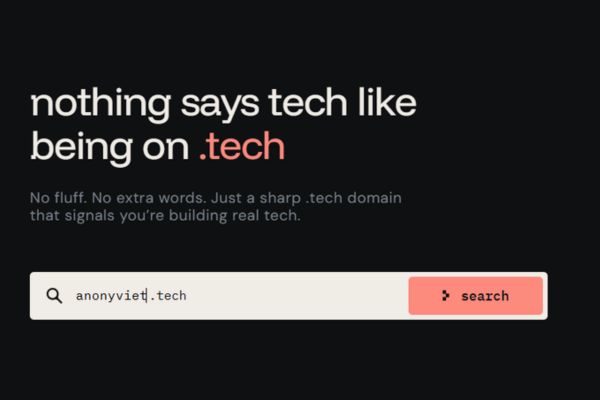
Step 1: First, open your browser and access the address https://get.tech/
Step 2: Think of a cool name and type it into that white box. For example, I type anonyviet and then click the button Search. This part is very suspenseful because I’m afraid that the guy will be grabbed by someone else.
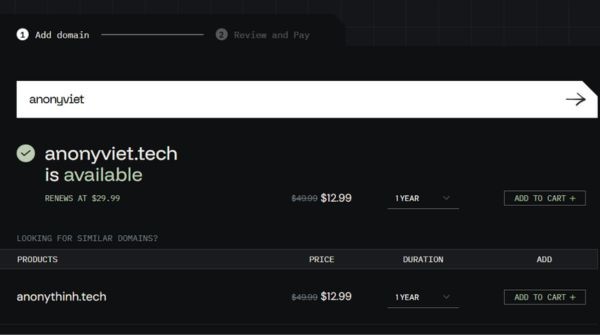
Step 3: If you’re lucky, the screen will display the extremely cool green text is available. Next to it will be the original price of a dozen or so dollars, but leave it alone. Just click the button with confidence ADD TO CART + located on the right side of the screen.
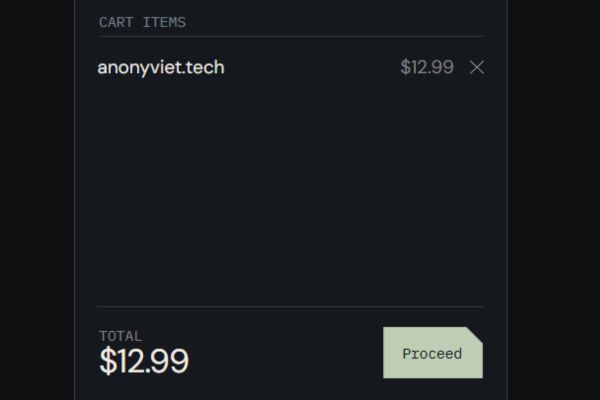
Step 4: After adding to cart, the system will display a button Proceed Let me go to the payment step. Click on it to turn the page.
Step 5: Everyone who looks closely on the screen will see the line Privacy Protection the orange switch is on. This is a service that hides subscriber information and it charges a fee. Remember to press that switch to turn it off. If you don’t turn it off, it will ask for money, so please bear with it.
Step 6: Scroll down a bit to find the box with text Coupon Code. Please copy the code exactly hacktoberfestd0b8o5 then paste it into that box. Don’t forget to press the arrow next to it so the system can receive the code.
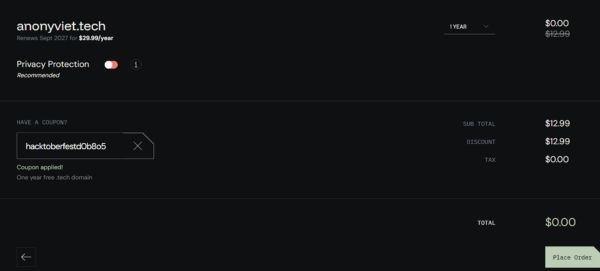
Step 7: At this time, the screen will say Coupon applied! and you look down at the TOTAL line at the bottom. If it shows $0.00 It was a complete success.
Step 8: Finally just click the button Place Order blue to close the order. That’s it, you officially own a great domain name within a year without spending any money.
A few tips to register a .tech domain for free
After completing the first one in the guide to registering a .tech domain name for free, many of you will certainly be greedy and want to do a few more to save. The simplest way is to create many different Google profiles. Each profile uses a brand new email to register an account on get.tech. Just rotate around like that and you’ll get quite a bit. But remember to do it just right, if you do too much it will scan the IP and block it and you will cry.
Another small note is that this zero price only applies to the first year. In the second year, if you want to keep that domain name, you must pay a renewal fee. I looked at the price list and the renewal fee is about 30 dollars a year. Therefore, you should just spend as much as you can in the first year. If the website develops well and makes money, then renew, if not, then leave and register for another one, you won’t lose anything.

Conclusion
Hope post Instructions for registering .tech domain for free Just now it helps everyone. I feel like it’s rare to have a good tail like this given away for free. So take advantage of the time the code is still alive and get out quickly. Remember to share with your friends so they can also have a domain to share for fun.
Frequently Asked Questions (Q&A)
1. How long can this discount code be used?
This code often follows events, so its lifespan is quite unlucky. If you see this article, it’s best to turn on your computer immediately so it won’t expire forever.
2. How much is the renewal fee after one free year?
According to the information displayed at checkout, the renewal fee for the next year will be $29.99. If your website does business, this price is quite reasonable to maintain.
3. What if I want to register multiple domain names?
The system usually limits one code per account. Just create many different browser profiles and use new emails to register accounts so you can circumvent the law and get a few more.






