How to write the word Hoa Ki on Casio calculator Lately it’s been buzzing around classrooms, making everyone curious to try it. At first, I was too lazy to look at the long formula table, but I saw the guy next to me typing out the letters so cool, so I tried to follow along. Thanks to that, I discovered that this game is easy to get used to and there’s nothing advanced about it. Let’s go together AnonyViet Let’s explore each step of shooting this super cake.
📢 Join the channel Telegram belong to AnonyViet
Update new articles, cool tools and IT tips fastest
Instructions on how to write the word Hoa Ki on Casio calculators
Before I start shooting, I have a super big note for you guys. In this entire table of formulas, x key mentioned is the key variable x located in the upper right corner of the numeric keypad area. Absolutely do not confuse it with the multiplication sign key, unless you clearly state it as a multiplication sign.

This recipe source is shared by you fongka513looking at it, it seems like he used a tool to create this key sequence, or else he is a real master.
To practice the above method of writing the word “Hea Qi”. Casio calculator If you are successful, just calmly follow the 23 steps as shown in the picture below, don’t rush to jump ahead.
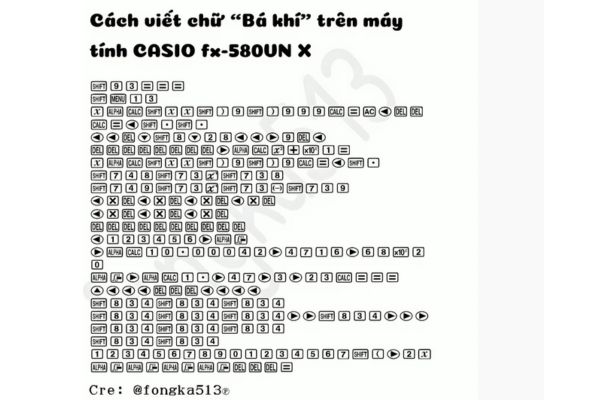
Instead of getting discouraged when you see too many steps, just click slowly one beat at a time. Thanks to that, the success rate will be much higher.
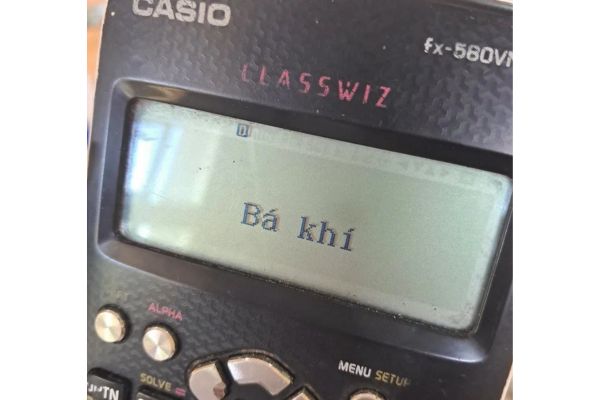
Decoding why pressing the word “Hea Qi” appears?
Many of you, after finishing it, are probably wondering why pressing a bunch of complicated math keys still produces Vietnamese words with proper accents, right? Actually, this is not a hidden feature or any pre-installed font from the manufacturer. It is simply a form of exploiting display errors that technology people often call buffer overflow.
Instead of calculating normal numbers, cramming in a series of complex characters and then repeatedly using the DEL key to backspace will strain the child’s processing system. 580VN X arrhythmia. Thanks to that the pixel on the LCD screen are forced to overlap each other in an orderly manner.
Some Casio experts online used simulation software to detect the exact coordinates of each of these defective pixels. That’s why they came up with the lengthy 23-step formula above to force the inanimate black dots to combine into the correct shape of the word “Hea Qi”. Thinking back, I really admire the free-spiritedness and intelligence of the magicians who created this game.
Conclusion
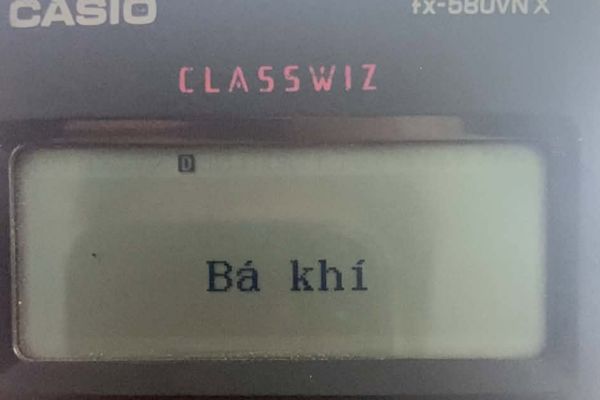
I sweated profusely just to finish clicking on this long formula sheet. But it applies How to write the word Hoa Ki on Casio calculator If you succeed, the screen will look so cool. If you click once and eat it immediately, you are truly a master. Don’t forget to share this fun game with your friends.
Frequently Asked Questions (Q&A)
1. If I press one wrong step, do I have to start over?
In most cases, you have to reset and start over again because the steps are closely linked together. However, if you detect a mistake right away, you can use the arrow keys and DEL key to delete and correct that character.
2. This formula applies to Casio fx 580VN X, so can other devices work?
This tutorial is designed specifically for the 580VN X series. Older models such as the 570VN PLUS may not produce results because the character system and key position are arranged differently.
3. Is the x key in the formula the multiplication sign or the variable x?
Unless explicitly noted as a multiplication sign, all x keys standing alone in a formula are the x variable keys located in the upper right corner of the numeric keypad.