

Create job card photos using AI is an extremely hot trend that helps you save a lot of time and money. Instead of having to go to the store and wait, you can completely create your own great profile photos right at home. With just a few simple commands, an ordinary selfie photo will turn into a standard ID photo. Let’s go together AnonyViet Discover this divine secret now!
📢 Join the channel Telegram belong to AnonyViet
Update new articles, cool tools and IT tips fastest
The trend of using AI to make CV images
In the digital age, preparing an impressive resume is extremely important. Instead of spending hours doing makeup, choosing clothes and then running to the photography shop, young people today prefer to do things online. Artificial intelligence (AI) technology has advanced dramatically, allowing us to turn an ordinary selfie into a sharp, perfectly lit, and dressed-up office portrait.
Instructions on how to create job card photos using AI
Step 1: Prepare a clear original photo. You should choose photos taken with your face straight, with good lighting, without hair covering your eyes, and limit the use of filters that distort your face. This helps the process of creating job card photos with AI go smoothly and AI recognizes facial expressions more accurately.
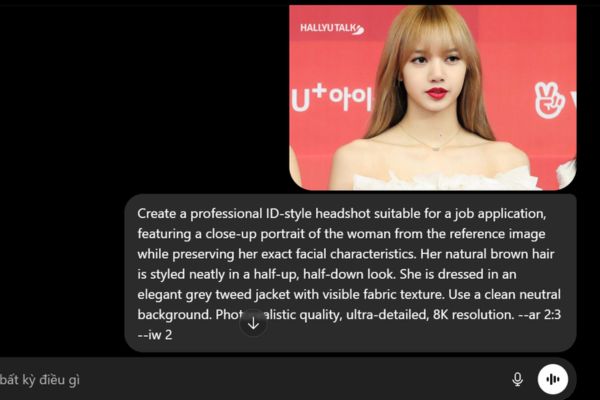
Step 2: Open ChatGPT Upload and upload your original photo there. Then enter 1 of the 3 commands below:
Elegant, gentle style
Create a professional ID-style headshot suitable for a job application, featuring a close-up portrait of the woman from the reference image while preserving her exact facial characteristics. Her natural brown hair is styled neatly in a half-up, half-down look. She is dressed in an elegant grey tweed jacket with visible fabric texture. Set against a minimal neutral-toned backdrop with balanced studio lighting. Photorealistic rendering, ultra-high detail, sharp and refined finish, 8K resolution. --ar 2:3 --iw 2
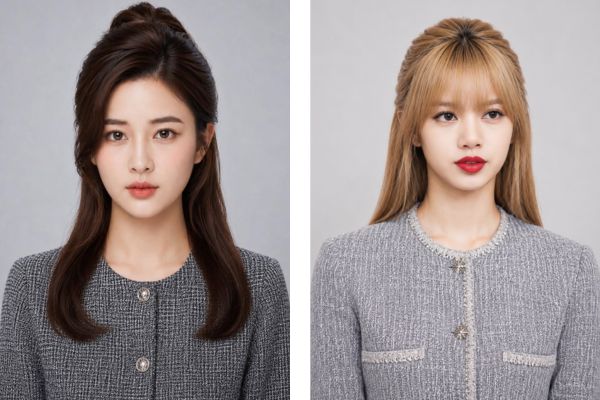
Modern, dynamic style
Generate a professional close-up headshot intended for a job application ID photo, using the woman in the reference image and maintaining her exact facial features. Her dark hair is neatly styled into a sleek bun. She is dressed in a formal blazer in a beige or cream tone. Placed against a seamless white backdrop with soft, controlled studio illumination. Ultra-photorealistic aesthetic, exceptional detail fidelity, crisp focus, rendered in 8K quality. --ar 2:3 --iw 2
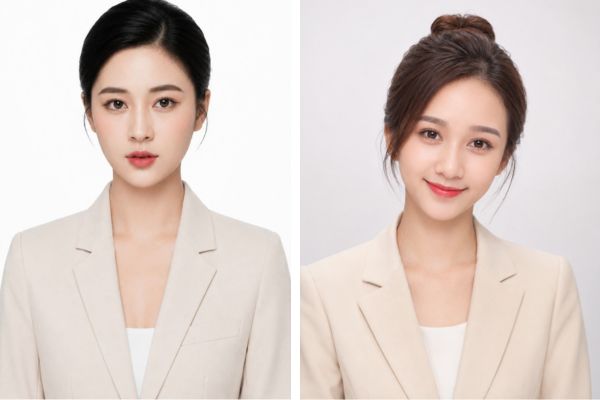
Traditional office style
Create a professional ID-style portrait for a job application, featuring a close-up of the woman from the reference image while preserving her exact facial appearance. Her medium brown hair is neatly pinned up in a refined and professional style. She is wearing a charcoal grey business suit jacket. Use a soft light blue studio backdrop with balanced, even lighting. Photorealistic rendering, ultra-detailed, sharp focus, 8K resolution. --ar 2:3 --iw 2
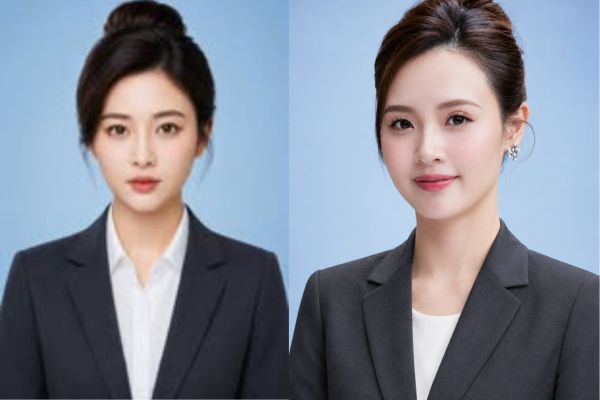
Step 3: Hit send and wait for the magic to happen. If the photo comes out unsatisfactory, you can ask the AI to edit it (for example, “make the smile a little brighter” or “change the vest to black”).
Conclusion
Hopefully through this article, you have clearly understood how Create job card photos using AI in the easiest way. Don’t hesitate to experiment with many different commands to find the outfit style that suits you. If you find this article useful, please share it with your friends immediately.
Frequently Asked Questions (Q&A)
1. Is using AI to make your card photo too virtual?
Absolutely not if you know how to give orders. Just ask the AI to retain the natural skin texture and not use a smoothing filter, and the photo will look realistic as if taken with a mechanical camera at a studio.
2. Do employers accept ID photos made with AI?
Absolutely yes! Employers only care about whether your photo looks neat, polite and professional. As long as you keep the true facial contours and don’t abuse AI to over-edit to look like “someone else” (like trimming your chin, squeezing your nose, changing your eye shape), then feel free to attach it to your CV.
3. Is the image produced suitable for printing on paper?
Have. Current AI tools all support exporting images at high resolution (up to 4K or 8K). You can absolutely take this file to a printing shop to turn it into a 3×4 or 4×6 photo and paste it onto a paper file.







