The Windows 11 build leaked on June 15, giving us a glimpse of the new features and changes coming to Microsoft’s next generation of Windows. One of these changes is the new collection of default Windows 11 wallpapers.
📢 Join the channel Telegram belong to AnonyViet
Update new articles, cool tools and IT tips fastest

New collection of Windows 11 wallpapers on PC
With Windows 11, Microsoft announced default wallpapers in new collections: ‘Captured Motion’, ‘Flow’, ‘Glow’, ‘Sunrise’, and removed the old Windows 10 default wallpapers.
New installations of Windows 11 will now use the following default wallpapers, available in both light and dark modes, as shown below.
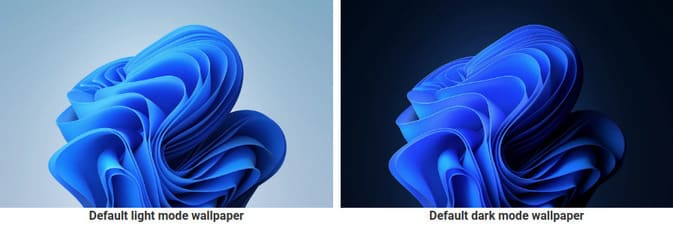
In addition to the new default wallpapers, Microsoft has added four new wallpaper collections called Captured Motion, Flow, Glow and Sunrise. Each of these collections comes with four different wallpapers.
Collection ‘Captured Motion’ shows a still frame of different shapes while they are in motion.
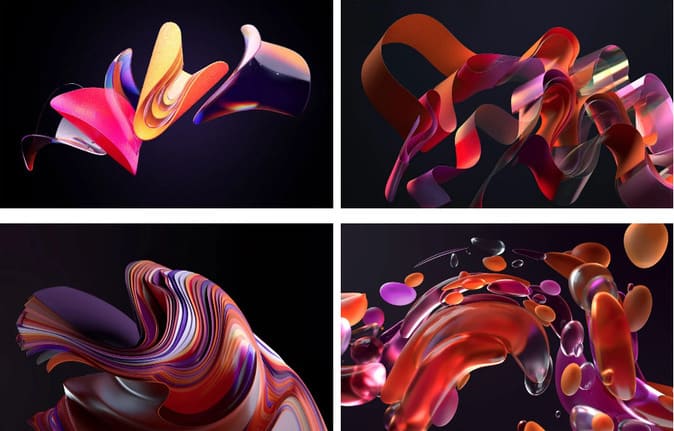
Wallpaper Collection’Flow’ like folded pieces of thin fabric.
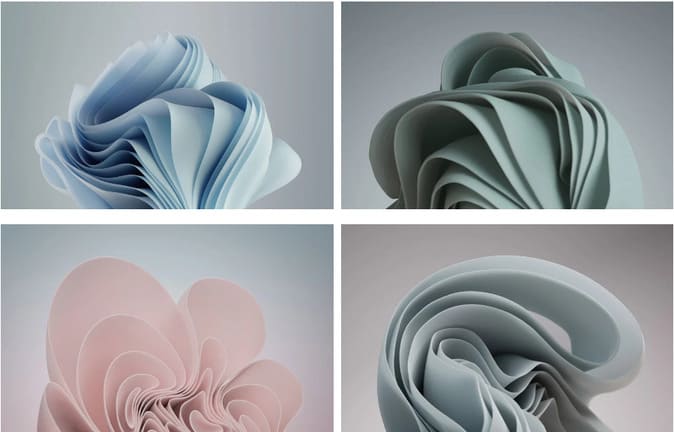
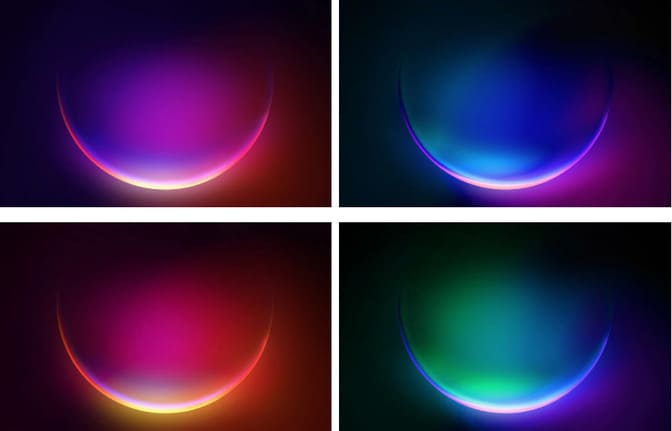
Collection ‘Glow‘ are four wallpapers showing a circular object glowing in different colors.
Finally, the collection’Sunrise‘ are four wallpapers of sunrises over different landscapes.

Those of you who want to download the full resolution Windows 11 wallpaper set can come here okay. Also, you can Download Windows 11 here. But I think you still shouldn’t download it. As for why that is, you can read the article Some reasons I don’t like Windows 11.
Windows 11 wallpapers on iPhone and Android
The leaked Microsoft Windows 11 wallpapers are quite beautiful and look great on the desktop. Although Microsoft designed these wallpapers for desktop screens, you can apply them on iPhone and Android.
Here you can find high resolution Windows 11 wallpapers for iPhone and Android. These wallpapers fit any smartphone screen size and are specially crafted for iPhone 12 Pro Max, the highest resolution iPhone available. This means you can use these wallpapers for iPhone 12, iPhone 12 Pro, iPhone 12 mini, iPhone 11 Pro Max, iPhone 11 Pro, iPhone 11, iPhone XS, iPhone X, iPhone 8 Plus, iPhone 8 and others.
Download Background Windows 11 for your phone
You can download Windows 11 wallpapers to your iPhone or Android phone by pressing and holding them. Once the images have been saved to your device’s gallery, you can go ahead and apply these images as your home and lock screen wallpapers.
Frequently asked questions
How many default wallpaper collections are there in Windows 11?
Windows 11 has 4 default wallpaper collections: Captured Motion, Flow, Glow and Sunrise.
Can I use Windows 11 wallpaper on my phone?
Yes, you absolutely can. The article provides links to download high-resolution wallpapers suitable for both iPhone and Android.
What is the quality of Windows 11 wallpaper?
Wallpapers are designed with high quality, especially optimized for iPhone 12 Pro Max, ensuring good display on many different devices.