For people designing, editing photos or editing videos, the screen is not only a place to display content but also directly affects the accuracy of the final product. Therefore, choosing a screen for graphics requires looking more closely at familiar parameters such as size or resolution.
📢 Join the channel Telegram belong to AnonyViet
Update new articles, cool tools and IT tips fastest
Determine the correct job before looking at the parameters
Graphic artists do not have the same needs. Designing publications, editing photos, editing videos, creating motion graphics or 3D rendering all require screens in different ways.
If you mainly design social posts, banners, and basic printed documents, you should prioritize stable colors, wide viewing angles, and enough space to open the software and tool panel. If editing photos or making videos, color coverage, color reproduction and resolution will be more important. With 3D or motion rendering, in addition to color, you also need a screen large enough to see the timeline, viewport and multiple windows at the same time.
In other words, a monitor for graphics should be chosen according to daily workflow, not just based on a number that stands out on the spec sheet.
Size and resolution: wide is not enough
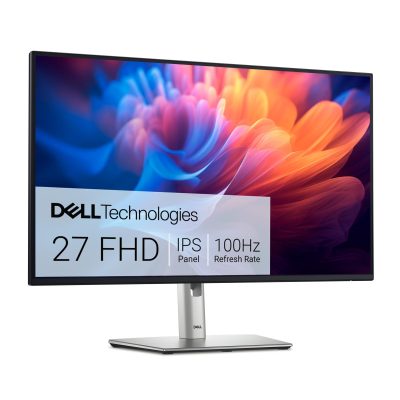
Large size makes working more comfortable, but if the resolution is not adequate, images and text may be less sharp. For graphic artists, the 27-inch size is often a good balance point because it is large enough to divide the workspace while still suitable for many desks at home.
For those who need to open the design canvas, layer palette, timeline, or reference window at the same time, 27 inch screen is a choice worth considering, especially when combined with 2K or 4K resolution. At this size, Full HD can still be used for basic needs, but people who do a lot of detail will easily notice the limit of fineness.
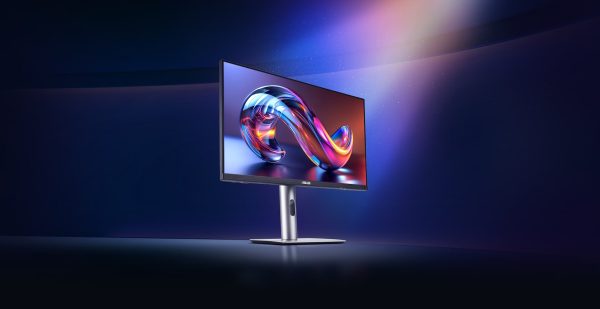
If the desk is small, the seating distance is close or the budget is limited, 24 inch screen Still a reasonable solution for basic design, graphic design or semi-professional work. When choosing a smaller size, you should prioritize good panels and stable colors instead of trying to follow a large size.
The new panel and color are the parts that need careful scrutiny
With graphics, IPS panels are often popular because of their wide viewing angles, stable colors and suitable for many creative needs. Some OLED or QD-OLED screens provide deep colors and high contrast, but users need to consider the habit of working for a long time with a static interface.
Specifications to consider include sRGB, DCI-P3 or Adobe RGB coverage. If doing web content, social networks, UI design, high sRGB is an important foundation. If you edit video, create cinematic content or need brighter colors, the DCI-P3 is worth considering. For intensive printing, Adobe RGB may be more necessary, but also often comes at a higher cost.
In addition to color coverage, color accuracy after calibration is also very important. If your job requires serious color, you should choose a screen with a clear color mode that supports calibration or at least allows flexible adjustment of color temperature, gamma, and brightness.
Brightness, anti-glare and screen uniformity
A screen with beautiful colors on paper may not be easy to use in a real office. High enough brightness helps you observe better when the environment has a lot of light. Anti-glare coating is also necessary if the desk is near windows or ceiling lights.
Photo editors and designers should pay more attention to color uniformity and brightness uniformity across the screen. If the two corners of the screen are clearly off, image processing or large color composition may be inaccurate. This is a detail that is rarely noticed by ordinary buyers, but has a lot of impact when working long term.
The connection port directly affects the experience
A good monitor for graphics should have a connection port suitable for the device you are using. If working with a PC, HDMI and DisplayPort are two popular ports. If you use a thin and light laptop, a MacBook or regularly bring it to work, USB-C with video output and reverse charging will help make your desk more compact.
In addition, monitors with USB hubs, headphone ports or the ability to mount a VESA-compliant arm will be more convenient when you use drawing boards, external hard drives, keyboards, mice and many other accessories. These details don’t directly make colors better, but they make the workflow smoother and less tangled.
Ergonomics: a factor that is easily overlooked
Graphic artists often sit in front of the screen for long periods of time. Therefore, a stand that can adjust the height, tilt the screen, rotate vertically or support arm mounting are worth considering.
A screen placed at the wrong eye level can cause you to hunch your neck, tilt your head, or sit sideways for hours. In the long term, this causes neck strain, shoulder pain and decreased concentration. If you often read long documents, adjust photos vertically or design mobile interfaces, the ability to rotate vertically also brings many benefits.
Flicker reduction and blue light reduction technologies should also be available, but should not be considered the only reason to buy. More importantly, you need to place the screen at the right distance, adjust the brightness to suit the room and periodically rest your eyes.
Is high scanning frequency necessary for graphics people?
High scanning frequency is not a mandatory criterion for every graphic artist. If your main job is static design, image editing, page layout or basic content creation, a 60 Hz to 100 Hz screen is enough in many situations.
However, if you do animation, motion graphics, high-speed video editing or work while playing games, a scan frequency of 144 Hz or higher will give you a smoother operation. However, don’t sacrifice too much color standard just to get a high scanning frequency if your main job is still image design.
What buying mistakes should I avoid?
The most common mistake is buying a gaming monitor just because of the high scanning frequency, while the color and color coverage are not suitable for creative work. The second mistake is choosing a screen that is too large but has a low resolution, making text and image details not smooth enough.
Another error is bypassing the connection port. Many people after buying a monitor discover that their laptop needs a conversion hub or cannot output the desired resolution or scanning frequency. For graphic artists, you should also not ignore the ability to calibrate colors, because accurate colors often need to be controlled over time.
Where to buy a graphic monitor to easily balance costs?
When choosing to buy a monitor for design, photo editing or content creation, users can refer to Mobile World to balance needs and budget. The computer monitor group here has many good price options, 0% installment support, genuine warranty and suitable incentives depending on the time, helping buyers easily upgrade their working angle without having to pay too much at once.
Choosing correctly means choosing according to the real job
A good monitor for graphics enthusiasts doesn’t have to be the most expensive model. It’s important that the display is suitable for the type of content you do, the space on your desk, the device you’re using, and the level of color requirements.
If you’re serious about creating, prioritize a stable panel, suitable color coverage, sharp enough resolution, convenient connection ports and ergonomic design. When these factors are balanced, the monitor becomes a more effective work support tool, instead of just a larger display device.