Not all presentations have to be done using PowerPoint. If your presentation is in Word (DOCX file), I will show you how to convert the Word file into a PowerPoint presentation (PPTX file). This is a simple way to convert from DOCX to PPTX and you will quickly convert Word to PowerPoint.
📢 Join the channel Telegram belong to AnonyViet
Update new articles, cool tools and IT tips fastest

The easiest way is to convert on the web

You can easily Convert Word files to PowerPoint on the web. You click Choose Files Select the Word file you want to convert to PowerPoint, then press the button Convert Everything will be automatic and you just need to download the resulting file.
This is the easiest way, but you must upload your Word file to Microsoft’s web application. If your computer does not have an Internet connection, you can still convert DOCX to PPTX manually.
Convert Word files to PowerPoint on PC
The Microsoft Word desktop application does not provide the above feature to automatically convert Word files to PowerPoint. Instead, it uses a manual solution to convert your files.
This method will format your Word file according to PowerPoint and then import the Word file into PowerPoint.
First, format the Word file
The first step is to make your Word file compatible with PowerPoint. To do this, you need to apply a title H1 for all headings and titles H2 for all paragraphs in your document.
Open your document in Microsoft Word. In the Word window, select a heading in the document.
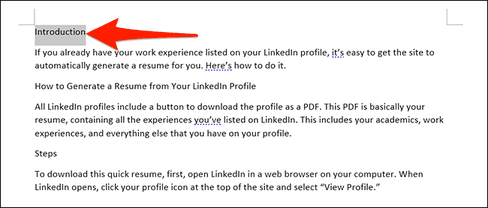
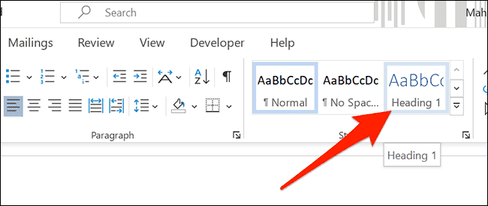
In the “Styles” at the top of the Word window, click “Heading 1” Do the same with all the headings in your document.
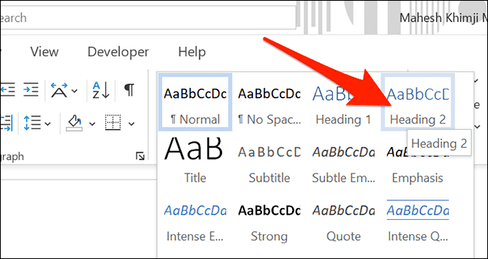
Next, select the paragraph below your title. Then, in the “Styles” at the top, click “More” then select “Heading 2Format all your content this way.
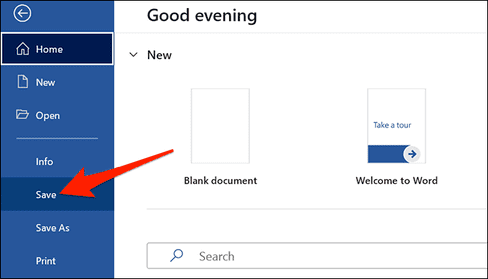
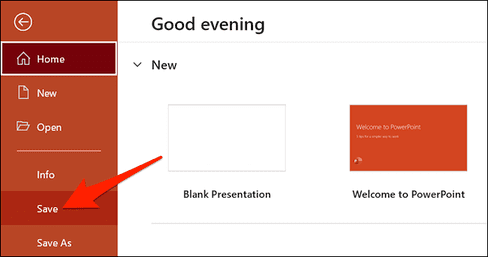
Finally, click File > Save in Word’s menu bar to save the document. You can also press Ctrl + S on Windows or Command + S on Mac.
Import Word files into PowerPoint
Your Word file is now ready to import into PowerPoint and convert into a presentation.
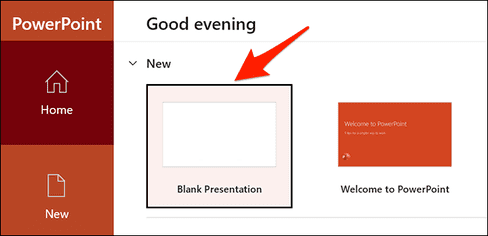
Start the import process by opening PowerPoint. On the first screen of PowerPoint, click “Blank Presentation” to create a new presentation.
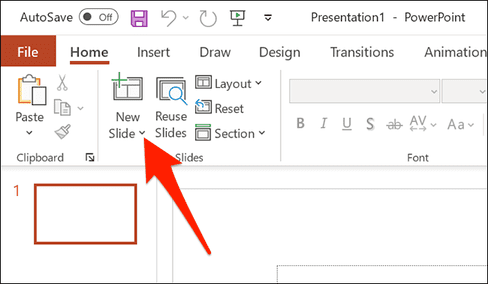
In the PowerPoint editing window, click the “Home” at the top. Then in the “Slides”, and click the arrow icon next to “New Slide”.
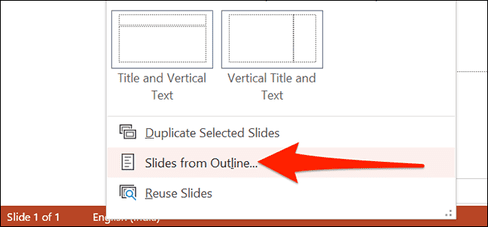
Select “Slides from Outline”.
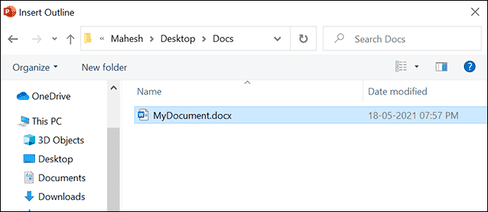
PowerPoint will ask you to choose a file to import into your presentation. Here, select the Word file that you previously formatted.
Your Word file will now be converted into a PowerPoint presentation. Each “Header 1” in your Word file will now be a different slide in the presentation. Review this presentation and make changes as you like.
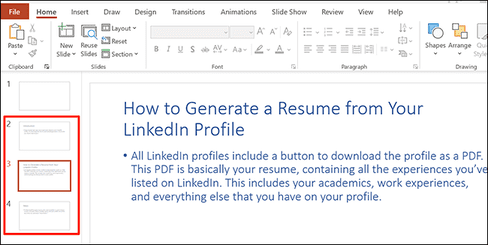
Finally, save the presentation by clicking File > Save in PowerPoint’s menu bar.
And that’s all you need to do to convert Word files to PowerPoint. You don’t have to copy each part from Word to Powerpoint, everything will be converted automatically.
Frequently asked questions
Can I convert Word files to PowerPoint online?
Yes, you can absolutely use online conversion tools to convert Word (DOCX) files to PowerPoint (PPTX) easily. Just upload the file to the conversion support website and wait for the process to complete.
If I don’t have an internet connection, can I convert Word files to PowerPoint?
Yes, you can convert a Word file to PowerPoint by formatting the Word file with H1 and H2 headings, then importing the file into PowerPoint as an outline. This method requires the use of Microsoft Word and PowerPoint software on a computer.
Is there a faster way to convert Word files to PowerPoint?
The fastest way is to use online conversion tools. However, this method requires an internet connection. If there is no internet, the manual method using Word and PowerPoint will require more steps but still ensures successful conversion.