How to create a script from any TikTok video will help you completely solve the problem of running out of ideas when building a channel. Therefore, your short video production process will be optimized, both quickly and with guaranteed quality. You don’t have to be a writing expert to do it. Let’s go together AnonyViet Learn detailed steps right in the article below.
📢 Join the channel Telegram belong to AnonyViet
Update new articles, cool tools and IT tips fastest
The obsession with running out of ideas when building a TikTok channel
Creating content on the short video platform is currently an extremely fierce race. Every day, you have to face the pressure of how to make new videos, how to keep up with trends. Sometimes, you come across an extremely good video with millions of views and want to create similar content but don’t know where to start. That’s when you need to know how to create scripts from videos TikTok any way to turn other people’s ideas into inspiration for yourself.
The birth of the platform TikViral.biz is a “lifesaver” for content creators. This tool uses AI to help you deeply analyze any video, thereby automatically writing a brand new script based on the old content. Instead of sitting for hours typing each word, now everything takes just a few minutes.

Instructions on how to create a script from any TikTok video
Below is a detailed process to help you “turn” a million-view video into your own script.
Step 1: Get the video link and log in to the system
First, open the TikTok application, browse for a video that you feel most interested in and want to learn. Click on the share button and select “Copy link” (Copy URL).
Next, open your web browser and access it TikViral’s homepage. Here, the system will ask you to log in. You just need to use your personal Google account to log in quickly, no need for cumbersome registration. In fact, creating a script from any TikTok video is extremely simple.
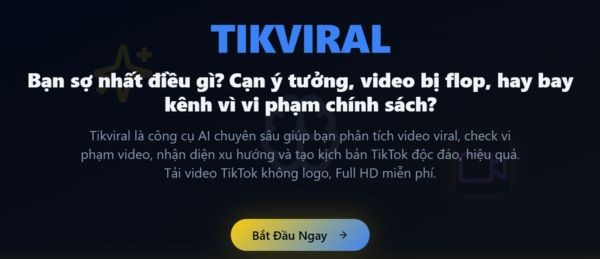
Step 2: Paste the link and conduct data analysis
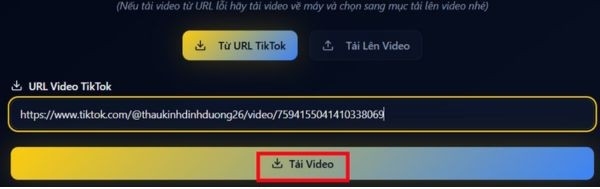
After successfully logging in, you will be taken to the main working interface of the website. Right in the middle of the screen, you will see an empty box. Paste the TikTok video link you just copied into this box, then click the button Download videos.
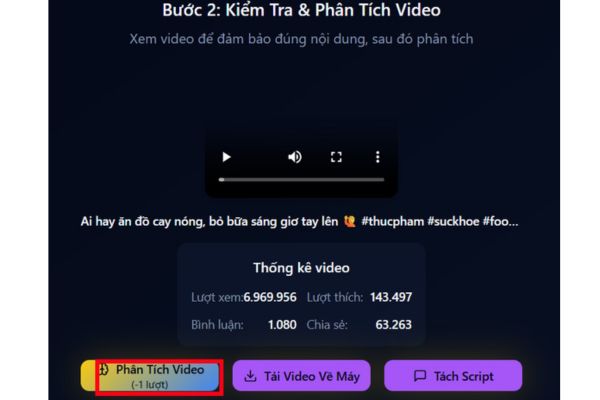
In just a blink of an eye, the system will show you extremely detailed statistics of that original video, including: total views, number of hearts, number of comments and number of shares. Once you have confirmed the correct video, click on the button again Video analysis located below.
Step 3: Read the results
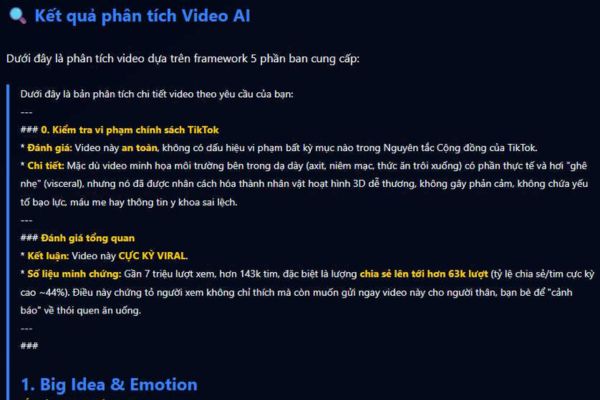
At this time, TikViral’s AI will start working at full capacity. It will “listen” and “understand” the entire video. The returned results will tell you exactly what the core idea of the video is, what message people want to convey, and even break down the sound used.
All information is divided into very clear and distinct sections by the system. Thanks to that, you don’t need to watch the original video many times to still understand the structure that makes it successful. This is the important key in how to create a script from any TikTok video that few people pay attention to.
Step 4: Create a new script and download it to your computer
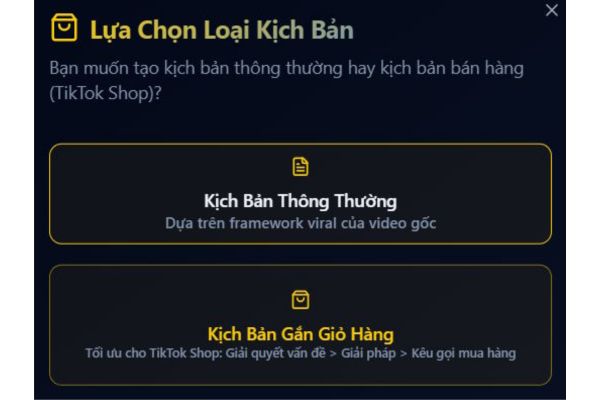
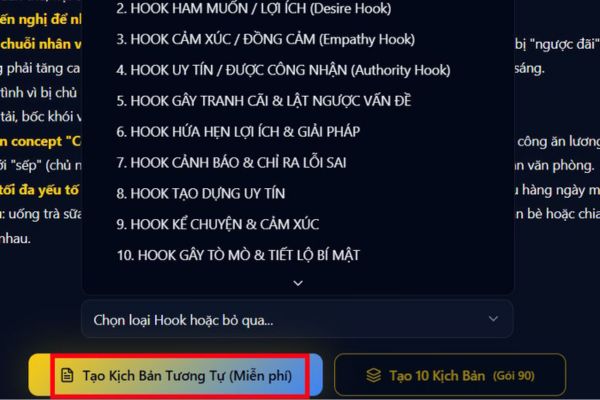
Based on the data you just analyzed, scroll down and Select category “Hook” (attractive opening sentence) that you feel most satisfied with. Then, you choose the type of script that suits your channel style. Finally, click the button Create the same scenario.
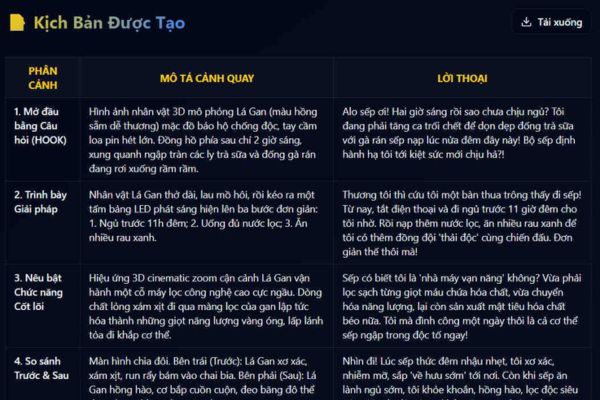
Just wait a few seconds, AI will give you a complete script, smooth sentences, ready for you to immediately press the camera. If you like it, just press the button Download to save that script file to your computer or phone as .txt extension. The process of applying the script creation method from any TikTok video is completely completed.
Conclusion
Hopefully through this tutorial, you have a clear understanding How to create a script from any TikTok video in the quickest and neatest way. Instead of sitting and looking at a blank screen, let AI help you get inspired every day. Don’t forget to follow us to update more cool tips.
Frequently Asked Questions (Q&A)
1. Does TikViral require a fee to use?
Currently, you can completely log in and experience the basic features of TikViral for free through your personal Google account.
2. Do I need to download this software to my computer or phone?
No need. TikViral operates directly on the web platform (browser), so you only need an internet connection to use it immediately, without wasting space on your device.
3. Is the script created by AI copyrighted or 100% duplicated with the original video?
Absolutely not. AI only peels off the ideas and structure of the original video, then rewrites a new script with a different style and expression, ensuring the uniqueness of your content.