• Home
  • News
  • Software
  • Knowledge
  • MMO
  • Tips
  • Security
  • Network
  • Office
AnonyViet - English Version
  • Home
  • News
  • Software
  • Knowledge
  • MMO
  • Tips
  • Security
  • Network
  • Office
No Result
View All Result
  • Home
  • News
  • Software
  • Knowledge
  • MMO
  • Tips
  • Security
  • Network
  • Office
No Result
View All Result
AnonyViet - English Version
No Result
View All Result

How to use Windows 3.1/95/98/Me with Emupedia

AnonyViet by AnonyViet
June 29, 2026
in Tips
0

Emupedia’s purpose is to serve as a community and non-profit meta-resource center for those primarily interested in game preservation and computer history for the purpose of collecting, archiving, and preserving games and software. Allows users to access this data online on a number of classic operating systems reimagined for educational purposes.

📢 Join the channel Telegram belong to AnonyViet


👉 Go to Telegram AnonyViet

Update new articles, cool tools and IT tips fastest

Emupedia mainly collects content from:

  • Many types of systems are no longer developed
  • Abandoned software, shareware or freeware
  • The open source code of old games is emulated to work in modern web browsers
  • New games and software are developed using modern web technology using classic style graphics

In general, Emupedia uses EmuOS to emulate outdated operating systems such as Windows 95, Windows 98, Windows Me and provide users with many classic games and software.

How to access old operating systems using Emupedia

To use Emupedia or more precisely EmuOS, first you need to visit the website emupedia. When you first visit the website, you will be able to choose between three operating systems: Windows 95, Windows 98, and Windows Me.
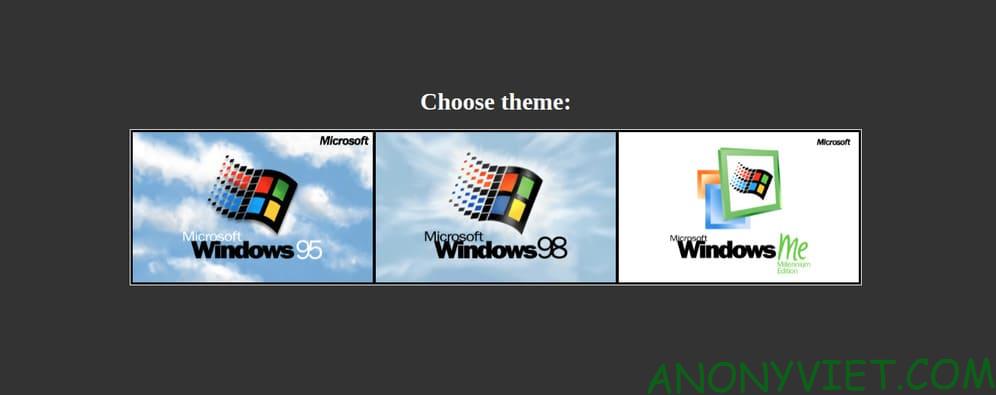
How to use Windows 3.1/95/98/Me with Emupedia

I chose Windows 98, you can see the Windows 98 boot interface, it’s really cool. Not only does it have a startup interface, but when it starts, it also has the Windows 98 startup sound, which is really cool.
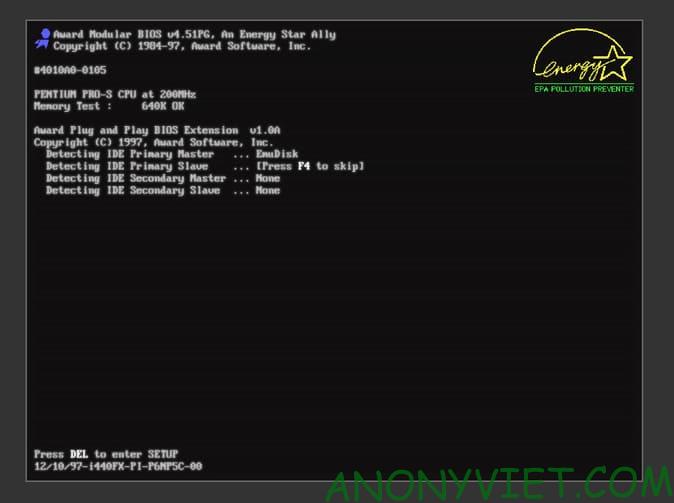
How to use Windows 3.1/95/98/Me with Emupedia 7

And this is the interface of Windows 98.
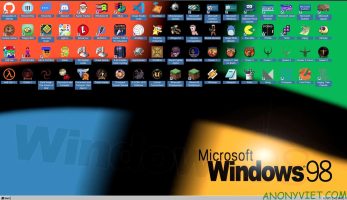
Relive your youth with Emupedia

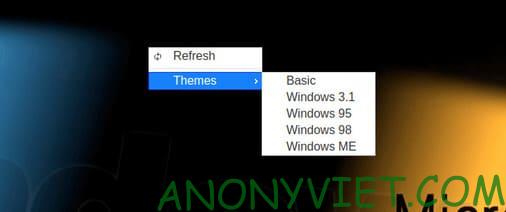
Looking at it makes my childhood come rushing back. At that time, I didn’t have money to buy a computer, so I always ran to my friend’s house to play. Every time I went, my parents came to my friend’s house to drag me home. Technology is now more and more developed, so you can enjoy that feeling again. If you don’t like the interface of Windows 98, you can right-click on the wallpaper and switch to other interfaces.
How to use Windows 3.1/95/98/Me with Emupedia 8

There are many nostalgic games here, you guys can play them freely. Which game do you like best, please comment to let everyone know. If you don’t know, Windows 98 is on the list Top 10 best Microsoft operating systems There you go.

Frequently asked questions

What is Emupedia and what is its purpose?

Emupedia is a non-profit community and super resource center for people who love game preservation and computer history. Its purpose is to collect, store and preserve old games and software, allowing users to access this data online on classic operating systems reimagined for educational purposes.

How can I access Emupedia?

You can access Emupedia and use EmuOS (operating system emulation) through the website emupedia.net/beta/emuos/. Here, you can choose between Windows 95, Windows 98, and Windows Me.

What operating systems does EmuOS support?

Currently, EmuOS supports Windows 95, Windows 98, and Windows Me emulation.

Previous Post

How to create a photo around Vietnam with unique Tiny Planet style

Next Post

OmniRoute – 9Router’s rival officially launched, supporting more than 230 AI Providers

AnonyViet

AnonyViet

Related Posts

Microsoft is preparing to launch Windows 11
Tips

Microsoft is preparing to launch Windows 11

October 9, 2026
How to download all photos from Google Photos to transfer to another service
Tips

How to download all photos from Google Photos to transfer to another service

October 8, 2026
How to use newly updated utilities on Windows 10
Tips

How to use newly updated utilities on Windows 10

October 7, 2026
Stealth Reader – Web story reader with Excel interface without being detected by the boss
Tips

Stealth Reader – Web story reader with Excel interface without being detected by the boss

October 7, 2026
Tips for handling when JPG images cannot be saved in Photoshop
Tips

Tips for handling when JPG images cannot be saved in Photoshop

October 6, 2026
Windows 11 release date and new features
Tips

Windows 11 release date and new features

October 6, 2026
Next Post
OmniRoute – 9Router’s rival officially launched, supporting more than 230 AI Providers

OmniRoute - 9Router's rival officially launched, supporting more than 230 AI Providers

0 0 votes
Article Rating
Subscribe
Login
Notify of
guest

guest

0 Comments
Oldest
Newest Most Voted

Recent News

NoteCute – Extension to create super cute sticky notes

NoteCute – Extension to create super cute sticky notes

October 10, 2026
Super virtual way to change the photography angle using AI on iPhone

Super virtual way to change the photography angle using AI on iPhone

October 9, 2026
Instructions for detecting network vulnerabilities: How to check the system for data leaks (IP/DNS)

Instructions for detecting network vulnerabilities: How to check the system for data leaks (IP/DNS)

October 9, 2026
Microsoft is preparing to launch Windows 11

Microsoft is preparing to launch Windows 11

October 9, 2026
NoteCute – Extension to create super cute sticky notes

NoteCute – Extension to create super cute sticky notes

October 10, 2026
Super virtual way to change the photography angle using AI on iPhone

Super virtual way to change the photography angle using AI on iPhone

October 9, 2026
Instructions for detecting network vulnerabilities: How to check the system for data leaks (IP/DNS)

Instructions for detecting network vulnerabilities: How to check the system for data leaks (IP/DNS)

October 9, 2026
AnonyViet - English Version

AnonyViet

AnonyViet is a website share knowledge that you have never learned in school!

We are ready to welcome your comments, as well as your articles sent to AnonyViet.

Follow Us

Contact:

Email: anonyviet.com[@]gmail.com

Main Website: https://anonyviet.com

Recent News

NoteCute – Extension to create super cute sticky notes

NoteCute – Extension to create super cute sticky notes

October 10, 2026
Super virtual way to change the photography angle using AI on iPhone

Super virtual way to change the photography angle using AI on iPhone

October 9, 2026
  • Home
  • Home 2
  • Home 3
  • Home 4
  • Home 5
  • Home 6
  • Next Dest Page
  • Sample Page

say88 tỷ lệ kèo nhà cái kèo nhà cái 5 febet

No Result
View All Result
  • Home
  • News
  • Software
  • Knowledge
  • MMO
  • Tips
  • Security
  • Network
  • Office

say88 tỷ lệ kèo nhà cái kèo nhà cái 5 febet

wpDiscuz
0
0
Would love your thoughts, please comment.x
()
x
| Reply