How to get 200GB MultCloud for free is a topic of interest to many cloud storage users. Owning multiple hosting accounts like Google Drive or OneDrive makes data easily scattered. To solve this problem, a centralized management tool is the most suitable solution. Let’s go together AnonyViet Learn details about this extremely useful technology application.
📢 Join the channel Telegram belong to AnonyViet
Update new articles, cool tools and IT tips fastest
What is MultCloud and how does it work?
For those who often work in a network environment, using multiple cloud accounts at the same time has become a common habit. However, having to stay logged in and move files between these services manually often takes up a lot of time and personal internet bandwidth.
MultiCloud was born as an intermediary solution that helps link all of your cloud accounts into a single management interface. The operating mechanism of this service is based on a virtual cloud platform, meaning that tasks of copying, synchronizing or transferring files from one Drive to another will be handled directly on MultCloud’s server system, completely independent of your device or personal network speed.
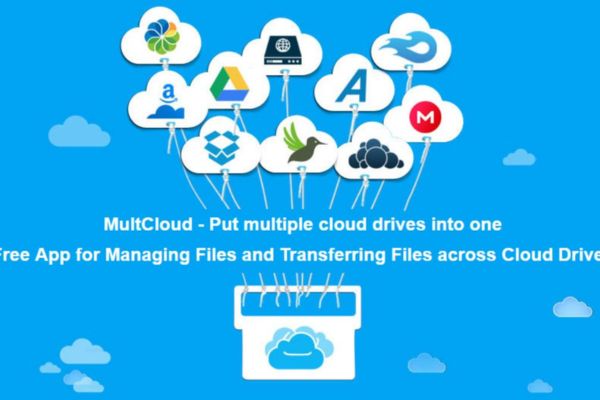
Core features of MultCloud
Not simply a place to gather accounts, this service also possesses a series of superior features to effectively support your work:
- Direct data conversion: Supports drag and drop or quick copying of files between different storage services with just a few simple mouse clicks. You can also schedule automatic conversions at fixed time frames.
- Multi-way synchronization: Provides flexible sync modes such as one-way sync, two-way sync or real-time sync to ensure your files are always in the latest state.
- Multi-account management: Supports more connections 30 Popular cloud storage providers today, including NAS or WebDAV intranet storage systems.
- Convenient remote upload: Allows you to download files directly from a URL or torrent link to your cloud account without downloading to an intermediary device.
Instructions on how to get 200GB MultCloud for free
To help users experience high-quality transmission services in the most comfortable way, publishers regularly launch attractive bandwidth incentive programs. Below are detailed steps to help you quickly increase the usage capacity of your account:
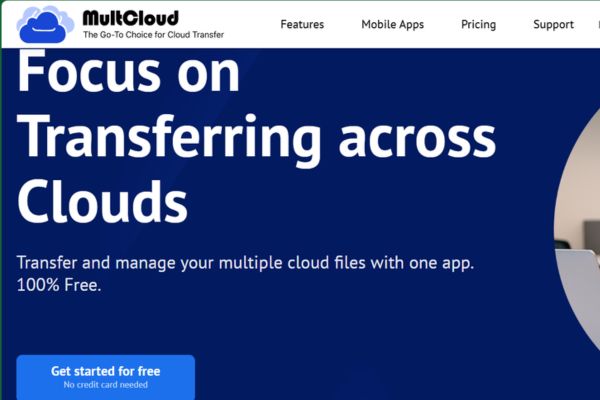
Step 1: First, open your web browser and access it MultCloud home page. At the home page interface, click the button Get started for free to go to the account registration page.
Step 2: The system will provide you with an information registration form. You can choose to enter your personal email or use the quick login method via Google account link to save maximum time.
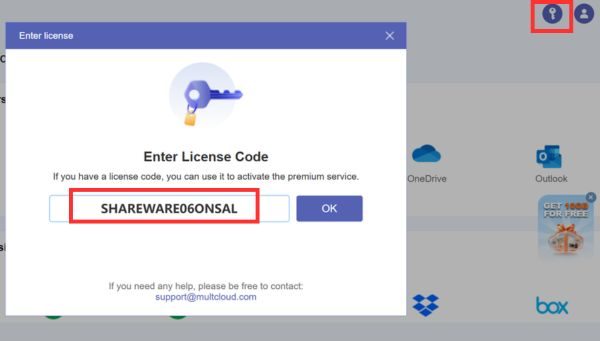
Step 3: After successfully logging in and being redirected to the main admin interface, please direct your eyes to the upper right corner of the screen. Here, click on the image icon the key small.
Step 4: A promotional code entry window appears, your task is to copy and paste the promotional code exactly SHAREWARE06ONSAL Enter the empty box and press the activation confirmation button.
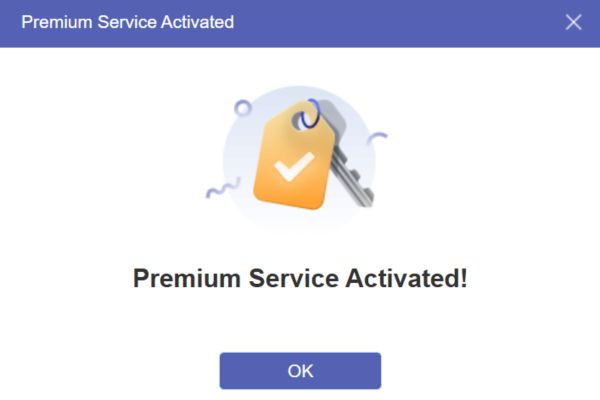
After just a few seconds of processing, the system will send a notification of successful activation.
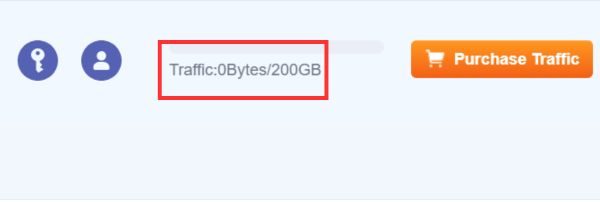
And so you have completed how to get 200GB MultCloud for free to serve your monthly data transfer tasks.
Some important notes when using
Once you understand how to get 200GB MultCloud for free, many people often mistake this capacity as the account’s direct storage. Essentially, this is it data transmission bandwidth capacity (data traffic) is added to your account to perform file conversion tasks between different clouds.
This amount of capacity will be gradually deducted each time you perform data transfer, synchronization or remote upload operations. Correctly understanding the nature of this preferential capacity package will help you plan your resource usage scientifically, avoiding wasting bandwidth on tasks that are not really necessary.

Conclusion
Hopefully this article has brought you really useful knowledge and helped you succeed How to get 200GB MultCloud for free. Owning a large transmission space will help your work flow more smoothly and effectively. If you have any questions during the implementation process, don’t hesitate to leave feedback for discussion.
Frequently Asked Questions (Q&A)
1. How long does the bandwidth received from this program last?
Normally, the free transmission capacity from code promotions will have a certain expiration date or be applied monthly, depending on the specific policy of the provider at the time of activation.
2. How many cloud accounts can I link to the MultCloud system?
MultCloud does not limit the number of cloud accounts you can link, allowing you to freely connect multiple Google Drive, OneDrive or Dropbox accounts at the same time on one management account.
3. Is my data safe when transmitted through this intermediary service?
Completely safe, because the service applies modern AES 256-bit encryption standards combined with OAuth login authorization mechanism, ensuring your login information and personal data are not stored or leaked.