5 utilities you should install for Gmail below will completely change the way you interact with email every day. Instead of wasting time on repetitive manual tasks like unsubscribing or waiting for responses, let technology help you. Work efficiency will certainly be significantly improved when applying these tools.
📢 Join the channel Telegram belong to AnonyViet
Update new articles, cool tools and IT tips fastest
5 utilities to install for Gmail to help optimize performance
Gmail is a great platform, but to get the most out of its power, using additional tools is essential. Below is a list of powerful add-ons that help solve the most common problems of email users.
1. InboxPurge
This is truly a “savior” for mailboxes that are being attacked by spam or are overloaded. Instead of having to click on each email to find the unsubscribe button, InboxPurge allows you to do this in bulk with just one click.
This tool not only helps quickly delete junk emails to free up Google Drive space, but also has the ability to group newsletters by topic. Thanks to that, users can read aggregated news more scientifically, and easily manage the block list or unblock senders when necessary.

2. Sortd
If you feel that Gmail’s default interface is too confusing, Sortd will bring a breath of fresh air by turning mailboxes into visual Kanban boards. Users can drag and drop emails into to-do list columns, similar to how Trello works.
Sortd’s strength lies in its organizational ability. It allows creating shared workspaces, group chats right within email threads, and setting reminders. This is the ideal solution to switch from just “reading emails” to truly “task management”, helping to significantly save time checking your mailbox every day.

3. DocuSign
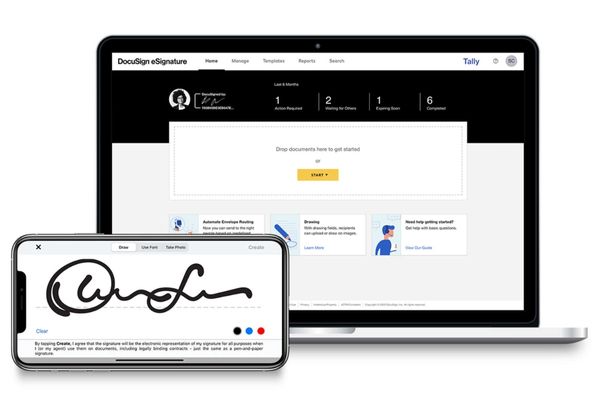
For those who work as freelancers or regularly handle contracts, the “download – print – sign – scan – send back” process is a time-consuming nightmare. DocuSign integrates directly into Gmail to completely eliminate this annoyance.
Users can sign digital documents right in the browser without the need for any external devices. The free package is usually enough to meet the needs of signing basic documents with no limit on the number of documents. In addition, the tool also supports progress tracking to see who has signed, helping the paperwork process become more professional and faster than ever.
4. Boomerang for Gmail
Boomerang adds time management features that Gmail lacks or is not optimized. The most prominent feature is “Response Tracking”, which helps remind you to follow-up if the recipient does not respond after a certain period of time.
Besides, the ability to schedule email sending (Send Later) and snooze emails for later processing (Reminders) helps users manage their time better. Instead of letting emails slip away and be forgotten, Boomerang ensures every important correspondence is handled on time, keeping work flow flowing smoothly.

5. MailTracker
The insecurity of not knowing whether an important email has been read or not will be completely resolved with MailTracker. This extension notifies you exactly when the recipient opened the message, eliminating useless guesswork.
In particular, this tool also works effectively with emails sent to groups, indicating specifically who on the list has viewed the content. This information is extremely valuable for deciding when to send reminder letters or phone calls, saving 30 to 45 minutes each week on unnecessary manual checks.

Conclusion
With the support of 5 utilities you should install for Gmailmanaging hundreds of emails every day will no longer be an obsession. From cleaning up trash to keeping track of your partners, everything is under your control.