Quick Answer: To block HTTP/HTTPS traffic using Burp Suiteyou need to install Burp, configure the browser to use a proxy 127.0.0.1:8080then install the certificate Burp CA into the browser. When the feature is enabled Interceptevery request from the browser will go through Burp before reaching the server, allowing you to view and edit data.
📢 Join the channel Telegram belong to AnonyViet
Update new articles, cool tools and IT tips fastest
When working with Web Securityobserving and editing HTTP requests is an extremely important skill. This is how security experts detect vulnerabilities such as SQL Injection, XSS, Authentication Bypass or debug API.
One of the most popular tools today is Burp Suite – web security testing toolkit by PortSwigger develop.
In this article, AnonyViet will guide you how to set up Burp Suite to:
- Block all web traffic from browsers
- Analyze HTTP request/response
- Decrypt HTTPS traffic with TLS Certificate

What is Burp Suite?
Burp Suite (often referred to as Burp) is a graphical tool that helps test Web application security.
It works like one intermediary proxy (MITM – Man in the Middle) between browser and server. When the request goes through Burp, you can:
- View all HTTP requests
- Edit parameters
- Header analysis
- Replay request
- API security testing
Burp Suite has many versions:
- Community Edition – free of charge
- Professional – for pentester
- Enterprise – large-scale security testing
This article uses version Community Edition.
What we will do
To block traffic with Burp Suite, you will take 3 main steps:
- Download and install Burp Suite
- Configure the browser to use Burp’s proxy
- Install a TLS certificate to block HTTPS
Step 1: Download and install Burp Suite
You can download Burp Suite Community at PortSwigger’s official site:
https://portswigger.net/burp/communitydownload
Note:
- Burp Suite requests Java Runtime
- Supports Windows, Linux and macOS
After installing and opening Burp Suite, you will see the project initialization interface:
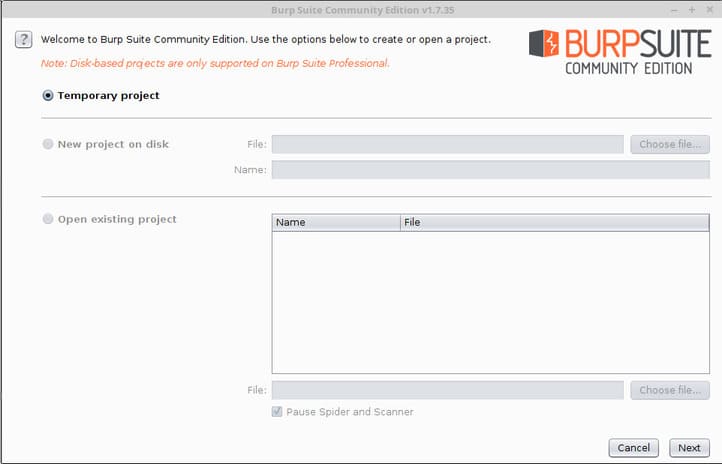
If you don’t want to save the project:
- Press Next
- Then choose Start Burp
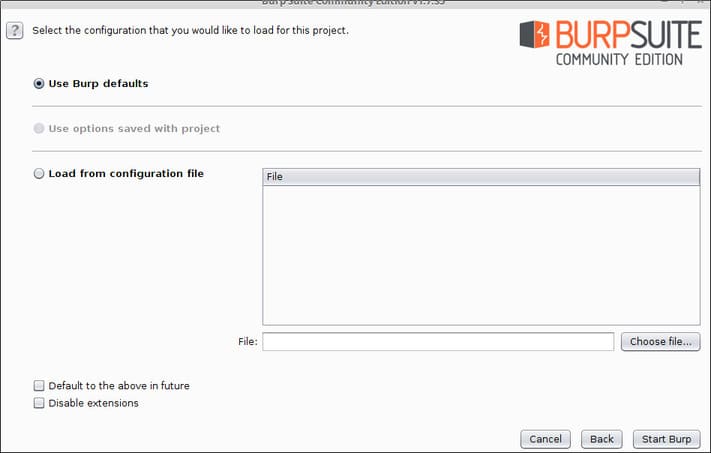
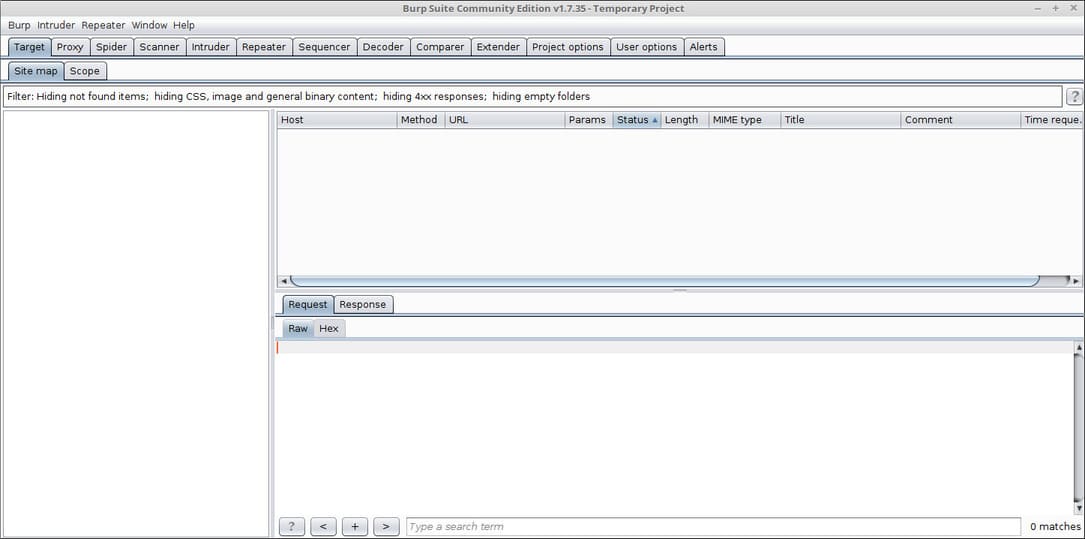
The main interface of Burp Suite will appear:
Step 2: Configure Proxy for the browser
In order for Burp to block requests, the browser must send traffic through Burp’s proxy.
In this example I use Firefox.
Open settings:
about:preferences#general
Scroll down to the section Network Settings and press Settings.
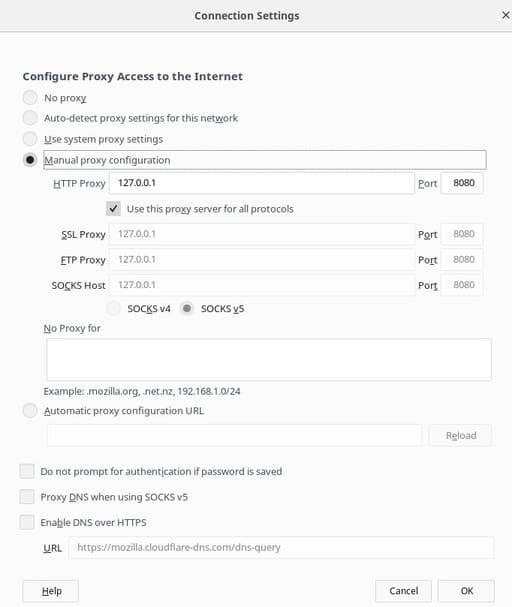
Set up the proxy as follows:
- Manual proxy configuration
- HTTP Proxy: 127.0.0.1
- Port: 8080
- Tick Use this proxy for all protocols
Then press OK.
Now all browser traffic will go through Burp.
Check out Burp’s Proxy Listener
Open Burp Suite:
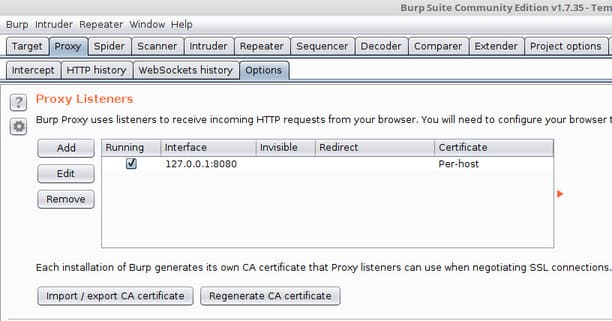
Make sure the Proxy Listener is:
- Host: 127.0.0.1
- Port: 8080
- Status: Running
Test blocking HTTP traffic
Access the simple HTTP page:
http://neverssl.com
Burp will block the request and display it in the tab Intercept.
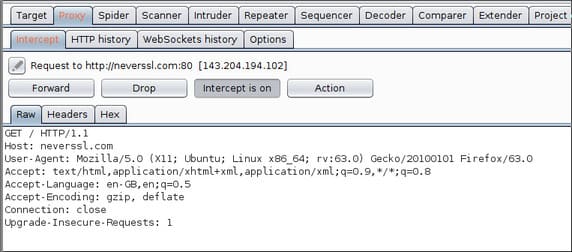
You can:
- See header
- Edit parameters
- Forward requests
- Drop requests
Why does HTTPS fail TLS?
When accessing an HTTPS site like:
https://google.com
You will see a TLS error.
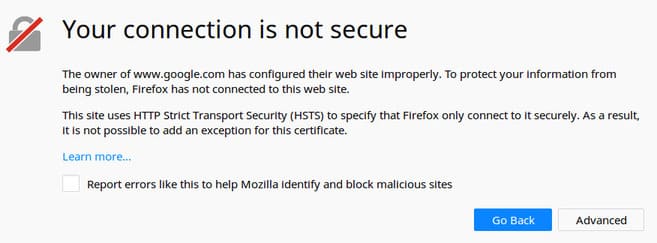
Reason:
- HTTPS encrypts data using TLS
- Burp is in the middle (MITM)
- The browser does not trust Burp’s certificate
Therefore we need to install Burp’s CA certificate.
Step 3: Install Burp CA certificate to block HTTPS
Open a browser and access:
http://burp/
Press CA Certificate.
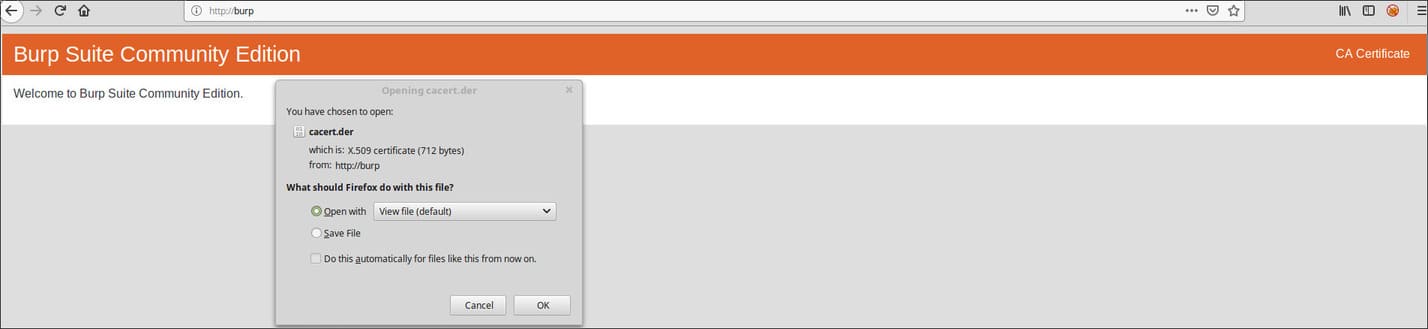
Save the certificate file.
Next open:
about:preferences
Search Certificates.
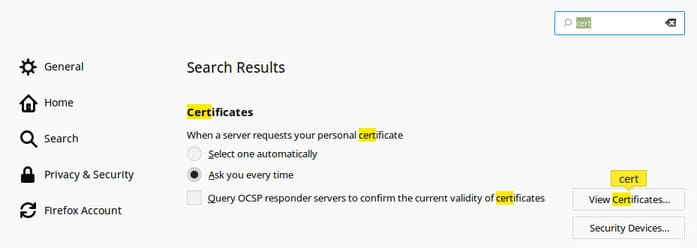
Select:
- View Certificates
- Authorities
- Import
Select the Burp certificate file you just downloaded.
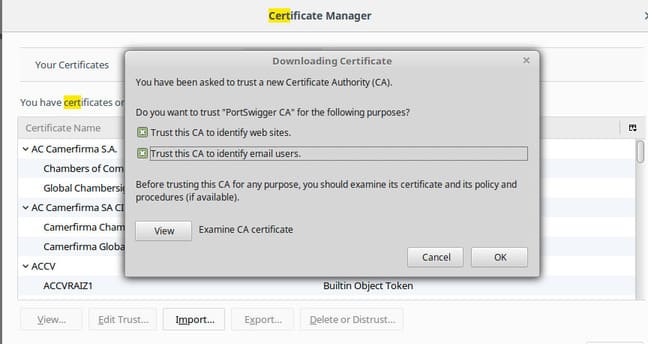
Tick both options:
- Trust this CA to identify websites
- Trust this CA to identify email users
Press OK.
You can now block HTTPS without TLS errors.
How Burp Suite blocks requests
Open:
Proxy → Intercept
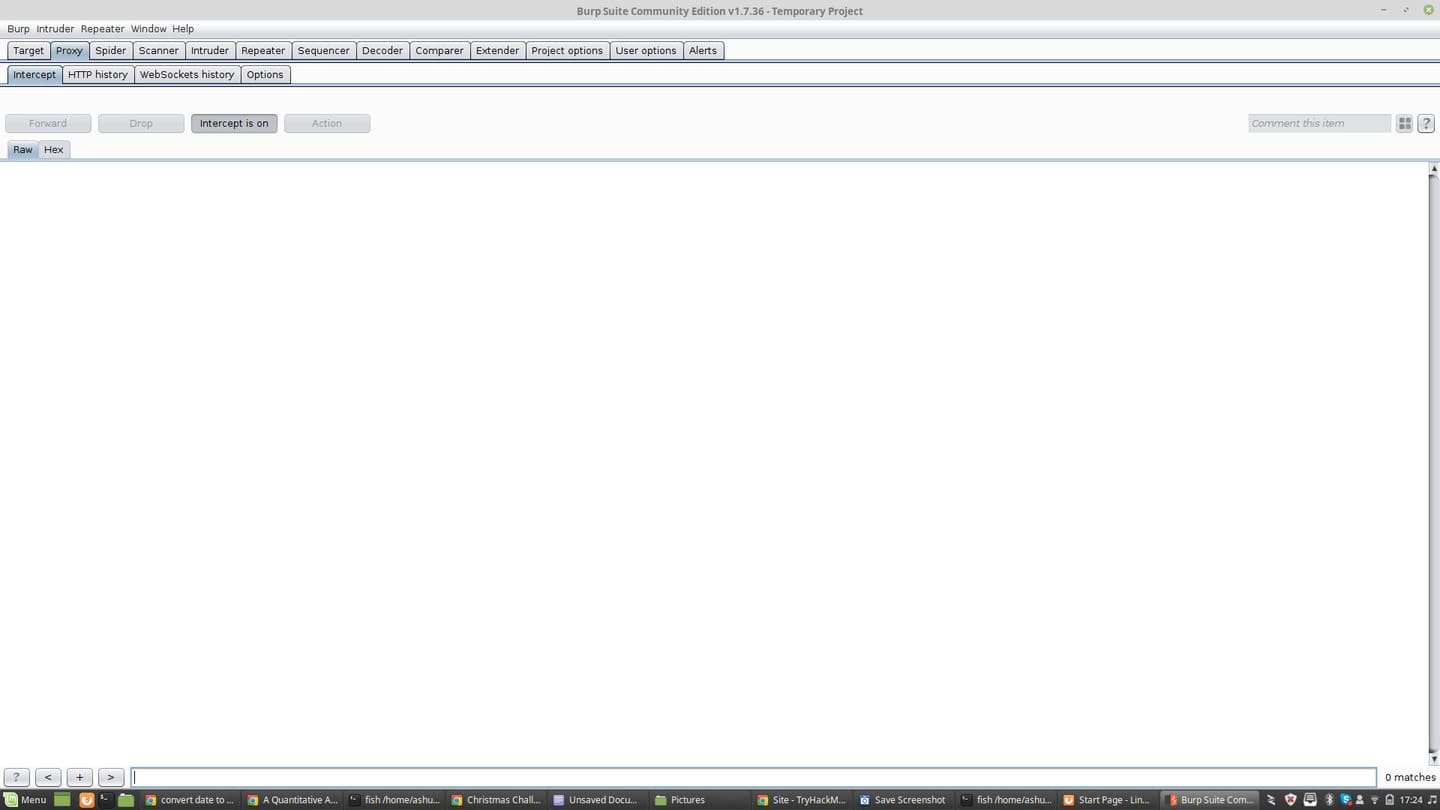
When turned on Intercept is ON:
- Request stops at Burp
- You can edit the data
- Then press Forward
For example, when logging into a website:
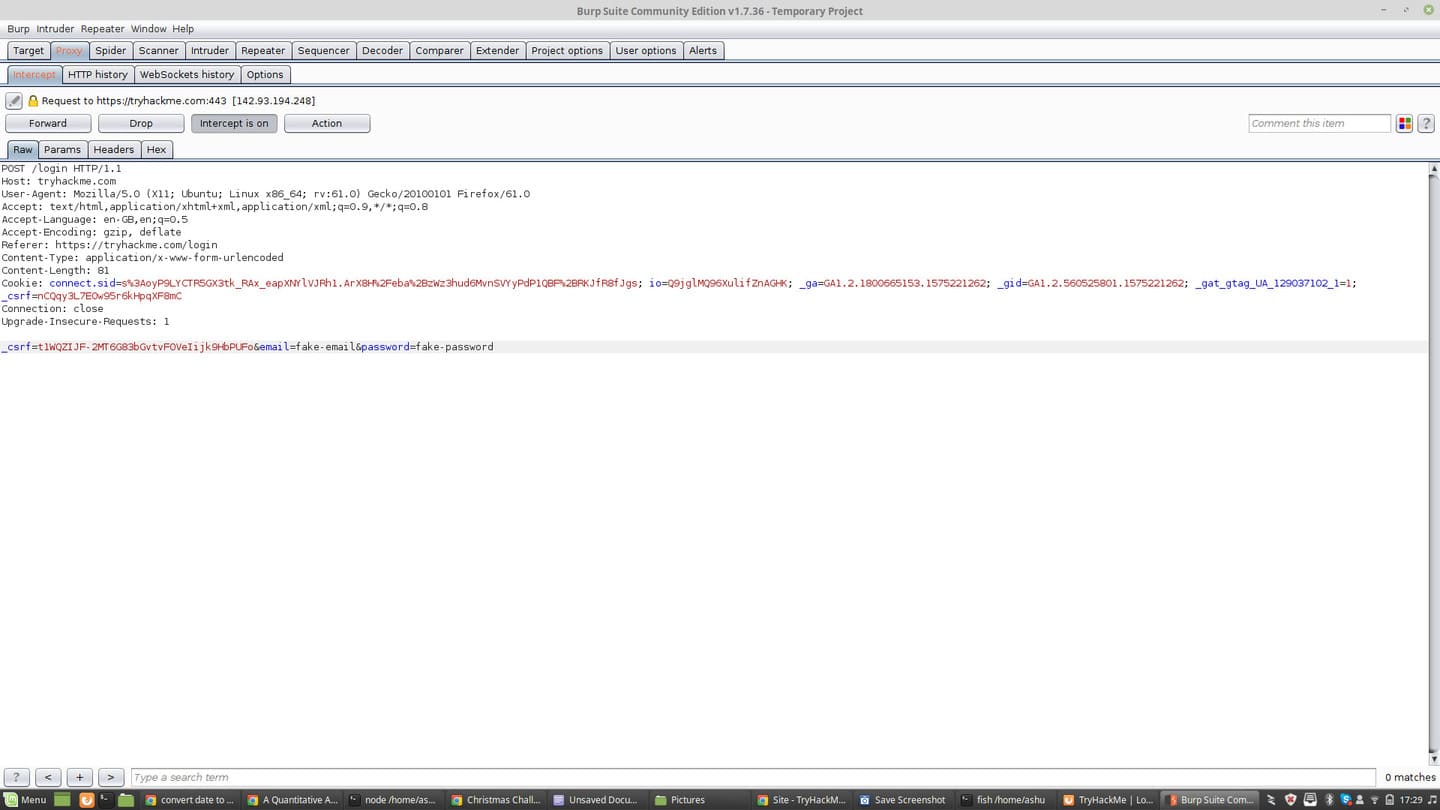
You will see:
- HTTP headers
- Cookies
- POST data
- Tokens
Edit request parameters
Switch tabs Params.
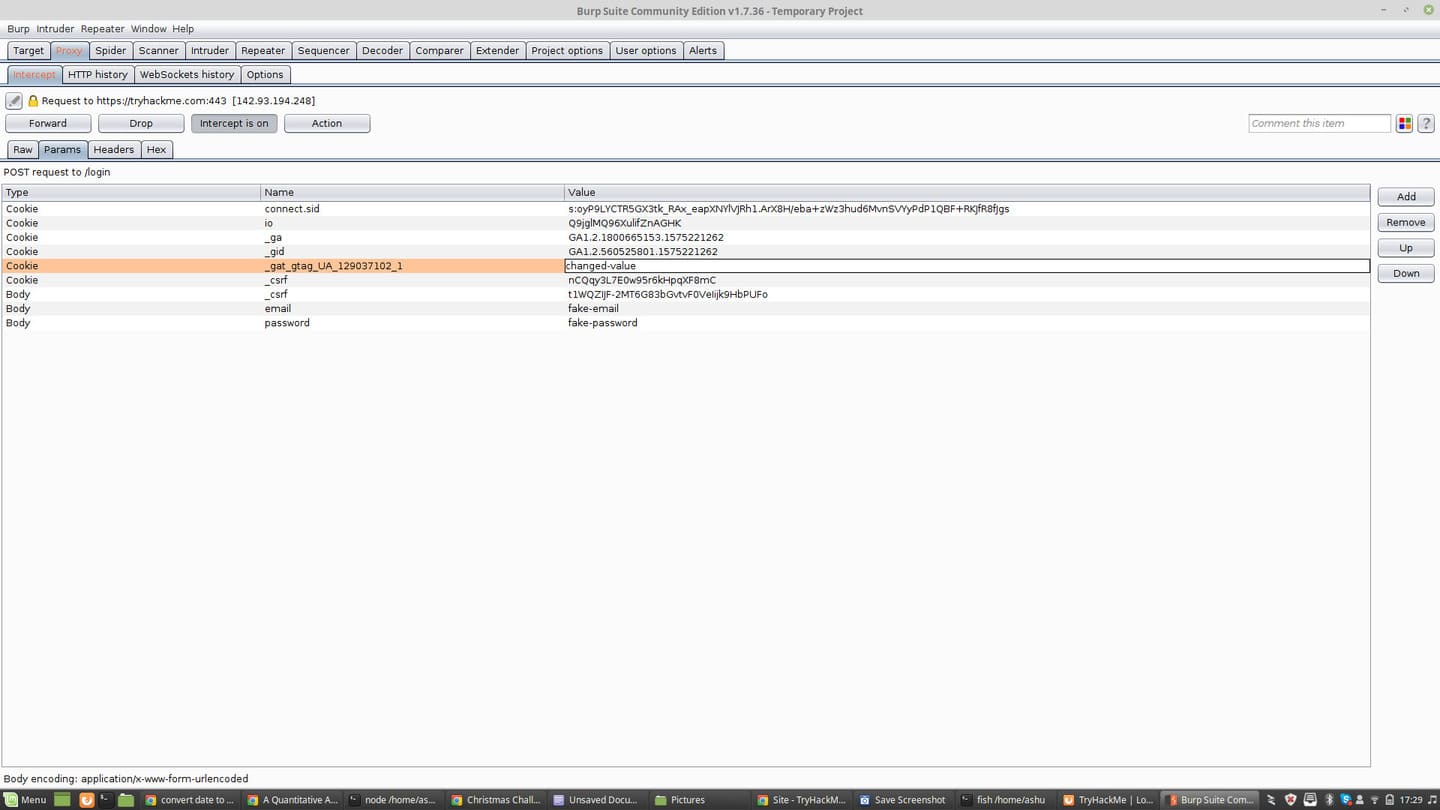
Here you can:
- Edit value
- Add parameters
- Delete parameters
This is how the pentester checks the server’s logic.
View full request history
To see all requests:
Proxy → HTTP History
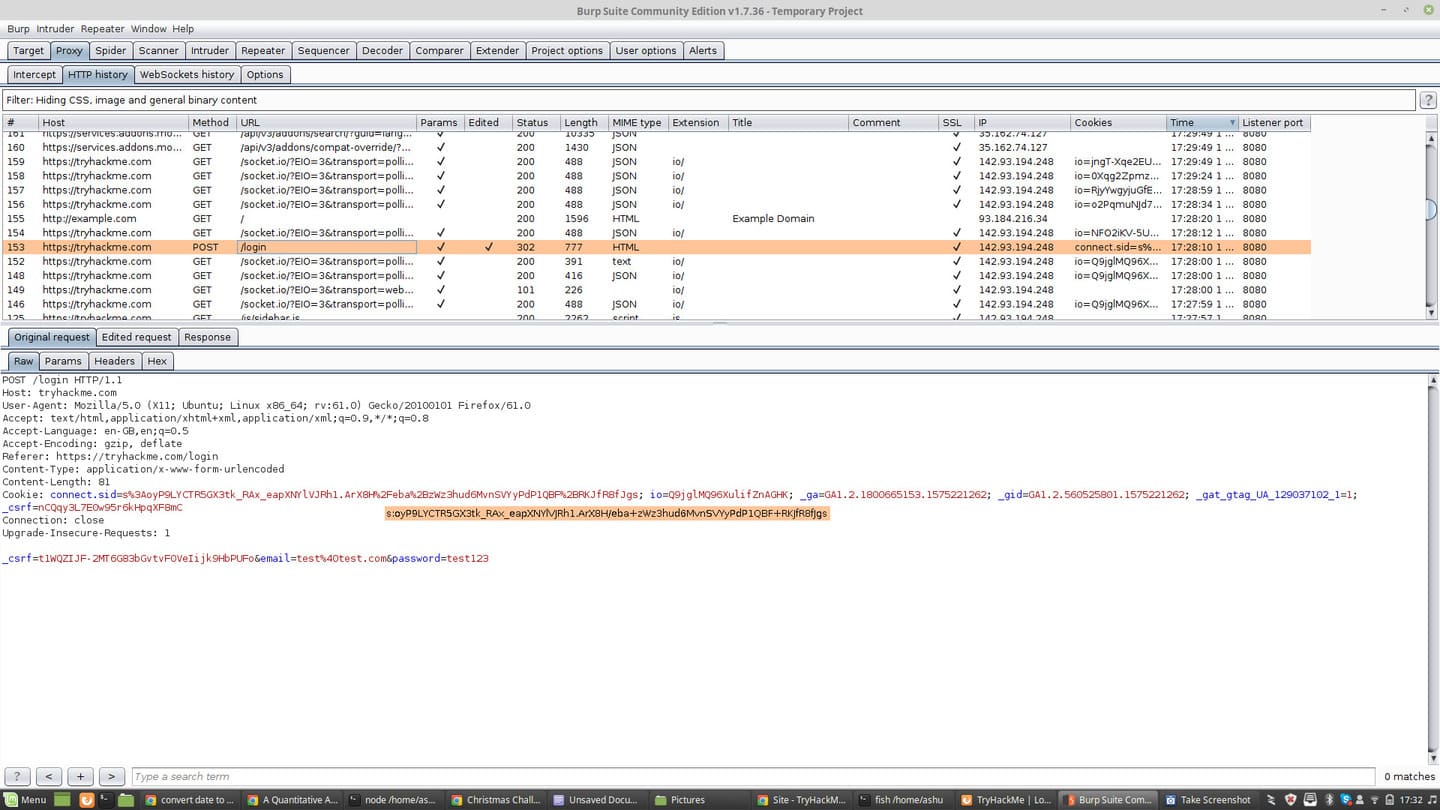
You will see:
- List of requests
- Status code
- Domain
- Method (GET/POST)
Very useful when analyzing APIs or debugging web apps.
Actual use-case in Vietnam
Burp Suite is often used to:
- Analyze mobile app API
- Debug website requests
- Reverse engineer web service
- Web security testing
Many classmates Bug Bounty or Web Pentest all start with Burp.
If you are new to web security, you should combine it with a practice platform such as:
- TryHackMe
- PortSwigger Web Security Academy
Common errors when using Burp Suite
1. Cannot block requests
The cause is usually due to:
- Proxy is not configured correctly
- Wrong port
- Listener is not running
2. HTTPS fails TLS
The Burp CA certificate has not been installed in the browser.
3. Website does not load
Because Intercept is on but you have not forwarded the request yet.
FAQ – Frequently asked questions
Is Burp Suite free?
Have. Burp Suite Community Edition is free but some advanced features are only available in the Professional version.
Is Burp Suite used for hacking?
Burp Suite is a legitimate security testing tool. It is used by pentesters and security experts to detect vulnerabilities.
Is Java needed to run Burp Suite?
New versions have integrated runtime, but some older versions still require Java.
Which browser should I use with Burp?
Firefox is often used because it is easy to configure proxies and certificates.
Burp Suite setup checklist
- Install Burp Suite Community
- Proxy configuration 127.0.0.1:8080
- Check Proxy Listener
- Download Burp CA certificate
- Import into Firefox
- Turn on Intercept
- Analyze request/response
Conclude
Burp Suite is an extremely important tool in the field Web Security. Knowing how to intercept and analyze HTTP/HTTPS traffic helps you understand how web applications work and detect security issues.
If you are studying Pentest, Bug Bounty or API analysis, mastery of Burp Suite is an almost mandatory skill.
In the next articles, AnonyViet will provide further instructions on:
- Repeater
- Intruder
- Burp automation
- Exploit real web vulnerabilities
Reference source
- PortSwigger Web Security Academy
- TryHackMe
- Burp Suite Official Document