Over the past 35 years, Microsoft has released at least 30 major versions of the Windows operating system. But not all of them are created equal, so I thought it would be interesting to rank the 10 best versions of this essential operating system.
| Join the channel Telegram belong to AnonyViet 👉 Link 👈 |

Rating criteria
This list is ranked based on innovation and performance during the operating system’s development period. This is not (and could never be) a definitive list to objectively prove which version of Windows is “best.” Because you cannot compare Win XP and Windows 10, simply because they are different eras.
To keep things simple, I will only rate the desktop versions of Windows. Mobile operating systems such as Windows CE, Windows Phone, Windows Mobile 10 and Windows RT are completely inappropriate in this context, as are server versions of Windows such as Windows Server 2003.
Done, let’s start with the Top 10!
#10: Windows 3.0 (1990)
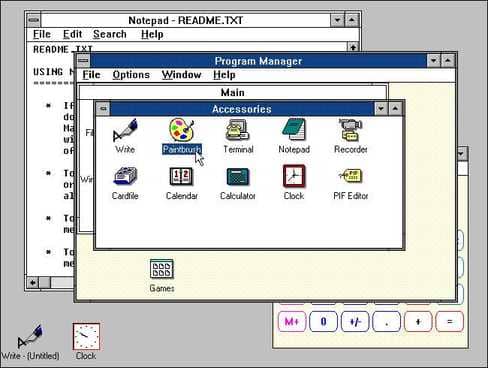
Windows 3.0 consolidated the confusingly named Windows 2.x product line (Windows 2.03, Windows/286, Windows/386, etc.) into a single environment that worked on machines ranging from low-speed 8088s to those with 386 CPUs. It also includes a stunning new graphical interface with a 3D-shaded look and a stunning icon set designed by graphic design legend Susan Kare.
#9: Windows 8 (2012)
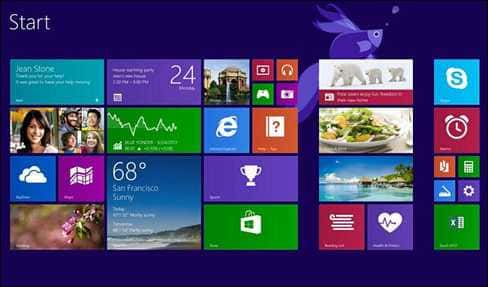
Change is difficult, and Windows 8 has succumbed to the pressure to change, making many people uncomfortable. Despite poor critical reviews, Windows 8 is the most innovative version of Windows since Windows 95. It is seen as Microsoft’s response to the changing world of touch-based mobile phones like the iPad. The result is a hybrid operating system that can work on both tablets and desktops.
The results were disappointing for desktop users — ditching the Start Menu was a mistake — but Microsoft has fixed some glaring issues in Windows 8.1. And Windows 8 is basically Windows 7 with a lot of security improvements left out.
#8: Windows NT 4.0 (1996)
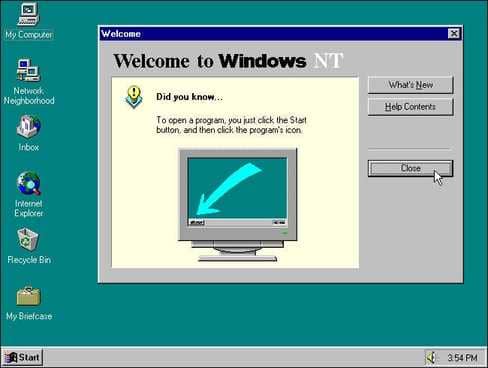
If you want the stability of the 32-bit Windows NT kernel and the added user-friendliness of Windows 95, then Windows NT 4.0 may be the best choice for you. Its solid stability (after several patches) made it Microsoft’s most popular business and academic operating system for many years, and dedicated NT4 users were reluctant to upgrade as late as 2003.
In fact, if you’re willing to forgo modern interface amenities and security updates, you can still run Windows NT 4 for some tasks today — if you’re crazy enough.
#7: Windows 98 SE (1999)
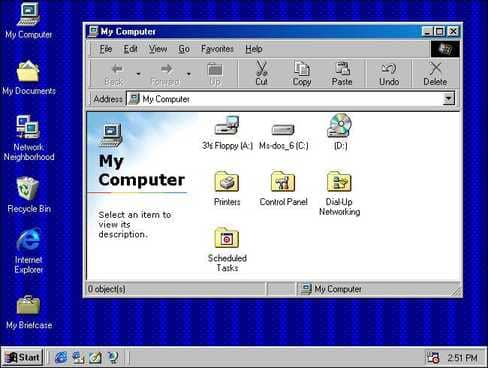
Windows 98 takes the innovations introduced in Windows 95 and adds an improved interface with greater flexibility, while still making MS-DOS a 16-bit legacy. For a long time, there was no better PC gaming operating system than Windows 98, as it supported DOS games and also DirectX-based titles.
The “Second Edition” release in 1999 added a number of improvements (including better USB support) that kept many people using version 98 until Windows XP was released in 2001. Unfortunately, Windows 98 proved to be extremely unstable, but that didn’t stop it from becoming the most popular upgrade among consumers.
#6: Windows for Workgroups 3.11 (1993)
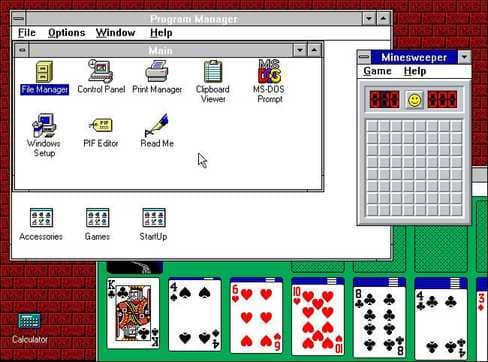
Windows for Workgroups benefited greatly from the popularity of Windows 3.11 in 1992 — TrueType font support, multimedia support, document embedding with OLE and Minesweeper, and native networking support were added, making it the most powerful consumer and small business version of Windows until Windows 95.
#5: Windows 10 (2015)
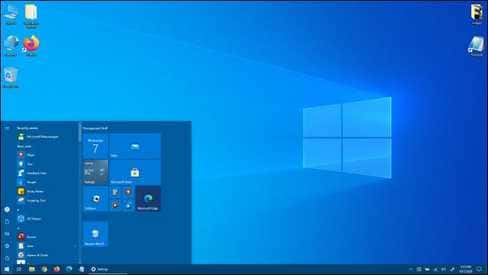
Windows 10 got off to a bad start with press criticism about Microsoft’s data eavesdropping, built-in advertising, and sudden updates that disrupted everyone’s work. But to Microsoft’s credit, the company has addressed those concerns over time and continued to update Windows 10 at a steady pace over the past five years.
Today, Windows 10 is a mature, stable, capable and very popular operating system with over a billion users. As the “ultimate version of Windows,” we can expect Windows 10 to continue to evolve and change over time as the world changes with it.
#4: Windows XP (2001)
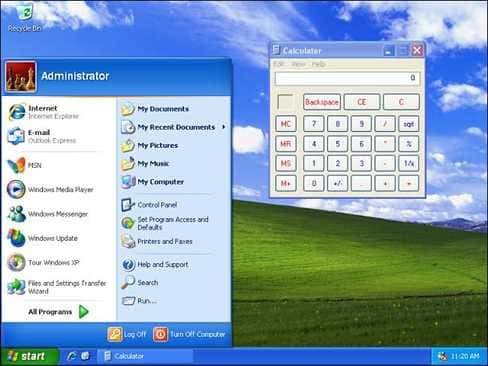
Even if you don’t like the flashy blue theme in XP’s default interface, you still have to agree with yourself and other users that Win XP is very stable. The evidence is that many PC users upgraded from the unstable MS-DOS operating system of Windows 98 and Me to Win XP.
Over time, they came to enjoy solid Windows NT technology, as the average PC of that era became powerful enough to run Win XP well. Using it once is addictive :v, many XP fans do not want to upgrade to other versions of Win for a long time.
#3: Windows 95 (1995)
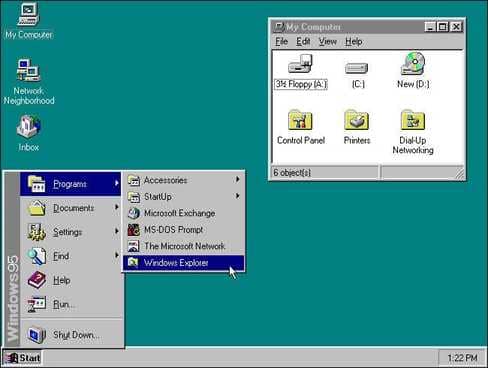
For many PC users, Windows 95 has gone from being a “Microsoft software product” to being a “must-have desktop operating system.” It’s beautiful and easy to use, includes an innovative Start Menu and taskbar, and is said to have surpassed Macintosh OS in usability for the first time.
Windows 95 introduced many Windows standards that we take for granted today, including File Explorer, Windows shortcuts, the Recycle Bin, file shortcuts, the modern desktop, and more. It is the prototype of Windows, distilled: Anyone familiar with Windows today can easily go back and use Windows 95 without any problems.
#2: Windows 2000 (2000)
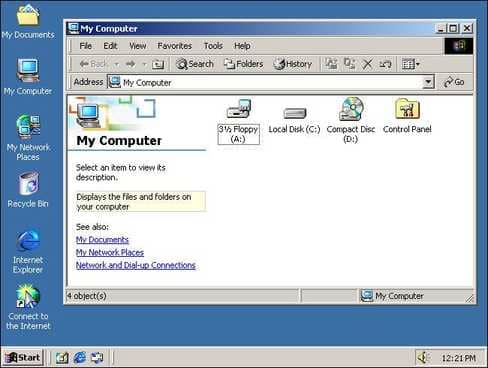
Windows 2000 was an underrated version but a more stable and mature Windows that felt ahead of its time for first-time users. And as a “professional” version of Windows, it did not receive the same widespread adoption as the consumer version of Windows Me. But unlike previous versions of Windows NT, Windows 2000 is a version of Windows NT that your family can fully use the first time.
It has everything you need, provides rock-solid stability, and inspires a strong sense of trust among users, some of whom didn’t upgrade to other versions until Windows 7 launched in 2009.
#1: Windows 7 (2009)
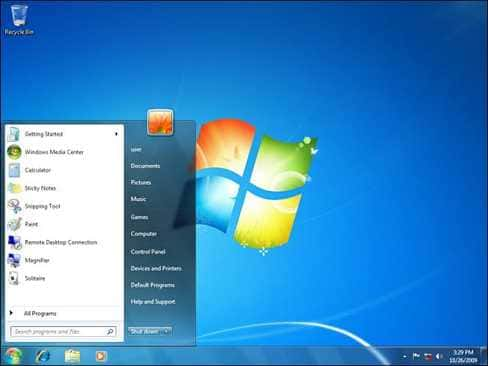
At the time of its release, Windows 7 marked Microsoft’s comeback after the disastrous Windows Vista, which had been attacked for its new approach to security (UAC), minor bugs, resource hogging, and poor transportation that were the main reasons for Windows Vista’s failure.
In contrast, Windows 7 is more stable than Vista, runs faster on the same hardware, minimizes UAC issues and tweaks the Aero interface to make it less clunky and more elegant (and you can turn it off if needed). At the same time, Windows 7 kept some of Vista’s improvements (like Start Menu search) while adding others (like pinning shortcuts to the taskbar).
Ironically, much of what makes Windows 7 great is that it’s nothing like Windows 10. Windows 7 has no freemium game bundles, no Start Menu ads, and no need to link your account to Microsoft. You can update whenever you want. You have complete control over your computer, not Microsoft’s. It’s the final leap into the non-software-as-a-service era that many still want to pursue despite the changing technology landscape around us.
With Windows 7 final support as of January 2020, you should upgrade to Windows 10 if you can – but it remains to be seen whether Microsoft will make the mistakes of the past. Having said that, this is still the best desktop version of Windows ever created.
Frequently asked questions
Which version of Windows is considered the best in the article?
The article does not specify one version of Windows as the “best” because the quality depends on the era and user needs. However, Windows XP, Windows 95 and Windows 2000 are in the top 3.
What is the criteria for ranking Windows versions in this article?
The article ranks based on the innovation and performance of each version at the time of launch, not a direct comparison between versions from different eras.
Does the article cover mobile or server versions of Windows?
Are not. This article only focuses on desktop versions of Windows.