• Home
  • News
  • Software
  • Knowledge
  • MMO
  • Tips
  • Security
  • Network
  • Office
AnonyViet - English Version
  • Home
  • News
  • Software
  • Knowledge
  • MMO
  • Tips
  • Security
  • Network
  • Office
No Result
View All Result
  • Home
  • News
  • Software
  • Knowledge
  • MMO
  • Tips
  • Security
  • Network
  • Office
No Result
View All Result
AnonyViet - English Version
No Result
View All Result

How to use MyRecover to restore deleted files on Windows Server

AnonyViet by AnonyViet
February 25, 2025
in Software
0

Data loss is an obsession of anyone who uses a computer, especially when you work with Windows Server 2012 – a popular operating system in business data management. So how to restore deleted files on Windows Server 2012 effectively? Do not worry, this article will guide you step by step using software MyRecover To get valuable files back. Let's explore now!


Join the channel Telegram belong to Anonyviet 👉 Link 👈

Why is the data lost?

Although the technology is increasingly advanced with external hard drive, USB or memory card, data loss still occurs often. The cause may be the wrong removal, drive format, system error or even the virus attack.

With Windows Server 2012, which stores many important documents, data loss can cause great losses. Fortunately, with the support of data recovery software like MyRecover, you can get back the deleted and safely deleted files.

Why is the data lost?

See also: How to register for free Elicit Plus account 1 year worth $ 120

About myrecover

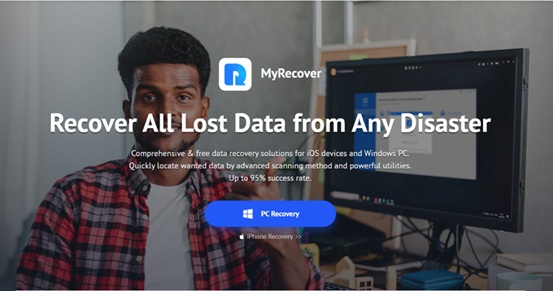
MyRecover is one of the top data recovery software, designed to help users restore thousands of lost files. With a friendly interface and many powerful features, MyRecover is suitable for both amateur users and experts.
About myrecover
About myrecover

The outstanding features of MyRecover

  • Easy to use interface: MyRecover has an intuitive interface, making it easy for users to manipulate even without technical knowledge.
  • Support many data loss situations: Whether your file is wrongly deleted, the drive is formatted, the partition disappears, or the data lost due to viruses, MyRecover can be restored.
  • Support multiple file formats: MyRecover can restore more than 200 file formats, including text, images, videos, audio, email and compressed files.
  • Compatible with many storage devices: This software supports data recovery from USB, memory card, external hard drive and internal hard drive. It is also compatible with file systems such as NTFS, FAT16, FAT32 and Refs on Windows 11, 10, 8, 7 and Server.
  • Create a boot drive: If your computer cannot boot, MyRecover can help you create a drive from CD, DVD or USB to restore data.
  • Filter and preview features: You can filter the file to recover and preview them before proceeding to recover.
  • Ensure data safety: MyRecover is committed to restoring the original file and does not lose data. Your information is also absolutely confidential.

How to restore deleted file on Windows Server

Here are specific steps to use MyRecover on Windows Server, based on practical tests.

Test conditions:

  • Device: Windows Server computer with 1TB hard drive.
  • File format: Docx, PNG, MP4, MOV.
  • Data loss situation: The files were deleted and the trash has been blank.

Implementation steps:

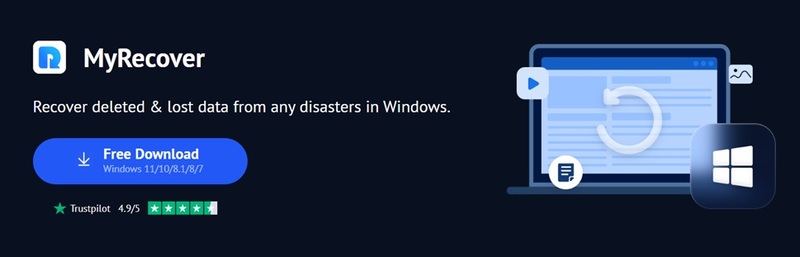
Step 1: Visit the official website to download MyRecover software and install on the computer.
Download Myrecover software

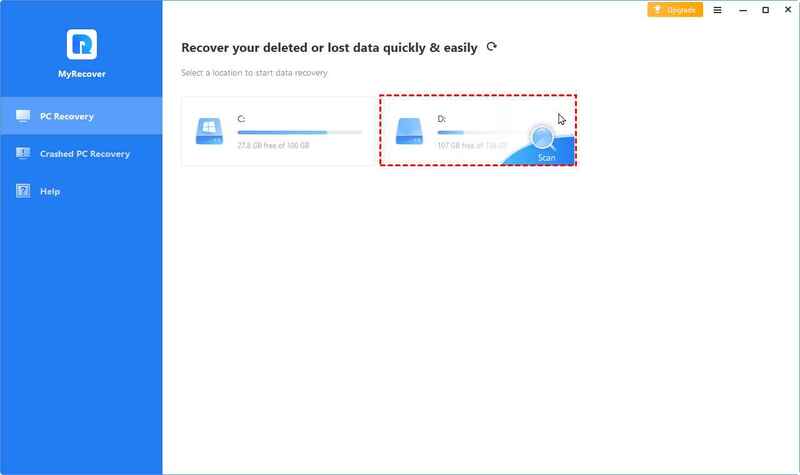
Step 2: Start MyRecover, go to the drive containing the deleted file, then press the “Scan“To start the scanning process.
Press the
Press the “scan” button

Step 3: The software will quickly scan the drive. Once completed, use the filter to find the type of file to be restored and preview to confirm.
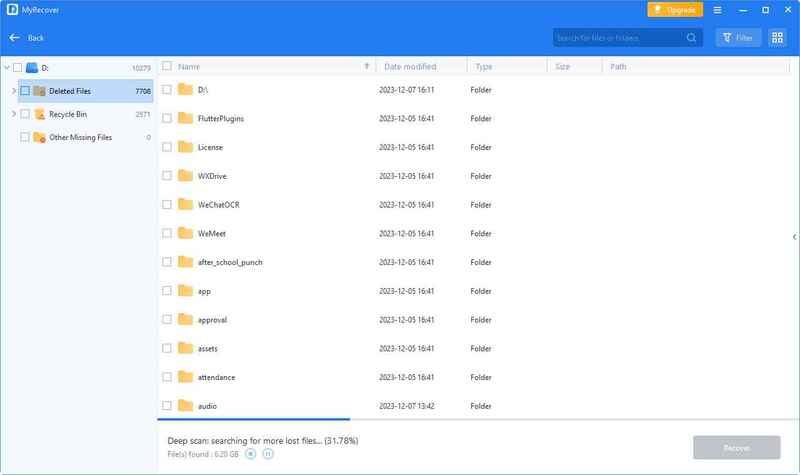
Use the filter to find the file to be restored
Use the filter to find the type of file to be restored

Step 4: Select the files you want to get back, click “Recover x filesAnd save them in another position on the computer.
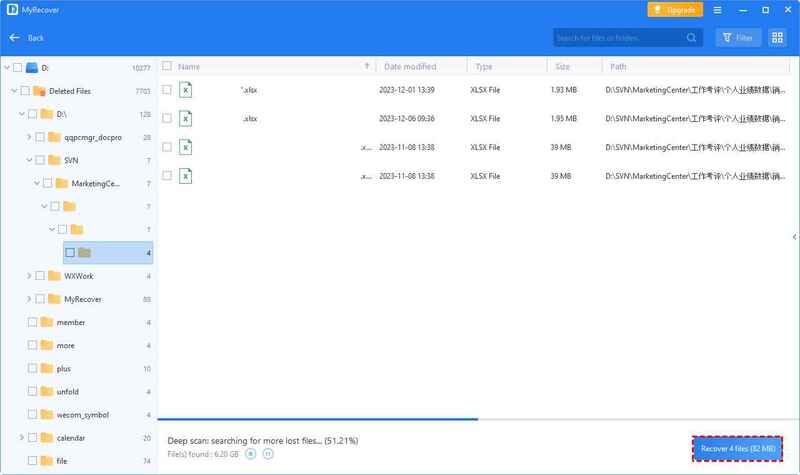
Click
Click “Recover x files”

After successful recovery, check the files in a new position, everything will return to normal!

MyRecover quickly found and restored the file from the external hard drive, keeping the name, format, quality and original path. Even when the drive is erased, the software still scans and regains the data that seems to be permanently lost.

Data loss is not an end. With tools like MyRecoveryou can completely restore deleted files on Windows Server 2012 with a high success rate. However, to avoid future risks, remember to back up the hard drive regularly – which is the best way to protect data. Have you tried MyRecover? Please share your experience!
Tags: deletedfilesMyRecoverrestoreServerWindows
Previous Post

What is new iOS 18.4 beta 1? Siri supports Vietnamese and notable updates

Next Post

How to clone hard drive for Windows with Aomei Backupper

AnonyViet

AnonyViet

Related Posts

Experience Galaxy Tab S12 Ultra: Price of 40 million is a worthy investment to replace a laptop
Software

Experience Galaxy Tab S12 Ultra: Price of 40 million is a worthy investment to replace a laptop

November 2, 2026
Receive Driver Booster 14 license key immediately for free for 6 months
Software

Receive Driver Booster 14 license key immediately for free for 6 months

November 1, 2026
Online pagoda game: Experience practice and relieve stress at home
Software

Online pagoda game: Experience practice and relieve stress at home

November 1, 2026
Instructions for receiving Avira Prime 3 months for free, no credit card
Software

Instructions for receiving Avira Prime 3 months for free, no credit card

October 31, 2026
Instructions for installing CleanYourTv to remove Android TV ads
Software

Instructions for installing CleanYourTv to remove Android TV ads

October 29, 2026
How to play the mosquito swatter game, calling students’ names and asking them to return their homework
Software

How to play the mosquito swatter game, calling students’ names and asking them to return their homework

October 28, 2026
Next Post
How to clone hard drive for Windows with Aomei Backupper

How to clone hard drive for Windows with Aomei Backupper

0 0 votes
Article Rating
Subscribe
Login
Notify of
guest

guest

0 Comments
Oldest
Newest Most Voted

Recent News

How to get 0 in Docker credits to run AI Agent for free

How to get $250 in Docker credits to run AI Agent for free

November 3, 2026
Experience Galaxy Tab S12 Ultra: Price of 40 million is a worthy investment to replace a laptop

Experience Galaxy Tab S12 Ultra: Price of 40 million is a worthy investment to replace a laptop

November 2, 2026
Cách Đăng ký Nhận Code ChatGPT Business

Cách Đăng ký Nhận Code ChatGPT Business

November 2, 2026
Receive Driver Booster 14 license key immediately for free for 6 months

Receive Driver Booster 14 license key immediately for free for 6 months

November 1, 2026
How to get 0 in Docker credits to run AI Agent for free

How to get $250 in Docker credits to run AI Agent for free

November 3, 2026
Experience Galaxy Tab S12 Ultra: Price of 40 million is a worthy investment to replace a laptop

Experience Galaxy Tab S12 Ultra: Price of 40 million is a worthy investment to replace a laptop

November 2, 2026
Cách Đăng ký Nhận Code ChatGPT Business

Cách Đăng ký Nhận Code ChatGPT Business

November 2, 2026
AnonyViet - English Version

AnonyViet

AnonyViet is a website share knowledge that you have never learned in school!

We are ready to welcome your comments, as well as your articles sent to AnonyViet.

Follow Us

Contact:

Email: anonyviet.com[@]gmail.com

Main Website: https://anonyviet.com

Recent News

How to get 0 in Docker credits to run AI Agent for free

How to get $250 in Docker credits to run AI Agent for free

November 3, 2026
Experience Galaxy Tab S12 Ultra: Price of 40 million is a worthy investment to replace a laptop

Experience Galaxy Tab S12 Ultra: Price of 40 million is a worthy investment to replace a laptop

November 2, 2026
  • Home
  • Home 2
  • Home 3
  • Home 4
  • Home 5
  • Home 6
  • Next Dest Page
  • Sample Page

say88 tỷ lệ kèo nhà cái kèo nhà cái 5 febet

No Result
View All Result
  • Home
  • News
  • Software
  • Knowledge
  • MMO
  • Tips
  • Security
  • Network
  • Office

say88 tỷ lệ kèo nhà cái kèo nhà cái 5 febet

wpDiscuz
0
0
Would love your thoughts, please comment.x
()
x
| Reply