Do you often work with images and need to convert formats but haven't found the right software? ImageConverter is the ideal solution for you. This is free, easy-to-use software that allows converting images to many different formats without losing quality.
| Join the channel Telegram belong to AnonyViet 👉 Link 👈 |
What is ImageConverter?
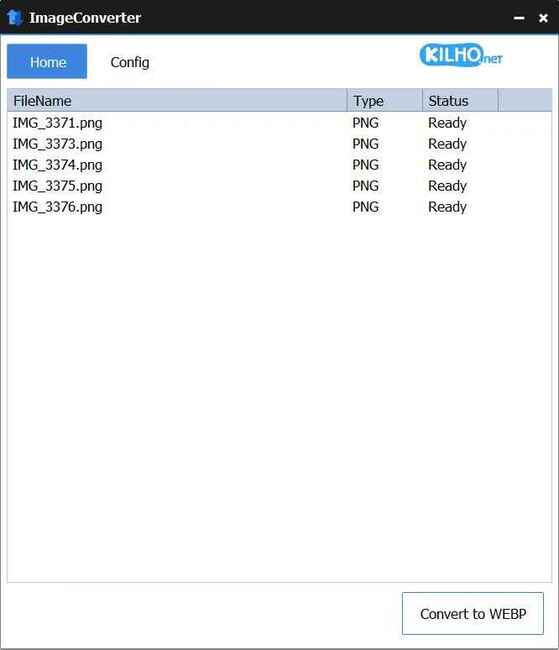
ImageConverter is an image format conversion software for Windows operating system. This software supports many formats such as PNG, JPG, GIF, WebP, TIFF, and HEIC, helping you easily change image formats according to your needs. With a minimalist interface and flexible customization features, ImageConverter is a great choice for those who need to convert images quickly and efficiently.
See more: Top 6 folder locking software effective to protect personal data
Outstanding features of ImageConverter
ImageConverter possesses many outstanding features, from a simple interface to the ability to customize conversions. Let's take a look at some of the strengths of this software:
1. Friendly interface, easy to use
ImageConverter's first strong point is its simple, minimalist yet fully functional interface. When you open the software, you will see a clear interface without complicated features, making it easy for new users to get used to. To convert images, you just need to drag and drop the image into the main window, select the output format and press the “Convert” button and you're done.
2. Supports many formats
ImageConverter supports many popular formats such as PNG, JPG, GIF, WebP and TIFF. In addition, according to the developer's official website, the software also supports PDF, SVF, AI, PSD and TGA formats. An interesting thing is that this software also supports converting images to HEIC format, suitable for people who often use Apple devices.
3. Customize conversion parameters
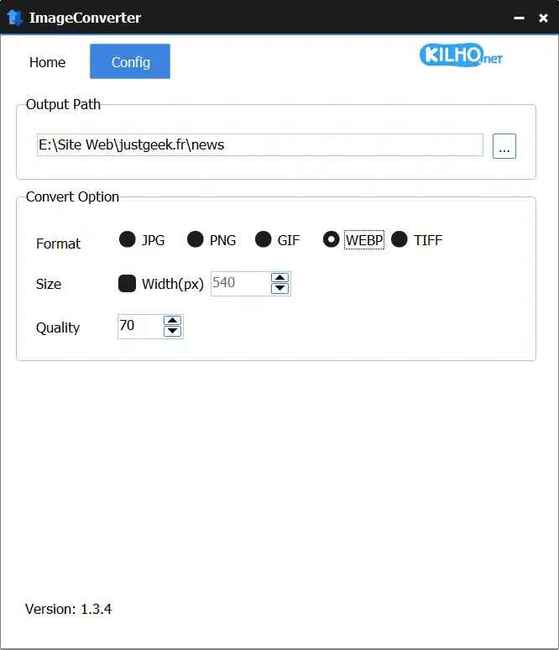
Despite its simple interface, ImageConverter also offers many customization options to help you control the image conversion process. By accessing the “Config” tab you can:
- Choose image storage location: Make sure the converted image is saved in the location you want.
- Resize image: You can automatically resize images by specifying the width in pixels, suitable for different usage needs.
- Adjust compression quality: With a compression quality slider from 0% to 100%, you can choose the right compression level to balance image quality and capacity. The recommended compression level is from 70% to 80% to ensure images retain good quality but the capacity is significantly reduced.
4. Fast conversion speed
One of the big advantages of ImageConverter is its fast conversion speed. It only takes a few seconds for your image to be converted and saved in the desired location. This saves time, especially when you need to process many images at once.
Instructions for using ImageConverter
Below are detailed steps so you can easily use ImageConverter:
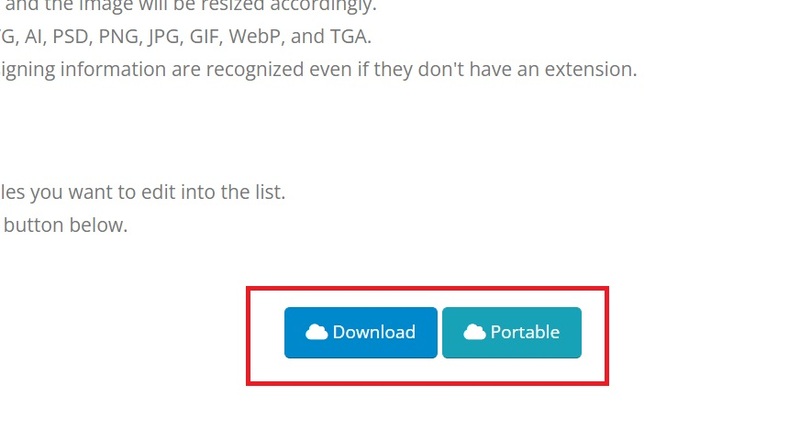
Step 1: First you need to download the software from official website of the developer. You can choose the installation version or the portable version depending on your needs.
- Installation version: Extract the ZIP file and run the ImageConverterSetup.exe file to proceed with the installation.
- Portable version: Extract the ZIP file and run the ImageConverter.exe file directly without installation.
Step 2: Once installed or extracted, you just need to launch ImageConverter. The program's interface is very easy to understand, you can start using it immediately without spending time tinkering.
Step 3: Drag and drop the image files to be converted into the main window of the program. You can add multiple files at once.
Step 4: Customize conversion settings:
- Choose output format: You can choose the desired output format such as PNG, JPG, GIF, WebP or TIFF.
- Resize image: If you need to resize the image, simply specify the width in pixels.
- Adjust compression quality: Choose the right compression level to preserve image quality and reduce file size.
Step 5: Once setup is complete, press the “Convert” button to begin. In just a few seconds, your image will be converted and saved to the selected location.
See more: CatLock: Protects the keyboard from naughty cats
Conclusion
Minimalist interface, fast conversion speed and flexible customization capabilities ImageConverter becoming a useful tool for everyone, from basic users to professionals. If you need a convenient and free image conversion software, try downloading ImageConverter from the official website and try it out!