Register and enter license plate number via VNeID is a convenient solution, helping people save time and effort in completing vehicle registration procedures. Instead of having to go to a state agency like before, now just by using the VNeID application, you can do every step from registering, submitting documents to receiving license plates quickly right at home. Join AnonyViet to explore the implementation process in detail through the article below!
| Join the channel Telegram belong to AnonyViet 👉 Link 👈 |
What is VNeID?
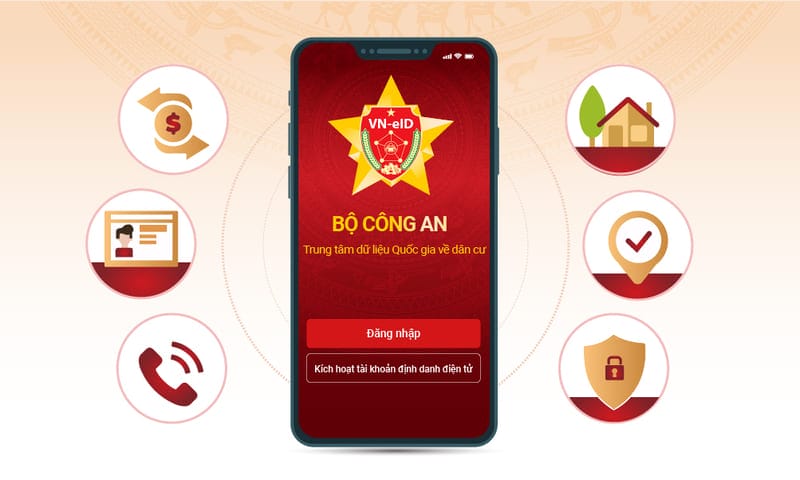
VNeID is an electronic identification application, integrating important information and documents such as citizen identification, health insurance, driver's license and vehicle registration. This application helps users make administrative procedures simpler and more convenient. They do not need to go directly to state agencies but can still handle procedures right at home.

See more: Instructions on how to report crimes using the VNeID application
Outstanding features of VNeID
With VNeID, users can perform many useful features, typically:
- Register and click license plate online.
- Store important documents such as citizen identification cards and driver's licenses.
- Carry out other administrative procedures quickly and conveniently.
In addition, VNeID also helps optimize working processes, reduce time and effort for people, and limit the inconvenience of having to go to the police to handle complex administrative procedures.
New circular on registration and registration of license plates via VNeID
According to Circular 28/2024/TT-BCA, effective from August 2024, the Ministry of Public Security has officially allowed people to register and issue license plates for the first time for domestically produced and assembled vehicles via VNeID application or public service portal of the Ministry of Public Security. This regulation helps people carry out procedures right at home, saving time and effort on travel.
How to register and click license plate via VNeID
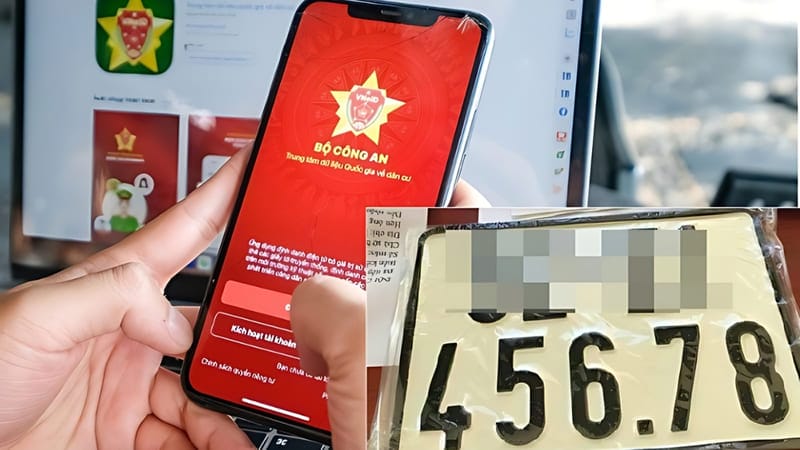
Step 1: First, you need to update the VNeID application to the latest version from Google Play or App Store. This ensures that you can fully utilize the latest features of the app.
Step 2: Open the VNeID application and log in with your personal identification number and password. If you don't have an account, please register for an account before logging in.
Step 3: At the main interface of the application, select “Administrative procedures – Registration and issuance of license plates for the first time”. Next, authenticate information with passcode or another security method such as fingerprint or face.
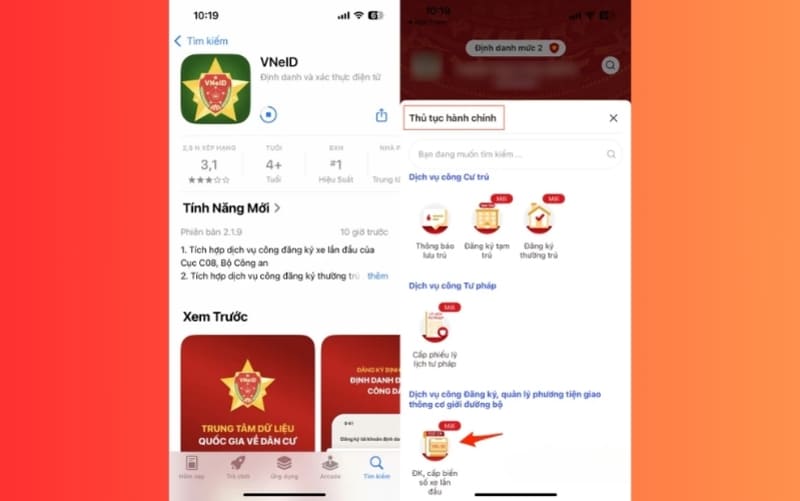
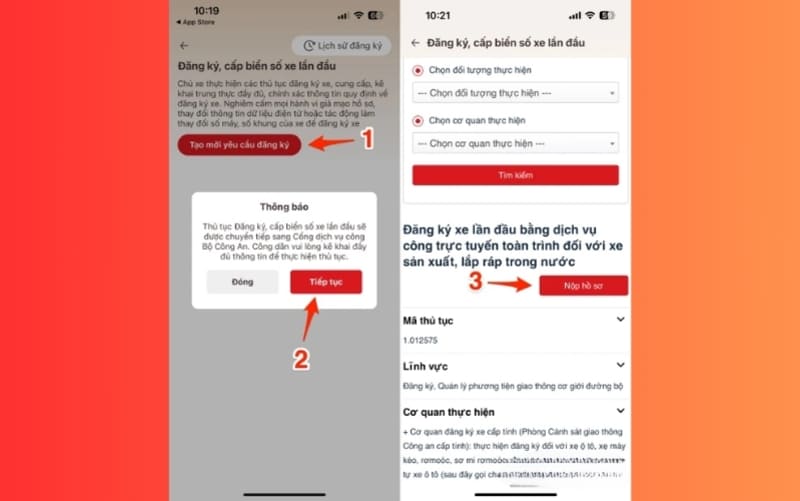
Step 4: After successful authentication, select “Create new registration request” and the application will automatically redirect to the public service portal of the Ministry of Public Security.
Step 5: In the “First-time vehicle registration” section, select “Submit application”.
Step 6: Next, you choose the type of vehicle (car, motorbike) and registration point appropriate to your permanent or temporary residence address. Then click “Agree” and continue to proceed to the next steps.
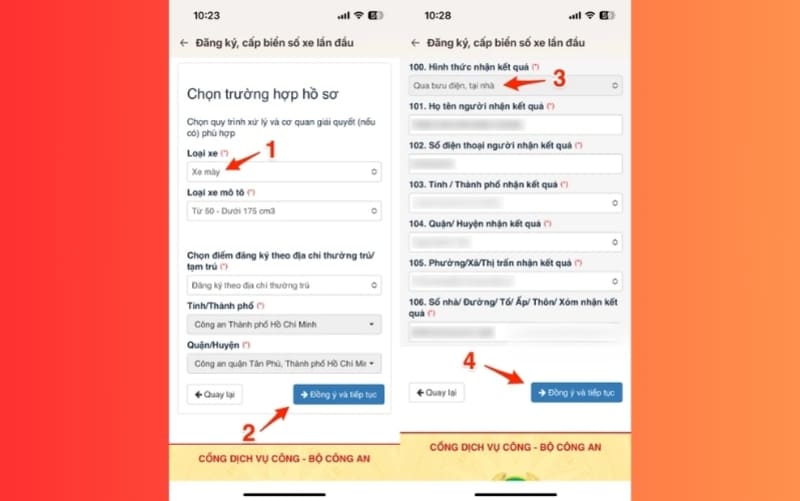
Step 7: Upload a photo of the vehicle (taken from a 45-degree angle in front of the vehicle) and fill in all information such as: vehicle information, quality inspection form, registration fee payment information and electronic invoice. Note that fields marked with * are required and cannot be left blank.
Step 8: In the “How to receive results” section, you can choose to receive by post so that the license plate will be sent to your home. Then, click “Agree” and continue to complete the procedure.
Step 9: After completing the application, you will receive an application code to track processing progress. When entering the application, you will receive instructions to enter the license plate and pay the required fee.
Document processing process after registering on VNeID
After users complete registration and submit documents via VNeID, vehicle registration officials will check and adjust data from the public service portal of the Ministry of Public Security. After that, the application will be submitted to the leader for approval, signed and the license plate and vehicle registration certificate will be sent by mail to your address.
See more: How to edit tax information from ID card to CCCD online
Conclusion
Job Register and enter license plate number via VNeID brings unprecedented convenience, helping you save a lot of time and reduce the burden of moving. This is an inevitable trend of the technological age, bringing convenience to all people. Update the VNeID application immediately to experience superior features and carry out administrative procedures more quickly and effectively!