• Home
  • News
  • Software
  • Knowledge
  • MMO
  • Tips
  • Security
  • Network
  • Office
AnonyViet - English Version
  • Home
  • News
  • Software
  • Knowledge
  • MMO
  • Tips
  • Security
  • Network
  • Office
No Result
View All Result
  • Home
  • News
  • Software
  • Knowledge
  • MMO
  • Tips
  • Security
  • Network
  • Office
No Result
View All Result
AnonyViet - English Version
No Result
View All Result

How to fix the error of not being able to access Facebook on Iphone

AnonyViet by AnonyViet
October 22, 2023
in Tips
0

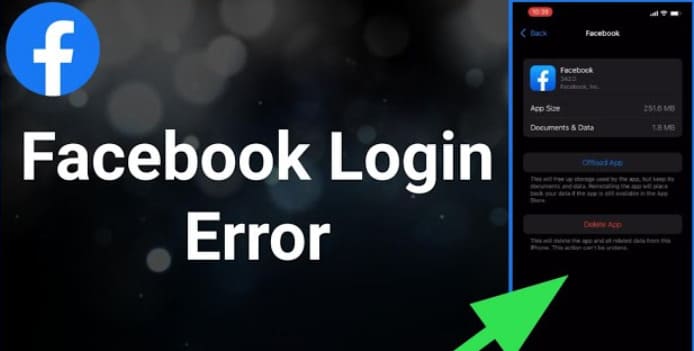
In the past 1 week, older iPhones from iPhone XR and earlier are having errors when entering the Facebook application. There are 2 situations that occur: you can access the Facebook App but the page is blank or you are thrown out of the App. According to some users, this error may be due to the iPhone not being compatible with the new update. To fix the error of not being able to access Facebook on iPhone, you can follow these steps:

Join the channel Telegram belong to AnonyViet 👉 Link 👈

How to fix the error of not being able to access Facebook on Iphone

Instructions to fix the error of not being able to access Facebook on Iphone

Method 1: Delete Facebook App and reinstall from App Store

This is only a temporary way to access Facebook.

  1. Go to the iPhone’s home screen.
  2. Find and click the “Settings” icon.
  3. Scroll down and select “Facebook” in the list of apps.
  4. Tap “Delete App” and confirm your selection.
  5. Open the App Store.
  6. Search for “Facebook” and click the “Download” button to reinstall the application.

However, if you exit the Facebook App and re-enter, you will still have the error of not being able to access Facebook on your iPhone. Therefore, it is best to leave Facebook running in the background after using it. Don’t swipe up to exit Facebook completely, you won’t be able to access it again.

  1. After using Facebook, do not exit the application by pressing the Home button or swiping horizontally to close it.
  2. Instead, swipe up from the bottom of the screen to display the list of apps running in the background.
  3. Find the Facebook app and tap it to return to the app without shutting it down completely.
  4. This can help the Facebook app perform better and reduce the chance of errors.

If you exit Facebook, follow Step 1 to Step 6 again to reinstall Facebook from the Appstore.

Method 2: Log out of Facebook and log back in

In case you have accessed Facebook in Method 1, if you want to completely fix it, some people advise you to Log out of your account from the Facebook App on iPhone, then log in again from the beginning. by entering phone number and password. Then you can fix the error of not being able to access Facebook on iPhone.

Method 3: Install an older version of Facebook

This method only applies to jailbroken devices or purchased certificates. When Jailbreak After that, install Tweak Appstore++ or App Admin to downgrade the current Facebook version to an older version.

Fortunately, iPhone X and earlier models can be jailbroken due to hardware vulnerabilities. Therefore you can easily jailbreak with available tools.

Method 4: Upgrade iOS

If you are on a low iOS version, try upgrading iOS to the latest version by doing the following:

  1. Go to the iPhone’s home screen.
  2. Find and click the “Settings” icon.
  3. Scroll down and select “General”.
  4. Click “Software Update”.
  5. If you have a newer version of iOS currently installed, you’ll see a notification about an iOS update. Click “Download and Install” to upgrade iOS.
  6. When the upgrade is complete, restart your iPhone.

Upgrading iOS can help fix many app-related issues, including improving stability and fixing security bugs. Make sure you have a stable internet connection and enough storage space before doing this. Then delete Facebook and reinstall it to fix the error.

While waiting for Facebook to fix the Facebook App error, If you encounter the error of not being able to use Facebook on iPhone, try all the above methods to fix the error of not being able to access Facebook on iPhone. If you have a good way, please comment below to share with everyone.


Rate this post

Tags: accesserrorFacebookfixiPhone
Previous Post

How to block YouTube’s AdBlock warning is super simple

Next Post

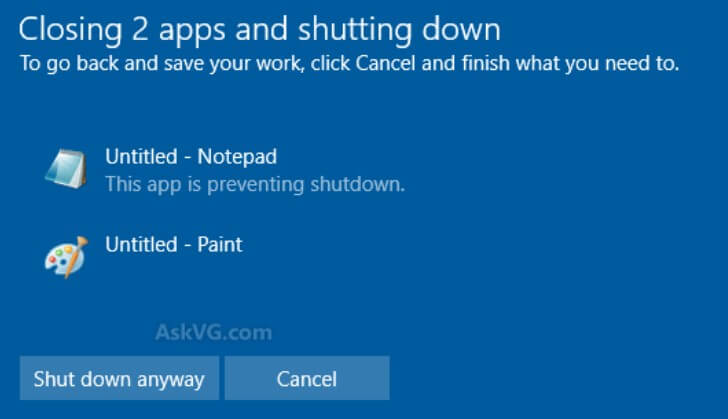
How to turn off the computer without Force Shut Down or Closing App and Shut Down

AnonyViet

AnonyViet

Related Posts

How to create funny selfies with pets for your pets
Tips

How to create funny selfies with pets for your pets

June 19, 2026
Chrome extension not working error and the fastest way to fix it
Tips

Chrome extension not working error and the fastest way to fix it

June 19, 2026
Instructions to receive Claude Fable 5 for free for 30 days
Tips

Instructions to receive Claude Fable 5 for free for 30 days

June 15, 2026
Delete all Event Logs on Windows to remove traces of activity
Tips

Delete all Event Logs on Windows to remove traces of activity

June 15, 2026
Instructions for creating Minecraft-style food photos
Tips

Instructions for creating Minecraft-style food photos

June 9, 2026
Get free Cambridge courses to prepare for IELTS, Starters, Movers
Tips

Get free Cambridge courses to prepare for IELTS, Starters, Movers

June 4, 2026
Next Post
How to turn off the computer without Force Shut Down or Closing App and Shut Down

How to turn off the computer without Force Shut Down or Closing App and Shut Down

0 0 votes
Article Rating
Subscribe
Login
Notify of
guest

guest

0 Comments
Oldest
Newest Most Voted
Inline Feedbacks
View all comments

Recent News

Instructions on how to use Gemini Omni to create realistic videos

Instructions on how to use Gemini Omni to create realistic videos

June 23, 2026
How to receive 30GB of VinaPhone data for free on your 30th birthday

How to receive 30GB of VinaPhone data for free on your 30th birthday

June 22, 2026
Instructions for creating Adam’s voice for million-view TikTok videos

Instructions for creating Adam’s voice for million-view TikTok videos

June 21, 2026
Cloud Infrastructure Resilience: Mitigating Advanced Layer 7 Vulnerabilities and Securing High-Throughput Database Handshakes

Cloud Infrastructure Resilience: Mitigating Advanced Layer 7 Vulnerabilities and Securing High-Throughput Database Handshakes

June 20, 2026
Instructions on how to use Gemini Omni to create realistic videos

Instructions on how to use Gemini Omni to create realistic videos

June 23, 2026
How to receive 30GB of VinaPhone data for free on your 30th birthday

How to receive 30GB of VinaPhone data for free on your 30th birthday

June 22, 2026
Instructions for creating Adam’s voice for million-view TikTok videos

Instructions for creating Adam’s voice for million-view TikTok videos

June 21, 2026
AnonyViet - English Version

AnonyViet

AnonyViet is a website share knowledge that you have never learned in school!

We are ready to welcome your comments, as well as your articles sent to AnonyViet.

Follow Us

Contact:

Email: anonyviet.com[@]gmail.com

Main Website: https://anonyviet.com

Recent News

Instructions on how to use Gemini Omni to create realistic videos

Instructions on how to use Gemini Omni to create realistic videos

June 23, 2026
How to receive 30GB of VinaPhone data for free on your 30th birthday

How to receive 30GB of VinaPhone data for free on your 30th birthday

June 22, 2026
  • Home
  • Home 2
  • Home 3
  • Home 4
  • Home 5
  • Home 6
  • Next Dest Page
  • Sample Page

6789 kv999

No Result
View All Result
  • Home
  • News
  • Software
  • Knowledge
  • MMO
  • Tips
  • Security
  • Network
  • Office

6789 kv999

wpDiscuz
0
0
Would love your thoughts, please comment.x
()
x
| Reply