• Home
  • News
  • Software
  • Knowledge
  • MMO
  • Tips
  • Security
  • Network
  • Office
AnonyViet - English Version
  • Home
  • News
  • Software
  • Knowledge
  • MMO
  • Tips
  • Security
  • Network
  • Office
No Result
View All Result
  • Home
  • News
  • Software
  • Knowledge
  • MMO
  • Tips
  • Security
  • Network
  • Office
No Result
View All Result
AnonyViet - English Version
No Result
View All Result

5 steps to fix 100% Full Disk error on Windows 8/8.1/10

AnonyViet by AnonyViet
March 22, 2023
in Tips
0

Your computer often hangs, lags, can’t do anything even after reinstalling Windows, and when checking Task Manager, it is Full 100% Disk. The following article will help you thoroughly solve this situation in the most optimal and effective way, helping you fix the problem of full computer hard drive.

Join the channel Telegram belong to AnonyViet ???? Link ????

The best way is to use ssd drive

1. Handling Troubleshooting:

You guys come in Control Paneltype Troubleshooting in the search box and selectItems Troubleshooting.

Instructions to fix 100% Full Disk error on Windows

A window will appear, click System and Security.

Instructions to fix 100% Full Disk error on Windows

A new window will appear, select System Maintenance.

Instructions to fix 100% Full Disk error on Windows

The message appears, you choose next.

Instructions to fix 100% Full Disk error on Windows

Then just let it work when the message appears System Maintenancethen click on Try troubleshooting as an administrator.

Instructions to fix 100% Full Disk error on Windows

And wait for it to run until there are words Close then click.

2. Turn off Maintenance:

Open Action Center by left clicking on the flag below Taskbar bottom right corner, select Open Action Center.

Instructions to fix 100% Full Disk error on Windows

Next click on the arrow for the up direction as shown to show more details of the setting Maintenanceselect Settings.

Instructions to fix 100% Full Disk error on Windows

Then click on Never check for solutions (not recommended)

Instructions to fix 100% Full Disk error on Windows

Select OK.

3. Turn off Windows SmartScreen:

As well as off Maintenanceyou enter Action Centerthen look at the column on the left with the entry Change Windows SmartScreen Settingsclick on this item

Instructions to fix 100% Full Disk error on Windows

Then choose Don’t do anything (turn off Windows SmartScreen)

Instructions to fix 100% Full Disk error on Windows

4. Turn off Service Super fetch:

Open Task Manager (or use the keyboard shortcut Ctrl + Shift + Esc). Switch to tabs Serviceselect Open Service. Window Services pop up, find service Super fetch(press S and then search for convenience)

Instructions to fix 100% Full Disk error on Windows

Double click on the service Super fetchselect Disable Already OK -> Apply.

Instructions to fix 100% Full Disk error on Windows

5. Turn off Service Windows Search:

Still in Servicesyou find Windows Search (press W then search).

Instructions to fix 100% Full Disk error on Windows

Then do the same as Super fetch.

Instructions to fix 100% Full Disk error on Windows

India OK -> Apply to save changes.

After doing the above 5 ways, restart your computer, turn on Task Manager Check to see if you still have 100% Disk.

Instructions to fix 100% Full Disk error on Windows

Note: Some good software shows 100% Disk even though you have done the steps because that software may be anti-virus, then the software scans the System so 100% does not worry, wait for the scan to finish…


The article achieved: 5/5 – (100 votes)

Previous Post

TOP latest Vivo phones with enough price segments to buy

Next Post

How to Sign Up and Use the Google Bard

AnonyViet

AnonyViet

Related Posts

Cách Đăng ký Nhận Code ChatGPT Business
Tips

Cách Đăng ký Nhận Code ChatGPT Business

November 2, 2026
Instructions for cleaning LG TV with Antigravity to help it run faster
Tips

Instructions for cleaning LG TV with Antigravity to help it run faster

October 30, 2026
Quét lỗ hổng bảo mật cho Vide Coding bằng Security Audit Skill
Tips

Quét lỗ hổng bảo mật cho Vide Coding bằng Security Audit Skill

October 27, 2026
Instructions for registering for OxionAI Pro for 1 year with many powerful AI models
Tips

Instructions for registering for OxionAI Pro for 1 year with many powerful AI models

October 24, 2026
How are Windows 11 Pro and Windows 10 Pro different?
Tips

How are Windows 11 Pro and Windows 10 Pro different?

October 23, 2026
Instructions for using CleanYourTV: Remove ads on Android TV, Google TV
Tips

Instructions for using CleanYourTV: Remove ads on Android TV, Google TV

October 23, 2026
Next Post
How to Sign Up and Use the Google Bard

How to Sign Up and Use the Google Bard

0 0 votes
Article Rating
Subscribe
Login
Notify of
guest

guest

0 Comments
Oldest
Newest Most Voted

Recent News

Instructions on how to buy super bargain 1k Bach Hoa Xanh products

Instructions on how to buy super bargain 1k Bach Hoa Xanh products

November 6, 2026
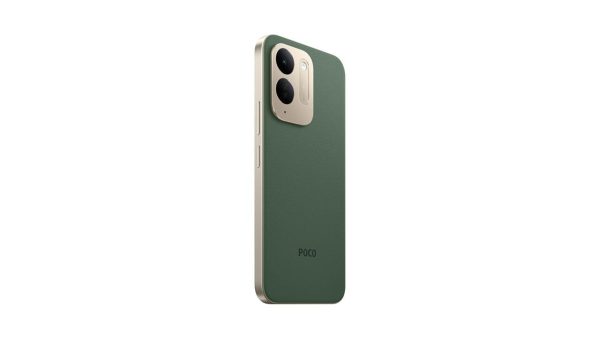
Besides the 7500 mAh battery and 6.9 inch screen, what else does the POCO C95 Pro 4G have to make it a secondary device worth buying?

Besides the 7500 mAh battery and 6.9 inch screen, what else does the POCO C95 Pro 4G have to make it a secondary device worth buying?

November 5, 2026
App fixes printer errors automatically, effective immediately with 1 click

App fixes printer errors automatically, effective immediately with 1 click

November 5, 2026
What to do when your company opening information is stolen?

What to do when your company opening information is stolen?

November 4, 2026
Instructions on how to buy super bargain 1k Bach Hoa Xanh products

Instructions on how to buy super bargain 1k Bach Hoa Xanh products

November 6, 2026
Besides the 7500 mAh battery and 6.9 inch screen, what else does the POCO C95 Pro 4G have to make it a secondary device worth buying?

Besides the 7500 mAh battery and 6.9 inch screen, what else does the POCO C95 Pro 4G have to make it a secondary device worth buying?

November 5, 2026
App fixes printer errors automatically, effective immediately with 1 click

App fixes printer errors automatically, effective immediately with 1 click

November 5, 2026
AnonyViet - English Version

AnonyViet

AnonyViet is a website share knowledge that you have never learned in school!

We are ready to welcome your comments, as well as your articles sent to AnonyViet.

Follow Us

Contact:

Email: anonyviet.com[@]gmail.com

Main Website: https://anonyviet.com

Recent News

Instructions on how to buy super bargain 1k Bach Hoa Xanh products

Instructions on how to buy super bargain 1k Bach Hoa Xanh products

November 6, 2026
Besides the 7500 mAh battery and 6.9 inch screen, what else does the POCO C95 Pro 4G have to make it a secondary device worth buying?

Besides the 7500 mAh battery and 6.9 inch screen, what else does the POCO C95 Pro 4G have to make it a secondary device worth buying?

November 5, 2026
  • Home
  • Home 2
  • Home 3
  • Home 4
  • Home 5
  • Home 6
  • Next Dest Page
  • Sample Page

say88 tỷ lệ kèo nhà cái kèo nhà cái 5 febet

No Result
View All Result
  • Home
  • News
  • Software
  • Knowledge
  • MMO
  • Tips
  • Security
  • Network
  • Office

say88 tỷ lệ kèo nhà cái kèo nhà cái 5 febet

wpDiscuz
0
0
Would love your thoughts, please comment.x
()
x
| Reply