Reduce Game Lag For Cable Break Season
Please allow relatives on both sides to share VPN reduce lag for game
| Join the channel Telegram belong to AnonyViet 👉 Link 👈 |
- Dota 2, Counter-StrikeLOL, FIFA GarenaBizzard, Heroes of the StormOverwatch, World of TanksWorld of Warships, BattlefieldMappleStory,… ??
Server HCM – One of the Link below ( VPN bandwidth ) ???
- s1.vnlag.net
- s2.vnlag.net
- s3.vnlag.net
- s4.vnlag.net
Server Hanoi – One of the Link below ( VPN bandwidth ) ???
- hn1.vnlag.net s Choose this server if you are in the North ????
Note
if you choose the wrong area,i ping ccan increase by 30ms – The more smudged???
Line ping low, no loss packet ????
Username: free
Password: free
Transmission line for Counter-Strike: Global Offensive ???
Username: csgo
Password: csgo
Maximum speed per connection ~5Mbps but make sure it won’t lag or loss packets…
[toggle title=”Hướng dẫn cách Tạo VPN Client sử dụng Windows 7″]
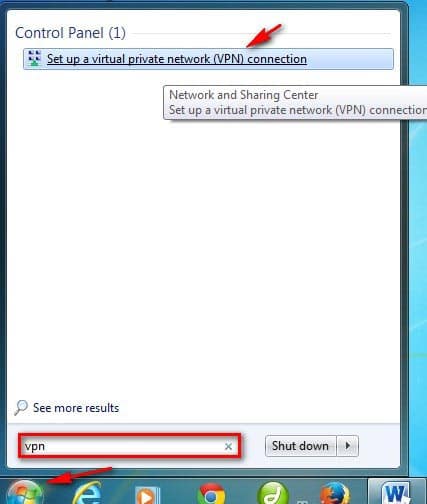
Step 1 First, go to the Network pane by pressing the . key Windows import vpn in the search box and select Set up a virtual private network (VPN) connection
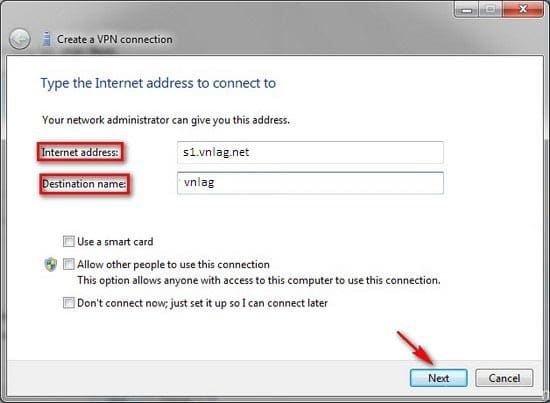
Step 2 Enter the address of the VPN Server as s1.vnlag.net in frame Internet Address and name the VPN connection being created in the frame Destination name press next
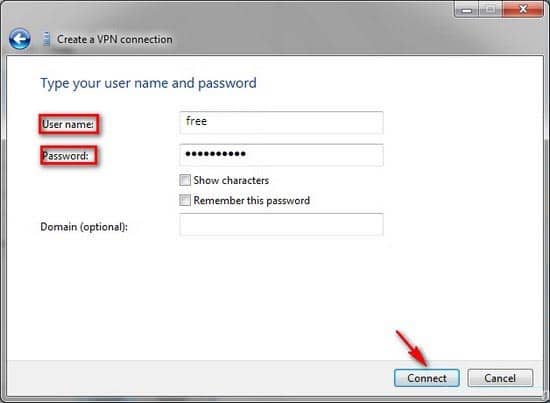
Step 3 Initialize account information VPN to serve the login include
User name: free
Password: free press Connect.
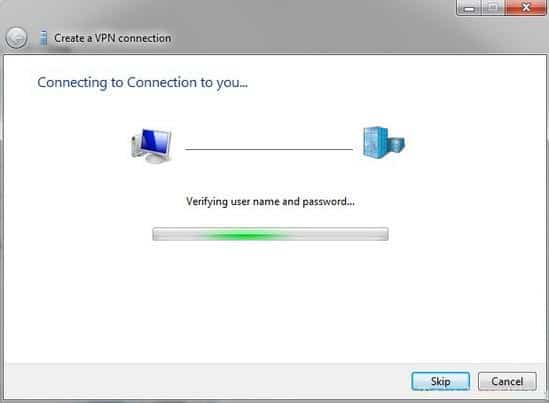
Step 4 Initialization takes a few minutes to create. Done press Close
Step 5 In the connection list Network added the name of the connection VPN that you have declared to connect to VPN Client you just have to choose Connect
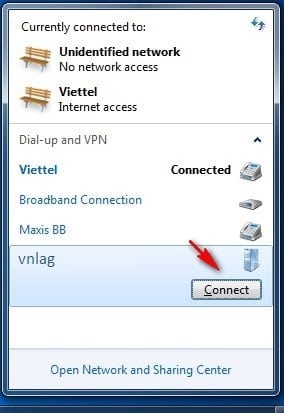
Above are all the very detailed steps on how to create an extra VPN Client on Windowsdows 7.
Good luck [/toggle]
[toggle title=”Hướng dẫn cách tạo VPN Client sử dụng Windows 8″]
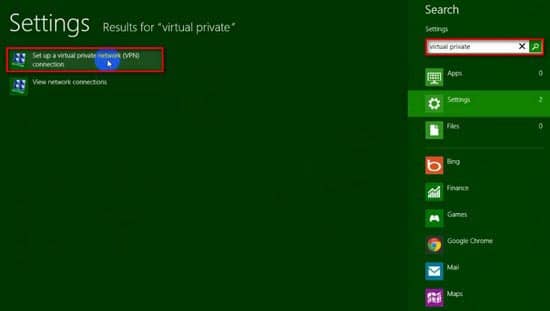
Step 1 First you press the key combination Windows + Q to open the search sidebar select Tab Settings and type Virtual private check box Set up a virtual private network (VPN) connection in the results that appear.
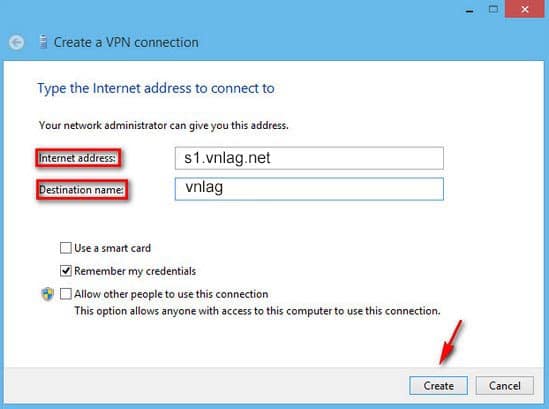
Step 2 Enter the address of the VPN Server as s1.vnlag.net in frame Internet Address and name the VPN connection being created in the frame Destination name press next.
Step 3 In the connection list network added the name of the connection VPN that you have declared.
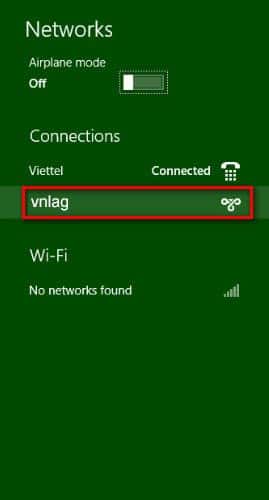
Step 4 To connect to VPN Client you just have to choose Connect VPN Client there.
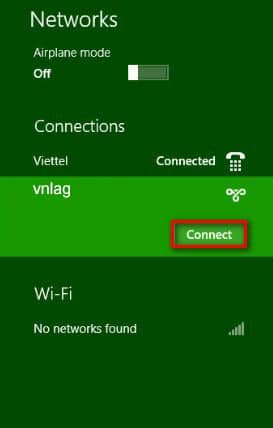
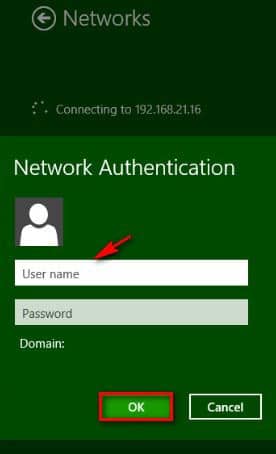
Step 5 Declare
Username and Password is free Already press OK to sign inp.
Above are all very detailed steps on how to create DRAWPN Client uses Windows 8. Good luck.
[/toggle]
[toggle title=”Hướng dẫn cách tạo VPN Client sử dụng Windows 10″]
Step 1: First you press the key combination Windows + Q to open the search sidebar select Tab Settings and type Virtual private check box Set up a virtual private network (VPN) connection in the results that appear.
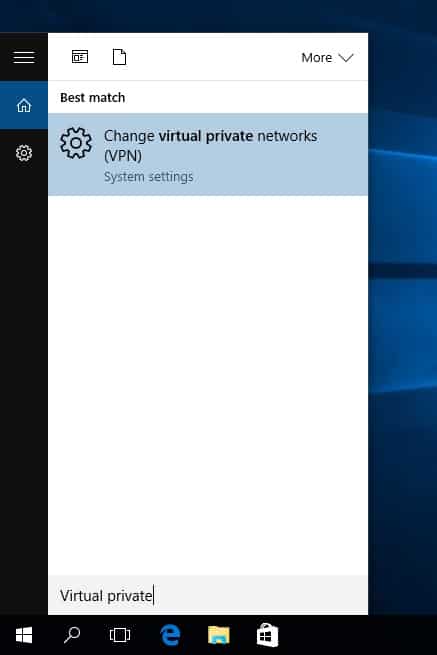
Step 2: Select Add a VPN Connection to make a connection.

Step 3 Select VPN Provider To be Windows (Built-in)
Set connection name in frame Connection name To be VNLAG and enter the address of VPN Server as s1.vnlag.net in frame Server name or Address
Fill in the box Username and Password To be free then press Save.
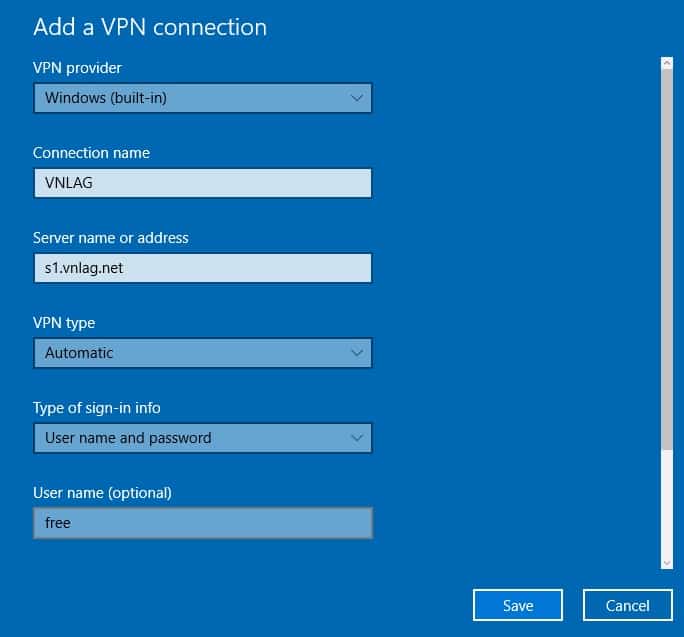
Step 3 In the list of network connections, the name of the connection is added VPN that you have declared. To connect to VPN Client you just have to choose Connect VPN Client there.

Above are all very detailed steps on how to create VPN Client uses Windows 10. Good luck
[/toggle]
[toggle title=”Hướng dẫn cách Tạo VPN Client sử dụng Android”]
Step 1: First you enter Setting (Settings)select line More networks.
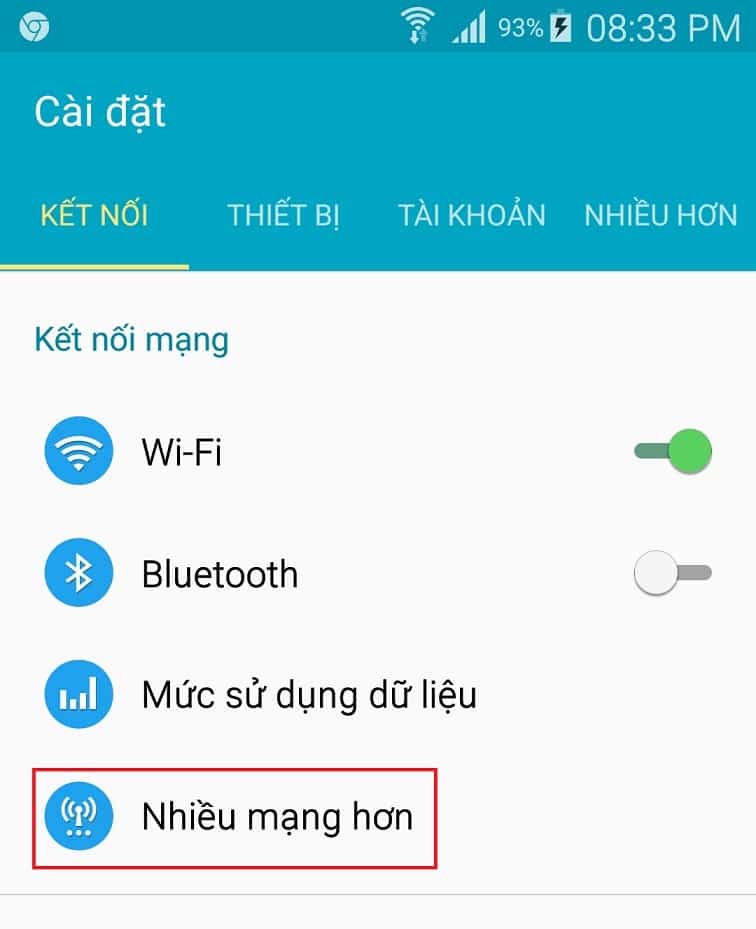
Step 2: After opening More networksselect next line VPN.
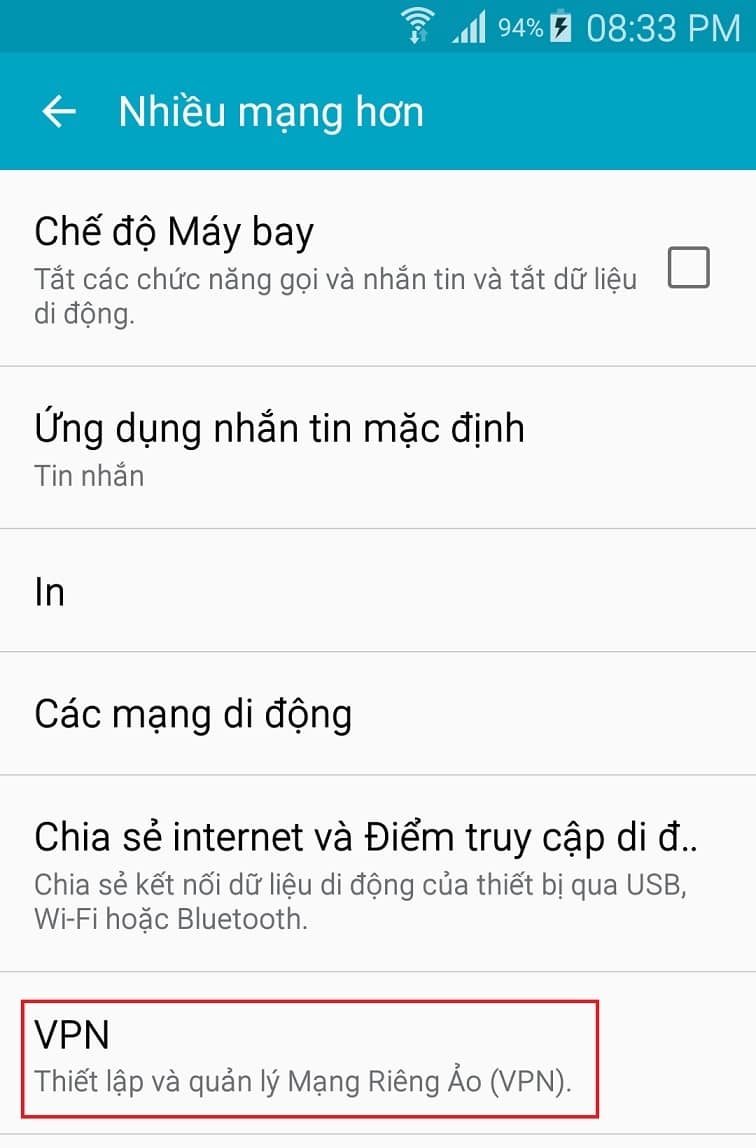
Step 3: After opening VPN click on the sign + to make a connection New VPN.
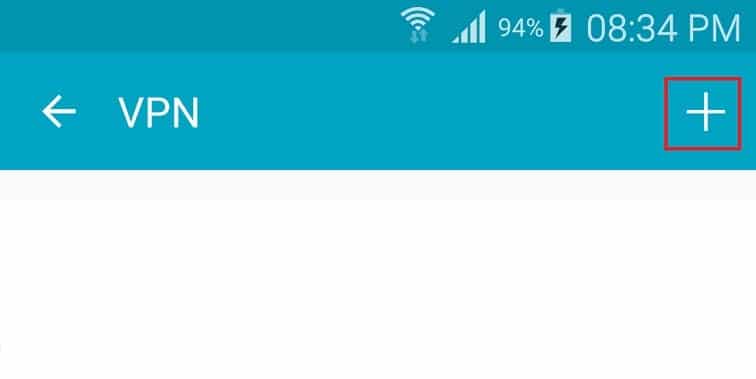
Step 4: After opening More VPNname the connection VPN is VNLAG, at the line Type select PPTPimport s1.vnlag.net to the line Server addressthen press Save to complete.
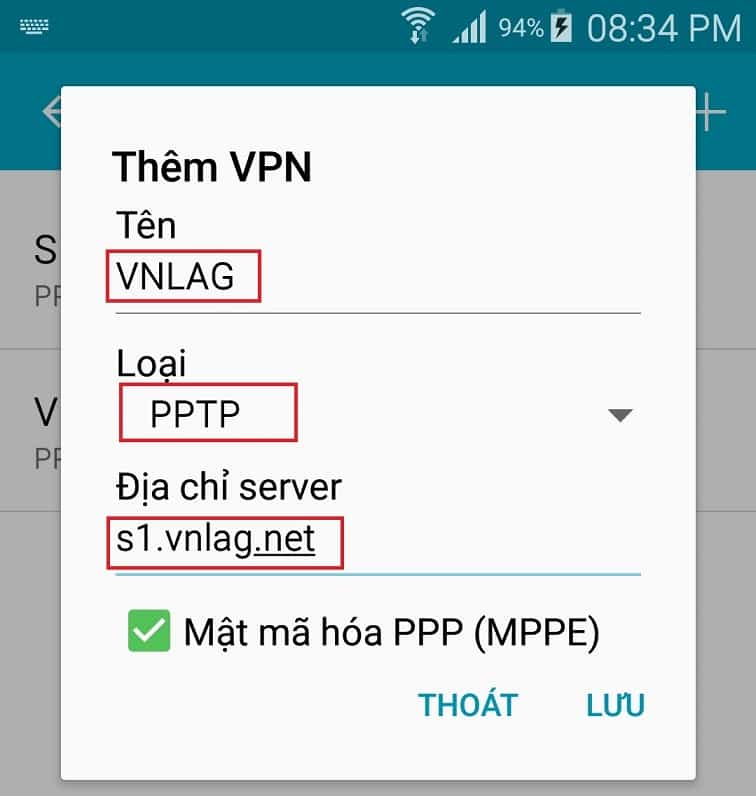
Step 5: Click the connection name is VNLAG to make the connection.

Step 6: Import free give User name and Codepress connect.
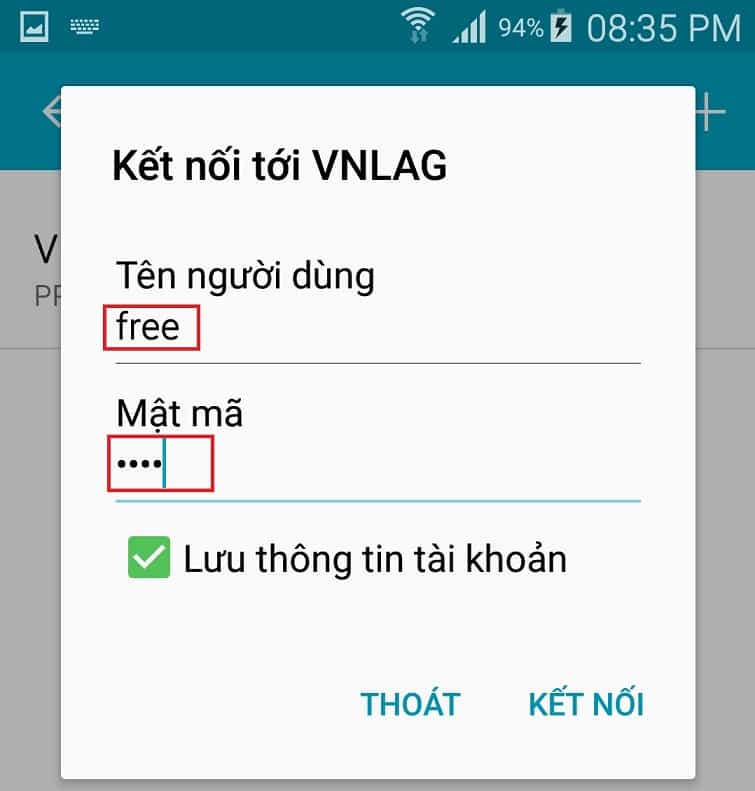
Above are all the very detailed steps on how to create one more VPN Client on a device running the Operating System Android.
Good luck
[/toggle]
[toggle title=”Hướng dẫn khắc phục lỗi không thể kết nối VPN”]
Firewall of some modem block connection VPN PPTP so it is necessary to reconfigure the connection permission VPN PPTP. ??
Open the configuration web page of modem
Dia can only be http://192.168.0.1 or http://192.168.1.1).
For TP-Link Modem: select Security >> Basic Security >> PPTP Passthrough >> check the box Enable ?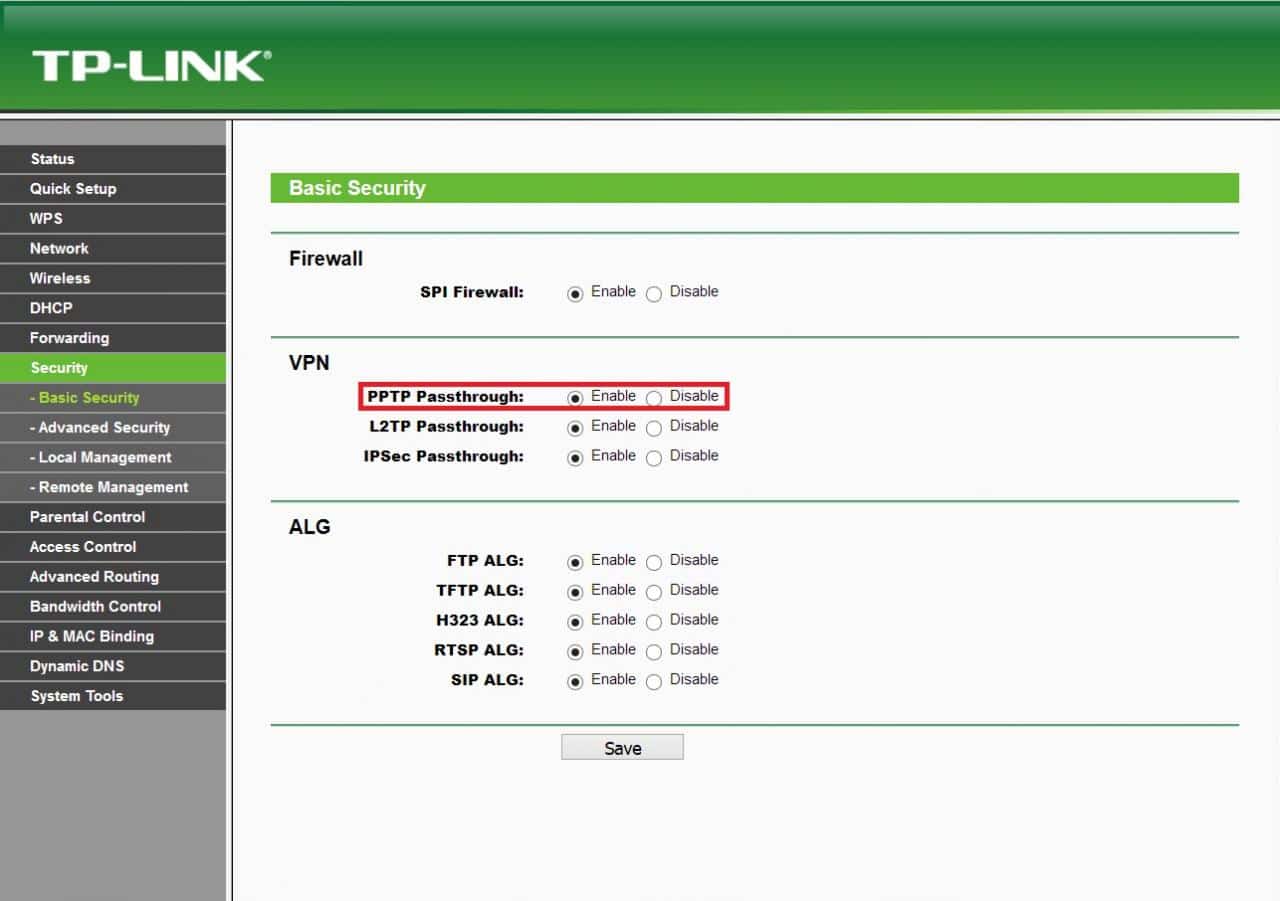
For DLink Modem: select ADVANCED >> FIREWALL SETTINGS >> Application Level Gateway (ALG) Configuration >> PPTP >> check the box Enable ????
Other modems do the same
Good luck !??
[/toggle]