Are you looking for Visual Studio Code extensions to help you code faster and more efficiently for your application? Then this is the article for you. This article has summarized all the best extensions today, programmers should use.
| Join the channel Telegram of the AnonyViet 👉 Link 👈 |

Extension Visual Studio Code is essential for web development needs. Basically, Visual Studio Code is a source code editor for building web applications. It is an open source and completely free editor. Furthermore, VSCode supports a large number of extensions used for web application development.
first. GITLENS
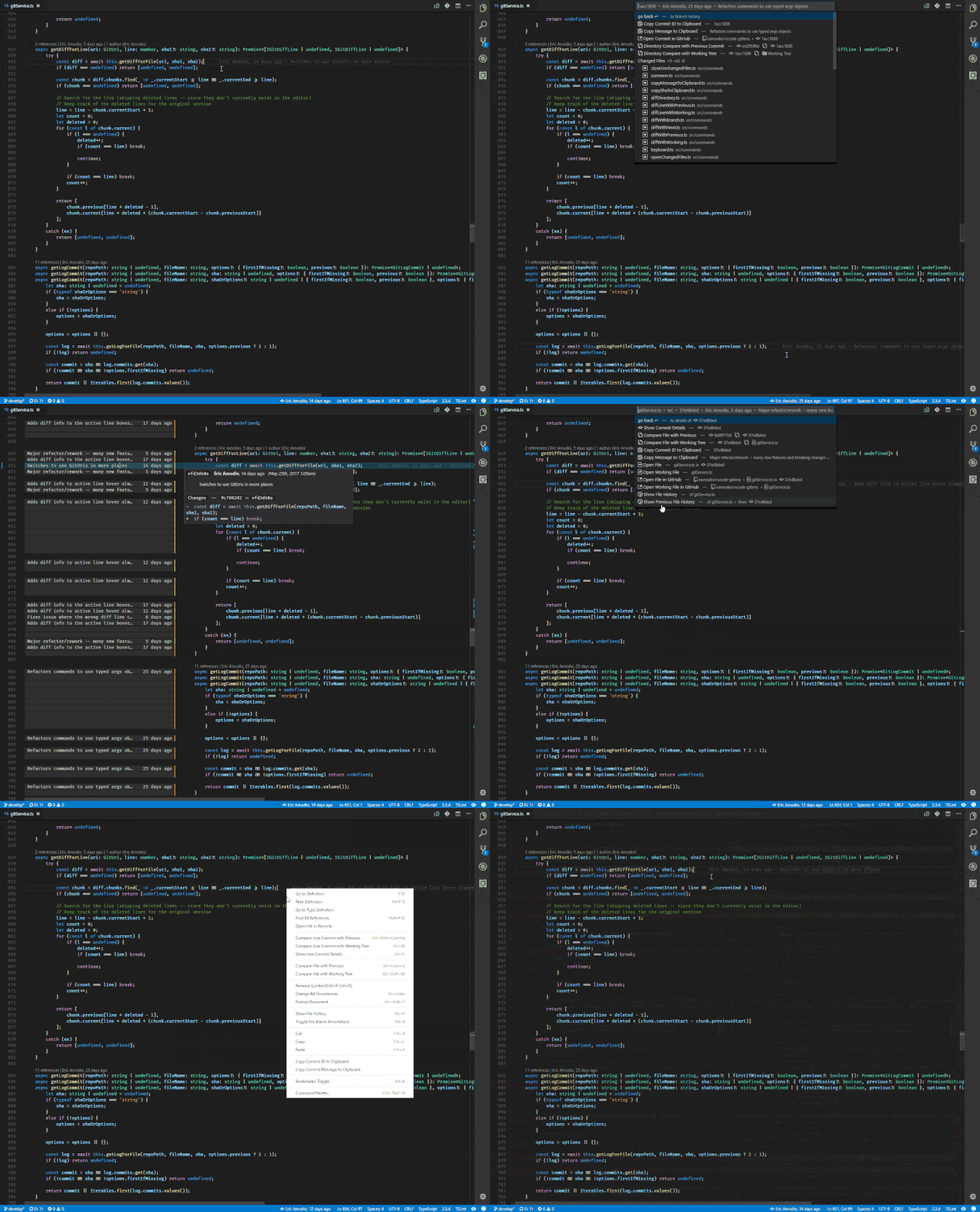
GitLens simply helps you to better understand the code. Quickly see who, why, and when a line or block of code was changed. Besides, it allows you to review the history and evolution of the codebase easily.
GitLens enhances the Git capabilities built into Visual Studio Code. This extension also helps you visualize code authorship at a glance through annotations and code lenses, navigate and explore Git repositories, and more.
Downloads: 5,972,117
2. PRETTIER – CODE FORMATTER

Prettier is a validated and consistently styled code formatter that parses your code and suggests you its own rules. In other words, Prettier will automatically analyze and format your code to make it more beautiful according to a certain and consistent rule of the author of this extension. Besides, it also supports many languages and is integrated in most editors.
Downloads: 7,676,738
3. ESLINT
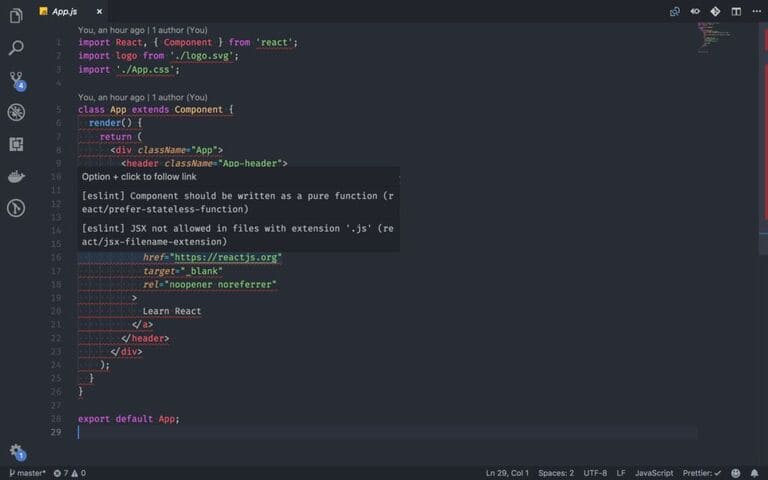
ESLint is used to find problematic patterns or code. It is integrated into most text editors and you can run ESLint as part of the coding workflow. The assessment of problematic code will be based on previously agreed standards of how to write code (within the team, within the company, or in a small industry).
Downloads: 10,236,293
4. QUOKKA.JS
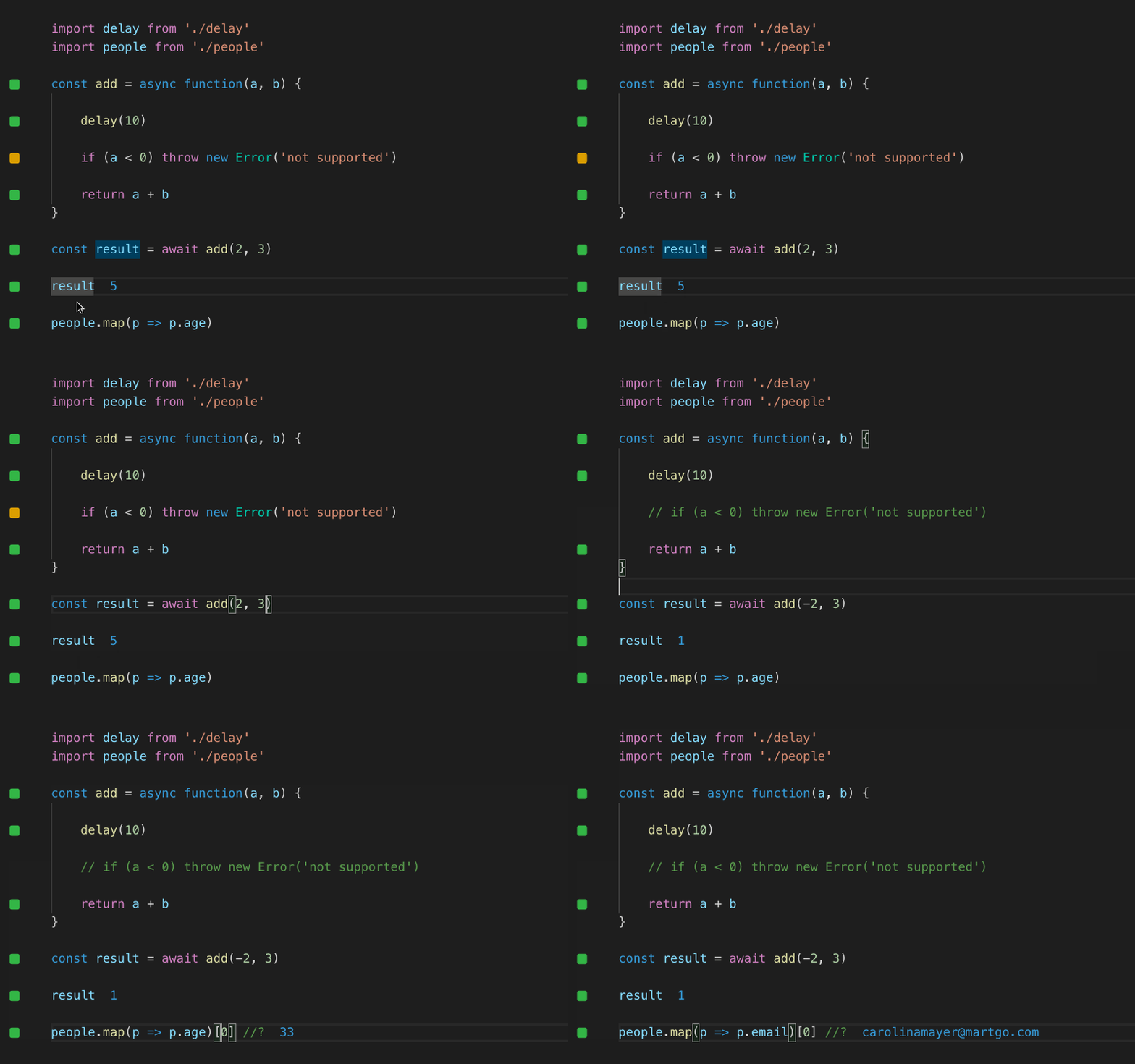
Quokka.js is a productivity tool for developers for rapid JavaScript/TypeScript prototyping. The runtime value is updated and displayed in the IDE next to your code. It makes JavaScript/TypeScript prototyping, learning, and testing faster and more time-saving.
Downloads: 754,978
5. PATH INTELLISENCE
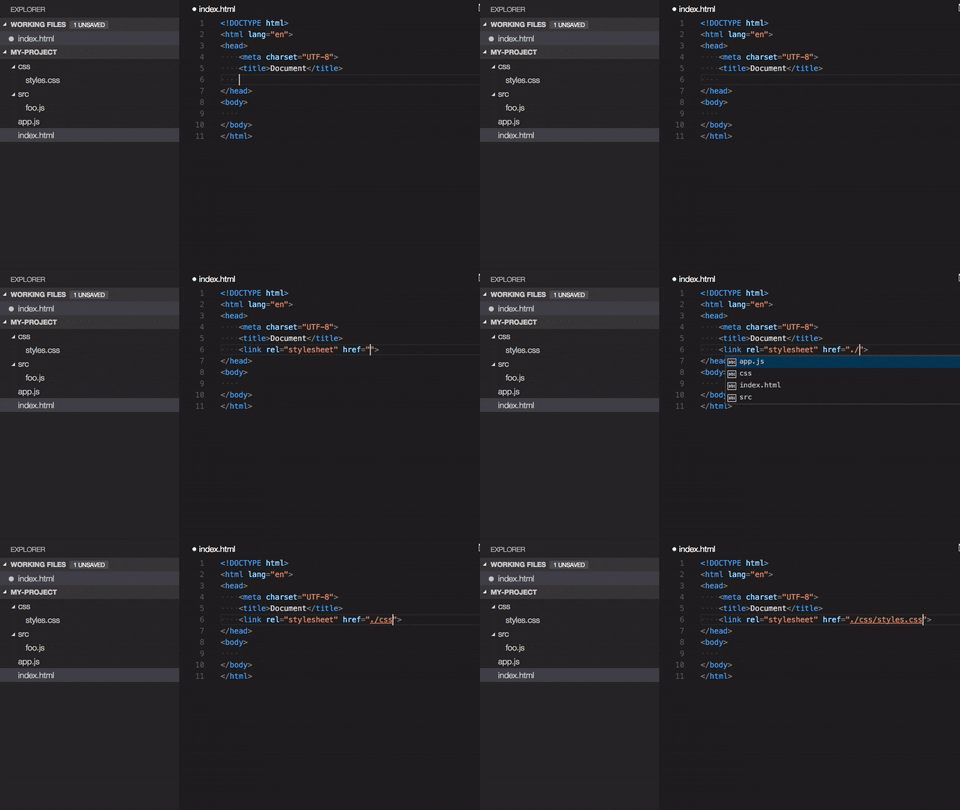
This extension adds Intellisense-style completion to filenames, allowing you to easily type long pathnames. It will remove the file extension by default if the statement is an import statement. It’s like auto-filling the filename.
Downloads: 3,318,156
6. PATH AUTOCOMPLETE
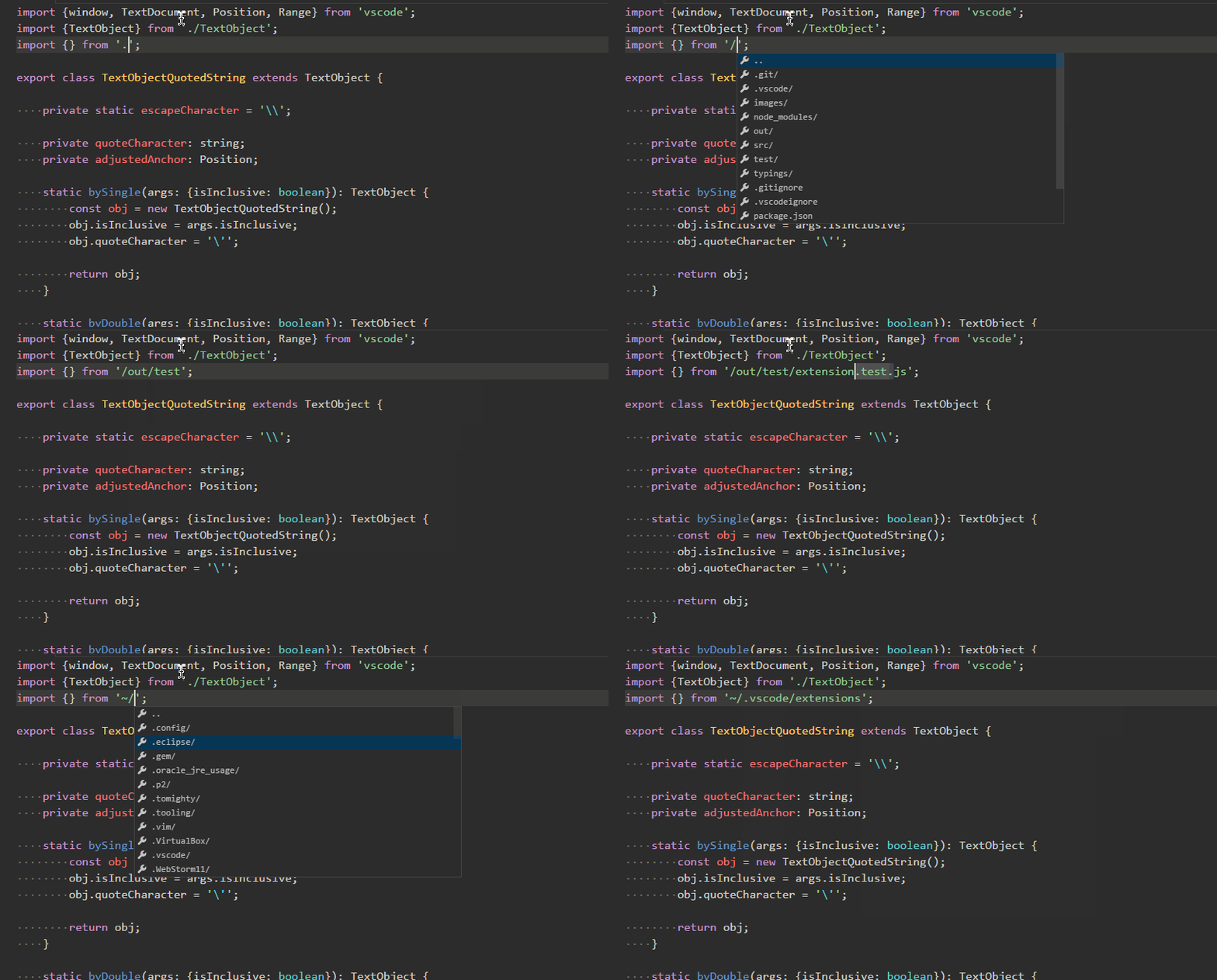
This extension provides path autocomplete for VS Code so you don’t have to memorize or copy paste those hard-to-remember links.
Downloads: 558,868
7. VISUAL STUDIO INTELLICODE
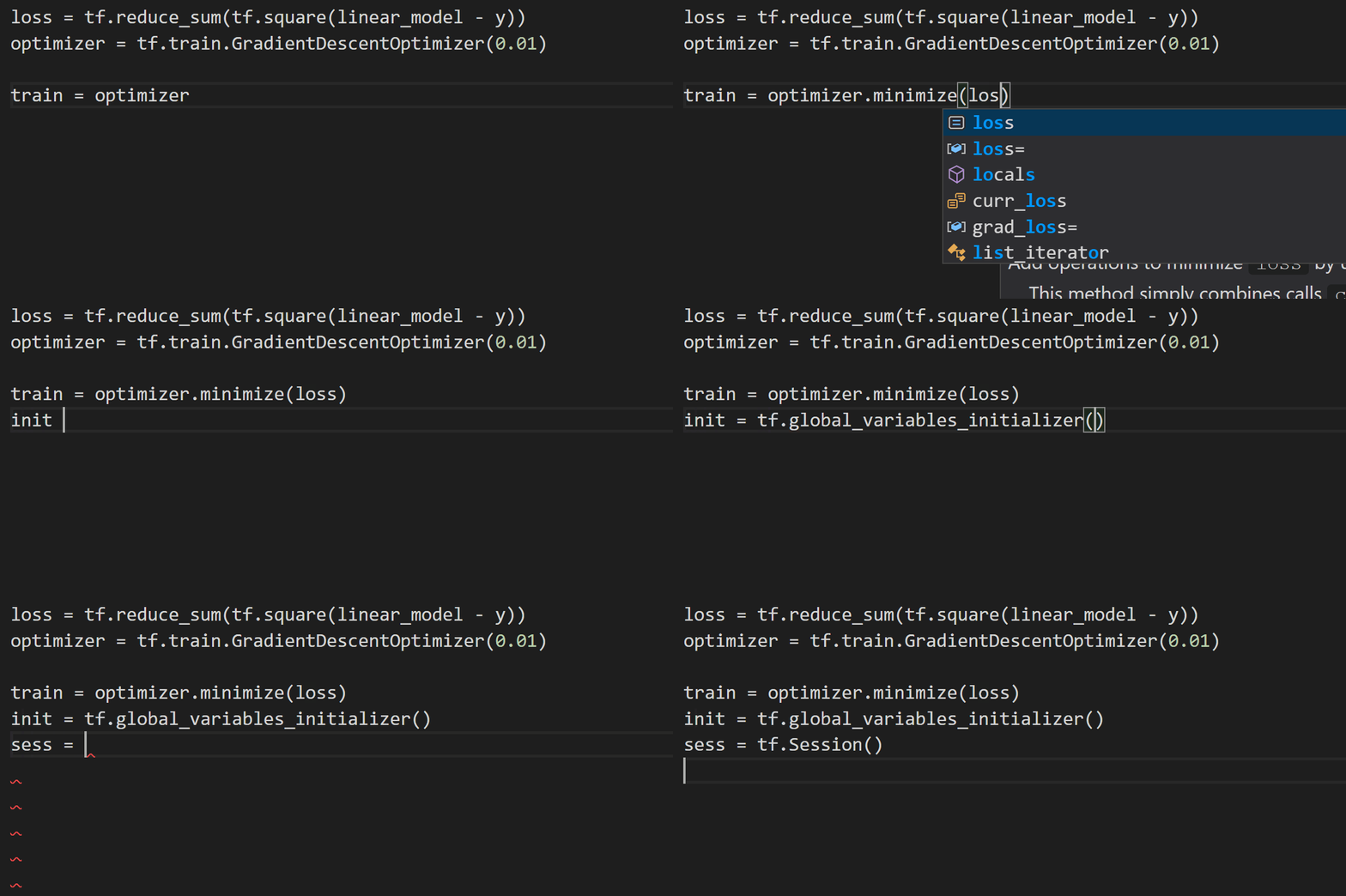
This widget is built to assist developers and programmers with smart code completion suggestions. In addition, it has default support for Python, TypeScript/JavaScript, React, and Java. IntelliCode saves you time by suggesting lines of code you’re about to type. IntelliCode recommendations are based on thousands of open source projects on GitHub, each with more than 100 stars. When combined with the context of your code, the completion list is tailored to suggest common methods.
Downloads: 6,401,943
8. IMPORT COST

This extension will display the package size that you have imported. The utility uses web-pack with babili-webpack-plugin to detect the imported package size.
Downloads: 710,298
9. FILESIZE
 ‘This utility will display the size of the file you are coding in the status bar of the editor.
Downloads: 198,807
ten. LIVE SERVER
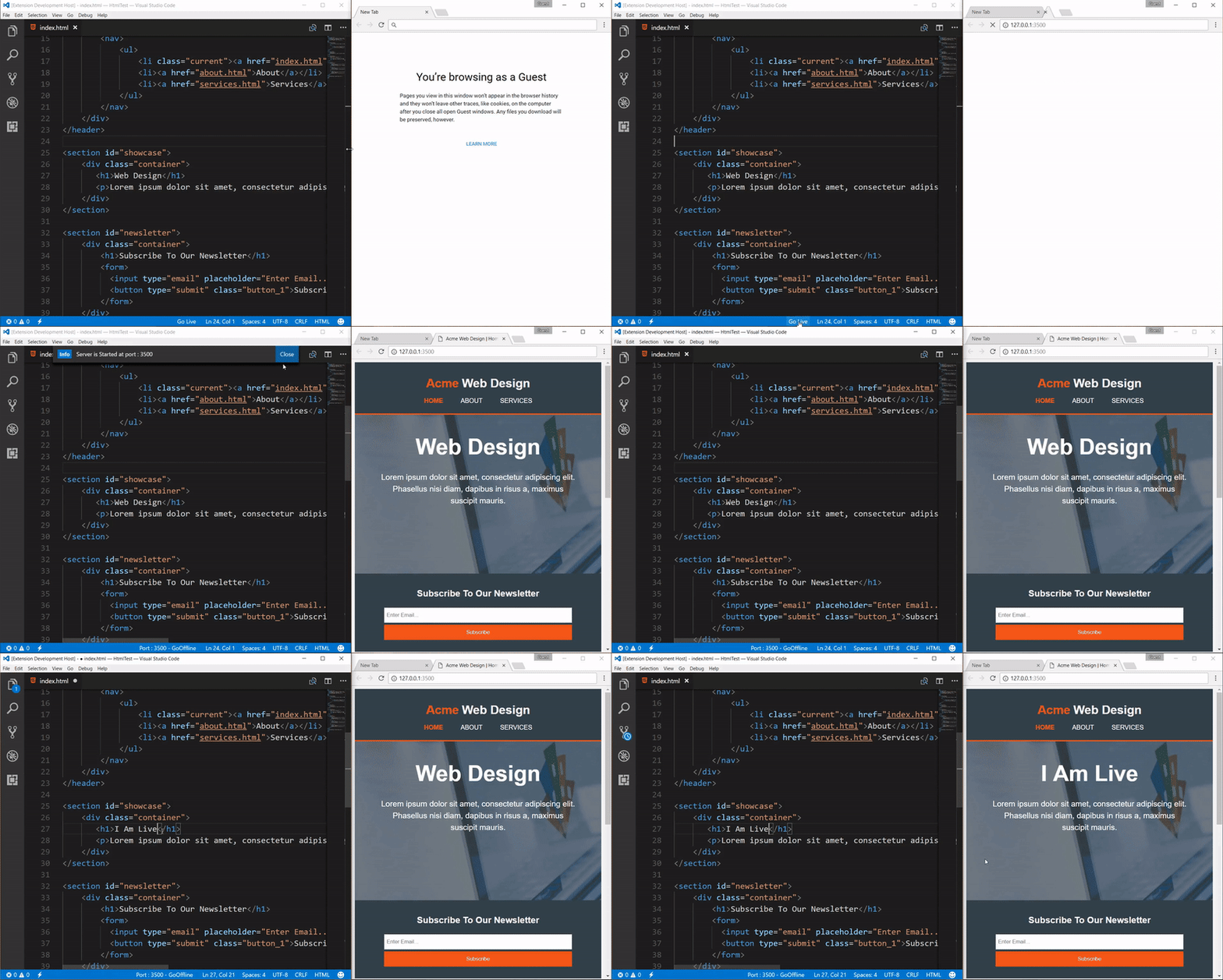
This extension will launch the server locally and automatically sync the editor with your browser. When you change the code in the editor, the extension will automatically reload the browser to display the edited content.
Downloads: 6,541,468
11. PROJECT MANAGER
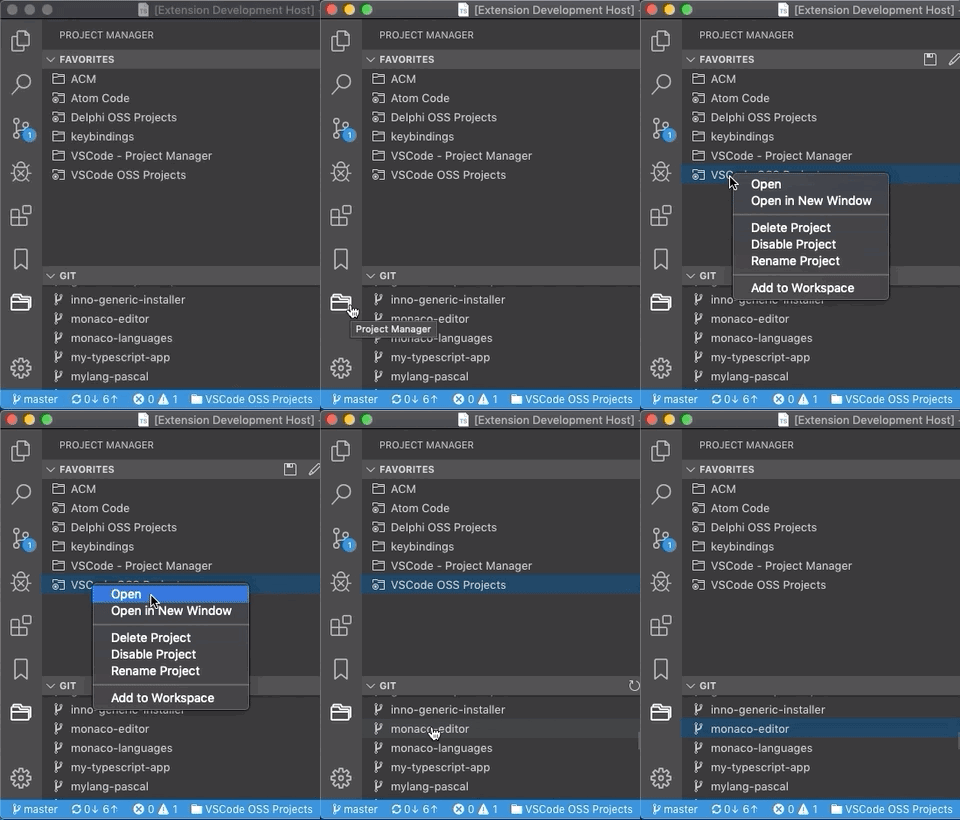 ‘This widget makes it easy to access your projects, no matter where they are saved.
Downloads: 1,090.254
twelfth. CODE SPELL CHECKER
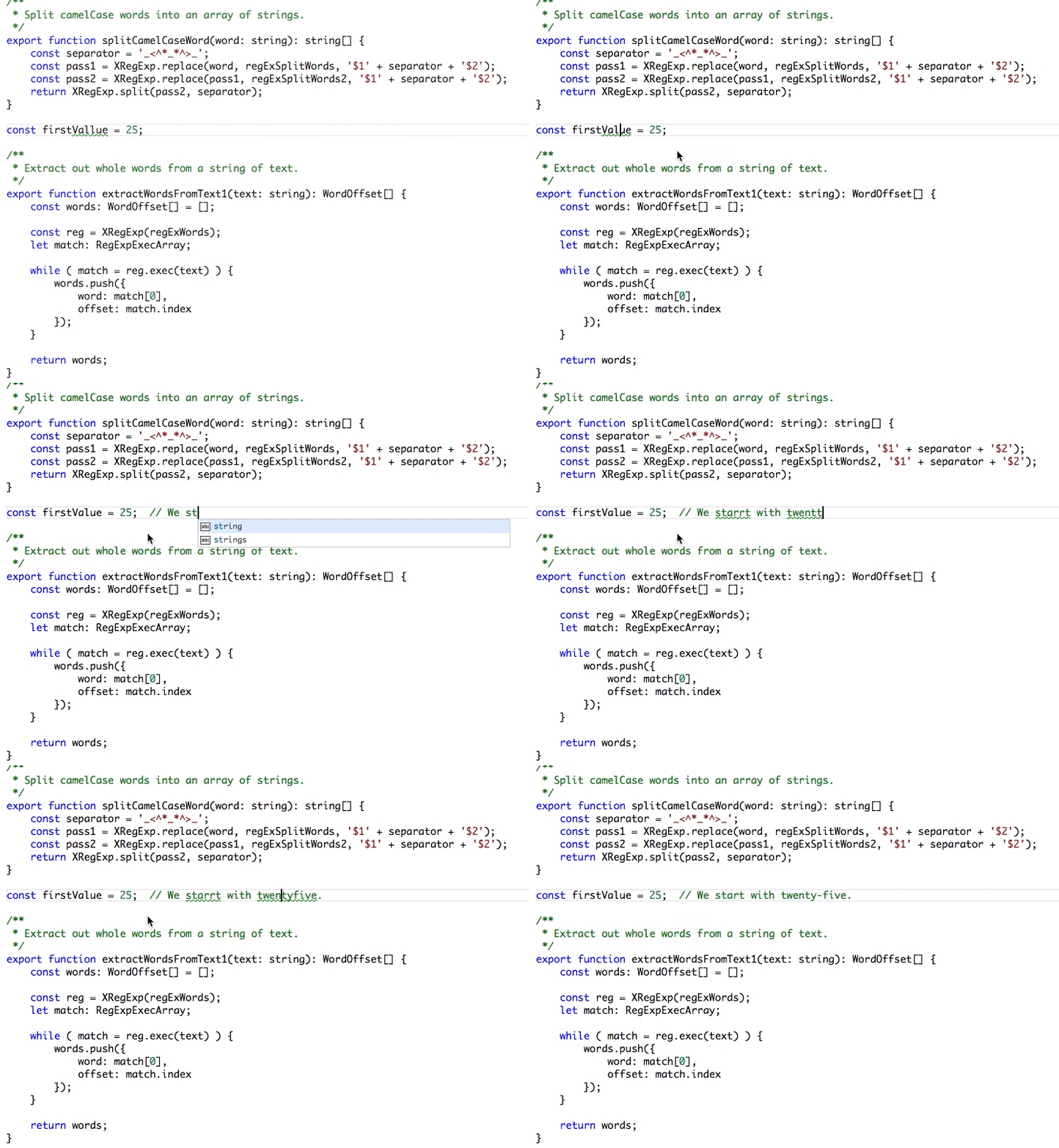 ‘This extension will check for typos in your source code. It works on almost all programming languages.
Downloads: 1,596,862
13. BRACKET PAIR COLORIZER

This extension will make it easier to identify brackets by their color. It helps users color the brackets in methods, classes, functions, etc. to help you see the code more clearly.
Downloads: 1,154,226
14. REMOTE — SSH
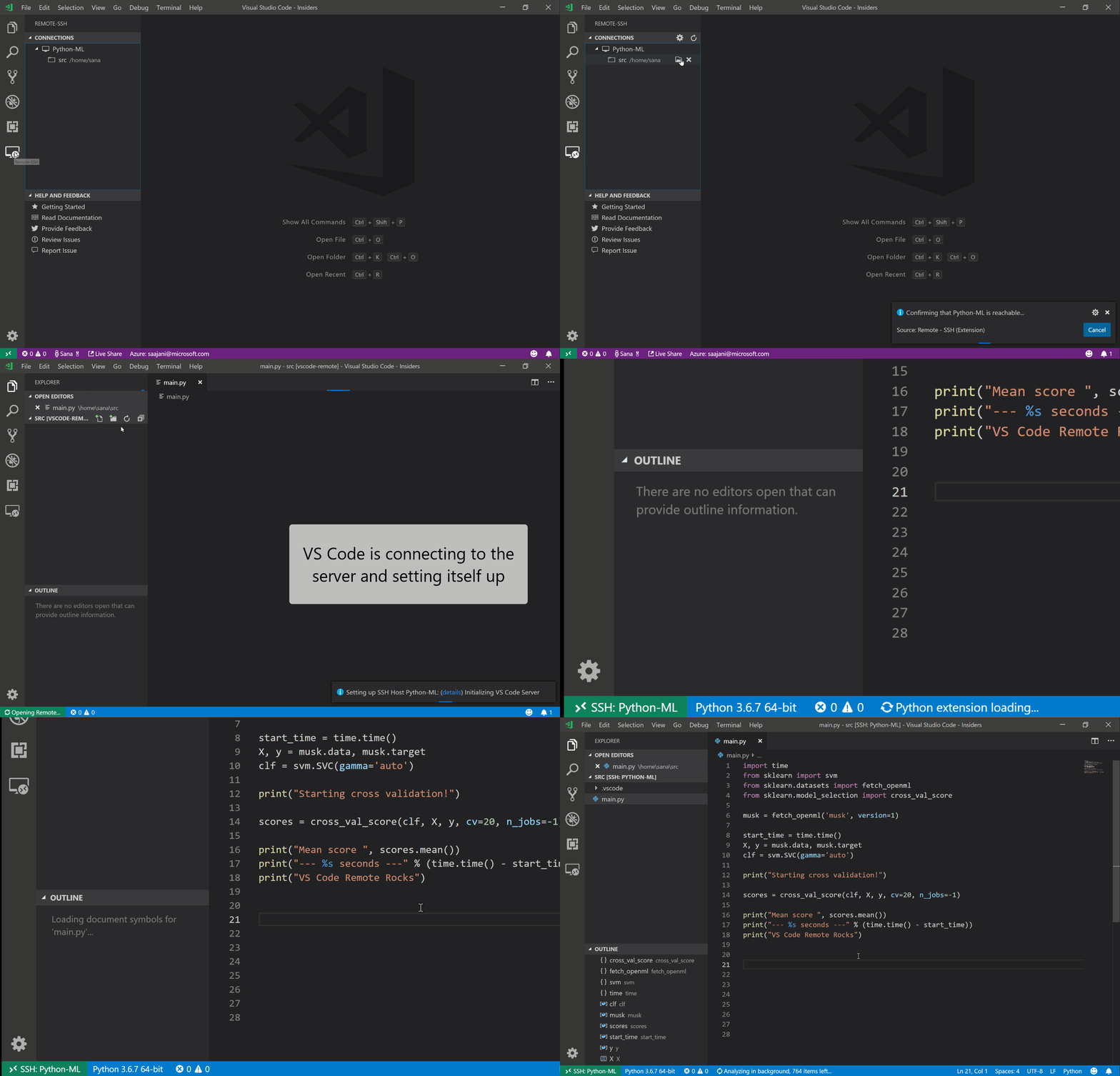
Extension Remote – SSH allows you to remotely use any computer that has an SSH server as your development environment.
Downloads: 1,605,734
15. REST CLIENT
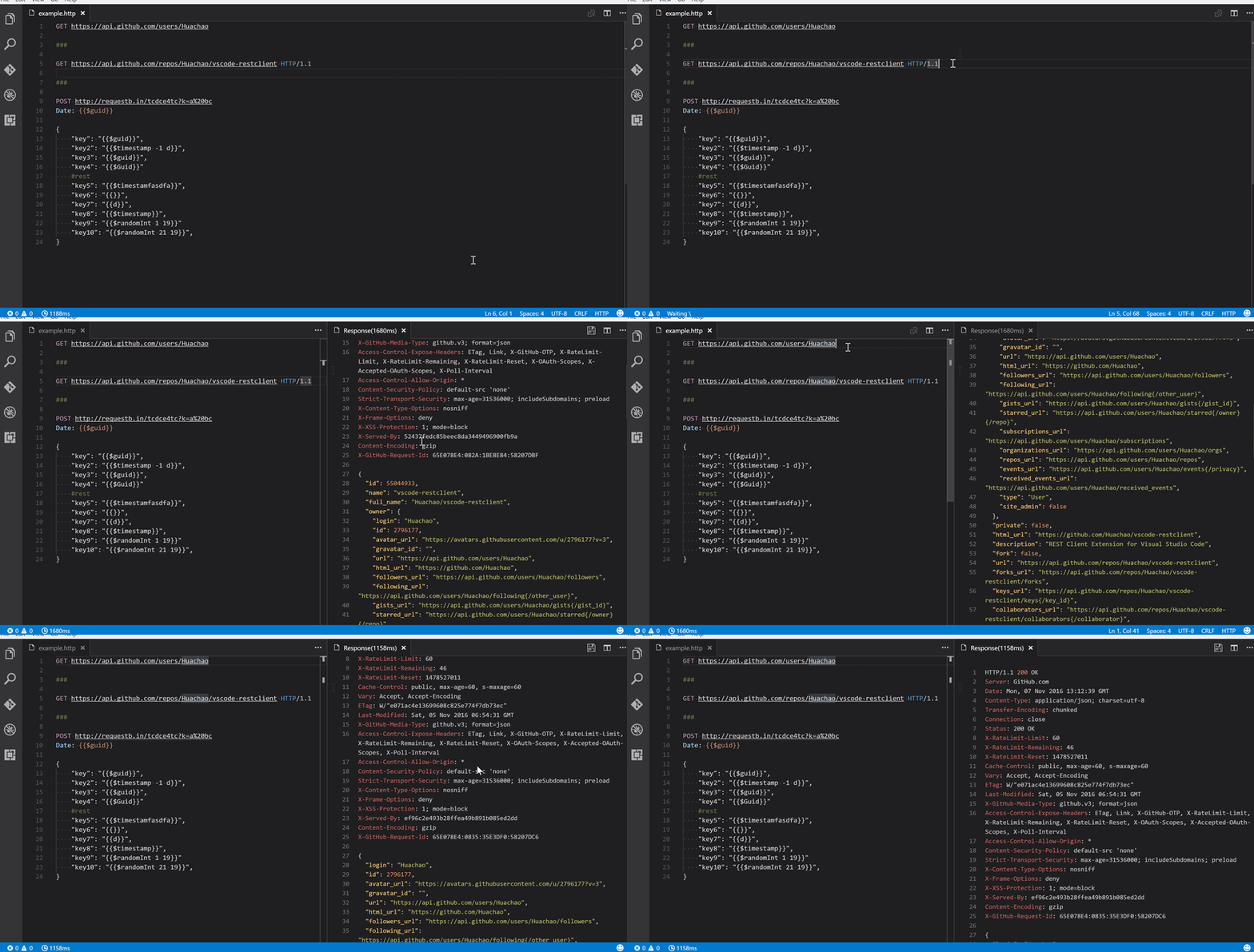
The REST Client allows you to send HTTP requests and view their responses directly in Visual Studio Code.
Downloads: 1,025,700
16. JAVASCRIPT (ES6) CODE SNIPPETS

This extension contains ES6 syntax JavaScript code for the Visual Studio Code editor (supports both JavaScript and TypeScript).
Downloads: 3,789,793
17. CODE RUNNER
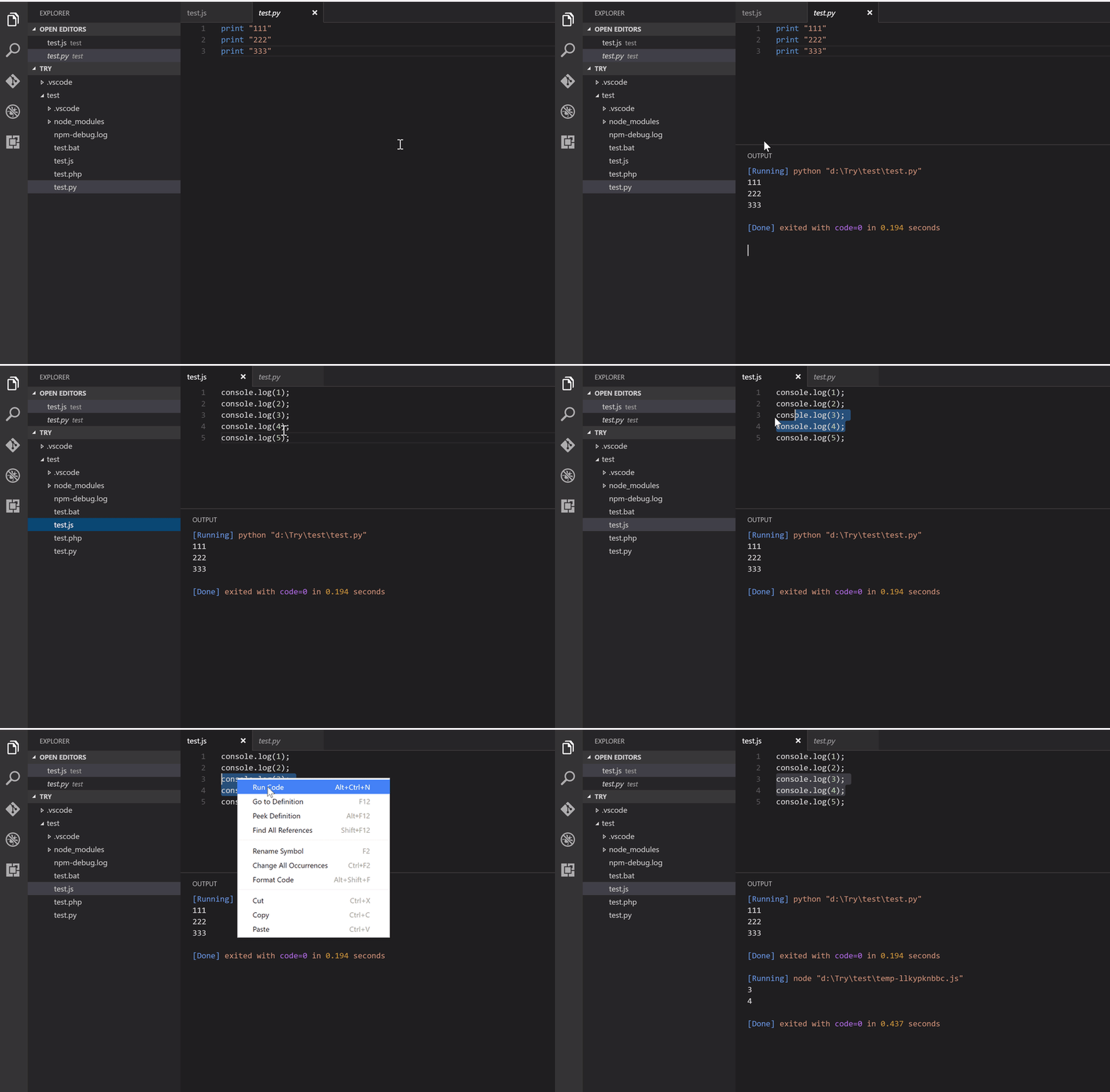
Code Runner will help you run the editor’s code file through the context menu of the file explorer. Alternatively, you can also run selected code snippets in the editor. It supports REPL by running code in the built-in terminal.
Downloads: 4,549,546
18. DOCKER
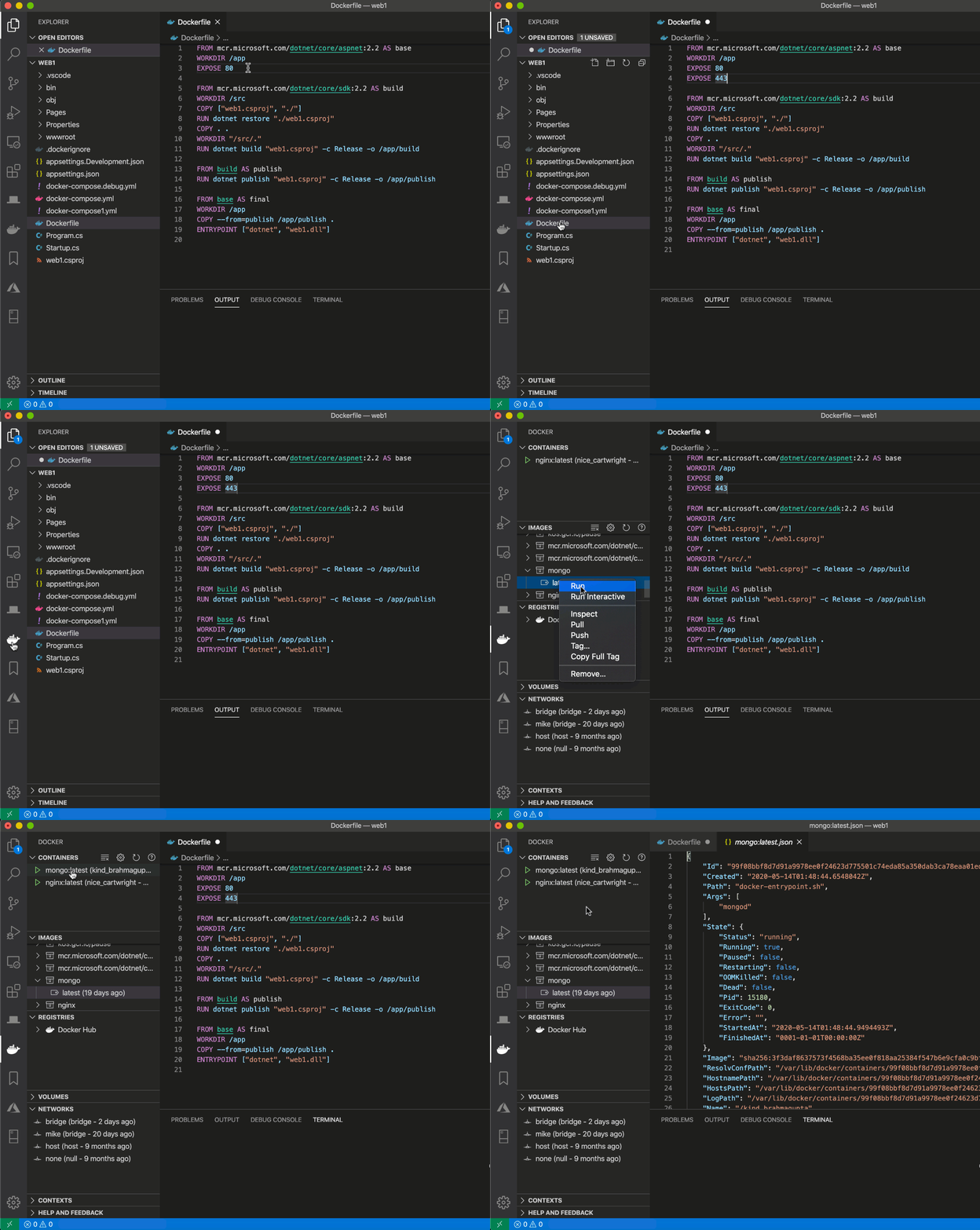
Docker makes it easy to build, manage, and deploy packaged applications from Visual Studio Code. It also provides one-click debugging of Node.js, Python, and .NET Core inside the container. The utility also recognizes the workspaces of the most popular development languages (C#, Node.js, Python, Ruby, Go, and Java) and customizes the generated Docker files accordingly. Docker provides a Docker view for VS Code. Docker views allow you to inspect and manage Docker assets such as containers, images, volumes, networks, and container registries.
Downloads: 5,136,014
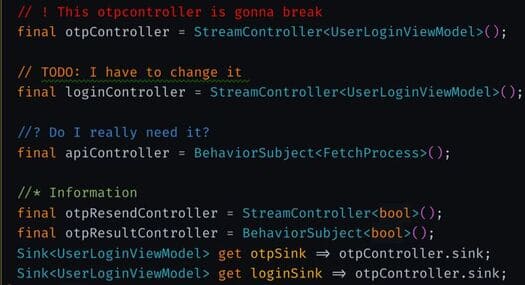
Better Comments helps you create more user-friendly comments in your code. You will be able to categorize your comments into warnings, queries, TO-Dos, highlights, etc. Besides that, commented code can also be styled to clarify the code and any recognition patterns. Any other review you want can also be customized in the settings.
Downloads: 960,927
20. DEBUGGER FOR CHROME
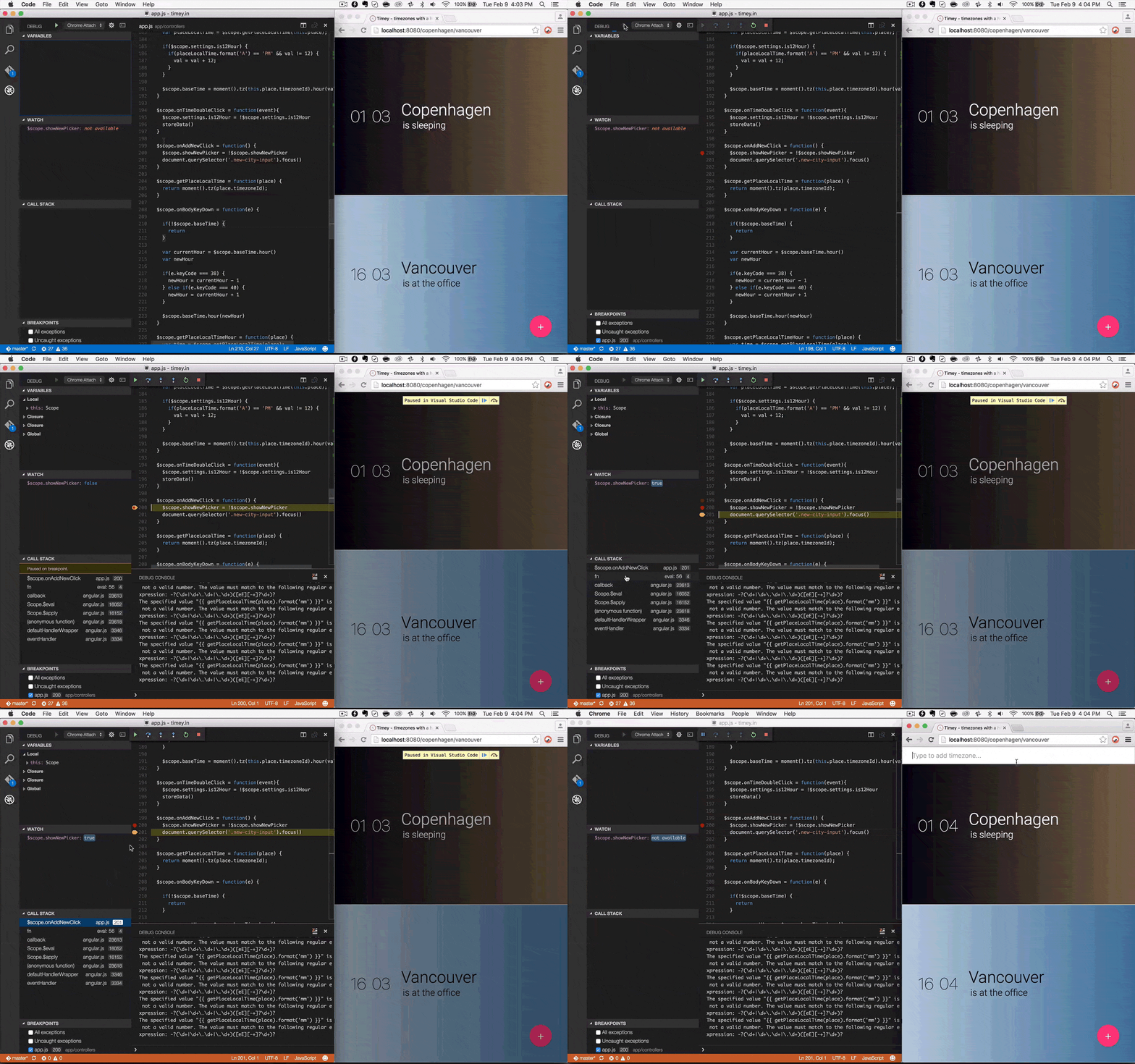
Debugger is an extension for debugging JavaScript code in the Google Chrome browser or other targets that support the Chrome DevTools Protocol. It helps to debug eval scripts, script tags, and set breakpoints.
Downloads: 1,617,311
21. MARKDOWN ALL IN ONE
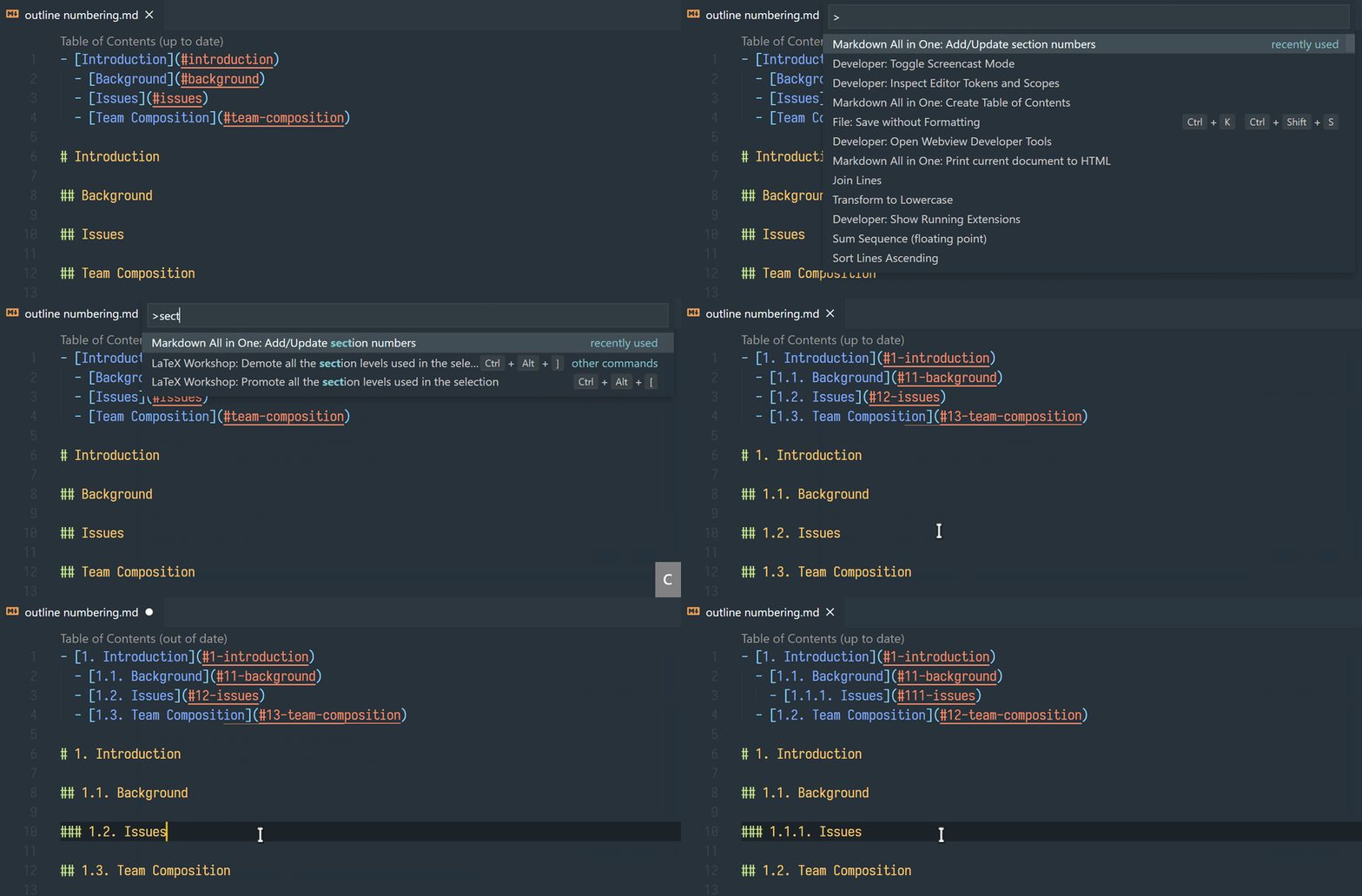
This extension helps you do all the things that need to be done for Markdown (shortcuts, table of contents, auto preview and more).
Downloads: 5,136,014
22. SEARCH NODE_MODULE

Search node modules is a simple plugin for VS Code that allows you to quickly navigate files inside your project’s node_modules folder.
Downloads: 571,040
23. SETTINGS SYNC

Setting sync allows you to sync settings, snippets, themes, file icons, keybindings, workspaces and extensions between machines using Gist. It supports GitHub Enterprise, pragmas with @sync keywords: host, os and env. Easily Upload and Download one-click installation. It allows you to sync any file between your machines.
Downloads: 1,870,161
24. NPM
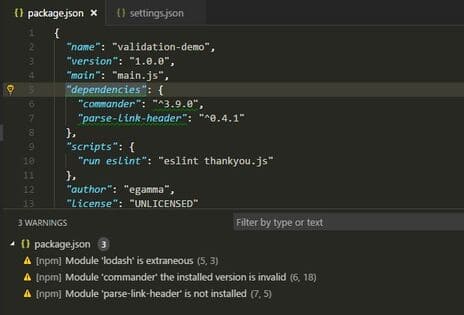
This extension supports running npm scripts defined in package.json file and validating installed modules against definitions in package.json. Scripts can be run in the built-in terminal or output window.
Downloads: 2,748.32
Conclusion
Visual Studio Code had 4.9 million monthly active users in 2019. Without a doubt, it is the best code editor available today. One of the best features is Market Place which provides a lot of Visual Studio Code Extensions Visual Studio Code according to your needs and helps you to write high quality code.
If you don’t like using Visual Studio Code on your PC, you can learn Visual Studio Code web version.