Following the generation of Windows Server 2012, Microsoft has released a version of Windows Server 2016 with more innovative and powerful features, compatible with virtualization environments, and cloud computing.
| Join the channel Telegram of the AnonyViet 👉 Link 👈 |
Fortunately, AnonyViet has collected almost a complete set of Labs for Windows Server 2016 (equivalent to MCSA) to serve network administrators to capture and configure Server in the most efficient and fastest way.
New features of Windows Server 2016
The content in this section describes what’s new and changed in Windows Server 2016. The new features and changes listed here are the ones that are likely to have the biggest impact as you work with this release.

The virtualization area includes virtualization products and features for IT professionals to design, deploy, and maintain Windows Server.
Hyper-DRAW
- What’s New in Hyper-V on Windows Server 2016. This topic explains the new functionality and changes of the Hyper-V role in Windows Server 2016, the Hyper-V client running on Windows 10, and Microsoft Hyper-V Server 2016.
- The Containers window: Windows Server 2016 support contains additional performance improvements, simplified network management, and support for Containers on Windows 10.
Identification and access
New features in Identity improve the ability for organizations to secure Active Directory environments and help them transition to cloud-only and hybrid deployments, where a number of applications and services are hosted in the cloud and others hosted on premises.
Administration
The management and automation area focuses on tools and reference information for IT professionals who want to run and manage Windows Server 2016, including Windows PowerShell.
Windows PowerShell 5.1 includes significant new features, including support for development with new classes and security features that expand its use, improve its usability, and allow you to Control and manage your Windows-based environment more easily and comprehensively.
Nano server
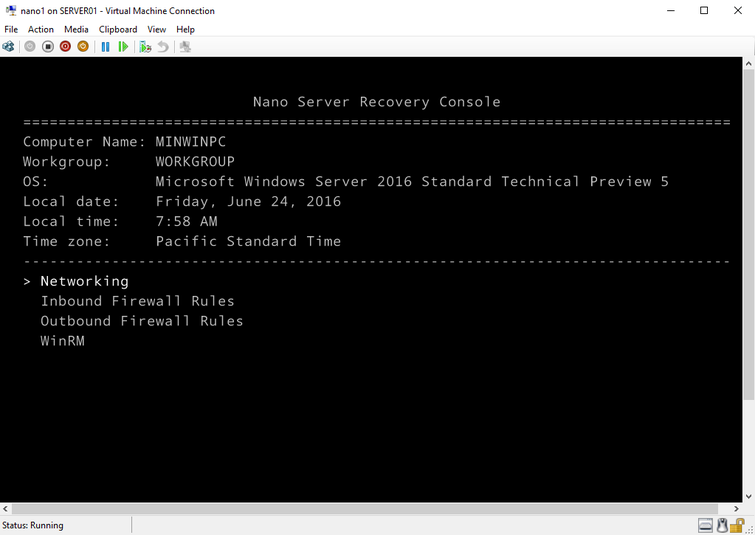
Nano Server saves resources by up to 92% compared to the Windows Server graphical user interface (GUI) installation option. Beyond just that, here are some compelling reasons to start running Nano for at least some of your Windows Server workloads:
- Bare-metal OS only starts essential services
- Nano is so small that it can be transferred easily across servers, data centers and physical sites.
- Nano hosts the most common Windows server workloads. Including the Hyper-V host, of course.
Nano is designed to be fully managed remotely. However, Nano does not have a user interface, it is represented on a command line interface called “Nano Server Recovery Console”.
Contents of Lab Windows Server 2016
Below is the content of all Lab articles about Windows Server 2016. Labs are recorded in video, exe format so you don’t need to install any additional software.
1.1 Installing HDH Windows Server 2016 Datacenter (Full Installation)
1.2 Configure NIC Teaming
2.1 Configure Domain Controller and Join Domain
2.2 Configure Additional Domain Controller
2.3 Child Domain Configuration
2.4 Configure Read Only Domain Controller (RODC)
3.1 Create Objects in Active Directory and OU . Admin Authorization
4.1 Creating objects in Active Directory through PowerShell
4.2 Use PowerShell Script to create bulk accounts
4.3 Manage files and folders using Powershell
5.1 Configure Enable Routing and Remote Access feature
5.2 Implement Static Routing Configuration on Windows Server 2016
5.3 Deploy Dynamic Routing Configuration on Windows Server 2016
6.1. Install and configure the DHCP Server service in conjunction with AD
6.2. Install and configure DHCP Relay Agent
6.3. DHCP Server Backup and Restore
7.1 Configure DNS Server (Primary Name Server)
7.2 Deploy Backup DNS Server (Secondary Name Server) configuration
8.1 Install and configure drive partition management
8.2 Soft Raid Configuration
9.1 Basic Group Policy Objects Policy Deployment
9.2 Configure user account policy
10.1 Configure Sharing and Permissions NTFS
10.2 Configure Home Folder
10.3 Configure Roaming User Profile
10.4 Offline File Configuration
Download link
To download all the exercises about Windows Server 2016, please download from the link below.
If you have problems with the download process, do not hesitate to notify AnonyViet to fix the link