Kali Linux There are many ways to use it but here I will show you how to use Kali Linux with a virtual machine aka “VM“
| Join the channel Telegram of the AnonyViet 👉 Link 👈 |
after you open Kali Linux it will look like this:
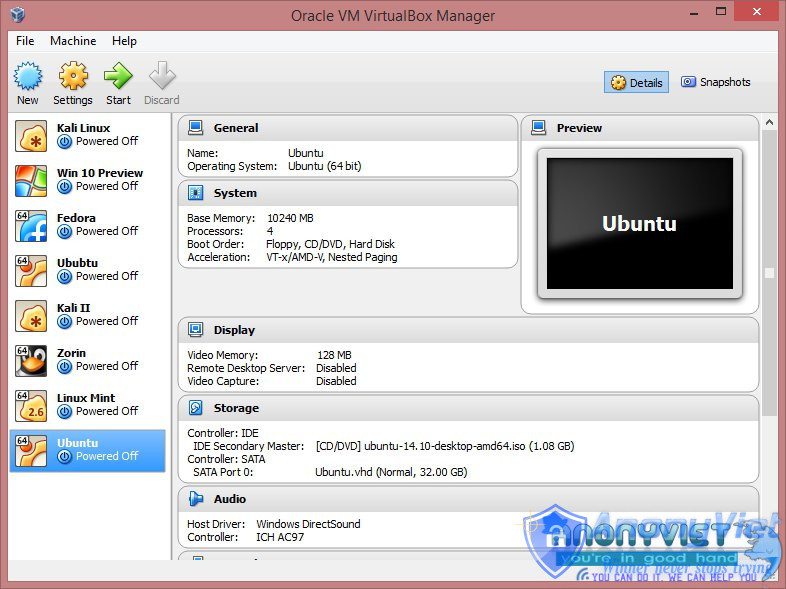 To create a VM, select “new”:
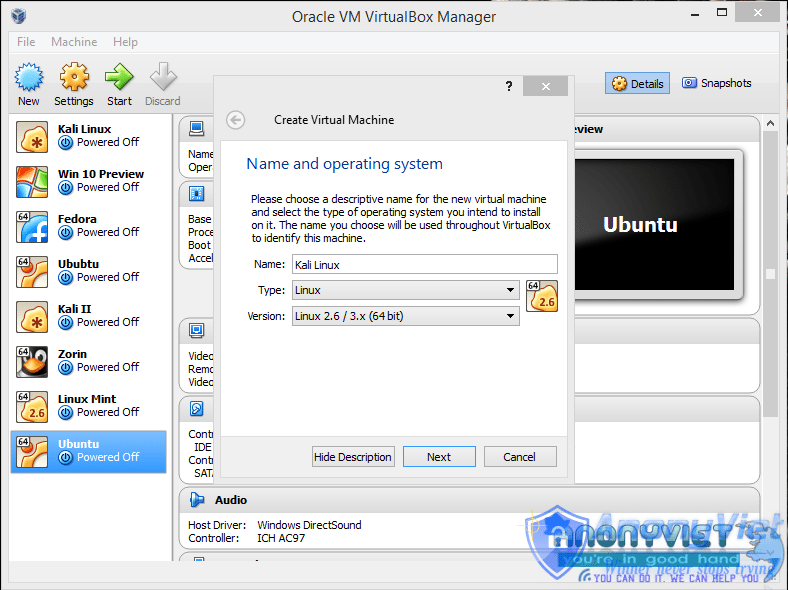
You can name the VM whatever you want and then click”next“.
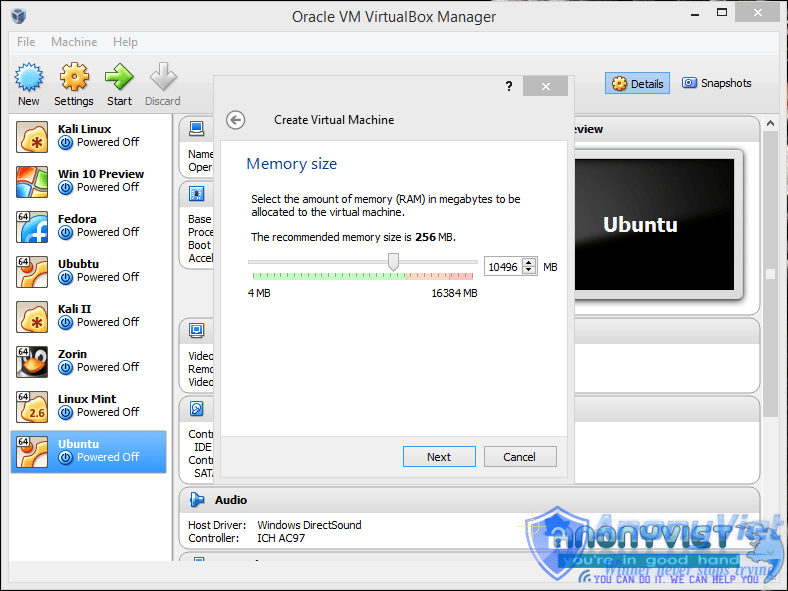
You will be given the choice of how much RAM you want for your VM.
It will ask to allocate hard drive space, leave it at the default option, “next“!
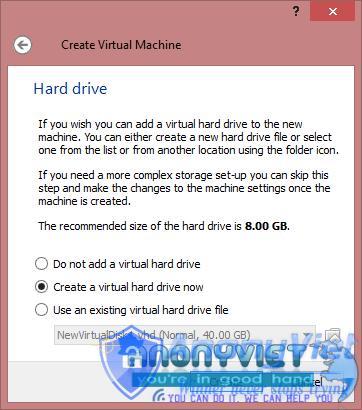
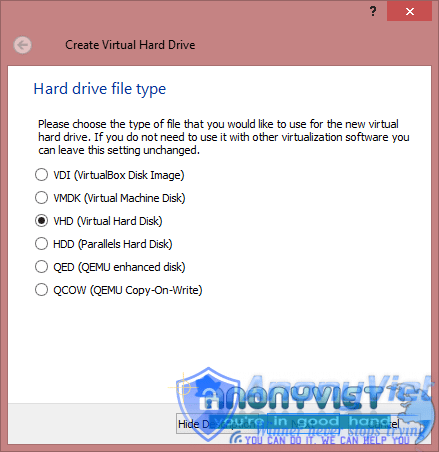
Select “VHD” and “next“.
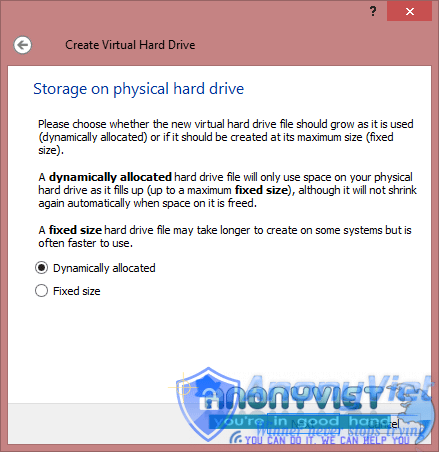
Select”Dynamically Allocated”:
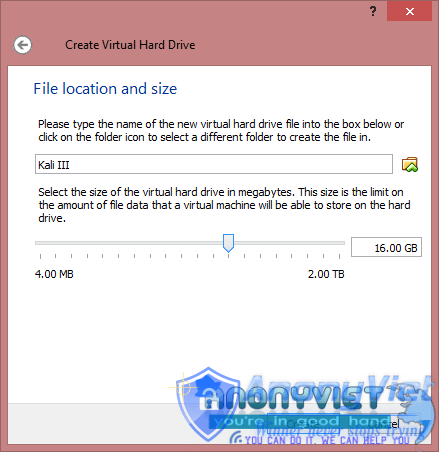
Next you can choose the size you want of the virtual hard disk.
Then click “Create” and you already have a VM.
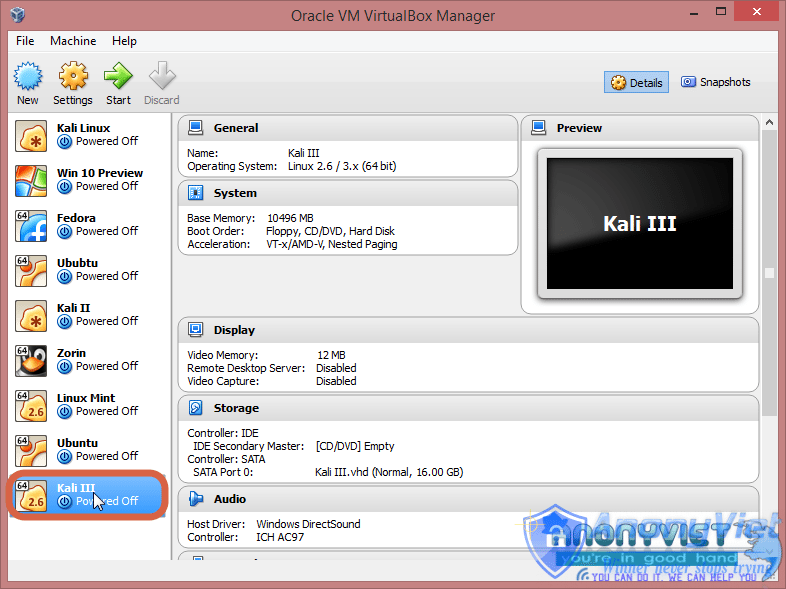
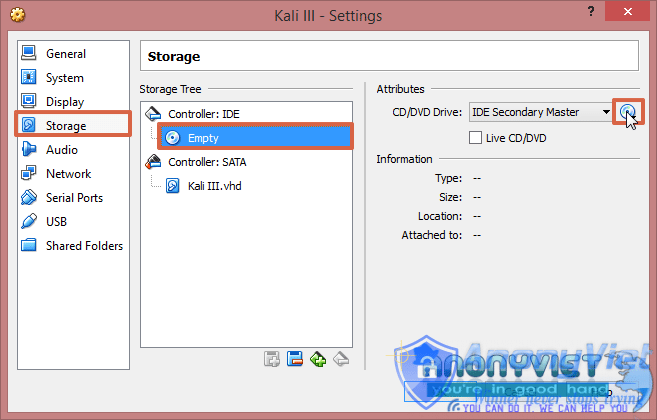
Now, click Settings(Settings)> Storage(Storage)> click on the cd image in the right hand corner, as shown. Now browse to your downloaded image. Press “OK“.
It is finally completed. Press begin.