Blackbox Ai is becoming a prominent name in the programmer community thanks to its superior support in optimizing the code writing process. This is not only a common tool, but also a smart virtual assistant, ready to accompany you in every coding project. Let's explore what makes this tool so attractive!
| Join the channel Telegram belong to Anonyviet 👉 Link 👈 |
Who is Blackbox?
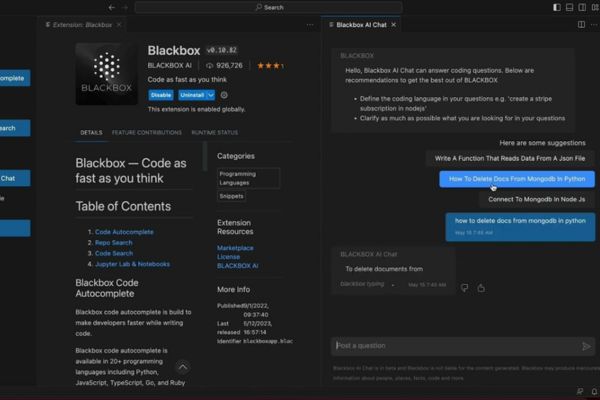
Blackbox Ai is a programming support platform designed to provide quick and accurate feedback for issues related to the source code. Its special feature lies in the ability to integrate smoothly into popular working environments Visual studio codehelp you handle work without leaving the familiar interface.
From explaining the complicated code to the optimization proposal, Blackbox Ai is like a reliable companion, saving time and improving performance.
Not only that, Blackbox AI also supports programmers in studying technical documents or processing data from many different sources. Whether you are a beginner or a veteran coder, this tool has a real value, helping you focus on creativity instead of bogging in small issues.
Advantages and disadvantages of Blackbox Ai
Like any tool, everyone has its own strengths and limitations. Regarding the advantages, the ability to provide detailed and easy -to -understand answers is what impresses many people. You can ask anything, from how to fix the syntax to how to build a complex algorithm, and get an immediate response. Integrated features with Github Or Visual Studio Code is also a big plus, making the job more seamless.
However, Blackbox Ai is not without disadvantages. Data processing speed is sometimes slow, especially when analyzing large amounts of information, which can interrupt the workflow. In addition, this tool does not fully support all programming languages, making it difficult for some programmers to work in less common languages. However, with what it brings, Blackbox Ai is still a choice to consider.
The outstanding features of Blackbox Ai
Blackbox Ai does not only stop answering questions, but also brings a series of unique features, supporting programmers in many different aspects. Here are the notable bright spots:
Code chat – Real -time assistant
Code chat feature allows you to chat directly with Blackbox Ai right in the working environment. Just ask questions through the shortcut or icon on the browser, you will receive an instant answer. From fixing code to optimize algorithms, this feature helps you solve the problem without leaving the project you are doing.
Integrating github – understanding the source easily
With Github integration, Blackbox AI allows you to ask questions about the source right on the archive. The tool will analyze and explain each code, even propose how to improve performance. This is an effective assistant for those who regularly work in groups or research open source projects.
Convert images into text
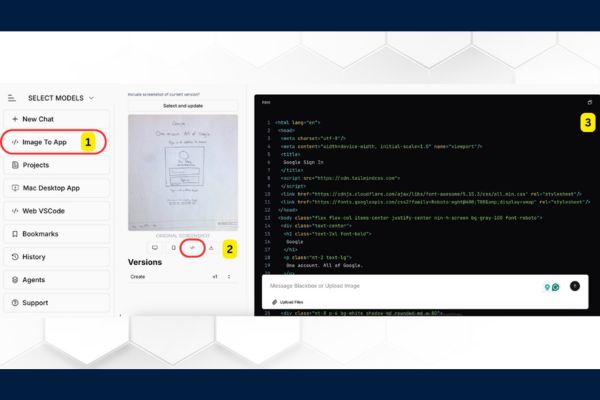
Have you ever needed to extract the code from screenshots? With Image-to-TEXT feature, Blackbox Ai uses OCR technology to transform the image into text in just a few seconds. Just press Ctrl+E (Windows) or CMD+E (Mac), select the processing area, and you have a code ready to use.
Add context from the website
The feature “Add Current Page As Context” helps Blackbox AI analyze the website content you are viewing to answer the question more accurately. This is extremely useful when you read technical documents or programming blogs and need further explanation of content.
How to download Blackbox Ai on the phone
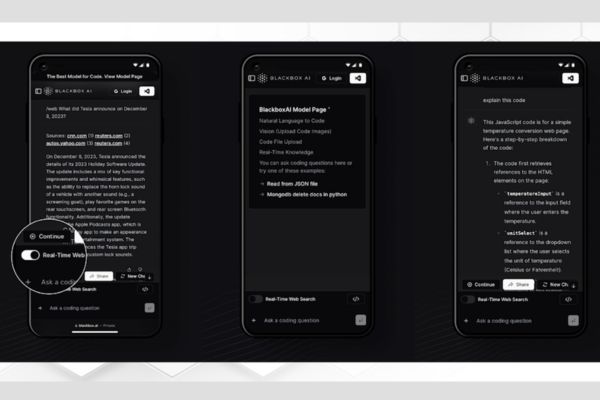
Do you want to use Blackbox, wherever you are? Below is a detailed guide to download and install on the phone:
Android: Access CH Play, find “Blackbox Ai” or go directly to the download link HERE. Click “Install” and wait a few minutes to complete. After that, you can open the application and start experience immediately.
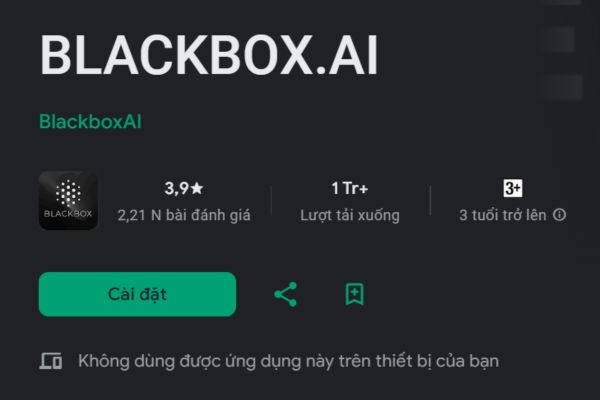
iPhone: Currently, Blackbox Ai has no official application on the App Store. However, you can still access the Safari browser at www.blackbox.ai. Log in with Google or Microsoft account to fully use features.
Instructions for use Blackbox Ai effectively
To make the most of Blackbox AI, you can start by logging in on PC:
- Open the browser and access www.blackbox.ai.
- Select “Sign in with google” or “Sign in with Microsoft”.
- Enter account information and grant access if required.
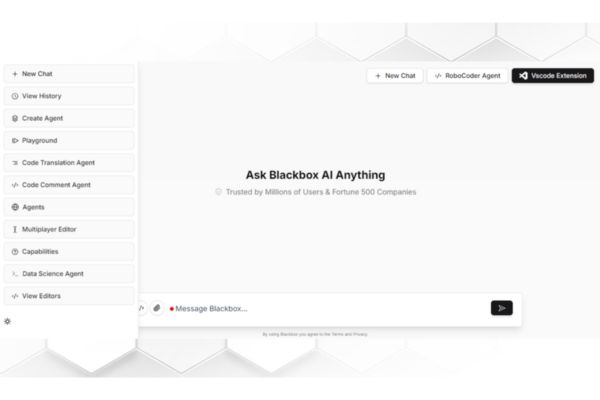
- After logging in, you will go to Dashboard, where you can use all features such as code chat or image-to-style.
- When you need to convert images into code, just choose Image to app Then upload the image, select the option OCRand Blackbox who will do the rest. Friendly interface and clear instructions help you quickly get used to this tool.
Conclude
Blackbox Ai Not only is a programming support tool, but also a step forward in optimizing the way coder works. With features such as code chat, integrated github or converting images into text, it brings significant convenience and efficiency. Although there are still some limitations, it is still the ideal choice for those who want to improve programming skills and save time.