
Naykia app saves articles brings a completely new way of managing social network links. Surely you’ve ever been frustrated because you saved a great post but when you come back the next day, the owner has deleted it. Now don’t worry about that anymore because this application will help you retain the original content. Let’s go together AnonyViet Learn in detail how it works.
📢 Join the channel Telegram belong to AnonyViet
Update new articles, cool tools and IT tips fastest
Naykia: Cross-platform article saving app
Surely all of us have encountered the situation of scrolling through our phones and seeing a cool trick or beauty tip post and then hastily pressing the save button. But unfortunately, when I need to use it, I don’t remember that I saved it on Facebook. Tiktok or Instagram too. Having to open each application to dig through old history is really time-consuming.
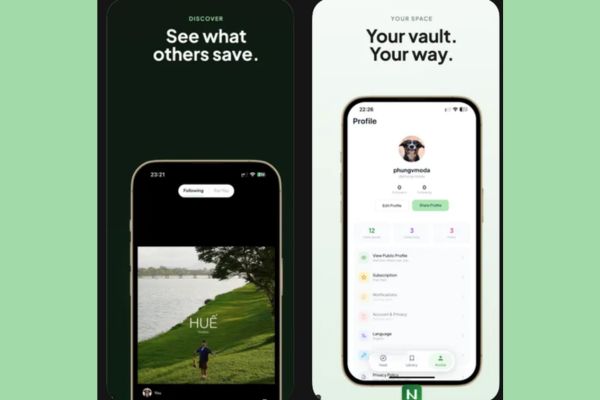
That’s the reason why I recently switched to using the Naykia app to save posts. This is an application exclusively for the iOS operating system, designed with the sole purpose of gathering all public posts on social networks into a common archive. The feeling that everything that was messy is now organized is nothing. You just need to throw in the link, the rest will be taken care of by the app.
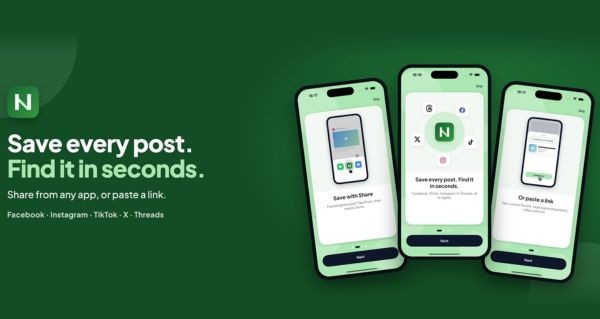
The most profitable feature: Retaining content when the original article “evaporate”
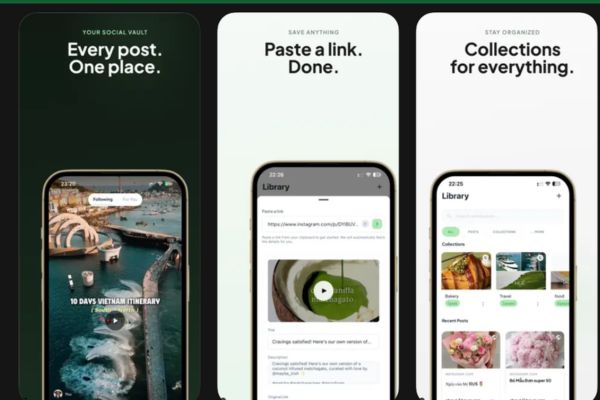
What impresses me most about this tool is not its beautiful interface, but its actual storage capabilities. Normally when you copy a link and put it in a comment, if the person who posted it deletes the post, your link will also be trash.
Instead, the Naykia article saving app works like a real safe. When you paste the link, the system will automatically retrieve the data and save it. Thanks to that, even if the original social media post is deleted by the author, you can still review that content right in the app. This feature is extremely useful for those who often go out to watch dramas or need to store important documents but are afraid of losing track of them.
Which platforms is Naykia supporting?
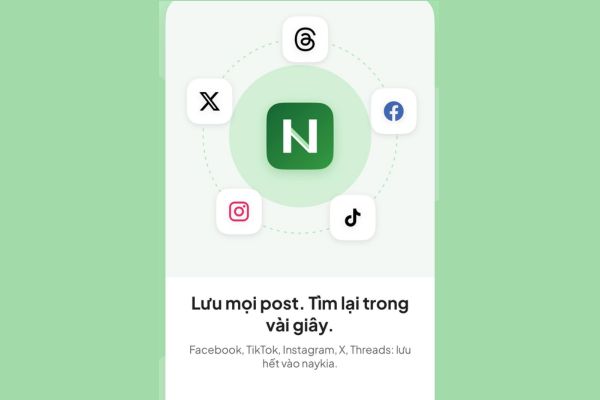
Currently, the app is doing a very good job of capturing links from the most popular social networks in Vietnam. Specifically, you can save the following categories:
- Facebook: You can save common shared articles, short Reel videos and article links in groups. However, there is a mandatory condition that the group must be a public group for the app to read the data.
- Instagram: The application supports getting links from normal photo posts and Reel videos.
- Tiktok: It’s simpler, just copy the video link and paste it and you’re done.
- Threads: Not only does it save long posts, but it also retains the comments section below.
- X or Twitter: You can also save status lines easily.
Instructions for using Naykia app to save articles
Using this app is easy, you don’t need to be tech savvy to do it. Just follow this order and you’re done:
Step 1: Proceed to download app Naykia.
Step 2: Open the social networking application you are using, such as Facebook or Tiktok, Find the article you want to save and select Share > Press Copy link.
Step 3: Open the Naykia app, click + sign in the upper corner of the screen, select Create articles.
Step 4: Paste the link you just copied into the empty box on the screen.
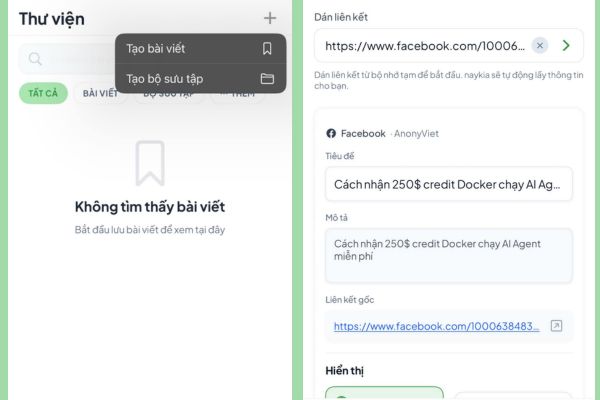
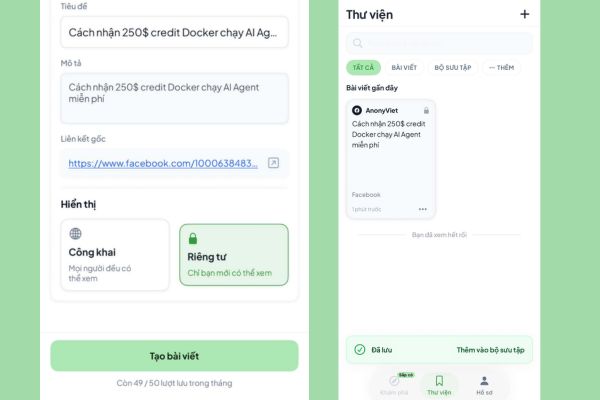
Step 5: Select display Public or Private. Then press Create articles. That’s it, the post will be saved in the section Libraryyou can click access at any time.
Alternatively, in step 3 you can click Create collections to collect links on the same topic. For example, you create a folder called Da Lat Tourism and then put all the restaurant and homestay review links in there to make it easy to find.
A few minor limitations
Although I praise a lot, I also have to clearly state a few limitations based on information from the developer. First is about video capacity. Posts that contain videos that are too heavy, specifically large more than 100mb then the app will not be able to save. Additionally, direct links may expire depending on the policies of each social media platform. In return, the author promises to upgrade in the future to support saving long videos and Youtube links.
Regarding the cost issue, currently Naykia’s article saving app is completely free for users to use, with no annoying intervening junk ads. However, each month you will be given a maximum saving limit 50 links. Next month, the system will automatically reset this number.
For the needs of a normal person, 50 links a month is a waste. If you are a person who specializes in collecting links and need to store a larger amount, the author will release it in the near future Paid Pro plan to extend the limit. Seeing how well the app works like this, paying a small fee to support it is completely worth it.
Conclusion
Overall Naykia app saves articles does a great job of gathering everything in one place. I really like the feature of retaining the content even if the original article is discolored, I feel completely secure. Therefore, if you are a curious person or need to collect study materials, install it immediately. Wait to see if the upcoming Pro version has any more groundbreaking features.
Frequently Asked Questions (Q&A)
1. Does this app charge user fees?
Currently the app is completely free and has no ads. You are given a limit of 50 links per month and will be renewed next month. There will be more paid Pro packages coming soon for those who need to save more.
2. Can the application save long videos?
No, currently the system will ignore posts containing videos larger than 100mb. However, the developer said it will support long videos in the future.
3. If a Facebook post is deleted, will it be lost in the app?
No loss. The app has saved the content of public posts, so even if the original post on the social network is deleted by the author, you can still view it normally in your collection.